


- Posts: 163
- Thank you received: 36
3 Post Moderation Rule for New Boarders (25 Jan 2021)
New boarders will have their posts moderated - Don't worry if you cannot see your post immediately.
FCPX 10.1.2 POST-RELEASE DISCUSSION
- cinemaloha
-

- Offline
- Elite Member
-

Less
More
02 Jul 2014 16:35 - 02 Jul 2014 17:54 #49059
by cinemaloha
Replied by cinemaloha on topic FCPX 10.1.2 POST-RELEASE DISCUSSION
I'm liking the update. It's definitely less buggy than other versions & much faster.
Load time in 10.1.2 is ~2 minutes vs ~20 minutes in 10.1.1. The project was started with the very first version. I can finally finish it, yay! Late-2012 iMac 3.4 Ghz i7, 32GB RAM, 2GB VRAM, Original h.264 Media on Pegasus R6 12TB RAID5.
I still get 10 seconds (between commands) of spinning beach balls when working with multicam clips.
I've come across some keyboard shortcut bugs. For example, cmd+6 should take me to the Color Board & it does not. I've verified the shortcut in the Window menu>Go To>Color Board and it shows the shortcut key next to the command (click on it works). I went to the Command Editor and it's also there. To troubleshoot, I deleted the Command Editor shortcut & put it back in...it worked! Another example, the Clip Appearance shortcut is cntrl+opt+1 (2,3,4,5,6) to go from clip labels only to large waveforms...the commands were there but was not registering when I used them...again, I deleted the commands & put them back in and it worked. If you're having the same experience please chime in. I've already sent my feedback.
Another bug is the clips in the Browser disappeared when I click on the Event but when I click on a keyword, clips appear. I've cleared out the search bar, changed from one filter to another and nothing worked. When I restarted FCPX, they reappeared.
See this time-lapse video of my editing session when clips disappeared.
Here's my timeline (1 project, split into 2):


Load time in 10.1.2 is ~2 minutes vs ~20 minutes in 10.1.1. The project was started with the very first version. I can finally finish it, yay! Late-2012 iMac 3.4 Ghz i7, 32GB RAM, 2GB VRAM, Original h.264 Media on Pegasus R6 12TB RAID5.
I still get 10 seconds (between commands) of spinning beach balls when working with multicam clips.
I've come across some keyboard shortcut bugs. For example, cmd+6 should take me to the Color Board & it does not. I've verified the shortcut in the Window menu>Go To>Color Board and it shows the shortcut key next to the command (click on it works). I went to the Command Editor and it's also there. To troubleshoot, I deleted the Command Editor shortcut & put it back in...it worked! Another example, the Clip Appearance shortcut is cntrl+opt+1 (2,3,4,5,6) to go from clip labels only to large waveforms...the commands were there but was not registering when I used them...again, I deleted the commands & put them back in and it worked. If you're having the same experience please chime in. I've already sent my feedback.
Another bug is the clips in the Browser disappeared when I click on the Event but when I click on a keyword, clips appear. I've cleared out the search bar, changed from one filter to another and nothing worked. When I restarted FCPX, they reappeared.
See this time-lapse video of my editing session when clips disappeared.
Here's my timeline (1 project, split into 2):
Last edit: 02 Jul 2014 17:54 by cinemaloha.
Please Log in to join the conversation.
02 Jul 2014 16:47 #49060
by tpayton
Replied by tpayton on topic FCPX 10.1.2 POST-RELEASE DISCUSSION
Regarding the keyboard commands, I'm not seeing that issue on my system. Sounds like a preference issue to me.
I assume you have tried switching the default keyboard layout. I read somewhere that was recommended for 10.1.2.
Also, you can now delete preferences by starting up FCPX and hold down command and option when you startup the App.
I assume you have tried switching the default keyboard layout. I read somewhere that was recommended for 10.1.2.
Also, you can now delete preferences by starting up FCPX and hold down command and option when you startup the App.
Please Log in to join the conversation.
- cinemaloha
-
- Offline
- Elite Member
-
Less
More
- Posts: 163
- Thank you received: 36
02 Jul 2014 16:54 #49062
by cinemaloha
Thanks, tpayton. I'll switch to Default & create another Command Set from it. Great tip for deleting the preferences, I'll see if this eliminates the bugs.
Replied by cinemaloha on topic FCPX 10.1.2 POST-RELEASE DISCUSSION
tpayton wrote: I assume you have tried switching the default keyboard layout. I read somewhere that was recommended for 10.1.2.
Also, you can now delete preferences by starting up FCPX and hold down command and option when you startup the App.
Thanks, tpayton. I'll switch to Default & create another Command Set from it. Great tip for deleting the preferences, I'll see if this eliminates the bugs.
Please Log in to join the conversation.
02 Jul 2014 17:42 #49064
by Gretta
Replied by Gretta on topic FCPX 10.1.2 POST-RELEASE DISCUSSION
cinemaloha: I've been posting for a while many issues that I think were related to having a project that spanned ALL FCPX versions: so happy to find another in same Malia.
I, too, am happy with this update: open time, etc. It is no longer telling me that old CCs are 'in use' and cannot be deleted, etc.
shift-F finally takes me to the source clip, not just into the event.
PS: Is this the new geekery; posting images of our timelines? I love it. Must make some kind of (2D) art with them…
I, too, am happy with this update: open time, etc. It is no longer telling me that old CCs are 'in use' and cannot be deleted, etc.
shift-F finally takes me to the source clip, not just into the event.
PS: Is this the new geekery; posting images of our timelines? I love it. Must make some kind of (2D) art with them…
Please Log in to join the conversation.

02 Jul 2014 17:46 - 02 Jul 2014 17:47 #49065
by alex4D
Replied by alex4D on topic FCPX 10.1.2 POST-RELEASE DISCUSSION
If you want to use DaVinci Resolve 10.1.5 to work with Final Cut Pro X 10.1.2, you'll find that the version 1.4 XML won't work.
A workaround - import the XML into Resolve 11 Beta 1, then export version 1.3 XML (which will also import into Final Cut Pro X 10.1.1, but will lose some features).
@Alex4D
A workaround - import the XML into Resolve 11 Beta 1, then export version 1.3 XML (which will also import into Final Cut Pro X 10.1.1, but will lose some features).
@Alex4D
Last edit: 02 Jul 2014 17:47 by alex4D.
Please Log in to join the conversation.
- cinemaloha
-
- Offline
- Elite Member
-
Less
More
- Posts: 163
- Thank you received: 36
02 Jul 2014 17:47 - 02 Jul 2014 17:48 #49066
by cinemaloha
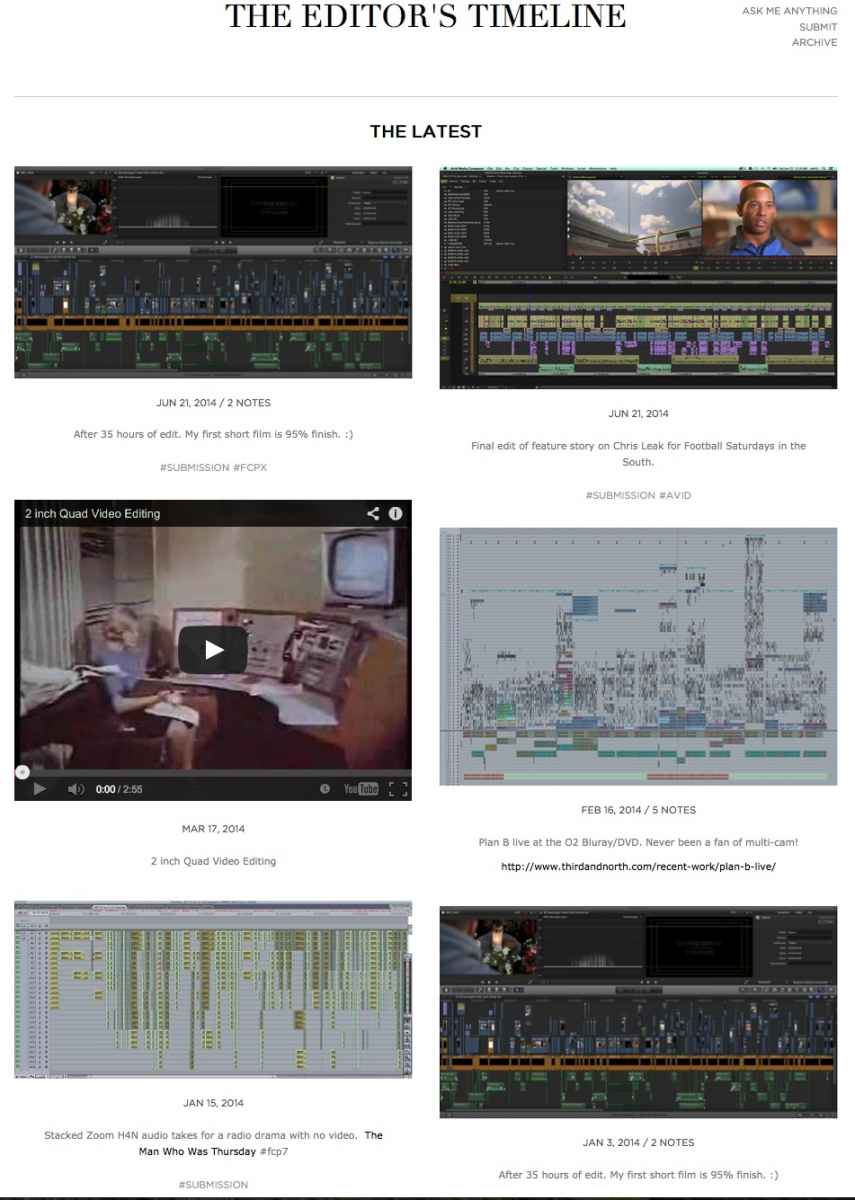
Haha! I enjoy seeing how others put together there timelines. You can see more at editorslog.tumblr.com/
Replied by cinemaloha on topic FCPX 10.1.2 POST-RELEASE DISCUSSION
Gretta wrote: PS: Is this the new geekery; posting images of our timelines? I love it. Must make some kind of (2D) art with them…
Haha! I enjoy seeing how others put together there timelines. You can see more at editorslog.tumblr.com/
Last edit: 02 Jul 2014 17:48 by cinemaloha.
Please Log in to join the conversation.
- Disproportionate Pictures
-

- Offline
- Platinum Member
-

Less
More
- Posts: 1433
- Thank you received: 64
02 Jul 2014 18:59 #49069
by Disproportionate Pictures
Thanks for posting this Alex. You can run Resolve 11 Beta 1 and Resolve 10.1 on the same system without issues?
Replied by Disproportionate Pictures on topic FCPX 10.1.2 POST-RELEASE DISCUSSION
alex4D wrote: If you want to use DaVinci Resolve 10.1.5 to work with Final Cut Pro X 10.1.2, you'll find that the version 1.4 XML won't work.
A workaround - import the XML into Resolve 11 Beta 1, then export version 1.3 XML (which will also import into Final Cut Pro X 10.1.1, but will lose some features).
@Alex4D
Thanks for posting this Alex. You can run Resolve 11 Beta 1 and Resolve 10.1 on the same system without issues?
Please Log in to join the conversation.
- Darren Roark
-
- Offline
- Platinum Member
-
02 Jul 2014 19:19 #49070
by Darren Roark
You can also use XtoPro which works great. Also strips some features away, but it works.
Blackmagic lets you download older versions of their software and includes an uninstaller with the installer. That's what they recommend doing when upgrading or downgrading. It's pretty fast when installing between versions.
As long as you back up your database manually, it works. Convenient? No.
Replied by Darren Roark on topic FCPX 10.1.2 POST-RELEASE DISCUSSION
alex4D wrote: If you want to use DaVinci Resolve 10.1.5 to work with Final Cut Pro X 10.1.2, you'll find that the version 1.4 XML won't work.
A workaround - import the XML into Resolve 11 Beta 1, then export version 1.3 XML (which will also import into Final Cut Pro X 10.1.1, but will lose some features).
@Alex4D
You can also use XtoPro which works great. Also strips some features away, but it works.
Blackmagic lets you download older versions of their software and includes an uninstaller with the installer. That's what they recommend doing when upgrading or downgrading. It's pretty fast when installing between versions.
As long as you back up your database manually, it works. Convenient? No.
Please Log in to join the conversation.
- raulfballester
-
Topic Author
- Offline
- Senior Member
-

Less
More
- Posts: 50
- Thank you received: 0
02 Jul 2014 19:58 #49071
by raulfballester
Replied by raulfballester on topic FCPX 10.1.2 POST-RELEASE DISCUSSION
Why do you think Apple hasn`t given us so far a single big update regarding FCPX timeline features? Is it the most difficult part? Not willing? Why?
Please Log in to join the conversation.
- Darren Roark
-
- Offline
- Platinum Member
-
02 Jul 2014 20:00 #49072
by Darren Roark
What features do you think need to be added?
(Other than roles with their own color coding as Marcus put out)
Replied by Darren Roark on topic FCPX 10.1.2 POST-RELEASE DISCUSSION
raulfballester wrote: Why do you think Apple hasn`t given us so far a single big update regarding FCPX timeline features? Is it the most difficult part? Not willing? Why?
What features do you think need to be added?
(Other than roles with their own color coding as Marcus put out)
Please Log in to join the conversation.
- Disproportionate Pictures
-
- Offline
- Platinum Member
-
Less
More
- Posts: 1433
- Thank you received: 64
02 Jul 2014 20:11 - 02 Jul 2014 20:11 #49073
by Disproportionate Pictures
Replied by Disproportionate Pictures on topic FCPX 10.1.2 POST-RELEASE DISCUSSION
Apple has spent the last two updates working primarily to overhaul, expand, and improve media management- this is all Event Browser stuff. I'd say everything they've done had to be ironed out before moving on to anything that will be built on top.
If Apple is foolish enough to follow my advice :lol: , then Roles-based organization and expanded audio are both likely wrapped up in the same (or a consecutive) development process.
If Apple is foolish enough to follow my advice :lol: , then Roles-based organization and expanded audio are both likely wrapped up in the same (or a consecutive) development process.
Last edit: 02 Jul 2014 20:11 by Disproportionate Pictures.
Please Log in to join the conversation.
02 Jul 2014 20:15 #49074
by Rvdenmark
Replied by Rvdenmark on topic FCPX 10.1.2 POST-RELEASE DISCUSSION
In our workflow we are dependent on assigning Roles to all audio since all shows are sent off for audio sweetening elsewhere.
We would really like to able to assign Roles to media upon import.
We would really like to able to assign Roles to media upon import.
Please Log in to join the conversation.
- Darren Roark
-
- Offline
- Platinum Member
-
02 Jul 2014 20:22 #49075
by Darren Roark
Replied by Darren Roark on topic FCPX 10.1.2 POST-RELEASE DISCUSSION
Yeah, that would be nice, I've thought that too.
I keep forgetting to apply them right away when I import files. It ends up being a pain later.
I keep forgetting to apply them right away when I import files. It ends up being a pain later.
Please Log in to join the conversation.
- Disproportionate Pictures
-
- Offline
- Platinum Member
-
Less
More
- Posts: 1433
- Thank you received: 64
02 Jul 2014 20:22 - 02 Jul 2014 20:23 #49076
by Disproportionate Pictures
Replied by Disproportionate Pictures on topic FCPX 10.1.2 POST-RELEASE DISCUSSION
Agreed. Starting into assigning Roles on this show, I can see loads of ways for the process to be streamlined so that you're not picking thru it piecemeal later in the timeline. especial involving clips with multichannel audio.
Assigning on import would be great, as long as you know clips contain the same track structure.
Or being able to assign in the event browser- selecting multiple clips and assigning Roles to individual channels in the Information Pane.
Or being able to assign Roles in the timeline, and optionally have them track back to the original media clips so that all instances of that channel of that clip are assigned that Role.
Role are IMHO, the MOST import untapped area of development for FCP X.
Assigning on import would be great, as long as you know clips contain the same track structure.
Or being able to assign in the event browser- selecting multiple clips and assigning Roles to individual channels in the Information Pane.
Or being able to assign Roles in the timeline, and optionally have them track back to the original media clips so that all instances of that channel of that clip are assigned that Role.
Role are IMHO, the MOST import untapped area of development for FCP X.
Last edit: 02 Jul 2014 20:23 by Disproportionate Pictures.
Please Log in to join the conversation.
- raulfballester
-
Topic Author
- Offline
- Senior Member
-
Less
More
- Posts: 50
- Thank you received: 0
02 Jul 2014 21:29 #49077
by raulfballester
Replied by raulfballester on topic FCPX 10.1.2 POST-RELEASE DISCUSSION
I think there is also room for improvement in the precision editor, more keyboard driven
Please Log in to join the conversation.
02 Jul 2014 22:00 #49079
by Seanus
Sean Lander - Editing since 1982 - AVID 1991 - FCP 1999 - FCPX 2011
Replied by Seanus on topic FCPX 10.1.2 POST-RELEASE DISCUSSION
Absolutely agree with this. The precision editor is awful compared with the competition. Also it's just too difficult to work outside of the Primary Storyline. Apple needs to find a way of better designating Secondary Storylines for editing.
In my view there is still a lot of work to be done when it comes to the timeline. I really hope they adopt DP's idea for Roles and colours. It's brilliant.
In my view there is still a lot of work to be done when it comes to the timeline. I really hope they adopt DP's idea for Roles and colours. It's brilliant.
Sean Lander - Editing since 1982 - AVID 1991 - FCP 1999 - FCPX 2011
Please Log in to join the conversation.
02 Jul 2014 22:09 #49080
by Julian
I think the FCPX developers are still building the foundation to the house, but they haven't even begun to put up the walls or anything else. It seems pretty clear that they are putting a lot of effort into making sure that the foundation is just absolutely solid and I think that's the most important stuff anyway.
I think after all the updates this year, we'll see them start to put up the walls and other things that add new features (really hoping for transcription and some color controls like in the new photos app).
I think a big thing they are going to work on this year is a mild interface overhaul to fit with Yosemite. I really love how simple the interface is, the UI of all the Adobe products is what really turns me off to their products. But right now, FCPX is looking a little too much like iOS 6. It's funny how design tastes can change so quickly when everyone adopts to the change so quickly. with iOS 7 and Yosemite, it's gong to be even harder to look at the current FCPX interface. I've adjusted to flat design so quickly and almost all the software I use is flat.
But wow, this 10.1.2 update is amazingly fast and I'm loving that.
Replied by Julian on topic FCPX 10.1.2 POST-RELEASE DISCUSSION
Disproportionate Pictures wrote: Apple has spent the last two updates working primarily to overhaul, expand, and improve media management- this is all Event Browser stuff. I'd say everything they've done had to be ironed out before moving on to anything that will be built on top.
If Apple is foolish enough to follow my advice :lol: , then Roles-based organization and expanded audio are both likely wrapped up in the same (or a consecutive) development process.
I think the FCPX developers are still building the foundation to the house, but they haven't even begun to put up the walls or anything else. It seems pretty clear that they are putting a lot of effort into making sure that the foundation is just absolutely solid and I think that's the most important stuff anyway.
I think after all the updates this year, we'll see them start to put up the walls and other things that add new features (really hoping for transcription and some color controls like in the new photos app).
I think a big thing they are going to work on this year is a mild interface overhaul to fit with Yosemite. I really love how simple the interface is, the UI of all the Adobe products is what really turns me off to their products. But right now, FCPX is looking a little too much like iOS 6. It's funny how design tastes can change so quickly when everyone adopts to the change so quickly. with iOS 7 and Yosemite, it's gong to be even harder to look at the current FCPX interface. I've adjusted to flat design so quickly and almost all the software I use is flat.
But wow, this 10.1.2 update is amazingly fast and I'm loving that.
Please Log in to join the conversation.
- Betancourt
-

- Offline
- Premium Member
-

07 Jul 2014 13:13 - 07 Jul 2014 13:42 #49336
by Betancourt
Pablo Betancourt
Replied by Betancourt on topic FCPX 10.1.2 POST-RELEASE DISCUSSION
UI feeling really smooth for the very first time. Even skimming over 4k not optimized, that usually gave me a spinning ball. Great!
Cheers
Cheers
Pablo Betancourt
Last edit: 07 Jul 2014 13:42 by Betancourt.
Please Log in to join the conversation.
07 Jul 2014 21:01 #49382
by JasonP
Replied by JasonP on topic FCPX 10.1.2 POST-RELEASE DISCUSSION
I just discovered a new feature in FCPX 10.1.2!
You can now paste transitions onto a clip without having to create a storyline first.
You can even paste a transition to a selected clip and it will apply to both ends of the clip just like pulling it from the transitions browser.
You can now paste transitions onto a clip without having to create a storyline first.
You can even paste a transition to a selected clip and it will apply to both ends of the clip just like pulling it from the transitions browser.
Please Log in to join the conversation.
07 Jul 2014 22:43 - 07 Jul 2014 22:44 #49392
by robertdee
Replied by robertdee on topic FCPX 10.1.2 POST-RELEASE DISCUSSION
Yep. Consider me in the Roles camp. Some way of applying changes (transform, colour correction, fx, audio levels) to a keyword or role that has been assigned to multiple clips, rather than the clips themselves, which can be adjusted globally would save a ton of time. Similar to nodes in Color.
Last edit: 07 Jul 2014 22:44 by robertdee.
Please Log in to join the conversation.
