


3 Post Moderation Rule for New Boarders (25 Jan 2021)
New boarders will have their posts moderated - Don't worry if you cannot see your post immediately.
FCPX And El Capitan
- Tom Wolsky
-

- Offline
- Moderator
-

Less
More
21 Jan 2016 11:24 #72426
by Tom Wolsky
Replied by Tom Wolsky on topic FCPX And El Capitan
Mine's improved. I see I far less often. Seems totaled random.
Please Log in to join the conversation.

21 Jan 2016 13:43 #72431
by BenB
Replied by BenB on topic FCPX And El Capitan
Xbox is a gaming device, not a 3D authoring device. Apples to onions...
Please Log in to join the conversation.
- Scrubelicious
-

- Offline
- Platinum Member
-

Less
More
- Posts: 1228
- Thank you received: 114
21 Jan 2016 14:45 #72436
by Scrubelicious
Replied by Scrubelicious on topic FCPX And El Capitan
BenB it was a humours joke... :silly:BenB wrote: Xbox is a gaming device, not a 3D authoring device. Apples to onions...
Please Log in to join the conversation.
06 Feb 2016 16:45 - 06 Feb 2016 16:46 #73060
by StingRay
Replied by StingRay on topic FCPX And El Capitan
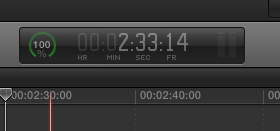
Though it was a small issue that didn't interfere with my editing process, 10.2.3 brings a very welcomed corrected TC window.. now my clients won't keep pointing it out to me all the time!!! I like the defaults for audio and video effects too!
Last edit: 06 Feb 2016 16:46 by StingRay.
Please Log in to join the conversation.

06 Feb 2016 17:57 #73062
by Brinky
Replied by Brinky on topic FCPX And El Capitan
I can import XVAC footage now! Although after render some glitches will occur. Keep updating Apple you're not finished yet.
Please Log in to join the conversation.

06 Feb 2016 19:19 #73063
by cseeman
Replied by cseeman on topic FCPX And El Capitan
So it's not only me?
Using XAVC-L from my Sony X70. Smooth as silk in the timeline but on exports I often get a mashed first frame. No obvious pattern to it and no way to know when it'll happen since it's not visible in the timeline.
Using XAVC-L from my Sony X70. Smooth as silk in the timeline but on exports I often get a mashed first frame. No obvious pattern to it and no way to know when it'll happen since it's not visible in the timeline.
Please Log in to join the conversation.
- ronny courtens
-

- Offline
- Moderator
-
Less
More
- Posts: 4455
- Thank you received: 962
06 Feb 2016 20:58 #73065
by ronny courtens
Replied by ronny courtens on topic FCPX And El Capitan
Thanks for reporting this issue. Please fill in the feedback page with any details you can provide, so they can look into this.
- Ronny
- Ronny
Please Log in to join the conversation.
- gavinrawlings
-

- Offline
- Junior Member
-

Less
More
- Posts: 29
- Thank you received: 0
06 Feb 2016 21:50 #73066
by gavinrawlings
Replied by gavinrawlings on topic FCPX And El Capitan
I still have an issue with XAVC files. If I open a project that was using native MXF XAVC files I get blank clips in the timeline on certain clips. No error msg, just a black screen and thumbnail of the clip. The weird thing is when I plug my MacBook that's running Yosemite into the RAID and open the same project it works fine. No issues at all. It's only when I try open those projects on a system running El Capitan that I get the issue...
I thought this latest update would have fixed this but it doesn't. I've been in contact with apple support who are talking about this with engineering at the moment so hopefully they will have a fix soon...
I thought this latest update would have fixed this but it doesn't. I've been in contact with apple support who are talking about this with engineering at the moment so hopefully they will have a fix soon...
Please Log in to join the conversation.

07 Feb 2016 03:51 #73074
by ddixon
Replied by ddixon on topic FCPX And El Capitan
Here's my experience with the XAVC-L clips from the Sony X70 (running El Capitan and 10.2.3):
I have no trouble editing the HD or 4K clips natively on my new top-spec iMac. However, once in a while I get one or two pixellated frames. This never happens on regular footage, but always either just before or just after a transition that I've added. It happens on both third-party transitions and even the built-in cross fade. When this happens, I just do a match frame and replace the clip from the original. That always fixes it, and it stays fixed even on export. It's not the end of the world, but I do wish it didn't happen.
However, when I used to transcode to ProRes, I never saw the problem at all.
I have no trouble editing the HD or 4K clips natively on my new top-spec iMac. However, once in a while I get one or two pixellated frames. This never happens on regular footage, but always either just before or just after a transition that I've added. It happens on both third-party transitions and even the built-in cross fade. When this happens, I just do a match frame and replace the clip from the original. That always fixes it, and it stays fixed even on export. It's not the end of the world, but I do wish it didn't happen.
However, when I used to transcode to ProRes, I never saw the problem at all.
Please Log in to join the conversation.
