


3 Post Moderation Rule for New Boarders (25 Jan 2021)
New boarders will have their posts moderated - Don't worry if you cannot see your post immediately.
Audio sync problem. I suspect this is a sample rate problem? (i am still learning)
- TripleX808
-
 Topic Author
- Offline
- Senior Member
-

- Alright?
Just deleted ALL render files and had a final sync check through and everything is cool.
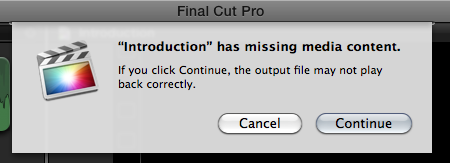
I get the attached warning message on screen every time I export this documentary? I've called the Documentary 'Introduction' by mistake. Can I rename it?
Please Log in to join the conversation.
- ronny courtens
-

- Offline
- Moderator
-

- Posts: 4455
- Thank you received: 962
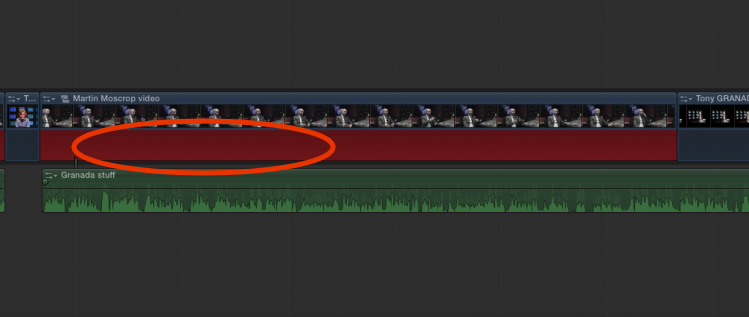
As everything plays fine this means you are not actually using the audio from these clips. So you have the choice here:
- Either you try to export without taking notice of the warning and you see if the exported file plays well.
- Or you fix this before you do the export.
If you want to fix it I would suggest to first duplicate your Project (select the Project in the Library and press CMD+D) and do the fix on the duplicate project. This way you can always fall back on the original project in case anything goes wrong.
Then you select every video clip that has a red "missing media" color in its audio and you press SHIFT+CTRL+S to detach its audio. You will see the detached audio clip will be red, indicating something is wrong with it. Then you just delete the detached audio clips and everything will be cleaned up.
When this is done I think you will get no more warnings before you export the duplicate project.
-Ronny
Please Log in to join the conversation.
- TripleX808
-
Topic Author
- Offline
- Senior Member
-
- Alright?
Just opened it with Quicktime and checked through it. The audio is slightly ahead of the video in ALL of the interview clips!
No!!!!!!!! Arg!!!!!!!!
Gotta be up at 7 for Uni.
So have to leave it there for tonight.

Please Log in to join the conversation.
- Jonathan Levin
-

- Offline
- Platinum Member
-

- Posts: 786
- Thank you received: 21
Also I noticed that some of the clips on the timeline have not completely rendered.
Like Ronny said, I'd delete the render files, used and un used and I believe you have to do this with each Event and project in your documentarys library.
And then I would let the entire thing re-render before exporting.
If you are using version 10.1.x and Mavericks, be sure to disae App Nap as that has been known to cause probs.
Click once on FCP X app Icon then File>Info, un-check app nap.
Run only FC and no other apps.
Ronny's really on this so if I am way out of line, Ronny let us know.
Jonathan
Please Log in to join the conversation.
- ronny courtens
-
- Offline
- Moderator
-
- Posts: 4455
- Thank you received: 962
Steven,
Sorry to hear you still have no luck, so let's recap:
- You have deleted your render files, that's good.
- Did you fix the clips with missing audio or did you export without doing this. Did you get the "missing media content" warning before you exported?
Jonathan has made an excellent point. Are you running Mavericks?
-If so make sure "App Nap" is disabled for FCPX.
-If not: see below.
Next step:
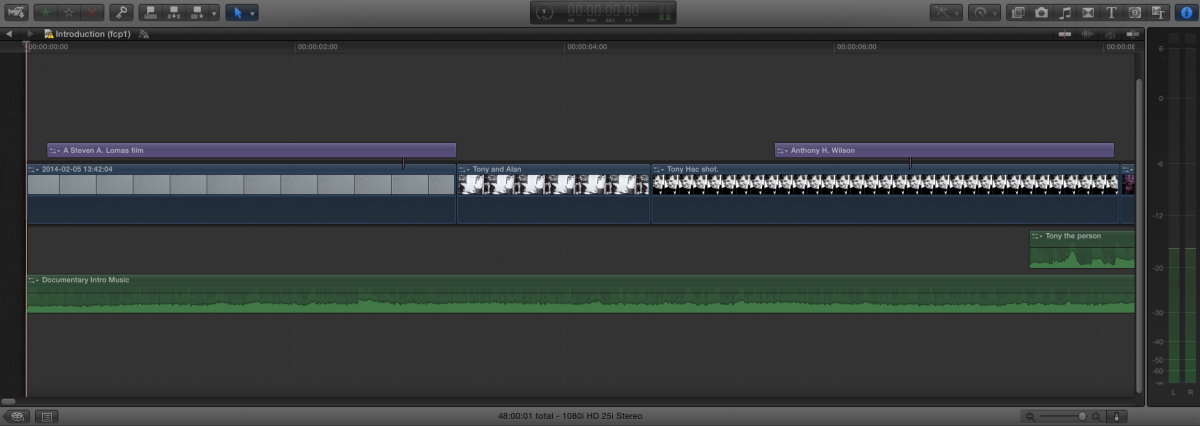
Put your playhead at the beginning of your timeline, then zoom in until you only see the first few clips on the timeline and make a screenshot of your timeline. Make absolutely sure the screenshot includes the very first frame of the timeline.
And one important question:
You say the audio is slightly ahead in all of the interview clips, so I guess it's one or two frames off. Is this consistent or does it get worse over time, i.e. are the interviews at the end more out of sync than those at the beginning of your film?
I feel your pain, but I'm sure we will get there. Even if I have to come over to Ashton to fix this myself

-Ronny
Please Log in to join the conversation.
- TripleX808
-
Topic Author
- Offline
- Senior Member
-
- Alright?
No I did not sort the missing (red) clips before last nights export. I've cmd-d duplicated the project and have followed your instruction and deleted the red detached audio..
Attached is a zoomed screenshot at the start of the project.
Oh, the sync does NOT get worse over time, seems consistent throughout. Maybe 0.2-0.5 seconds audio is
earlier at a very rough estimation.
How you know I was born and braised in Ashton-under-Lyne???
I've lived in Northenden, South Manchester for the last two years or so.
Will it be synced if I export now Ronny?
Please Log in to join the conversation.
- Jonathan Levin
-
- Offline
- Platinum Member
-
- Posts: 786
- Thank you received: 21
However the unknowns: is your video on something portable? Not knowing how many will be in your audience is it just a couple of people or hundreds?
If your video resides on a laptop, could you figure a way to hook it up to a larger HD TV?
I'm just thinking of ways to present, and then hammer away at this issue after.
Jonathan
Please Log in to join the conversation.
- TripleX808
-
Topic Author
- Offline
- Senior Member
-
- Alright?
It's being posted out to the three people I interviewed who were associates of Tony Wilson. It's a Documentary about him. It's also going on youtube (with comments disabled). Assuming I can upload 48 minutes of video to youtube? My Lecturer uses the google drive and he suggested I use that?
Other associates/friends of Tony who I didn't interview will get contacted and given the link to view it youtube/google drive (I will be asking for their feedback to my hotmail account). Primarily because it is this feedback from professionals that will get me a higher grade. Feedback from my mates on Facebook is pretty pointless. As is feedback from some clown or other on youtube.
8 x 8Gb personalised usb sticks arrived in the post today (one is going to the M.E.N. coz it's a good and relevant story - the Tony Wilson Square opens in Manchester next spring).
I NEED this feedback BEFORE the 29th of April so the feedback can go in the Assignment write up!
www.manchestereveningnews.co.uk/news/gre...-manchesters-5841591
My blog about the Project:
stevenalomas.wordpress.com/
Please Log in to join the conversation.
- ronny courtens
-
- Offline
- Moderator
-
- Posts: 4455
- Thank you received: 962
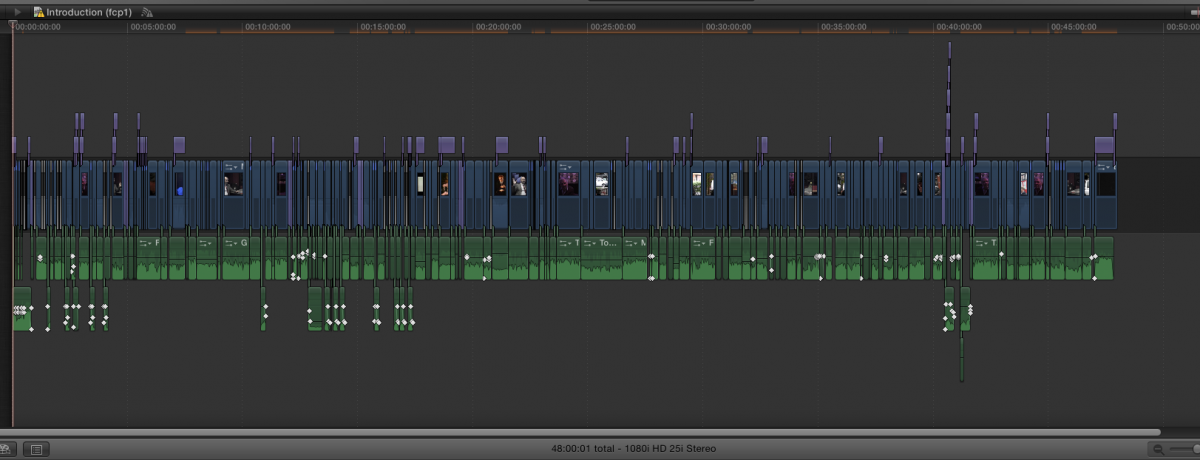
Sorry for the late reply. Good work again, this timeline looks much, much cleaner now!
Believe it or not, but the fact that the sync issue is consistent is actually good news. At least this shows that the problem is not related to audio sample mismatches.
As exporting this project takes a long time I would suggest we do a test with a partial export first:
Put an In mark (I) at the very start of your edit and an Out mark (O) at around 5 minutes in the edit (assuming that you have some interviews in the first five minutes of the program so we can see if this works). Setting a Range on the Primary Storyline will only export the timeline within this range.
Set the range and Share as a master file. Then check the exported movie to see if the sync issue is resolved or not. If it isn't resolved I have two more ideas how to fix this, so post back. I will be here another two hours, but tomorrow I'm available the whole day.
-Ronny
Please Log in to join the conversation.
- TripleX808
-
Topic Author
- Offline
- Senior Member
-
- Alright?
I pressed i and o (at only 1 minute in, as that is how long the intro of the Doc is). I also used the range tool which does the same thing? puts a yellow selection round the bit concerned. I selected share/export/ProRess 422. It still comes up with missing media content error message? In the box top left there are red files? That confuses me? See screenshots. Also in the export summary it says projected file size 45.65Gb?
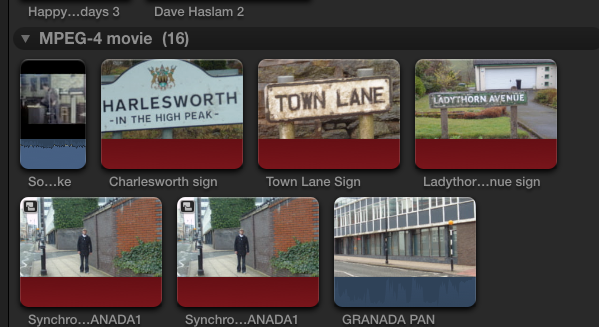
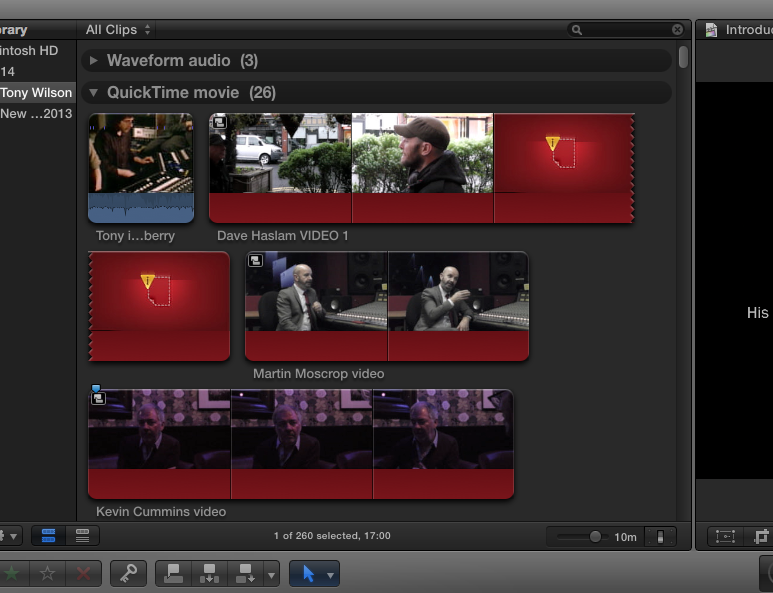
Does it know I only want to export a selection???
Please Log in to join the conversation.
- ronny courtens
-
- Offline
- Moderator
-
- Posts: 4455
- Thank you received: 962
As long as you get missing media information alerts you risk having problems. We could start repairing every clip that has missing media inside, but that could take a long time. And as the project plays fine in the timeline this means you really don't need the missing media at all.
So we are going to use a workaround:
Select your entire edit (CMD+A) and make a compound clip of all your clips (ALT+G).
See if the compound clip plays fine on the timeline and if everything is in sync. If it is: just export the complete project without any ranges. When you use lots of compound clips on your timeline there is not much use in setting ranges anyway as the CCs will always export completely. If you get another alert before exporting, ignore it.
Then check if the exported file plays fine.
Important: When you watch the exported file make absolutely sure that you have NOTHING else opened on your computer, not Mail nor Safari nor anything else. I don't know what system you are working on, but on a slow computer large ProRes HD files often play with audio seemingly out of sync. So make absolutely sure that it's not your computer that is causing this problem.
-Ronny
Please Log in to join the conversation.
- TripleX808
-
Topic Author
- Offline
- Senior Member
-
- Alright?
It's ten past midnight and it's just finished exporting ProRes422.
Opened with Quicktime and made sure no other programs were running. ALL interview clips audio is still ahead of video!!! Arg!!!!!
Made compound clip as you suggested (which took Final Cut AGES to render!!).
2 screenshots attached.
Bedtime lol
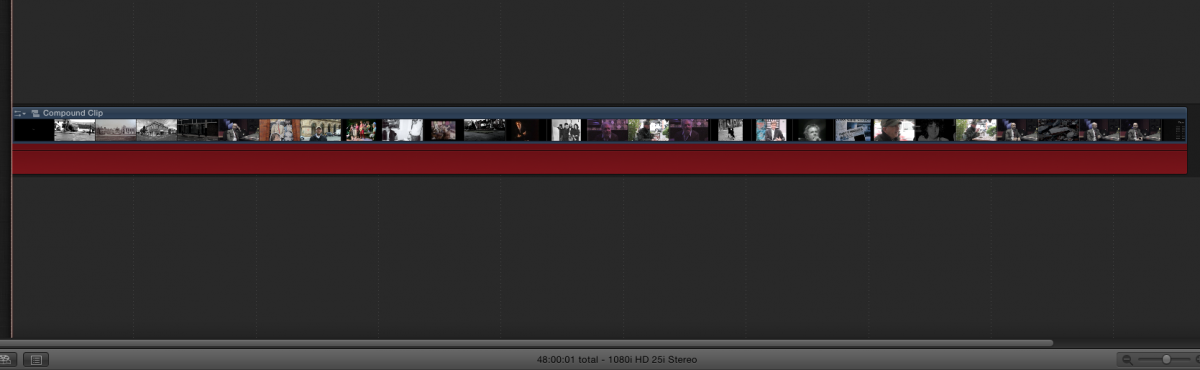
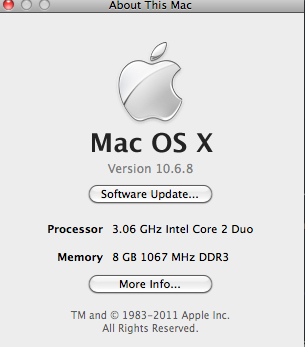
Please Log in to join the conversation.
- Jonathan Levin
-
- Offline
- Platinum Member
-
- Posts: 786
- Thank you received: 21
So.....hhheeeerrrrrsssss Ronny!
Please Log in to join the conversation.
- ronny courtens
-
- Offline
- Moderator
-
- Posts: 4455
- Thank you received: 962

The missing audio inside some of your clips seems to be messing up things. We are not going to try and fix this and start all over again. Instead I will suggest a final workaround that won't take much time:
You already have a video master file with audio that is consistently out of sync. So we don't need to export the video once more. Instead we are going to export the audio only:
Export your project as a master file and in the exert Settings choose Audio only. Make sure the audio format is set to AIFF:
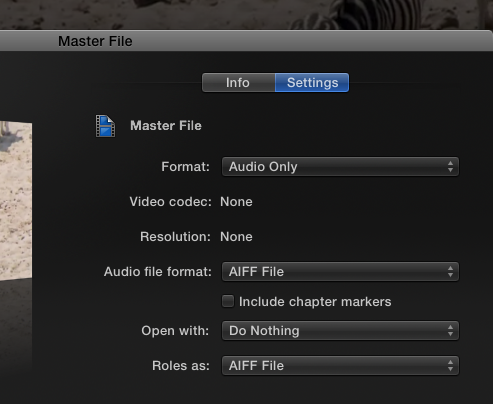
This export will be much faster than exporting video and audio. When the export is done you will have an AIFF file with your audio. Now we are going to sync your existing video file and your new audio file in a new project.
1. Launch FCPX and create a new Event. Name the event "Final Master".
2. Import the video file with out-of sync audio into the Event. Then import the AIFF audio file as well.
3. Make a new Project. Make sure your project settings are set to "Based on first clip":
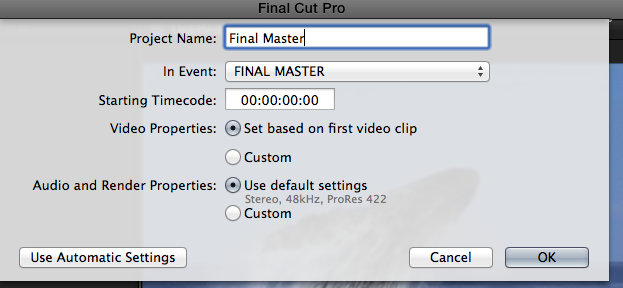
4. Now drop the video file on the timeline.
5. Select the clip on the timeline and press SHIFT+CTRL+S to detach the audio.
6. Delete the detached audio.
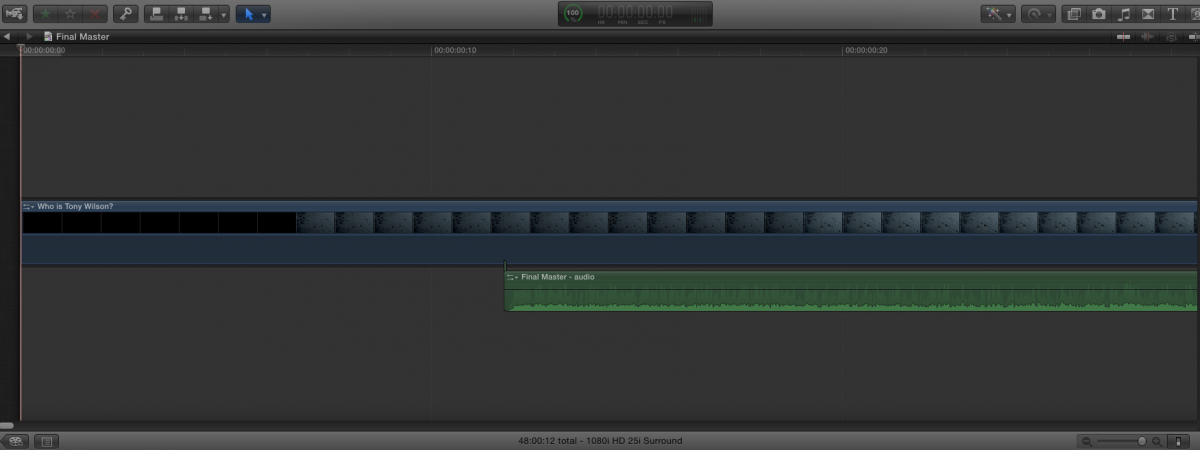
7. Place your playhead at the first frame of your timeline, select the AIFF audio file in the Event and press Q to connect the AIFF clip to the video on the timeline.
Now play your timeline. Are the interviews out of sync? If they are: that's good

The only thing you have to do is move the audio clip until everything play in sync, then export your project as a new master file with audio and video. This will be much faster than before because everything on the timeline is already in the ProRes 422/AIFF format and nothing needs to be rendered.
Finally check the exported Final Master to see if everything plays in sync.
-Ronny
Please Log in to join the conversation.
- TripleX808
-
Topic Author
- Offline
- Senior Member
-
- Alright?
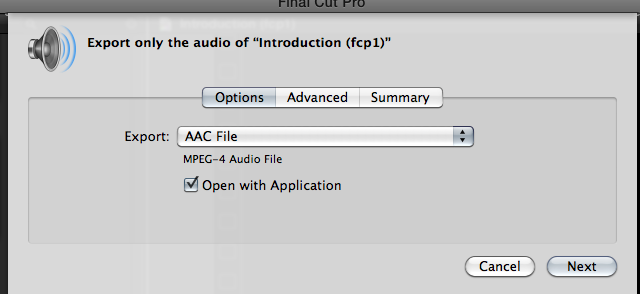
It has opened something called share monitor. Under 'render' it says 'this computer'.
Just waiting for it to do now.
Please Log in to join the conversation.
- ronny courtens
-
- Offline
- Moderator
-
- Posts: 4455
- Thank you received: 962
-Ronny
Please Log in to join the conversation.
- TripleX808
-
Topic Author
- Offline
- Senior Member
-
- Alright?
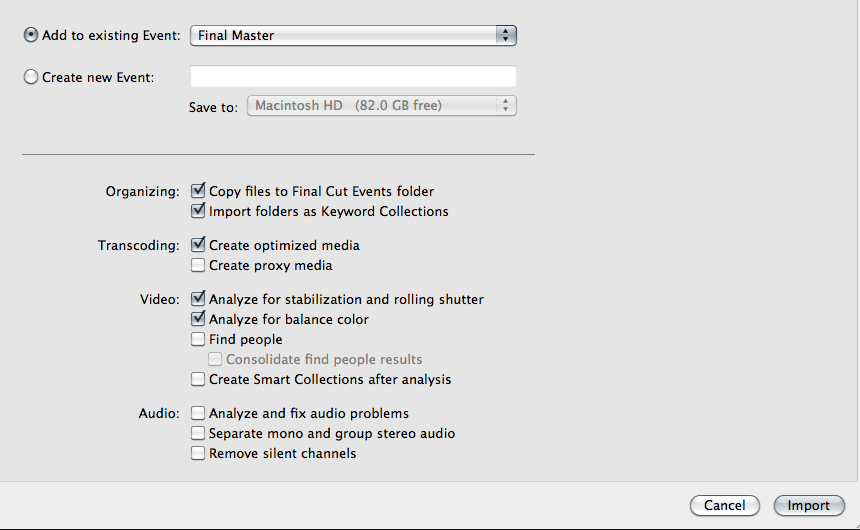
Done the audio now. My screens look different to yours Ronny?
Please Log in to join the conversation.
- TripleX808
-
Topic Author
- Offline
- Senior Member
-
- Alright?
Please Log in to join the conversation.
- ronny courtens
-
- Offline
- Moderator
-
- Posts: 4455
- Thank you received: 962
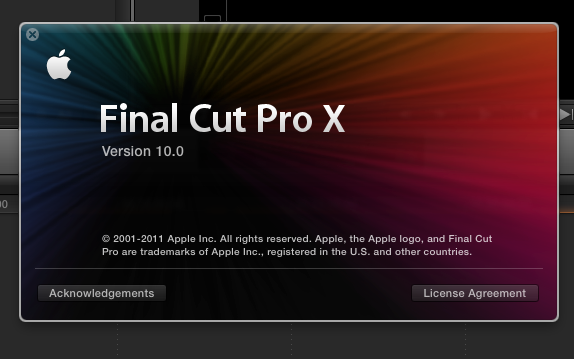
You are using the very first version of FCP X, which is full of bugs and problems. No wonder you are getting all these issues. So Jonathan was right, I should have asked this from the start.
You will not, and I repeat: you will NOT be able to fix this with the version of FCPX you have.
In all honesty I think you are using a pirated version of the application. Normally this would end our conversation here. But as you are a student, you are honest about this and you have put so much work in your film, I don't want to let you down. So here's a suggestion:
You still have a video master of your doc with audio out of sync. Is that correct?
If so: go to your Applications folder and backup the FCPX 10.0 application: drag it from the Applications folder into a new folder on your desktop.
Then install Mavericks on your computer. Mavericks is free, so that should not be a problem: www.apple.com/osx/
Once Mavericks is installed purchase FCP X 10.1.1 from the App Store. If at this time it is impossible for you to purchase it: download the trial version.
Install FCPX 10.1.1 on your Mavericks computer. Once this is done post back so we can finally fix this for good.
If for some reasons you cannot or won't update your OS and FCPX there is nothing more we can do for you.
-Ronny
Please Log in to join the conversation.
- TripleX808
-
Topic Author
- Offline
- Senior Member
-
- Alright?
Last export before sorting Mavericks (whatever that is?)
Aiff Audio moved into position.
Please Log in to join the conversation.
