


- Posts: 636
- Thank you received: 167
3 Post Moderation Rule for New Boarders (25 Jan 2021)
New boarders will have their posts moderated - Don't worry if you cannot see your post immediately.
wokring on new music; vid two questions
20 Sep 2023 19:50 #127202
by DaveM
Ah, okay, sorry. I saw that you used one of Luis's images to help illustrate a point in another thread. That's why I thought you were him. I'm guessing you're Ian from Apple Discussions...

Replied by DaveM on topic wokring on new music; vid two questions
DaveM: Nope, not Luis.
"inbro" is a contraction of my name . . . Ian Brown.
Ah, okay, sorry. I saw that you used one of Luis's images to help illustrate a point in another thread. That's why I thought you were him. I'm guessing you're Ian from Apple Discussions...
Please Log in to join the conversation.


20 Sep 2023 19:55 #127203
by Ian Brown
Replied by Ian Brown on topic wokring on new music; vid two questions
Correct!
Please Log in to join the conversation.
20 Sep 2023 20:07 #127204
by DaveM
Replied by DaveM on topic wokring on new music; vid two questions
gdgross, if you select the Library in the left column of the Browser, the inspector should show "Storage Locations", where in the Cache section you can change the location of render files, etc. You could use any locally-connected SSD for Cache storage, etc.
FYI, the Library file contains several database files, so they can be accessed quite often. So, it might be beneficial to have the Library stored on your local machine.
I did mention Pro Maintenance Tools (by Digital Rebellion) and the included Plugin Manager. With that you could create sets of plugins to turn on and off.
I know that there have been problems with some of the PFS plugins being buggy. Perhaps, you might want to contact the folks at MotionVFX, or CoreMelt, and see if anything they offer may work better. BorisFX may also have something (they make/sell Mocha Pro).
FYI, the Library file contains several database files, so they can be accessed quite often. So, it might be beneficial to have the Library stored on your local machine.
I did mention Pro Maintenance Tools (by Digital Rebellion) and the included Plugin Manager. With that you could create sets of plugins to turn on and off.
I know that there have been problems with some of the PFS plugins being buggy. Perhaps, you might want to contact the folks at MotionVFX, or CoreMelt, and see if anything they offer may work better. BorisFX may also have something (they make/sell Mocha Pro).
Please Log in to join the conversation.
20 Sep 2023 20:10 #127205
by DaveM
Same things many of us do here routinely...
Replied by DaveM on topic wokring on new music; vid two questions
I got banned from Apple Discussions for trying to provide my contact info, or a Dropbox link, or something. Stupid Apple. Banned for trying to be helpful, go figure...Correct!
Same things many of us do here routinely...
Please Log in to join the conversation.
20 Sep 2023 20:33 #127208
by Ian Brown
Replied by Ian Brown on topic wokring on new music; vid two questions
I was threatened over posting a link (repeatedly) to a YouTube video to help someone. Crazy!
Please Log in to join the conversation.
20 Sep 2023 20:42 - 20 Sep 2023 20:44 #127209
by DaveM
I was only a "Level 2" on Apple Discussions. I figured that you, Tom, Luis, and some others might have had more "leeway" because of your higher level ranking. And, I actually read through Apple's terms and conditions, which are (seemingly/intentionally) ambiguous/vague and arbitrary. The warnings and ban e-mails seem to be from a bot and don't provide any details... I'm not playing that kind of "whack-a-mole" game...
I believe I got banned when trying to respond to you on a particular thread. I felt bad for seemingly just disappearing...
Replied by DaveM on topic wokring on new music; vid two questions
I was threatened over posting a link (repeatedly) to a YouTube video to help someone. Crazy!
I was only a "Level 2" on Apple Discussions. I figured that you, Tom, Luis, and some others might have had more "leeway" because of your higher level ranking. And, I actually read through Apple's terms and conditions, which are (seemingly/intentionally) ambiguous/vague and arbitrary. The warnings and ban e-mails seem to be from a bot and don't provide any details... I'm not playing that kind of "whack-a-mole" game...
I believe I got banned when trying to respond to you on a particular thread. I felt bad for seemingly just disappearing...
Last edit: 20 Sep 2023 20:44 by DaveM.
Please Log in to join the conversation.


21 Sep 2023 16:52 #127232
by gdgross
Replied by gdgross on topic wokring on new music; vid two questions
well guys, got the crash sorted and a first cut printed. here's a private YT link, actual release is next Friday.
Would love any feedback you have (in newbie speak of course ). I'm already thinking I might try and stabilize some of the shakier handheld shots. Just didn't do it because it messes with the motion tracking plugin, so I have to export the clip and re-import it as a new clip into fcp, since apparently "render" doesn't really mean "render." hah.
Would love any feedback you have (in newbie speak of course
). I'm already thinking I might try and stabilize some of the shakier handheld shots. Just didn't do it because it messes with the motion tracking plugin, so I have to export the clip and re-import it as a new clip into fcp, since apparently "render" doesn't really mean "render." hah. Please Log in to join the conversation.
21 Sep 2023 17:40 - 21 Sep 2023 17:54 #127233
by Ian Brown
Replied by Ian Brown on topic wokring on new music; vid two questions
This is my personal impression and no doubt others may think differently.
It's very clever . . . I've no idea how you did it.
I don't know how effective it is as a music video, as I do not normally watch them.
I am assuming that it is pretty unique though I do find the handheld nature a little disconcerting but I am old and not with it.
The final shot was more to my taste and I wonder what the video would look like using that effect throughout with maybe a few colour changes to spice it up.
I liked the music.
It's very clever . . . I've no idea how you did it.
I don't know how effective it is as a music video, as I do not normally watch them.
I am assuming that it is pretty unique though I do find the handheld nature a little disconcerting but I am old and not with it.
The final shot was more to my taste and I wonder what the video would look like using that effect throughout with maybe a few colour changes to spice it up.
I liked the music.
Last edit: 21 Sep 2023 17:54 by Ian Brown.
Please Log in to join the conversation.
21 Sep 2023 18:49 - 21 Sep 2023 20:17 #127234
by gdgross
Replied by gdgross on topic wokring on new music; vid two questions
Thanks inbro -
I used pixel film's auto tracker plugin to do the motion tracking. it lets you drop a picture or a clip on top of the area where it tracks the motion.
I think I'm sort of using it in an unconventional way though; I've had to do a LOT of exporting/re-importing, fussing with the settings, etc to get it working right. Doesn't play nice with other plugins or even basic features of FCP. (like, you definitely can't do a basic transform on a clip after you've applied the tracker plugin.) But, I wasn't aware of much else that could achieve this kind of effect.
I considered tripod shots of the background and just using the transform tool, but that seemed to me like it would look less "projected." I wanted it to look like graffiti coming to life or projecting a film on the wall.
anyway, all this to say it was a big learning experience and a sh*t ton of work.
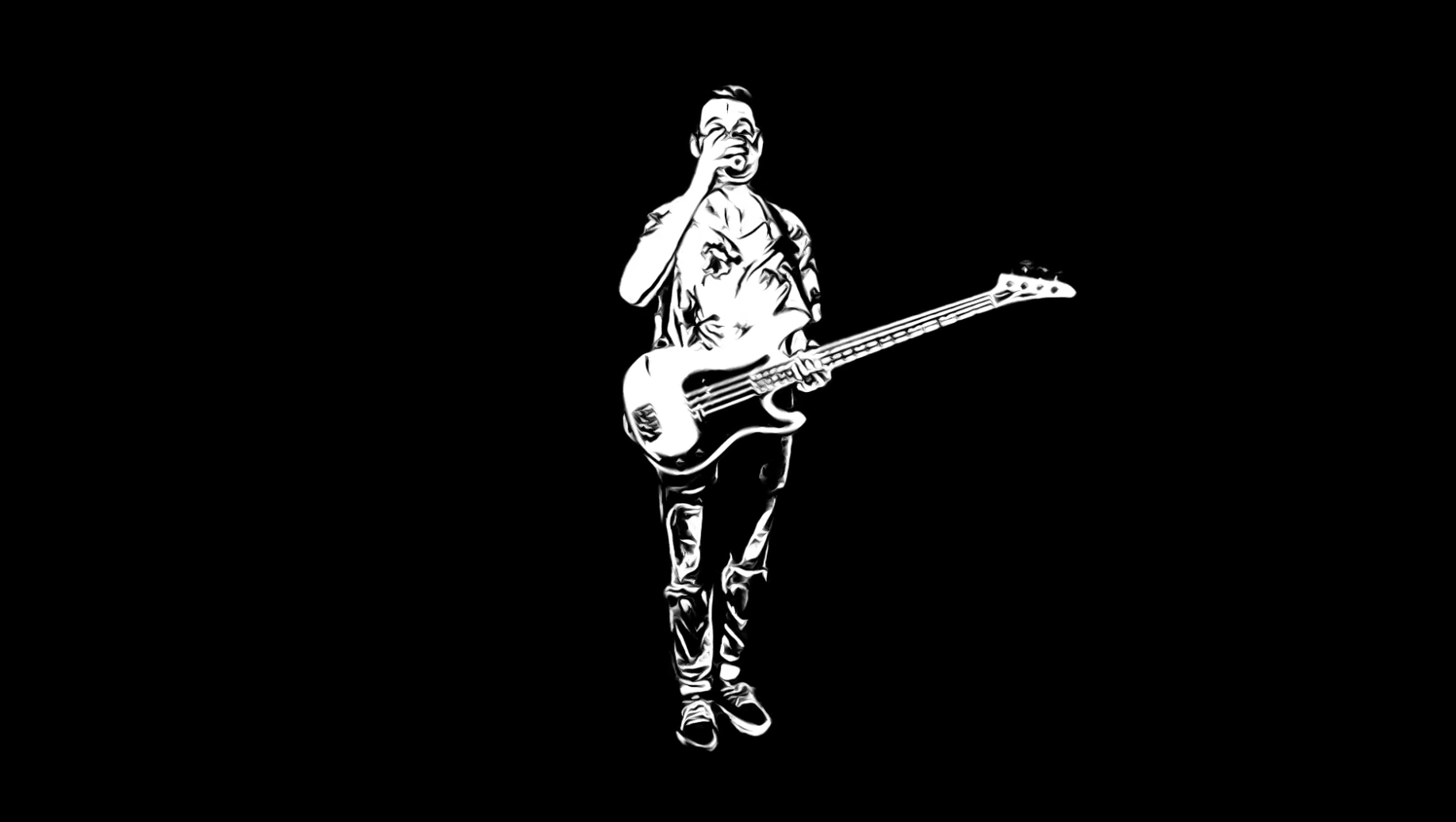
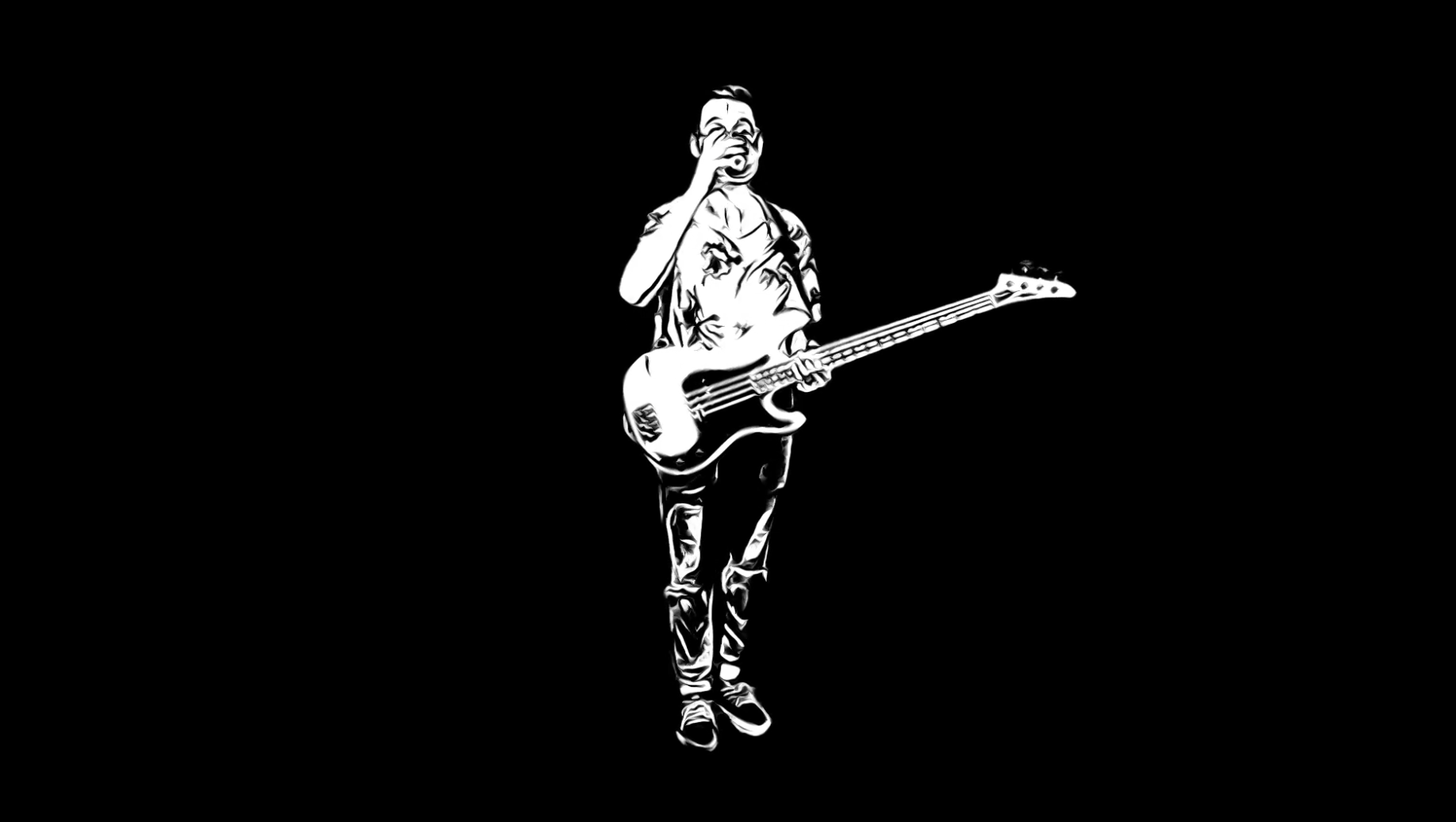
I'll probably also use the basic white-on-black cartoon version for a lyric video as well - that'll look like the pic you snapped (our bass player having a drink before the song started )
I think it might have been you that turned me on to the scene removal mask? anyway worked great for this. that's what I used for all of those musician performance shots.
I used pixel film's auto tracker plugin to do the motion tracking. it lets you drop a picture or a clip on top of the area where it tracks the motion.
I think I'm sort of using it in an unconventional way though; I've had to do a LOT of exporting/re-importing, fussing with the settings, etc to get it working right. Doesn't play nice with other plugins or even basic features of FCP. (like, you definitely can't do a basic transform on a clip after you've applied the tracker plugin.) But, I wasn't aware of much else that could achieve this kind of effect.
I considered tripod shots of the background and just using the transform tool, but that seemed to me like it would look less "projected." I wanted it to look like graffiti coming to life or projecting a film on the wall.
anyway, all this to say it was a big learning experience and a sh*t ton of work.
I'll probably also use the basic white-on-black cartoon version for a lyric video as well - that'll look like the pic you snapped (our bass player having a drink before the song started
)I think it might have been you that turned me on to the scene removal mask? anyway worked great for this. that's what I used for all of those musician performance shots.
Last edit: 21 Sep 2023 20:17 by gdgross.
Please Log in to join the conversation.
22 Sep 2023 08:13 #127245
by Ian Brown
Replied by Ian Brown on topic wokring on new music; vid two questions
If you wanted to experiment with static backgrounds, there is no need to reshoot them.
Simply stop the original video of the background on a sharp frame and export it as a jpeg or tiff photo, reimport it into FCP and you can drag it to any length you require.
It should then be quick and easy to superimpose your musicians.
Finally, if you wanted to give the finished video a "casual" look you could apply the FCP Handheld filter to provide precisely the amount of shake you required.
Simply stop the original video of the background on a sharp frame and export it as a jpeg or tiff photo, reimport it into FCP and you can drag it to any length you require.
It should then be quick and easy to superimpose your musicians.
Finally, if you wanted to give the finished video a "casual" look you could apply the FCP Handheld filter to provide precisely the amount of shake you required.
Please Log in to join the conversation.
22 Sep 2023 09:41 - 22 Sep 2023 09:56 #127247
by Ian Brown
Replied by Ian Brown on topic wokring on new music; vid two questions
Regarding backgrounds, you do not necessarily have to go out and shoot your own. There are lots of websites that provide copyright free photos and video clips that you can use.
I am not referring to the likes of Getty Images which charge big bucks but COMPLETELY FREE websites like Pexels.
www.pexels.com/
All you do is type in the kind of image you want . . . in the case of your recent video, "Urban" or "Walls" would provide some suitable photos of walls of buildings.
Here is a blog listing some of the best free photo and video clip sites . . .
blog.hootsuite.com/free-stock-videos-sites/
I am not referring to the likes of Getty Images which charge big bucks but COMPLETELY FREE websites like Pexels.
www.pexels.com/
All you do is type in the kind of image you want . . . in the case of your recent video, "Urban" or "Walls" would provide some suitable photos of walls of buildings.
Here is a blog listing some of the best free photo and video clip sites . . .
blog.hootsuite.com/free-stock-videos-sites/
Last edit: 22 Sep 2023 09:56 by Ian Brown.
Please Log in to join the conversation.
22 Sep 2023 11:01 - 22 Sep 2023 11:02 #127248
by Ian Brown
Replied by Ian Brown on topic wokring on new music; vid two questions
Here's something I made in under 5 minutes . . . I superimposed the green screen musician over a Pexels "wall" photograph, applied the Comic Looks Monochrome effect and reduced the opacity of the guitarist to around 85%.
Last edit: 22 Sep 2023 11:02 by Ian Brown.
Please Log in to join the conversation.
22 Sep 2023 11:34 - 22 Sep 2023 11:53 #127249
by Ian Brown
Replied by Ian Brown on topic wokring on new music; vid two questions
. . . . and another sub-5 minute vid . . . you've got me going now!
I better go and take my medication . . .
You can add the Handheld filter if you want an "on the go" look. I rather exaggerated the motion here.
I better go and take my medication . . .
You can add the Handheld filter if you want an "on the go" look. I rather exaggerated the motion here.
Last edit: 22 Sep 2023 11:53 by Ian Brown. Reason: Adding info
Please Log in to join the conversation.
22 Sep 2023 14:27 #127252
by Ian Brown
Replied by Ian Brown on topic wokring on new music; vid two questions
I’ll make no bones about it. This one was a bit more ambitious and took the best part of 30 minutes.
Once again it used green screen talent and Pexels wall photos involving opacity adjustments, transformations and distortions together with the Handheld filter.
I must stop messing about!
Once again it used green screen talent and Pexels wall photos involving opacity adjustments, transformations and distortions together with the Handheld filter.
I must stop messing about!
Please Log in to join the conversation.
22 Sep 2023 15:42 #127253
by gdgross
Replied by gdgross on topic wokring on new music; vid two questions
Haha very cool inbro. Those clips look great, and proof that I could have achieved something similar with the transformation and opacity adjustments alone.
Good idea with just grabbing a still, and thanks for that site too; I've bookmarked for future.
I think for this I'm sticking with the shots I've got tho. Release is next week and I'd like to finish this thing up this weekend. I did have one additional idea that I might try: convince my 6yo daughter to let me film her "painting" the first cartoon musician on a wall, and when she's done, it comes to life and the song starts.
Good idea with just grabbing a still, and thanks for that site too; I've bookmarked for future.
I think for this I'm sticking with the shots I've got tho. Release is next week and I'd like to finish this thing up this weekend. I did have one additional idea that I might try: convince my 6yo daughter to let me film her "painting" the first cartoon musician on a wall, and when she's done, it comes to life and the song starts.
Please Log in to join the conversation.
22 Sep 2023 15:53 - 22 Sep 2023 15:54 #127254
by Ian Brown
Replied by Ian Brown on topic wokring on new music; vid two questions
That sounds good!
Incidentally, you don't need to use motion tracking if you use a static background.
I made the talent and the background into a compound clip and added the "Handheld" filter. So whenever the background moves slightly, the talent moves in unison . . . takes a couple of seconds as opposed to the ages it must take motion tracking. You could also use the Ken Burns effect to give the feeling of panning a handheld camera.
My wife likes the singer's voice.
Is it your own composition?
Incidentally, you don't need to use motion tracking if you use a static background.
I made the talent and the background into a compound clip and added the "Handheld" filter. So whenever the background moves slightly, the talent moves in unison . . . takes a couple of seconds as opposed to the ages it must take motion tracking. You could also use the Ken Burns effect to give the feeling of panning a handheld camera.
My wife likes the singer's voice.
Is it your own composition?
Last edit: 22 Sep 2023 15:54 by Ian Brown.
Please Log in to join the conversation.
22 Sep 2023 16:02 #127255
by gdgross
Replied by gdgross on topic wokring on new music; vid two questions
That's what I figured you did - added the HH effect to the composite clip as the last thing. def would have been easier than the motion tracking; that was a major pain to figure out how to get working right.
but at least it's done now haha.
Yeah, it's our song - the band is Merlot Embargo
but at least it's done now haha.
Yeah, it's our song - the band is Merlot Embargo
Please Log in to join the conversation.
22 Sep 2023 16:41 #127258
by DaveM
Replied by DaveM on topic wokring on new music; vid two questions
Geoff, you mentioned having dealt with the crashing issue and slowdowns you were experiencing, but you didn't mention exactly what you did to remedy things. Would you mind sharing that info?
Also, was the source of your individual shots of you and the others in the video taken from green screen footage?
Thanks.
Also, was the source of your individual shots of you and the others in the video taken from green screen footage?
Thanks.
Please Log in to join the conversation.
22 Sep 2023 17:58 - 22 Sep 2023 18:07 #127259
by gdgross
Replied by gdgross on topic wokring on new music; vid two questions
Yeah, sorry Dave! I'm not sure what cured it to be honest. I didn't have to do down the more invasive roads that you and others suggested. I did notice that there was a locally attached hard drive that had become unmounted, so after a reboot, I had to go into disk utility and re-mount it.
After that, the worst of the crashes stopped. (I still got a crash every third or fourth export while using the motion tracker plugin, but that was more predictable and I could deal with it.) But I don't understand why. I don't house any video on that drive, but maybe fcp stashed something there that I don't know about? seems a little farfetched, but I have no other explanation!
The bad crashes were very repeatable but went away after I remounted that drive.
¯\_(ツ)_/¯
After that, the worst of the crashes stopped. (I still got a crash every third or fourth export while using the motion tracker plugin, but that was more predictable and I could deal with it.) But I don't understand why. I don't house any video on that drive, but maybe fcp stashed something there that I don't know about? seems a little farfetched, but I have no other explanation!
The bad crashes were very repeatable but went away after I remounted that drive.
¯\_(ツ)_/¯
Last edit: 22 Sep 2023 18:07 by gdgross.
Please Log in to join the conversation.
