


3 Post Moderation Rule for New Boarders (25 Jan 2021)
New boarders will have their posts moderated - Don't worry if you cannot see your post immediately.
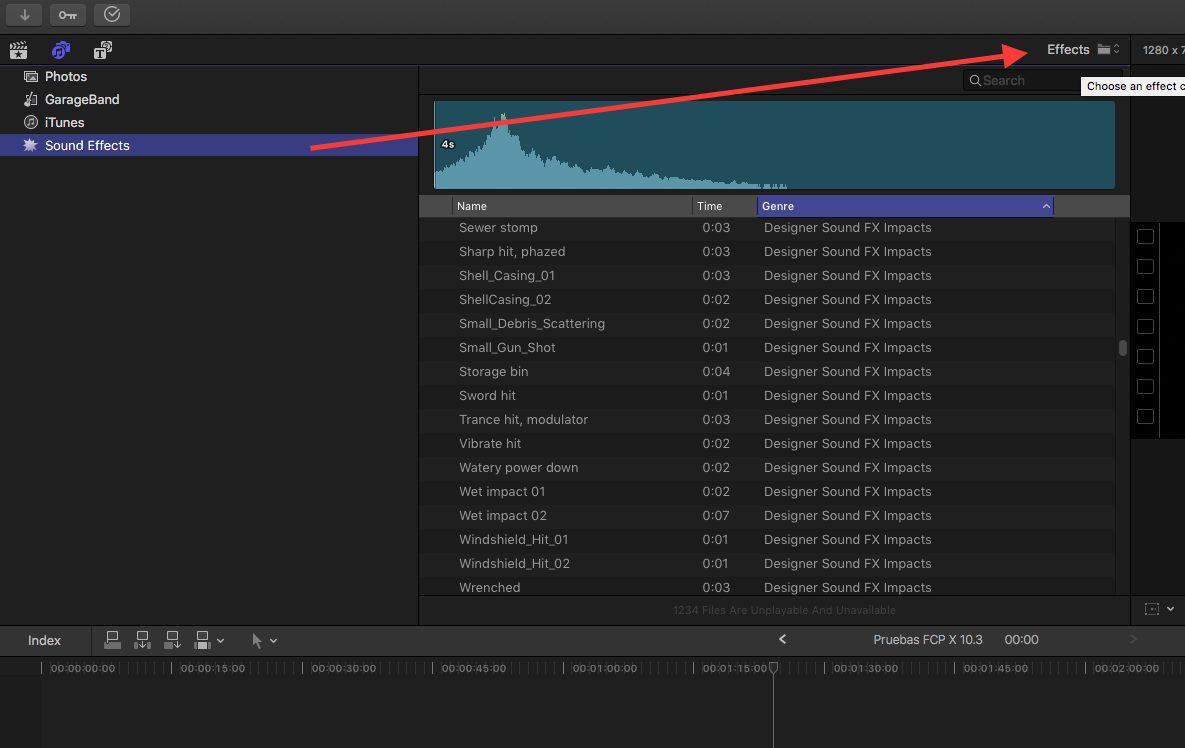
FCPX 10.3 Audio Sidebar for Sound Effects


I have a really large stock sound effects library that resides on my media drive. It has stuff from BBC, Sound Ideas, etc. Many gigabytes of stuff. In 10.2.3, I was able to pull the entire folder (with subfolders) into the Music & Sound browser as a shortcut and from there easily use the search bar to find random effects.
Now, it appears there's no way to reference media that's not catalogued in on of Apple's apps like Photos, Aperture, iTunes etc. They've put a small folder of their own sound effects there, but there's no way to add to that with my massive library.
In 10.2.3, it was easy to search and spot Sound Effects, now I'm not so sure.
Anybody got any ideas?
Please Log in to join the conversation.

Works great using Publish services in Lightroom, I could quickly add, adjust or repurpose images as needed.
If Apple hadn't dropped support for Aperture this would be a moot subject ... and the Photos app still lacks a lot for a pro photography workflow.
I too would appreciate any insight on how to get this functionality back.
Please Log in to join the conversation.
Please Log in to join the conversation.
- Carsten Orlt
-

- Offline
- Platinum Member
-

- Posts: 422
- Thank you received: 82
If you want additional sounds to appear just drop them in there (you have to Authenticate and probably relaunch FCP)
You can also put Aliases in there if you store your sounds not on your system disk.
Happy editing
Carsten
Please Log in to join the conversation.
Something seems wrong about that. I do have a FinalCutProSoundEffects folder in that location, but there are many more effects there that do not appear in the 10.3's Sound Effects area. For example, I only see one "Can Open" in FCPX but there are 3 different ones in the FinalCutProSoundEffects folder. There's a Brushing Teethi in the folder but not in FCPX
Putting an alies in this folder does not work at all. Furthermore, Reveal in Finder is grayed out on any of the FCPX 10.3 Sound Effects, so I can't easily trace their source. I tried to poke around in the Application's Contents, but didn't see anything there, either. So I'm stumped...
Please Log in to join the conversation.
- Carsten Orlt
-
- Offline
- Platinum Member
-
- Posts: 422
- Thank you received: 82
I'm still on macOS 10.11.6 El Capitain. Does that make a difference?
And I can confirm that the 'reveal in finder' doesn't work in the sound effects browser.
Please Log in to join the conversation.

Please Log in to join the conversation.

I should point out that I am still using El Capitan rather than Sierra, so this change in functionality is strictly FCPX and not macOS.
Creating history....one edit at a time !
Please Log in to join the conversation.
Please Log in to join the conversation.

Please Log in to join the conversation.
Creating history....one edit at a time !
Please Log in to join the conversation.
Please Log in to join the conversation.
Please Log in to join the conversation.


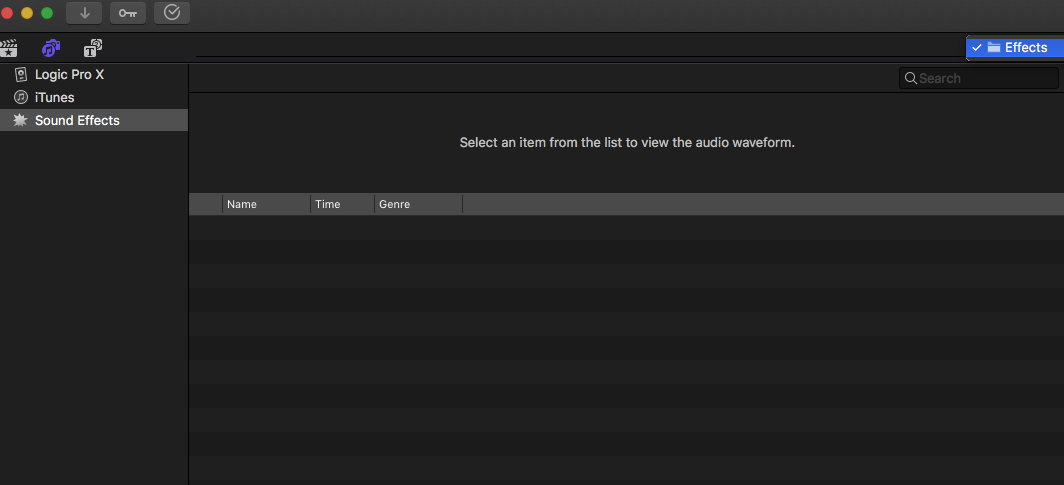
This has been driving me nuts as well. I can't add any audio to the Sound Effects. My drop down menu just says "Effects". I have tried suggestions here as well with no luck. I've created the FinalCutProSoundEffects folder in both root Library and user Library with no change.
Further, I am not sure what happened to the sound effects I used to have. I don't recall how I had that setup, I just had them in the window and they are gone from FCPX. I still have them on my drive, not a huge deal. Just would like to put them back.
I've also search my computer for all hidden folders and within packages that are called "Effects" and see no further clues to where this "Effects" folder even is.
Please Log in to join the conversation.
If you create a library, you can import using Finder tags and all your folders will be organized when viewing in filmstrip mode. Copying directly to the system folders will have the files displayed directly in the sound browser and available thru the drop down. The down side of copying to system folders is relevant for very large libraries since it is occupying your system drive space. The Library option allows you to keep the music and sounds on an external drive and even close the library if you don't need to use it.
Creating history....one edit at a time !
Please Log in to join the conversation.
dgwvideo wrote: Read this entire thread and you'll see two ways to get sounds organized for FCPX. Apparently it is not possible to simply drag a folder to the sound browser in 10.3 as it was in previous versions. The options I have found so far, both mentioned above, is 1. Create a library and place all your music and sounds in there; 2. Copy your sounds and music to HD/audio/Apple Loops/Apple/Final Cut Pro Sound Effects (note this is the path on El Capitan and may or may not be exactly the same for Sierra).
If you create a library, you can import using Finder tags and all your folders will be organized when viewing in filmstrip mode. Copying directly to the system folders will have the files displayed directly in the sound browser and available thru the drop down. The down side of copying to system folders is relevant for very large libraries since it is occupying your system drive space. The Library option allows you to keep the music and sounds on an external drive and even close the library if you don't need to use it.
Thanks for the reply, but as stated above i'm still having a hard time.
With your options i've had these results:
1) I _can_ get my audio into FCPX via iTunes and is a workaround i've been doing. This is far from ideal because I have thousands of effects in tons of different folders. I understand I can adjust metadata and all that in iTunes to help organize in FC.
2) I have tried placing files into those folders. Above it was mentioned as "FinalCutProSoundEffects". I just tried creating a folder as you mentioned called "Final Cut Pro Sound Effects" in the location you mentioned(as well as the local user Library), still no change. I wouldn't have a huge problem with this option at this point.
Maybe I am missing somethingand i'm sorry if i'm misunderstanding but I feel like my results are not the same results you've gotten...?
Please Log in to join the conversation.
Please Log in to join the conversation.
Creating history....one edit at a time !
Please Log in to join the conversation.
Please Log in to join the conversation.
Creating history....one edit at a time !
Please Log in to join the conversation.
