



- Posts: 272
- Thank you received: 2
3 Post Moderation Rule for New Boarders (25 Jan 2021)
New boarders will have their posts moderated - Don't worry if you cannot see your post immediately.
Cross dissolve without impacting exposure of the clip being dissolved from?
21 Aug 2023 04:40 #126888
by Slaughter
Replied by Slaughter on topic Cross dissolve without impacting exposure of the clip being dissolved from?
@sc_fox
The outcome after using the broadcast safe filter = 2nd image in my first post, except without the blue curtain patches in the background. Just imagine that image with no artifacts in the background at all.
By all means, share any new transition techniques you discover - but I have a workaround now, which doesn't require any more dancing (the broadcast safe filter).
I guess my first point stands: Why doesn't the standard FCPX transition "acknowledge" the exposure work done on the clip being transitioned from? Why does it require you to first export that clip and then import it? Noting this is only noticeable when we're dealing with a dark background transitioning to a lighter image. Secondarily, if exposure work is ignored by FCPX in this instance, why is a change to background exposure successful when broadast safe is applied, but not when a colour board exposure change is applied? ¯\_(ツ)_/¯
@ Karsten Schlüter
Thanks, but if we're talking third party effects, I'd rather keep it simple and just use broadcast safe as above. it's a solid workaround. Appreciate the suggestion though!
The outcome after using the broadcast safe filter = 2nd image in my first post, except without the blue curtain patches in the background. Just imagine that image with no artifacts in the background at all.
By all means, share any new transition techniques you discover - but I have a workaround now, which doesn't require any more dancing (the broadcast safe filter).
I guess my first point stands: Why doesn't the standard FCPX transition "acknowledge" the exposure work done on the clip being transitioned from? Why does it require you to first export that clip and then import it? Noting this is only noticeable when we're dealing with a dark background transitioning to a lighter image. Secondarily, if exposure work is ignored by FCPX in this instance, why is a change to background exposure successful when broadast safe is applied, but not when a colour board exposure change is applied? ¯\_(ツ)_/¯
@ Karsten Schlüter
Thanks, but if we're talking third party effects, I'd rather keep it simple and just use broadcast safe as above. it's a solid workaround. Appreciate the suggestion though!
Please Log in to join the conversation.


21 Aug 2023 04:57 #126889
by sc_fox
Replied by sc_fox on topic Cross dissolve without impacting exposure of the clip being dissolved from?
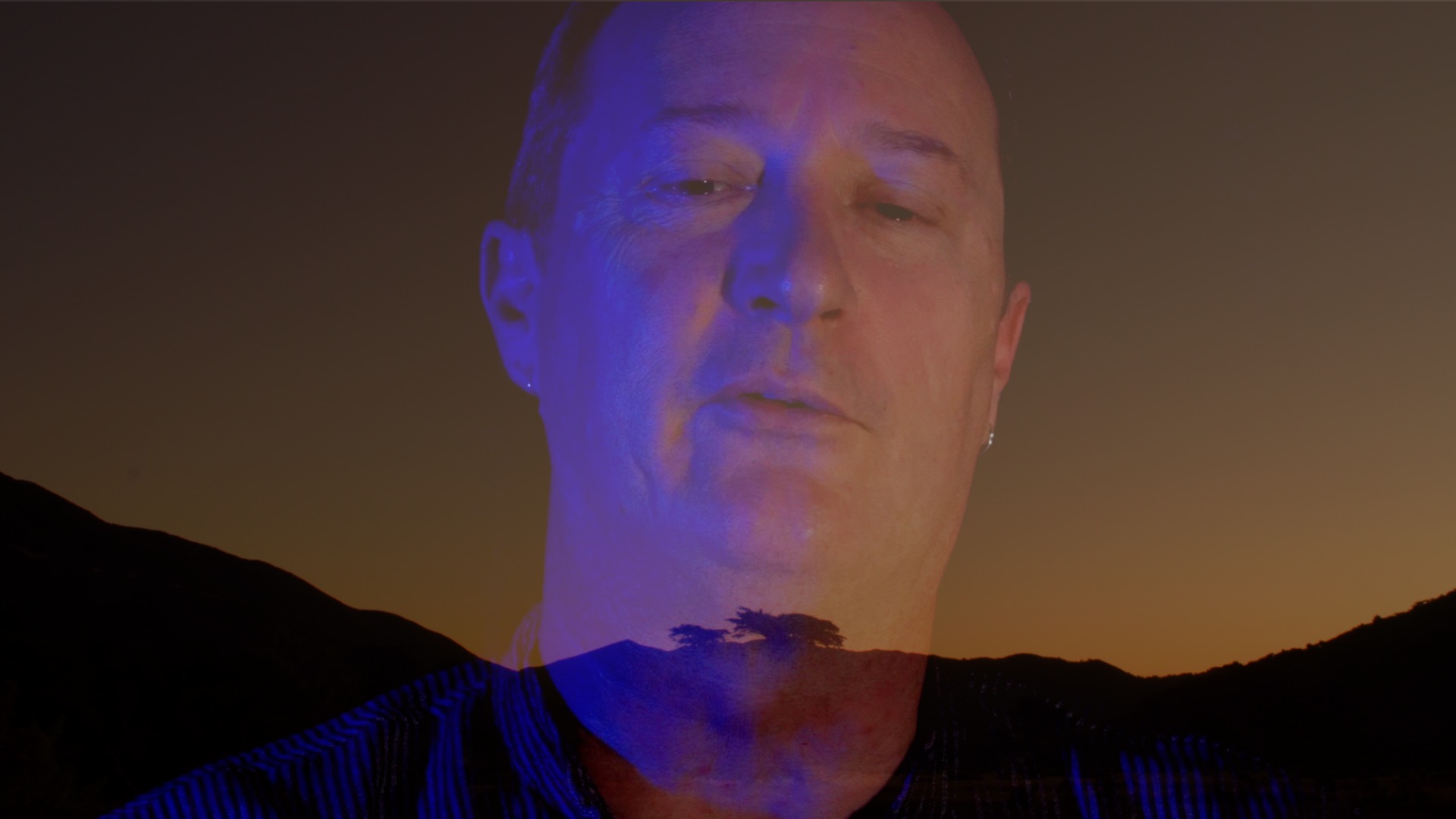
How did I do?
Please Log in to join the conversation.
21 Aug 2023 05:02 #126890
by Slaughter
Replied by Slaughter on topic Cross dissolve without impacting exposure of the clip being dissolved from?
@sc_fox
Super clean! Although you’re working with a screenshot rather than the source.... What was your process?
Super clean! Although you’re working with a screenshot rather than the source.... What was your process?
Please Log in to join the conversation.
21 Aug 2023 06:36 #126892
by sc_fox
Replied by sc_fox on topic Cross dissolve without impacting exposure of the clip being dissolved from?
I took that frame capture from the transition between your other two original images within the context of the transition I made at a point at which I could match the effect.
The process is a bit proprietary... I'll be trying to sell these transitions (there's two similar versions: incoming dominant and outgoing dominant... hint, hint... neither has anything to do with broadcast safe filters). Your process works for you so you won't really need either.
My background for this kind of thing goes all the way back to Photoshop 2.0 (technically 3.0 when layering came in) when we had to do everything ourselves and the application didn't do all this automatic stuff for you... So - about 30 years experience... Motion is remarkably like that old version of Photoshop... if you look at it that way.
Final Cut is more about the edit than the vfx. Final Cut comes with a lot of built in "extras". However, they tend to be rather generic (with a few arguable exceptions — like Keyer* and maybe the new tracker stuff which I don't know anything about because I'm still in 10.4.10.) I *love* 3D Text... but it could be a little bit better... but instead of improving it, they opted to add 3D Objects (USDZ... ) ... [*I prefer my own keying and color tools...]
Motion is available to allow people to craft more advanced features *for* Final Cut... and Apple's apparent attitude seems to be somewhat laissez faire about what they include by default. After all, a whole "cottage industry" for plugins cropped up and Apple doesn't really have to deal with these "mundane things".
Admittedly, I get most of my ideas from forum questions, so after I "joined" this conversation (and after the color "correction" bit), I set about experimenting with an idea of how to deal with your situation (as far as I saw it at the time). The result, for me, was 4 new transitions (the two I mentioned) plus two other "spin-offs" that I deemed were a failed experiment...for *this* subject, but a whole new direction for other ideas! So I have to thank you for the inspiration!
Fox
The process is a bit proprietary... I'll be trying to sell these transitions (there's two similar versions: incoming dominant and outgoing dominant... hint, hint... neither has anything to do with broadcast safe filters). Your process works for you so you won't really need either.
My background for this kind of thing goes all the way back to Photoshop 2.0 (technically 3.0 when layering came in) when we had to do everything ourselves and the application didn't do all this automatic stuff for you... So - about 30 years experience... Motion is remarkably like that old version of Photoshop... if you look at it that way.
Final Cut is more about the edit than the vfx. Final Cut comes with a lot of built in "extras". However, they tend to be rather generic (with a few arguable exceptions — like Keyer* and maybe the new tracker stuff which I don't know anything about because I'm still in 10.4.10.) I *love* 3D Text... but it could be a little bit better... but instead of improving it, they opted to add 3D Objects (USDZ...
) ... [*I prefer my own keying and color tools...]Motion is available to allow people to craft more advanced features *for* Final Cut... and Apple's apparent attitude seems to be somewhat laissez faire about what they include by default. After all, a whole "cottage industry" for plugins cropped up and Apple doesn't really have to deal with these "mundane things".
Admittedly, I get most of my ideas from forum questions, so after I "joined" this conversation (and after the color "correction" bit), I set about experimenting with an idea of how to deal with your situation (as far as I saw it at the time). The result, for me, was 4 new transitions (the two I mentioned) plus two other "spin-offs" that I deemed were a failed experiment...for *this* subject, but a whole new direction for other ideas! So I have to thank you for the inspiration!
Fox
Please Log in to join the conversation.
21 Aug 2023 06:58 #126893
by Slaughter
Replied by Slaughter on topic Cross dissolve without impacting exposure of the clip being dissolved from?
@sc_fox
All fair enough and makes sense.
I maintain that FCPX should probably offer a basic cross dissolve which acknowledges the effect work + grouping of the clips being transitioned, though. This is the most basic tool in the box. A cross dissolve. Not asking much from FCPX here really.
But keep up the good work!
All fair enough and makes sense.
I maintain that FCPX should probably offer a basic cross dissolve which acknowledges the effect work + grouping of the clips being transitioned, though. This is the most basic tool in the box. A cross dissolve. Not asking much from FCPX here really.
But keep up the good work!
Please Log in to join the conversation.


21 Aug 2023 07:44 #126894
by ltf3
Replied by ltf3 on topic Cross dissolve without impacting exposure of the clip being dissolved from?
I dont want to give a tech lesson here, but a basic fade simply adds the luminance/color values of two layers of video as one layer fades to black and the other Fades from black. (I it also divides the result to prevent the images getting too bright ... but let's stay simple )
Mid way through the dissolve if one layer of the fade is Dark, and the other bright the dark one will seem lighter as the brighter pixel luminance values are added to it. So dark grey areas will become lighter grey. Simple math ... a pixel of 5 units of brightness ( maybe not that visible) added to one of 50 units will make final pixel of 55 units... which is easily visible.
The only way this doesn't happen is if the two layers both have a zero luminance value ... 0+0 =0
The trap is that if darker layer has any pixels of luminance >0 ( ie contains detail ) this detail will become visible if brighter pixel values are added . Just because these low level details aren't visible to your eyes on your monitor ( that's a whole other subject ) doesn't mean they are not there. So if you want a true black background to stay black with a basic additive dissolve , you have to ensure all the black areas are indeed pegged to Zero luminance .
The only way to ensure this is to use waveform scopes somewhere in the workflow.
You could do it in production with a really black background and some good lighting, or you could could use color correction / masking to crush the dark areas to zero luminance. Crushing the dark areas below zero ensures ALL detail will be gone. The Broadcast Safe filer ( thanks! ) then resets all those 'below zero" dark signal values to zero. Values below zero are 'illegal' .
Or someone could produce a fade with some extra processing to add image layer values differently ... and perhaps even do a crush as part of it.
IMO its better to understand what is really going on the software though.
Hope this helped.
Mid way through the dissolve if one layer of the fade is Dark, and the other bright the dark one will seem lighter as the brighter pixel luminance values are added to it. So dark grey areas will become lighter grey. Simple math ... a pixel of 5 units of brightness ( maybe not that visible) added to one of 50 units will make final pixel of 55 units... which is easily visible.
The only way this doesn't happen is if the two layers both have a zero luminance value ... 0+0 =0
The trap is that if darker layer has any pixels of luminance >0 ( ie contains detail ) this detail will become visible if brighter pixel values are added . Just because these low level details aren't visible to your eyes on your monitor ( that's a whole other subject ) doesn't mean they are not there. So if you want a true black background to stay black with a basic additive dissolve , you have to ensure all the black areas are indeed pegged to Zero luminance .
The only way to ensure this is to use waveform scopes somewhere in the workflow.
You could do it in production with a really black background and some good lighting, or you could could use color correction / masking to crush the dark areas to zero luminance. Crushing the dark areas below zero ensures ALL detail will be gone. The Broadcast Safe filer ( thanks! ) then resets all those 'below zero" dark signal values to zero. Values below zero are 'illegal' .
Or someone could produce a fade with some extra processing to add image layer values differently ... and perhaps even do a crush as part of it.
IMO its better to understand what is really going on the software though.
Hope this helped.
Please Log in to join the conversation.
21 Aug 2023 07:52 #126895
by Slaughter
Replied by Slaughter on topic Cross dissolve without impacting exposure of the clip being dissolved from?
@
ltf3
But... (and correct me / set me straight If I have any of this wrong)...
When I export clip A (the clip being transitioned *from*) after I've applied the exposure work leading to b/g details being crushed out, and then import that clip - and with zero new effects applied - the fade does its job - without bringing the background details back into the image. I get the desired outcome. This demonstrates that I've successfully crushed out the dark areas properly for transition purposes, in the first place. So the problem is not that there is still b/g detail that I can't see firsthand - it's that FCPX requires me to export and then import an exposure-worked clip before applying a cross dissolve.
So I get what yr saying - I think - but why does the exposure-darkened clip transition just fine after exporting and importing, but not when I've grouped it after applying the effect within my timeline?
I may have completely missed yr point....
(Noting for anyone coming in late that I have a workaround now which is to use the Broadcast Safe effect)
But... (and correct me / set me straight If I have any of this wrong)...
When I export clip A (the clip being transitioned *from*) after I've applied the exposure work leading to b/g details being crushed out, and then import that clip - and with zero new effects applied - the fade does its job - without bringing the background details back into the image. I get the desired outcome. This demonstrates that I've successfully crushed out the dark areas properly for transition purposes, in the first place. So the problem is not that there is still b/g detail that I can't see firsthand - it's that FCPX requires me to export and then import an exposure-worked clip before applying a cross dissolve.
So I get what yr saying - I think - but why does the exposure-darkened clip transition just fine after exporting and importing, but not when I've grouped it after applying the effect within my timeline?
I may have completely missed yr point....
(Noting for anyone coming in late that I have a workaround now which is to use the Broadcast Safe effect)
Please Log in to join the conversation.

21 Aug 2023 08:49 #126897
by Ian Brown
Replied by Ian Brown on topic Cross dissolve without impacting exposure of the clip being dissolved from?
Itf3:-
My original comment that the lightening effect was simply the transition doing what it was meant to do was not what the OP wanted to hear.
Do I take it from what you have written that the same effect (the uneven patches in the supposedly black area)) would have appeared if it had been edited in Resolve, Premiere or any other NLE?
My original comment that the lightening effect was simply the transition doing what it was meant to do was not what the OP wanted to hear.
Do I take it from what you have written that the same effect (the uneven patches in the supposedly black area)) would have appeared if it had been edited in Resolve, Premiere or any other NLE?
Please Log in to join the conversation.
21 Aug 2023 09:05 #126898
by Slaughter
Replied by Slaughter on topic Cross dissolve without impacting exposure of the clip being dissolved from?
@ltf3
"My original comment that the lightening effect was simply the transition doing what it was meant to do was not what the OP wanted to hear."
Nothing to do with wanting or not wanting to hear anything... my comments are to be taken at face value, my intention only to seek clarity.
"Do I take it from what you have written that the same effect (the uneven patches in the supposedly black area)) would have appeared if it had been edited in Resolve, Premiere or any other NLE?"
No idea. I'm an FCPX user, so....
I can confirm that the behaviour does *not* occur in FCPX after I have exported the exposure corrected clip and then imported it, using the exported clip to replace the exposure corrected + grouped clip. The behaviour *does* occur in FCPX otherwise. The behaviour does *not* occur in FCPX if I use the Broadcast Safe filter on the clip, and no export > import is required.
I thought that transitions would take into account effects, adjustments on the clips that have the transition applies to. It seems that in this case, transitions ignore the exposure work etc, requiring the clip being transitioned from (or to) to be destructively effected first (ie exported then reimported). This seems inefficient to me. Also, odd - as I have posed already: Why does the colour board get ignored by transitions, but not the Broadcast Safe effect? ¯\_(ツ)_/¯
At this point I believe I am repeating myself and we might be starting to go in circles.
I appreciate the help, and am very glad to have found an 'in-house' filter which transitions "acknowledge", elimitating the need for destructive and time consuming exporting and importing.
"My original comment that the lightening effect was simply the transition doing what it was meant to do was not what the OP wanted to hear."
Nothing to do with wanting or not wanting to hear anything... my comments are to be taken at face value, my intention only to seek clarity.
"Do I take it from what you have written that the same effect (the uneven patches in the supposedly black area)) would have appeared if it had been edited in Resolve, Premiere or any other NLE?"
No idea. I'm an FCPX user, so....
I can confirm that the behaviour does *not* occur in FCPX after I have exported the exposure corrected clip and then imported it, using the exported clip to replace the exposure corrected + grouped clip. The behaviour *does* occur in FCPX otherwise. The behaviour does *not* occur in FCPX if I use the Broadcast Safe filter on the clip, and no export > import is required.
I thought that transitions would take into account effects, adjustments on the clips that have the transition applies to. It seems that in this case, transitions ignore the exposure work etc, requiring the clip being transitioned from (or to) to be destructively effected first (ie exported then reimported). This seems inefficient to me. Also, odd - as I have posed already: Why does the colour board get ignored by transitions, but not the Broadcast Safe effect? ¯\_(ツ)_/¯
At this point I believe I am repeating myself and we might be starting to go in circles.
I appreciate the help, and am very glad to have found an 'in-house' filter which transitions "acknowledge", elimitating the need for destructive and time consuming exporting and importing.
Please Log in to join the conversation.
21 Aug 2023 09:08 #126899
by Ian Brown
Replied by Ian Brown on topic Cross dissolve without impacting exposure of the clip being dissolved from?
Sorry! I was asking Itf3 for clarification.
Please Log in to join the conversation.
21 Aug 2023 09:10 #126900
by Slaughter
Replied by Slaughter on topic Cross dissolve without impacting exposure of the clip being dissolved from?
@inbro
Ah! I'm an idiot. You did signal that. Apologies!
Ah! I'm an idiot. You did signal that. Apologies!
Please Log in to join the conversation.
21 Aug 2023 09:58 #126901
by Ian Brown
Replied by Ian Brown on topic Cross dissolve without impacting exposure of the clip being dissolved from?
As a side note, have you ever thought of using DaVinci Resolve as well as FCPX?
It can do everything you need but more importantly it gives you more control over all the processes.
I use FCPX most of the time for ease of use but turn to Resolve for anything tricky or needing finer control.
It's completely free and you can master the basics in an hour or so with YT tutorials.
www.blackmagicdesign.com/uk/products/davinciresolve
Both applications make a formidable partnership.
It can do everything you need but more importantly it gives you more control over all the processes.
I use FCPX most of the time for ease of use but turn to Resolve for anything tricky or needing finer control.
It's completely free and you can master the basics in an hour or so with YT tutorials.
www.blackmagicdesign.com/uk/products/davinciresolve
Both applications make a formidable partnership.
Please Log in to join the conversation.
22 Aug 2023 01:48 #126911
by ltf3
Replied by ltf3 on topic Cross dissolve without impacting exposure of the clip being dissolved from?
""Do I take it from what you have written that the same effect (the uneven patches in the supposedly black area would have appeared if it had been edited in Resolve, Premiere or any other NLE?""
Exactly.... that is my contention. I've experienced similar effects in After Effects, Premiere ... any process which layers video additively. Non zero luminance image components will add up ... that includes noise BTW.
Now, there is a 'possibility' that the effect is more pronounced than I am expecting if the Fade is being calculated in way that isn't purely additive, but I highly doubt it ... particularly since crushing the dark areas blow zero and pegging them with the Broadcast Safe filter works to fix the issue ( ie once the black details are zero luminance, the Fade doesn't boost the blacks into a visible 'grey' . They stay at zero. So the Fade isn't boosting anything. )
However if anyone thinks there is an issue/bug at play here... please use the feedback in FCP to communicate with Apple.
Exactly.... that is my contention. I've experienced similar effects in After Effects, Premiere ... any process which layers video additively. Non zero luminance image components will add up ... that includes noise BTW.
Now, there is a 'possibility' that the effect is more pronounced than I am expecting if the Fade is being calculated in way that isn't purely additive, but I highly doubt it ... particularly since crushing the dark areas blow zero and pegging them with the Broadcast Safe filter works to fix the issue ( ie once the black details are zero luminance, the Fade doesn't boost the blacks into a visible 'grey' . They stay at zero. So the Fade isn't boosting anything. )
However if anyone thinks there is an issue/bug at play here... please use the feedback in FCP to communicate with Apple.
Please Log in to join the conversation.
22 Aug 2023 04:05 #126912
by Slaughter
Replied by Slaughter on topic Cross dissolve without impacting exposure of the clip being dissolved from?
@inbro
I do have Resolve for the odd occasion in which I need to use BRAW files.
I've no doubt it would be a good move to learn it in more detail. It's just a daunting and unmotivating thought - learning new software - when yr already bogged down with full time work and trying to edit a doco feature! FCPX has some super annoying bugs which Apple evidently don't care to fix, but at least I'm familiar with it... etc
I do have Resolve for the odd occasion in which I need to use BRAW files.
I've no doubt it would be a good move to learn it in more detail. It's just a daunting and unmotivating thought - learning new software - when yr already bogged down with full time work and trying to edit a doco feature! FCPX has some super annoying bugs which Apple evidently don't care to fix, but at least I'm familiar with it... etc
Please Log in to join the conversation.
