




- Posts: 272
- Thank you received: 2
3 Post Moderation Rule for New Boarders (25 Jan 2021)
New boarders will have their posts moderated - Don't worry if you cannot see your post immediately.
Cross dissolve without impacting exposure of the clip being dissolved from?
08 Aug 2023 08:45 - 08 Aug 2023 08:52 #126710
by Slaughter
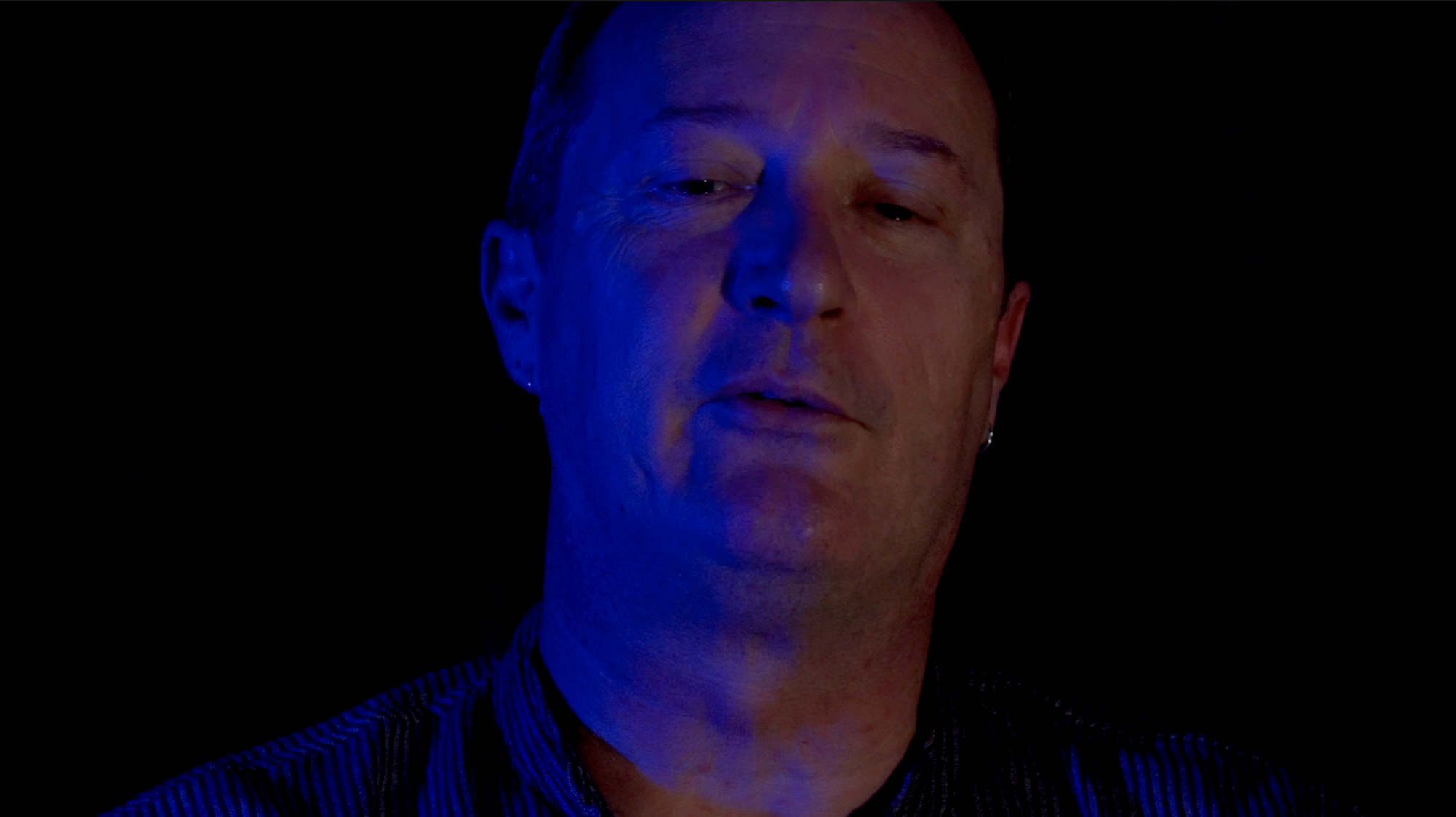
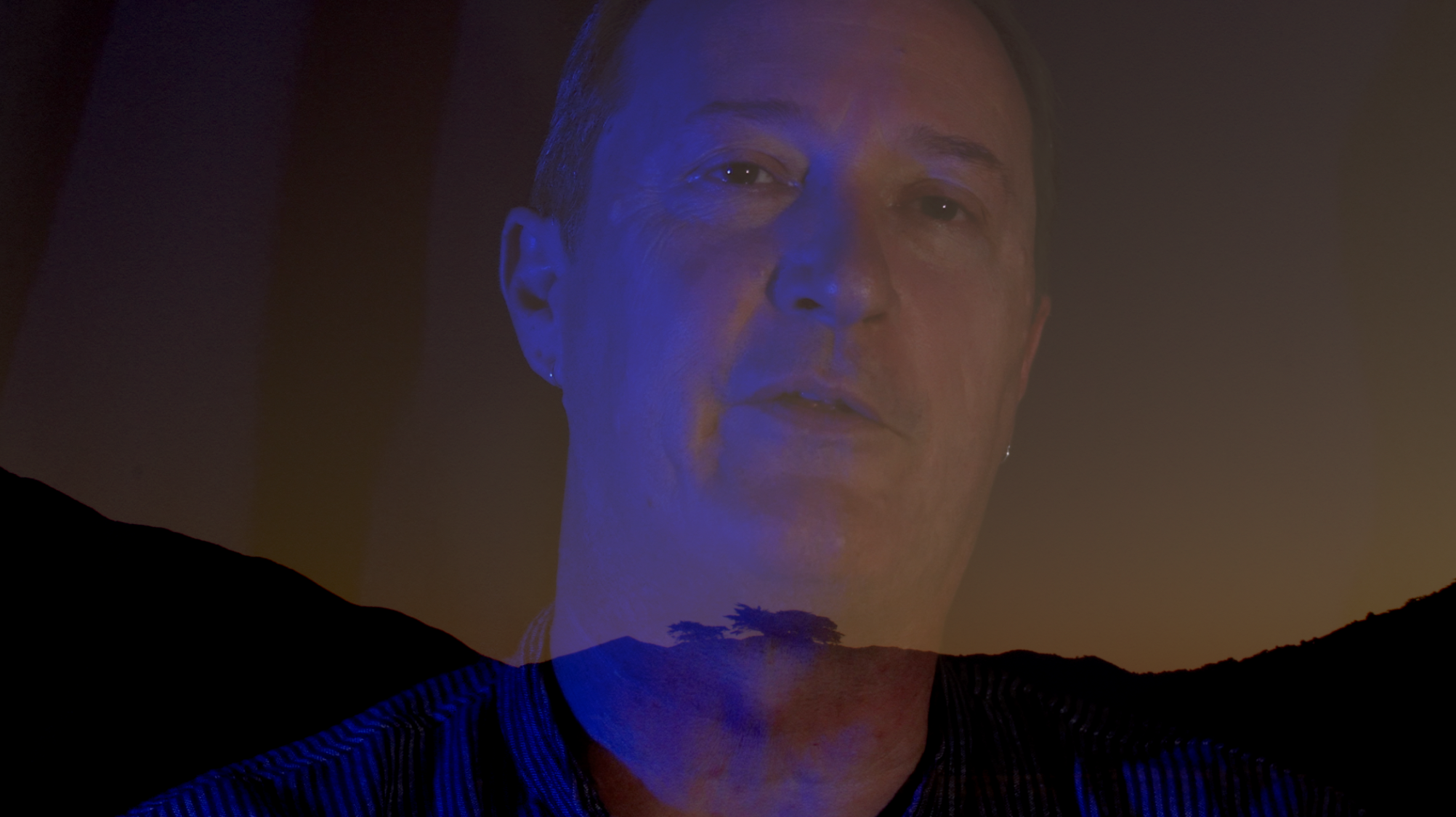
 Primary clip is a talking head with dark background. I’ve applied exposure and colour controls to make the background appear black. I’ve made that clip into a compound clip.
Secondary clip is a landscape with light background that I am cross dissolving to.
Now even though I have adjusted the primary clip to have a black background, and the secondary clip has zero opacity effects applied, cross dissolving to that landscape shot exposes all of the visually noisy background info (light patches on the background curtain etc) in the primary talking head clip.
Is the only way to perform a clean cross dissolve - one which doesn’t behave like an opacity filter,
exposing the visual noise of the curtain in the background etc - to export the primary clip and then import that
and do the cross dissolve?
Do I have to use a third part app like Motion?
Or is there something obvious I am missing within FCPX which will prevent this behaviour?
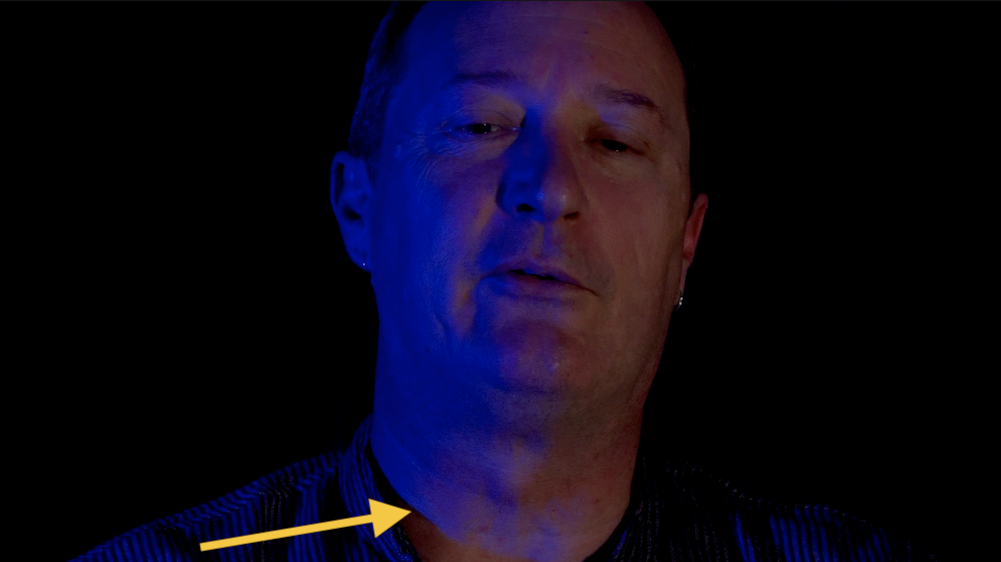
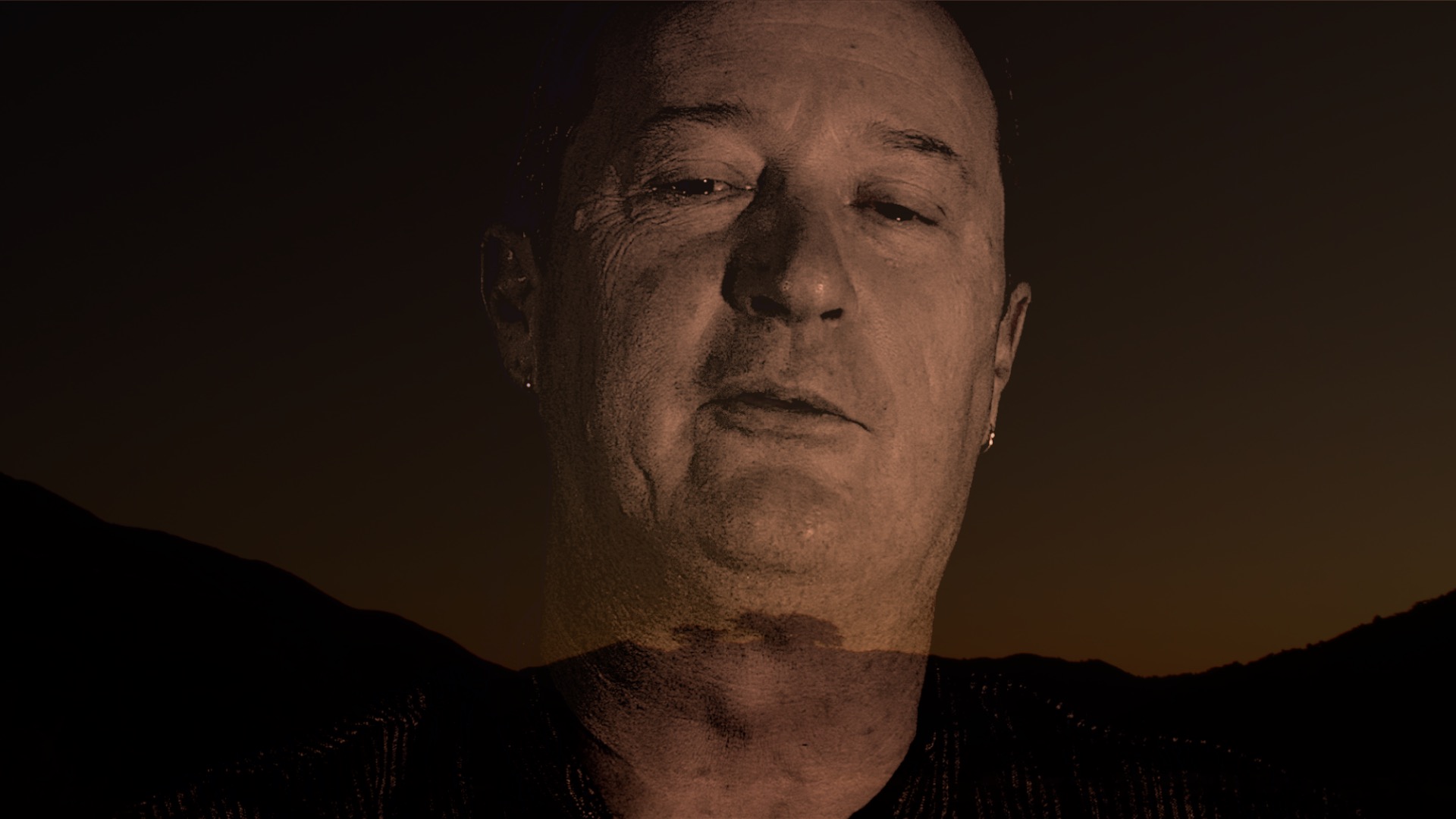
See attached screenshots which illustrate…. the cross dissolve image shows dark patches in the curtain to the left of the talking head.
I've tested this out after using extreme exposure (darkening) where I can barely see the talking head anymore, and during the cross dissolve the same behaviour occurs. The cross dissolve function ignores my exposure settings in the clip being dissolved from, and behaves like an opacity filter.
Cheers and apologies if this is covered elsewhere - I tried to hunt around...
Cross dissolve without impacting exposure of the clip being dissolved from? was created by Slaughter
Secondary clip is a landscape with light background that I am cross dissolving to.
Now even though I have adjusted the primary clip to have a black background, and the secondary clip has zero opacity effects applied, cross dissolving to that landscape shot exposes all of the visually noisy background info (light patches on the background curtain etc) in the primary talking head clip.
Is the only way to perform a clean cross dissolve - one which doesn’t behave like an opacity filter,
exposing the visual noise of the curtain in the background etc - to export the primary clip and then import that
and do the cross dissolve?
Do I have to use a third part app like Motion?
Or is there something obvious I am missing within FCPX which will prevent this behaviour?
See attached screenshots which illustrate…. the cross dissolve image shows dark patches in the curtain to the left of the talking head.
I've tested this out after using extreme exposure (darkening) where I can barely see the talking head anymore, and during the cross dissolve the same behaviour occurs. The cross dissolve function ignores my exposure settings in the clip being dissolved from, and behaves like an opacity filter.
Cheers and apologies if this is covered elsewhere - I tried to hunt around...
Last edit: 08 Aug 2023 08:52 by Slaughter.
Please Log in to join the conversation.


08 Aug 2023 18:57 #126722
by dmetz
Replied by dmetz on topic Cross dissolve without impacting exposure of the clip being dissolved from?
Select the cross dissolve in the timeline, and go to the inspector - there may be an alternate Look that gives you what you're going for. 12 styles to choose from.
The default style is 'Video', I frequently use 'Dark' in situations like this.
The default style is 'Video', I frequently use 'Dark' in situations like this.
Please Log in to join the conversation.
09 Aug 2023 07:55 - 09 Aug 2023 08:12 #126724
by Slaughter
Replied by Slaughter on topic Cross dissolve without impacting exposure of the clip being dissolved from?
Thanks, but every iteration of dissolve in the inspector produces the same effect: FCPX ignores my exposure settings and the fact that I have created a compound clip post-exposure change.
I'm definitely missing something obvious. FCPX surely has a built-in cross-dissolve function that doesn't ignore clip colour and exposure settings?
I'm definitely missing something obvious. FCPX surely has a built-in cross-dissolve function that doesn't ignore clip colour and exposure settings?
Last edit: 09 Aug 2023 08:12 by Slaughter.
Please Log in to join the conversation.
09 Aug 2023 08:30 #126726
by Slaughter
Replied by Slaughter on topic Cross dissolve without impacting exposure of the clip being dissolved from?
and I really am trying to find out how... as you might imagine, searching for anything including the term "cross dissolve" is bringing up many, many, many results which have nothing to do with the dilemma I'm describing...
Please Log in to join the conversation.

10 Aug 2023 01:55 - 10 Aug 2023 02:27 #126729
by VTC
Replied by VTC on topic Cross dissolve without impacting exposure of the clip being dissolved from?
Try blading the clip head / tails the length of the dissolve and then selecting one of the effects in the COMPOSITE function.
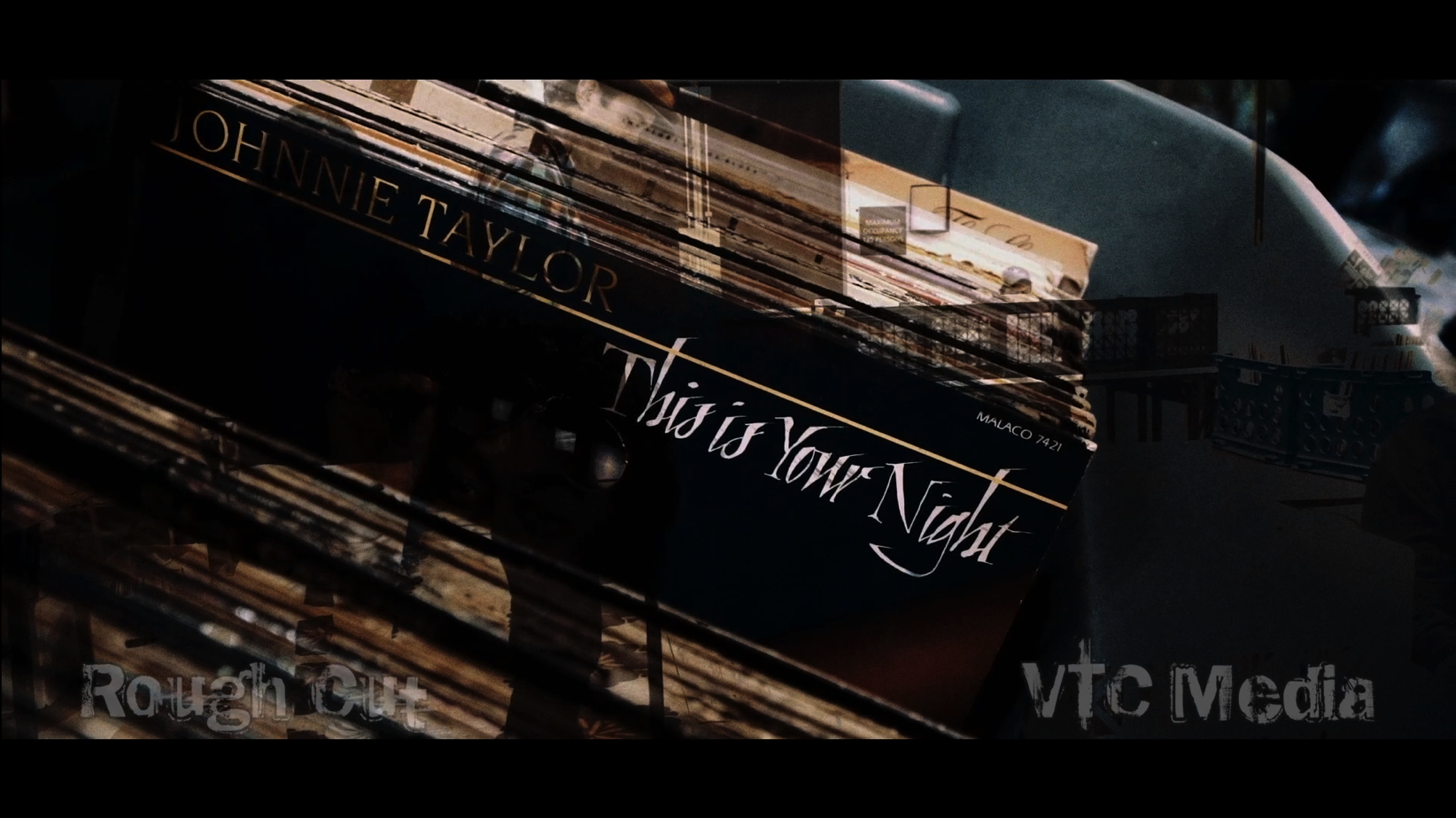
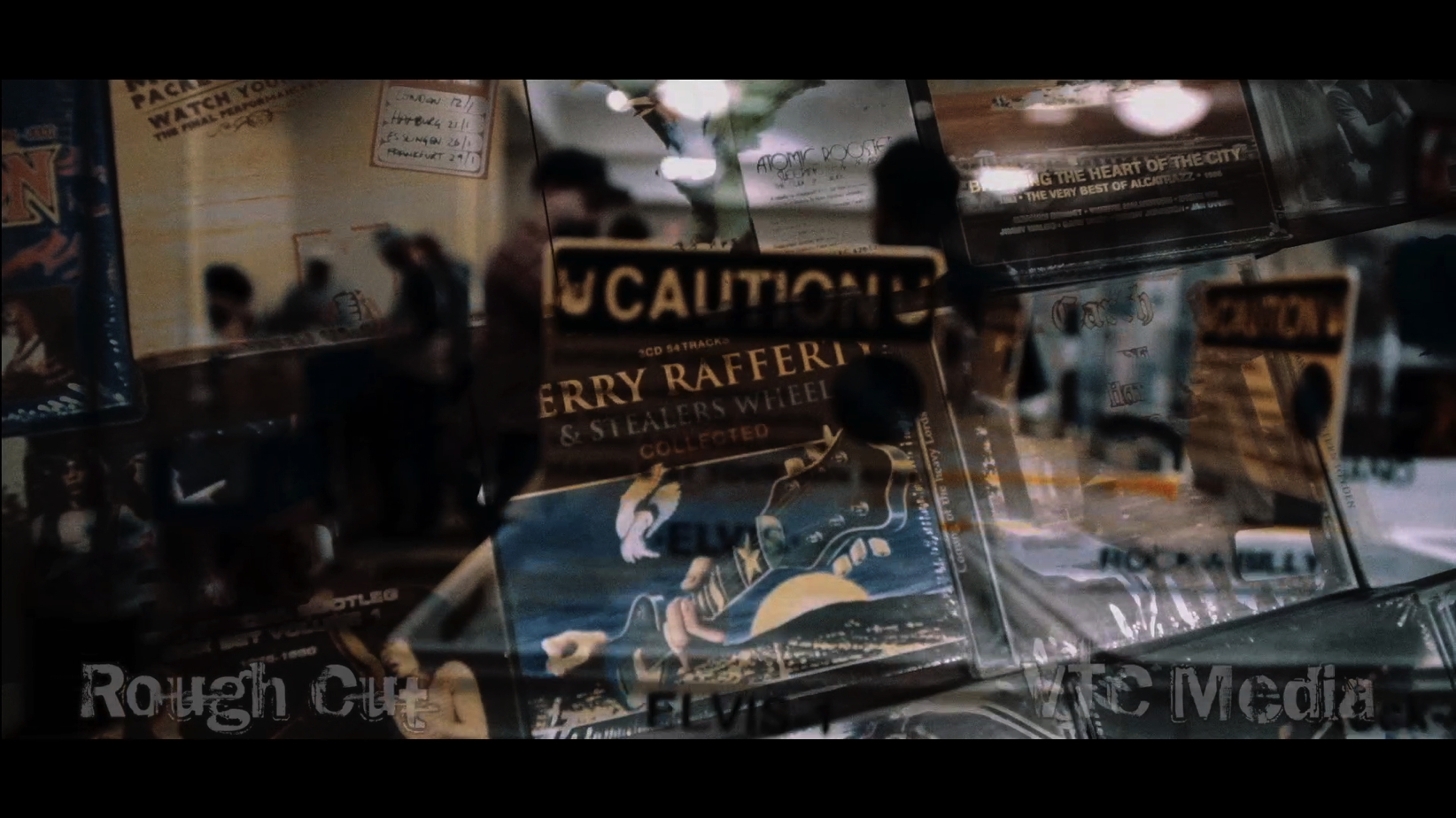
Won't be able to tell from these stills but on one of the clips I kind of remembering I selected an effect that dropped out all the dark and the other all the light (or something along those lines - that particular library is offline or else I'd check to see precisely what was done) and it was a ten second effect each time used that showed the two clips with maybe ramping in/out the opacity on each but don't rightly remember. (Came across the effect by chance and really impressed myself with it.)


Won't be able to tell from these stills but on one of the clips I kind of remembering I selected an effect that dropped out all the dark and the other all the light (or something along those lines - that particular library is offline or else I'd check to see precisely what was done) and it was a ten second effect each time used that showed the two clips with maybe ramping in/out the opacity on each but don't rightly remember. (Came across the effect by chance and really impressed myself with it.)
Last edit: 10 Aug 2023 02:27 by VTC.
Please Log in to join the conversation.
10 Aug 2023 04:05 #126731
by Slaughter
Replied by Slaughter on topic Cross dissolve without impacting exposure of the clip being dissolved from?
Thanks, but none of the composite / opacity filters / effects will perform a simple dissolve which acknowledges the exposure / darkness settings of the clip being dissolved from (or to).
So far, it appears that not even grouping the clip to 'glue' its exposure settings works. FCPX dissolves all evidently ignore this, and the only way to perform a dissolve without revealing unwanted details in a darkened clip is to destructively print off the exposure-worked clip, re-import it, and then perform the dissolve. Which seems crazy - what if you later decide to shorten or lengthen or otherwise made editorial changes to that transition section? Seems very odd.
So far, it appears that not even grouping the clip to 'glue' its exposure settings works. FCPX dissolves all evidently ignore this, and the only way to perform a dissolve without revealing unwanted details in a darkened clip is to destructively print off the exposure-worked clip, re-import it, and then perform the dissolve. Which seems crazy - what if you later decide to shorten or lengthen or otherwise made editorial changes to that transition section? Seems very odd.
Please Log in to join the conversation.

10 Aug 2023 13:51 - 10 Aug 2023 16:12 #126738
by Zabobon
Replied by Zabobon on topic Cross dissolve without impacting exposure of the clip being dissolved from?
Have you tried doing this? i.e. exporting the Compound clip at full quality, reimporting it and using the new rendered clip to do the dissolve? (Just to see if it gives a better result than dissolving from the Compound Clip.)Is the only way to perform a clean cross dissolve - one which doesn’t behave like an opacity filter,
exposing the visual noise of the curtain in the background etc - to export the primary clip and then import that
and do the cross dissolve?
Last edit: 10 Aug 2023 16:12 by Zabobon.
Please Log in to join the conversation.
11 Aug 2023 13:23 - 11 Aug 2023 13:27 #126746
by Slaughter
Replied by Slaughter on topic Cross dissolve without impacting exposure of the clip being dissolved from?
Yes.
Hence why I stated the following in the 3rd paragraph of my opening post:
"Is the only way to perform a clean cross dissolve - one which doesn’t behave like an opacity filter,
exposing the visual noise of the curtain in the background etc - to export the primary clip and then import that and do the cross dissolve?"
Further to this, yes, it gives the results that should be emerging from the plain cross dissolve in the first place. It bewilders me that FCPX can recognise and acknowledge the exposure work on export, but ignores it whilst the clip is 'live' in the time line.... requiring a bounce and reimport is very inefficient and defeats the purpose of its otherwise flexible editing capabilities.
Hence why I stated the following in the 3rd paragraph of my opening post:
"Is the only way to perform a clean cross dissolve - one which doesn’t behave like an opacity filter,
exposing the visual noise of the curtain in the background etc - to export the primary clip and then import that and do the cross dissolve?"
Further to this, yes, it gives the results that should be emerging from the plain cross dissolve in the first place. It bewilders me that FCPX can recognise and acknowledge the exposure work on export, but ignores it whilst the clip is 'live' in the time line.... requiring a bounce and reimport is very inefficient and defeats the purpose of its otherwise flexible editing capabilities.
Last edit: 11 Aug 2023 13:27 by Slaughter.
Please Log in to join the conversation.


12 Aug 2023 16:55 - 12 Aug 2023 16:58 #126770
by Ian Brown
Replied by Ian Brown on topic Cross dissolve without impacting exposure of the clip being dissolved from?
Surely the whole point of a cross dissolve is that it dissolves into the next clip which in this case is extremely bright . . . so by its very nature the dark image is going to brighten as it merges into the sky.
Perhaps a fade to black transition would be more appropriate for the subject?
Perhaps a fade to black transition would be more appropriate for the subject?
Last edit: 12 Aug 2023 16:58 by Ian Brown.
Please Log in to join the conversation.
12 Aug 2023 22:51 - 12 Aug 2023 23:39 #126788
by Slaughter
Replied by Slaughter on topic Cross dissolve without impacting exposure of the clip being dissolved from?
@inbro
I'm not sure of the relevance of discussing the visual-thematic do's and don'ts of transitions... I didn't come here for editorial advice, but technical help.
So - no.
I *want* a transition from dark to light - a nice, clean transition consistent with my colour / exposure work. I don't want to be given suggestions about my editorial choices. Thanks, but no thanks.
"Surely the whole point..." of a video editing application is that the user gets to decide how each and every cut and transition looks. In this case, I have told FCPX "please transition cleanly from this clip, which I have darkened so that the details of the background curtain are no longer exposed, to this one, which is etc etc etc". Yet FCPX is ignoring this advice and insists on showing me visual information which I have edited out of the equation using the colour board (the proof of this, again, is that if I export this clip and reimport it, and then perform the transition, the details of the curtain do not show up during the transition).
At this stage it is clear that this is another flaw in FCPX - yes yes yes all applications have flaws etc.
and before someone chimes in with "well why don't you use Premier then", I also think it's fair enough to grumble about flaws whilst also enjoying the many other amazing things the application *can* do.
I'm not sure of the relevance of discussing the visual-thematic do's and don'ts of transitions... I didn't come here for editorial advice, but technical help.
So - no.
I *want* a transition from dark to light - a nice, clean transition consistent with my colour / exposure work. I don't want to be given suggestions about my editorial choices. Thanks, but no thanks.
"Surely the whole point..." of a video editing application is that the user gets to decide how each and every cut and transition looks. In this case, I have told FCPX "please transition cleanly from this clip, which I have darkened so that the details of the background curtain are no longer exposed, to this one, which is etc etc etc". Yet FCPX is ignoring this advice and insists on showing me visual information which I have edited out of the equation using the colour board (the proof of this, again, is that if I export this clip and reimport it, and then perform the transition, the details of the curtain do not show up during the transition).
At this stage it is clear that this is another flaw in FCPX - yes yes yes all applications have flaws etc.
and before someone chimes in with "well why don't you use Premier then", I also think it's fair enough to grumble about flaws whilst also enjoying the many other amazing things the application *can* do.
Last edit: 12 Aug 2023 23:39 by Slaughter.
Please Log in to join the conversation.
12 Aug 2023 23:00 - 13 Aug 2023 00:56 #126789
by Zabobon
Replied by Zabobon on topic Cross dissolve without impacting exposure of the clip being dissolved from?
You are right that the expected behaviour would be that the effects are applied before the cross dissolve is applied. There shouldn't be any need to render out the shot first.
Could you try one test? Make a copy of the compound clip you want to dissolve from (the one where you have made the background darker). Now try a dissolve from the original to the copy (in other words dissolve the clip to a copy of itself). The expected result would be no exposure change on the background.
I have just tried this myself on a clip that I had darkened and the result was no change in exposure during the dissolve.
The reason I am suggesting this test is that if in your case the dissolve lightens in the middle it suggests something unique is going on. (Not a solution but one step in troubleshooting…)
Could you try one test? Make a copy of the compound clip you want to dissolve from (the one where you have made the background darker). Now try a dissolve from the original to the copy (in other words dissolve the clip to a copy of itself). The expected result would be no exposure change on the background.
I have just tried this myself on a clip that I had darkened and the result was no change in exposure during the dissolve.
The reason I am suggesting this test is that if in your case the dissolve lightens in the middle it suggests something unique is going on. (Not a solution but one step in troubleshooting…)
Last edit: 13 Aug 2023 00:56 by Zabobon.
Please Log in to join the conversation.
13 Aug 2023 01:01 #126794
by Slaughter
Replied by Slaughter on topic Cross dissolve without impacting exposure of the clip being dissolved from?
@zabobon
Took the compound (darkened) clip > made a copy
> cross dissolved from one to the other.
There was no exposure change, the exposure level remained uniform...
Ok, so what does this potentially help with...?
Took the compound (darkened) clip > made a copy
> cross dissolved from one to the other.
There was no exposure change, the exposure level remained uniform...
Ok, so what does this potentially help with...?
Please Log in to join the conversation.
13 Aug 2023 02:12 #126795
by Zabobon
I suppose the next thing I would try is dissolving the compound darkened shot to a different shot (i.e. not your shot with the light sky) and again see if the darkened background is maintained during the dissolve.
If that works and looks good, again it is a good result in trying to narrow down what is going on. It would suggest that in most cases Final Cut Pro does apply the effects in the expected order and something unique is happening here.
In a sense you already have a "solution" but you are right to say this shouldn't be happening.
Replied by Zabobon on topic Cross dissolve without impacting exposure of the clip being dissolved from?
It's just a first step in trying to find out what is going on and what is causing the result you are getting. It's hard to troubleshoot at a distance so, I am suggesting the steps I would take. In a sense it is a good result as it shows Final Cut Pro is applying the darkening effect before doing the dissolve... (rather than somehow mixing up the darkening effects and the dissolve all in one go).There was no exposure change, the exposure level remained uniform...
Ok, so what does this potentially help with...?
I suppose the next thing I would try is dissolving the compound darkened shot to a different shot (i.e. not your shot with the light sky) and again see if the darkened background is maintained during the dissolve.
If that works and looks good, again it is a good result in trying to narrow down what is going on. It would suggest that in most cases Final Cut Pro does apply the effects in the expected order and something unique is happening here.
In a sense you already have a "solution" but you are right to say this shouldn't be happening.
Please Log in to join the conversation.
14 Aug 2023 04:23 #126805
by Slaughter
Replied by Slaughter on topic Cross dissolve without impacting exposure of the clip being dissolved from?
> I suppose the next thing I would try is dissolving the compound darkened shot to a different shot (i.e. not your shot with the light sky) and again see if the darkened background is maintained during the dissolve.
If you're wanting to test whether the shot I *do* want to transition to is somehow corrupt, that's an unlikely event - ie that this very specific sort of corruption would occur at all. But ok.
I've tried the transition with other light sky shots and the same thing happens of course. So the clip isn't damaged in some ultra specific way.
If I transition to a similarly dark clip, there's no problem. Dark transitioning to dark looks like dark transitioning to dark.
If I transition to a medium sort of light background clip, I can see those curtain details starting to come through - FCPX ignores my exposure settings and grouping of the first clip. The lighter the new clip, the more this becomes evident.
Proving:
It's a universal problem - an exposure-darkened clip, where background details have been "burnt" out within FCPX, and where you've 'glued' the effect by grouping the exposure-worked clip > will have its exposure work forgotten or ignored by FCPX as soon as you dissolve or transition to a new clip - as such, the lighter the background of the new / transitioned-to image, the more evident this is.
If you're wanting to test whether the shot I *do* want to transition to is somehow corrupt, that's an unlikely event - ie that this very specific sort of corruption would occur at all. But ok.
I've tried the transition with other light sky shots and the same thing happens of course. So the clip isn't damaged in some ultra specific way.
If I transition to a similarly dark clip, there's no problem. Dark transitioning to dark looks like dark transitioning to dark.
If I transition to a medium sort of light background clip, I can see those curtain details starting to come through - FCPX ignores my exposure settings and grouping of the first clip. The lighter the new clip, the more this becomes evident.
Proving:
It's a universal problem - an exposure-darkened clip, where background details have been "burnt" out within FCPX, and where you've 'glued' the effect by grouping the exposure-worked clip > will have its exposure work forgotten or ignored by FCPX as soon as you dissolve or transition to a new clip - as such, the lighter the background of the new / transitioned-to image, the more evident this is.
Please Log in to join the conversation.

18 Aug 2023 05:06 #126858
by ltf3
Replied by ltf3 on topic Cross dissolve without impacting exposure of the clip being dissolved from?
Try this?
On the clip you have adjusted the dark areas to crush out the details in the dark background, apply a
TV Safe filter.
Hopefully the details in the dark areas are below 0% and the filter will just remove them ( clip them ). You will see
on the waveform monitor if your shadow details are low enough ... get them just below the 0% line. Add the
TV Safe filter and all shadow areas below zero will peg to zero luminance ( ie no detail ).
I'm pretty sure now when the brighter image fades in, and is added to the outgoing image ( cross fades are
additive ) the shadow details won't be there to 'get brighter' again.
On the clip you have adjusted the dark areas to crush out the details in the dark background, apply a
TV Safe filter.
Hopefully the details in the dark areas are below 0% and the filter will just remove them ( clip them ). You will see
on the waveform monitor if your shadow details are low enough ... get them just below the 0% line. Add the
TV Safe filter and all shadow areas below zero will peg to zero luminance ( ie no detail ).
I'm pretty sure now when the brighter image fades in, and is added to the outgoing image ( cross fades are
additive ) the shadow details won't be there to 'get brighter' again.
Please Log in to join the conversation.

20 Aug 2023 17:50 #126882
by sc_fox
Replied by sc_fox on topic Cross dissolve without impacting exposure of the clip being dissolved from?
I have a question... Is that blue light cast necessary? What is its purpose? (Okay - two questions...) I'm old — help me out here.
Is it just to complain that Final Cut can't achieve some impossible expectation?
There are two layers of colors that come together. As alpha is added to one and subtracted from the other, there is an inherent blending of color that goes on -- no matter what "mode" is in use. One way or the other, the
"apparent exposures" of both clips are going to be altered.
The two colors you have blending are very nearly complementary (opposites on the color wheel). In RGB color,
Blue = 0, 0, 255... Yellow is 255, 255, 0 ... and its appearance is brighter due to the magnitude of two primaries being
involved. As the three slots (R - G - are being animated, the less bright blue is more quickly replaced by the brighter
yellows. See how that works?
Colors are mathematical — they don't "bend". Blue is a "normal" (primary) and Yellow (yellow/orange) is a "bright" (secondary). If you want to "win" this situation, you have to bend — find another way (like get rid of the blue).
How does this happen? Was the blue color masked onto his face? It seems an unnaturally sharp edge.
I'm not exactly sure what you're going for, but wouldn't this work better?
Colors are more analogous this way. It is possible to animate the blue removal from the start of the transition if it is necessary.
Also, making the transition shorter — people won't notice the details.
... Or ... have I completely missed the point? (Like I said: gettin' old...)
Is it just to complain that Final Cut can't achieve some impossible expectation?
There are two layers of colors that come together. As alpha is added to one and subtracted from the other, there is an inherent blending of color that goes on -- no matter what "mode" is in use. One way or the other, the
"apparent exposures" of both clips are going to be altered.
The two colors you have blending are very nearly complementary (opposites on the color wheel). In RGB color,
Blue = 0, 0, 255... Yellow is 255, 255, 0 ... and its appearance is brighter due to the magnitude of two primaries being
involved. As the three slots (R - G -
are being animated, the less bright blue is more quickly replaced by the brighteryellows. See how that works?
Colors are mathematical — they don't "bend". Blue is a "normal" (primary) and Yellow (yellow/orange) is a "bright" (secondary). If you want to "win" this situation, you have to bend — find another way (like get rid of the blue).
How does this happen? Was the blue color masked onto his face? It seems an unnaturally sharp edge.
I'm not exactly sure what you're going for, but wouldn't this work better?
Colors are more analogous this way. It is possible to animate the blue removal from the start of the transition if it is necessary.
Also, making the transition shorter — people won't notice the details.
... Or ... have I completely missed the point? (Like I said: gettin' old...)
Please Log in to join the conversation.
21 Aug 2023 01:49 #126884
by Slaughter
Replied by Slaughter on topic Cross dissolve without impacting exposure of the clip being dissolved from?
@sc_fox
With love and respect -
This is not a thread about editorial or lighting choices.
My choice of colour of lighting, type of lighting, where to place a transition or how long that transition is - these are completely irrelevant. Suggesting that one makes a different editorial, lighting or other visual choice in order to get around a limitation of FCPX is not a solution. FCPX is designed to facilitate the vision of the editor, not the other way around.
As I have posted above, exporting the exposure-adjusted clip and then importing it and transitioning from the imported clip does solve the problem, proving that the transition function ignores the exposure settings of clips in this circumstance.
With love and respect -
This is not a thread about editorial or lighting choices.
My choice of colour of lighting, type of lighting, where to place a transition or how long that transition is - these are completely irrelevant. Suggesting that one makes a different editorial, lighting or other visual choice in order to get around a limitation of FCPX is not a solution. FCPX is designed to facilitate the vision of the editor, not the other way around.
As I have posted above, exporting the exposure-adjusted clip and then importing it and transitioning from the imported clip does solve the problem, proving that the transition function ignores the exposure settings of clips in this circumstance.
Please Log in to join the conversation.
21 Aug 2023 01:58 #126885
by Slaughter
Replied by Slaughter on topic Cross dissolve without impacting exposure of the clip being dissolved from?
@
ltf3
Took me a minute as there is no such filter in FCPX called "TV Safe" - it's called "Broadcast Safe".... and happily, it represents a workaround!
Oddly, when my "transitioned from" clip has this filter applied (and just at its stock settings), *now* the transition component *does* "acknowledge" that I've crushed down the blacks and removed unwanted details in those pesky curtains. I don't have to export the first clip and then import it into my timeline.
So I'm pretty happy with this as a workaround as I don't have to destructively edit anymore. It is mighty odd, though, that the FCPX transition recognises this effect but not exposure work done through the colour board....
Thankyou!
Took me a minute as there is no such filter in FCPX called "TV Safe" - it's called "Broadcast Safe".... and happily, it represents a workaround!
Oddly, when my "transitioned from" clip has this filter applied (and just at its stock settings), *now* the transition component *does* "acknowledge" that I've crushed down the blacks and removed unwanted details in those pesky curtains. I don't have to export the first clip and then import it into my timeline.
So I'm pretty happy with this as a workaround as I don't have to destructively edit anymore. It is mighty odd, though, that the FCPX transition recognises this effect but not exposure work done through the colour board....
Thankyou!
Please Log in to join the conversation.
21 Aug 2023 03:41 #126886
by sc_fox
Replied by sc_fox on topic Cross dissolve without impacting exposure of the clip being dissolved from?
Could you post some screen captures of the working results -- I've been experimenting with "different" kinds of
transitions techniques -- it would be interesting to see if I found one to match to your request.
TIA
transitions techniques -- it would be interesting to see if I found one to match to your request.
TIA
Please Log in to join the conversation.
- Karsten Schlüter
-

- Offline
- Moderator
-

Less
More
- Posts: 3790
- Thank you received: 718
21 Aug 2023 04:17 #126887
by Karsten Schlüter
Replied by Karsten Schlüter on topic Cross dissolve without impacting exposure of the clip being dissolved from?
I guess, you're looking for a product like
Hawaiki SuperDissolve
fxfactory.com/info/hawaikisuperdissolve/
Unfortunately, it isn't no longer available
Perhaps you should contact FXFactory........ (??)
Hawaiki SuperDissolve
fxfactory.com/info/hawaikisuperdissolve/
Unfortunately, it isn't no longer available
Perhaps you should contact FXFactory........ (??)
Please Log in to join the conversation.
