


- Posts: 14
- Thank you received: 1
3 Post Moderation Rule for New Boarders (25 Jan 2021)
New boarders will have their posts moderated - Don't worry if you cannot see your post immediately.
FCPX paused video is blurry... but sharp in motion?
- TeddyRuxpin
-
 Topic Author
- Offline
- New Member
-

Less
More
16 Jun 2022 20:03 - 16 Jun 2022 20:22 #120920
by TeddyRuxpin
FCPX paused video is blurry... but sharp in motion? was created by TeddyRuxpin
Hi all,
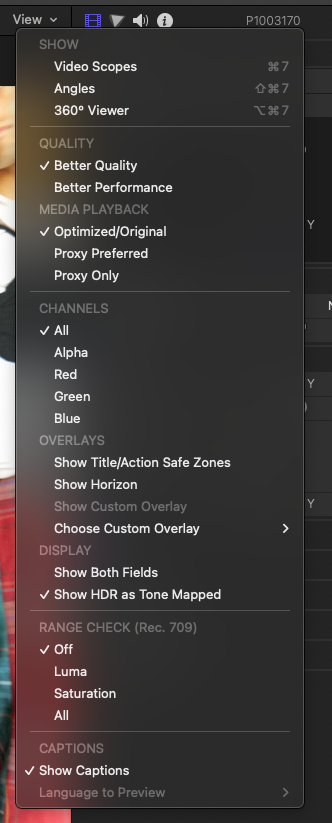
I know what you're thinking, it' the 'better performance/better quality' issue... but actually, it's that in reverse:
I have 4K 24p footage from a Panasonic S5 (MOV, 422/10bit/LongGOP), imported into FCPX, no transcoding to optimised media/proxy.
When the playback is stopped, the picture is blurrier than during playback.... cropped screenshots attached, the blurry one is actually when the video is playing back.
Mac Studio Ultra, macOS 12.4, FCPX 10.6.3, playback set to 'better quality'. Never had this on my old intel Mac Pro, this machine is new to me. This is the first new footage that I've imported on this machine.
My other main/current project from my intel Mac Pro is not doing this.
Any ideas? Maybe it's a setting I've forgotten about in moving to this new Mac...
Cheers!
Ed
P.S. - happy to finally find a FCPX forum... so far I've just been struggling alone!
I know what you're thinking, it' the 'better performance/better quality' issue... but actually, it's that in reverse:
I have 4K 24p footage from a Panasonic S5 (MOV, 422/10bit/LongGOP), imported into FCPX, no transcoding to optimised media/proxy.
When the playback is stopped, the picture is blurrier than during playback.... cropped screenshots attached, the blurry one is actually when the video is playing back.
Mac Studio Ultra, macOS 12.4, FCPX 10.6.3, playback set to 'better quality'. Never had this on my old intel Mac Pro, this machine is new to me. This is the first new footage that I've imported on this machine.
My other main/current project from my intel Mac Pro is not doing this.
Any ideas? Maybe it's a setting I've forgotten about in moving to this new Mac...
Cheers!
Ed
P.S. - happy to finally find a FCPX forum... so far I've just been struggling alone!


Last edit: 16 Jun 2022 20:22 by TeddyRuxpin.
Please Log in to join the conversation.


17 Jun 2022 17:28 #120926
by TerryB
Replied by TerryB on topic FCPX paused video is blurry... but sharp in motion?
Have you tried resetting FCP preferences? Hold option and command when launching FCP and choose Delete Preferences... It will open the the default Untitled library. Reopen the library you were working on, set your prefs back to the way you like (disable background rendering, etc.) and see if the issue is resolved.
There's also the FCP discussion group at discussions.apple.com/community/professi...ations/final-cut-pro
There's also the FCP discussion group at discussions.apple.com/community/professi...ations/final-cut-pro
Please Log in to join the conversation.
- TeddyRuxpin
-
Topic Author
- Offline
- New Member
-
Less
More
- Posts: 14
- Thank you received: 1
18 Jun 2022 08:30 #120927
by TeddyRuxpin
Replied by TeddyRuxpin on topic FCPX paused video is blurry... but sharp in motion?
Thanks for the reply!
I can try that for sure, but it's a new computer with a fresh download of FCPX
It should be as fresh as it gets! I was actually wondering if it was a setting that I had enabled/disabled on my Intel Mac that I'd forgotten about...
I'll give the Apple forums a shot, too, thanks!
I can try that for sure, but it's a new computer with a fresh download of FCPX
It should be as fresh as it gets! I was actually wondering if it was a setting that I had enabled/disabled on my Intel Mac that I'd forgotten about...
I'll give the Apple forums a shot, too, thanks!
Please Log in to join the conversation.


19 Jun 2022 14:48 - 19 Jun 2022 15:05 #120935
by joema
I confirm the same behavior with Panasonic GH5 4k/29.97 and 23.98 10-bit 4:2:2 H264 *and* All-Intra material on both M1 Ultra and M1 Max, FCP 10.6.3, MacOS 12.4. It does not happen on FCP 10.5.2 on MacOS 10.15.7 on a 2017 iMac 27. It does not happen using the same material in Resolve Studio 17.4.6 on the M1 Ultra.
Edit/add: Unlike the Xeon-powered 2013 Mac Pro, the iMac's i7 CPU has Quick Sync hardware acceleration, so these machines cover three test cases: non-accelerated decode (2013 Mac Pro), Intel Quick Sync-accelerated decode (iMac 27) and Apple-Silicon-accelerated decode (M1 Max and Ultra). DaVinci Resolve covers the software part, so it's not some unavoidable aspect of Apple Silicon video acceleration. The MacOS Video ToolBox framework automatically uses hardware acceleration if available but the developer can opt out of that. I suspect there might be an undocumented trace flag in FCP to disable acceleration for testing, but I don't know it.
It is playback-only and does not get encoded to output. However this means FCP editors on Apple Silicon cannot easily do a precise sharpness check on still frame material from any affected cameras -- if unrendered. I suspect it also happens on S1 and S1H but I'll have to dig up some material to test.
A workaround is background render or manually render the clips or timeline to cache, e.g, CMD+A to select them, CTRL+R to render.
I will investigate further and probably file a bug...
Replied by joema on topic FCPX paused video is blurry... but sharp in motion?
...I have 4K 24p footage from a Panasonic S5 (MOV, 422/10bit/LongGOP), imported into FCPX, no transcoding to optimised media/proxy....When the playback is stopped, the picture is blurrier than during playback...Mac Studio Ultra, macOS 12.4, FCPX 10.6.3, playback set to 'better quality'. Never had this on my old intel Mac Pro...
I confirm the same behavior with Panasonic GH5 4k/29.97 and 23.98 10-bit 4:2:2 H264 *and* All-Intra material on both M1 Ultra and M1 Max, FCP 10.6.3, MacOS 12.4. It does not happen on FCP 10.5.2 on MacOS 10.15.7 on a 2017 iMac 27. It does not happen using the same material in Resolve Studio 17.4.6 on the M1 Ultra.
Edit/add: Unlike the Xeon-powered 2013 Mac Pro, the iMac's i7 CPU has Quick Sync hardware acceleration, so these machines cover three test cases: non-accelerated decode (2013 Mac Pro), Intel Quick Sync-accelerated decode (iMac 27) and Apple-Silicon-accelerated decode (M1 Max and Ultra). DaVinci Resolve covers the software part, so it's not some unavoidable aspect of Apple Silicon video acceleration. The MacOS Video ToolBox framework automatically uses hardware acceleration if available but the developer can opt out of that. I suspect there might be an undocumented trace flag in FCP to disable acceleration for testing, but I don't know it.
It is playback-only and does not get encoded to output. However this means FCP editors on Apple Silicon cannot easily do a precise sharpness check on still frame material from any affected cameras -- if unrendered. I suspect it also happens on S1 and S1H but I'll have to dig up some material to test.
A workaround is background render or manually render the clips or timeline to cache, e.g, CMD+A to select them, CTRL+R to render.
I will investigate further and probably file a bug...
Last edit: 19 Jun 2022 15:05 by joema.
Please Log in to join the conversation.
- TeddyRuxpin
-
Topic Author
- Offline
- New Member
-
Less
More
- Posts: 14
- Thank you received: 1
20 Jun 2022 08:54 #120948
by TeddyRuxpin
Replied by TeddyRuxpin on topic FCPX paused video is blurry... but sharp in motion?
Thanks so much for confirming. Given the number of people that us the GH5, I'm not really sure how this is possible! It's so obvious, especially at full screen, I noticed it immediately
I also haven't found anybody talking about it online... how bizarre...
I also haven't found anybody talking about it online... how bizarre...
Please Log in to join the conversation.
- Tom Wolsky
-

- Offline
- Moderator
-

20 Jun 2022 11:49 #120949
by Tom Wolsky
Replied by Tom Wolsky on topic FCPX paused video is blurry... but sharp in motion?
It seems to be restricted to the 4:2:2 10-bit format.
Please Log in to join the conversation.
- Tom Wolsky
-
- Offline
- Moderator
-
20 Jun 2022 11:49 #120950
by Tom Wolsky
Replied by Tom Wolsky on topic FCPX paused video is blurry... but sharp in motion?
It seems to be restricted to the 4:2:2 10-bit format.
Please Log in to join the conversation.

26 Sep 2022 18:18 - 27 Sep 2022 20:21 #122266
by strugs
Replied by strugs on topic FCPX paused video is blurry... but sharp in motion?
Hey Teddy, I just wanted to pop in and say that I am experiencing the same thing too.
I film with a Canon XF705, which produces 4K, HEVC (XF-HEVC) 4:2:2 10-bit video files. I too think it's strange that FCPX will render paused images as slightly blurry, whereas video playback is crisp.
I'm using FCPX 10.6.4.
Have you had any further discoveries?
I film with a Canon XF705, which produces 4K, HEVC (XF-HEVC) 4:2:2 10-bit video files. I too think it's strange that FCPX will render paused images as slightly blurry, whereas video playback is crisp.
I'm using FCPX 10.6.4.
Have you had any further discoveries?
Last edit: 27 Sep 2022 20:21 by strugs.
Please Log in to join the conversation.
- TeddyRuxpin
-
Topic Author
- Offline
- New Member
-
Less
More
- Posts: 14
- Thank you received: 1
27 Sep 2022 08:42 #122269
by TeddyRuxpin
Replied by TeddyRuxpin on topic FCPX paused video is blurry... but sharp in motion?
I haven't, except that the issue persists in 10.6.4... 
Please Log in to join the conversation.
27 Sep 2022 17:52 #122276
by joema
I thought I filed a bug on this but I can't find a record of that. If you could send me a short test clip showing the problem, that would help verify it gets fixed across a wider range of codecs. Please make sure it's a stable shot and in focus on a detailed object to more clearly show the blurry image when paused during FCP playback.
Just drop the clip on this private file transfer site: www.transferbigfiles.com/dropbox/joema
Replied by joema on topic FCPX paused video is blurry... but sharp in motion?
...I am experiencing the same thing too.
I film with a Canon XF705, which produces 4K, HEVC (XF-MXF) 4:2:2 10-bit video files. I too think it's strange that FCPX will render paused images as slightly blurry, whereas video playback is crisp...
I thought I filed a bug on this but I can't find a record of that. If you could send me a short test clip showing the problem, that would help verify it gets fixed across a wider range of codecs. Please make sure it's a stable shot and in focus on a detailed object to more clearly show the blurry image when paused during FCP playback.
Just drop the clip on this private file transfer site: www.transferbigfiles.com/dropbox/joema
Please Log in to join the conversation.
- TeddyRuxpin
-
Topic Author
- Offline
- New Member
-
Less
More
- Posts: 14
- Thank you received: 1
27 Sep 2022 18:18 - 27 Sep 2022 18:18 #122278
by TeddyRuxpin
Replied by TeddyRuxpin on topic FCPX paused video is blurry... but sharp in motion?
Thanks, I uploaded a screen recording showing the issue over here with my Panasonic S5 shooting 4k mov @ 24fps on H264! 
Last edit: 27 Sep 2022 18:18 by TeddyRuxpin.
Please Log in to join the conversation.
27 Sep 2022 18:49 #122279
by joema
Thanks, that does illustrate it. However could you please upload a *short* clip from the camera itself that reproduces the problem? I'll verify those, test on various Intel & Apple Silicon machines and write the bug report, but Apple will want clips from various cameras which they can load into FCP then debug those under XCode. They need to reproduce the problem yet be short enough I can easily upload. I have fiber internet but they don't want ten 20 gigabyte files. I think the S5 can do these formats:
4k/24 10-bit 4:2:2 AVC (H264) in a MOV container,
4k/24 10-bit 4:2:0 AVC (H264) in a MOV container,
4k/24 10-bit 4:2:2 HEVC in a MP4 container,
4k/24 10-bit 4:2:0 HEVC in a MP4 container.
Tom says it's apparently restricted to 10-bit 4:2:2, but we ideally need to isolate the boundaries to ensure it gets properly fixed. I'll be doing similar tests using my A7SIII, FX6 and various other cameras and uploading samples from those.
Just do whatever you can and upload that. At the minimum try to send one 10-bit 4:2:2 camera file that shows the problem. Thanks for your help.
Replied by joema on topic FCPX paused video is blurry... but sharp in motion?
Thanks, I uploaded a screen recording showing the issue over here with my Panasonic S5 shooting 4k mov @ 24fps on H264!
Thanks, that does illustrate it. However could you please upload a *short* clip from the camera itself that reproduces the problem? I'll verify those, test on various Intel & Apple Silicon machines and write the bug report, but Apple will want clips from various cameras which they can load into FCP then debug those under XCode. They need to reproduce the problem yet be short enough I can easily upload. I have fiber internet but they don't want ten 20 gigabyte files. I think the S5 can do these formats:
4k/24 10-bit 4:2:2 AVC (H264) in a MOV container,
4k/24 10-bit 4:2:0 AVC (H264) in a MOV container,
4k/24 10-bit 4:2:2 HEVC in a MP4 container,
4k/24 10-bit 4:2:0 HEVC in a MP4 container.
Tom says it's apparently restricted to 10-bit 4:2:2, but we ideally need to isolate the boundaries to ensure it gets properly fixed. I'll be doing similar tests using my A7SIII, FX6 and various other cameras and uploading samples from those.
Just do whatever you can and upload that. At the minimum try to send one 10-bit 4:2:2 camera file that shows the problem. Thanks for your help.
Please Log in to join the conversation.
- TeddyRuxpin
-
Topic Author
- Offline
- New Member
-
Less
More
- Posts: 14
- Thank you received: 1
27 Sep 2022 20:11 #122282
by TeddyRuxpin
Replied by TeddyRuxpin on topic FCPX paused video is blurry... but sharp in motion?
I managed to find a smaller (~600mb) example. It was shot before switching to log, but that doesn't make any difference.
Quicktime and Finder (quick view) seem to have no problem with the paused footage.
Thanks again!
Quicktime and Finder (quick view) seem to have no problem with the paused footage.
Thanks again!
Please Log in to join the conversation.
27 Sep 2022 20:25 #122284
by strugs
Replied by strugs on topic FCPX paused video is blurry... but sharp in motion?
Thank you joema.
I have uploaded a sample clip to your web link above.
For anyone else who may be interested in downloading this sample clip for themselves, here is a download link on Google Drive: drive.google.com/drive/folders/1-Edo0k5T...sPgnKoOr?usp=sharing
I have uploaded a sample clip to your web link above.
For anyone else who may be interested in downloading this sample clip for themselves, here is a download link on Google Drive: drive.google.com/drive/folders/1-Edo0k5T...sPgnKoOr?usp=sharing
Please Log in to join the conversation.
- Tom Wolsky
-
- Offline
- Moderator
-
27 Sep 2022 20:50 #122285
by Tom Wolsky
Replied by Tom Wolsky on topic FCPX paused video is blurry... but sharp in motion?
Would it be possible to share the file to your Dropbox or WeTransfer? Thanks.
Please Log in to join the conversation.
27 Sep 2022 20:51 #122286
by strugs
Replied by strugs on topic FCPX paused video is blurry... but sharp in motion?
Sure, here's a link to the same on Dropbox.
www.dropbox.com/sh/02lbs9sb4nd1q2z/AAA4b...lkquSBoEFHk7MZa?dl=0
www.dropbox.com/sh/02lbs9sb4nd1q2z/AAA4b...lkquSBoEFHk7MZa?dl=0
Please Log in to join the conversation.
27 Sep 2022 23:04 #122289
by joema
Replied by joema on topic FCPX paused video is blurry... but sharp in motion?
Thanks, this to confirm I got the 600 MB file from Teddy and also the XF705 file from Strugs. Both of those are 4k 10-bit 4:2:2, one 23.98 fps, the other 50.0 fps. I can see the blur problem when paused in FCP 10.6.4 on and Intel on Monterey 12.6.
As already known, a workaround is creating optimized media.
Depending on my schedule it will take me about two days to run tests with other codecs and on various Macs, then write it up for filing with Apple. I'll use the Mac Feedback Assistant app to file it in their bug tracking database, then I'll call Pro Apps support and open a case to be sure they know about it. I'll post relevant status updates. Tom if you want any files or more info, contact me on Facebook.
As already known, a workaround is creating optimized media.
Depending on my schedule it will take me about two days to run tests with other codecs and on various Macs, then write it up for filing with Apple. I'll use the Mac Feedback Assistant app to file it in their bug tracking database, then I'll call Pro Apps support and open a case to be sure they know about it. I'll post relevant status updates. Tom if you want any files or more info, contact me on Facebook.
Please Log in to join the conversation.
- Tom Wolsky
-
- Offline
- Moderator
-
27 Sep 2022 23:30 #122290
by Tom Wolsky
Replied by Tom Wolsky on topic FCPX paused video is blurry... but sharp in motion?
I’d like to see Teddy’s file if that’s the possible. I get different behavior in Strugs’ file when the supplies LUT is added as a camera LUT in the browser.
Please Log in to join the conversation.
28 Sep 2022 00:19 #122291
by joema
OK I sent a link to your fcpbook email address. If that doesn't work, just message me on Facebook.
Re the different behavior if a LUT is used, it's possible applying the LUT caused the timeline to became cached by background render or CTRL+R, effectively becoming optimized media. In that case the problem would temporarily vanish until that timeline range became uncached.
Replied by joema on topic FCPX paused video is blurry... but sharp in motion?
I’d like to see Teddy’s file if that’s the possible. I get different behavior in Strugs’ file when the supplies LUT is added as a camera LUT in the browser.
OK I sent a link to your fcpbook email address. If that doesn't work, just message me on Facebook.
Re the different behavior if a LUT is used, it's possible applying the LUT caused the timeline to became cached by background render or CTRL+R, effectively becoming optimized media. In that case the problem would temporarily vanish until that timeline range became uncached.
Please Log in to join the conversation.
- Tom Wolsky
-
- Offline
- Moderator
-
28 Sep 2022 11:30 #122296
by Tom Wolsky
Replied by Tom Wolsky on topic FCPX paused video is blurry... but sharp in motion?
Is this problem limited to the Studio Ultra, or does it affect the Studio Max as well? On the M1 Max MBP I have with me at the moment, the video is unexpectedly soft during playback, but sharp when paused.
Please Log in to join the conversation.
