


- Posts: 69
- Thank you received: 10
3 Post Moderation Rule for New Boarders (25 Jan 2021)
New boarders will have their posts moderated - Don't worry if you cannot see your post immediately.
Remote Editing - Is it possible to easily & quickly share Source Timecode?
06 Jan 2022 15:51 - 06 Jan 2022 16:01 #118259
by RGPphotog
Replied by RGPphotog on topic Remote Editing - Is it possible to easily & quickly share Source Timecode?
MBP 16" M1 MAX, 64GB RAM, 32 Core GPU
2hour 1080p30 ProRes Proxy Source File
My TimeCode720p Preset (HEVC): 13:44 (2.45GB)
My TimeCode480p Preset (HEVC): 7:15 (1.16GB)
My TimeCode240p Preset (HEVC): 3:31 (376MB)
2hour 1080p30 ProRes Proxy Source File
My TimeCode720p Preset (HEVC): 13:44 (2.45GB)
My TimeCode480p Preset (HEVC): 7:15 (1.16GB)
My TimeCode240p Preset (HEVC): 3:31 (376MB)
Last edit: 06 Jan 2022 16:01 by RGPphotog.
Please Log in to join the conversation.
06 Jan 2022 16:13 #118260
by RGPphotog
Replied by RGPphotog on topic Remote Editing - Is it possible to easily & quickly share Source Timecode?
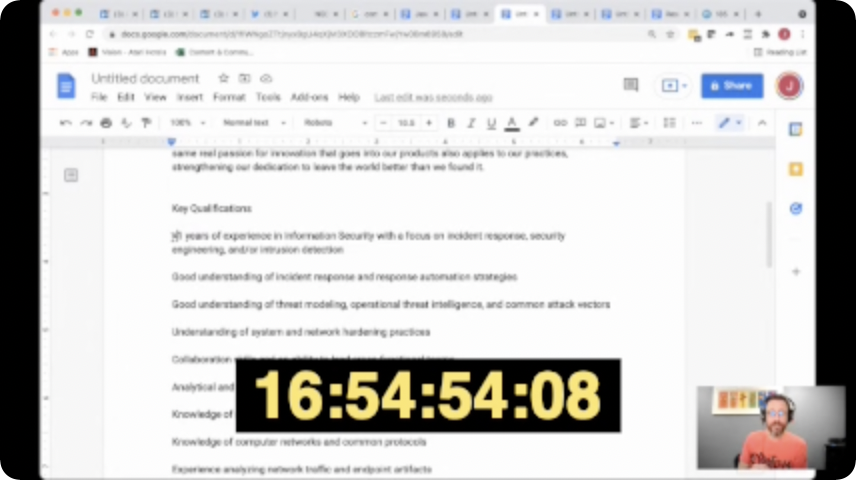
I guess if you don't have to read anything on screen, such as powerpoint text or screen sharing demos, 240p works fine.
Please Log in to join the conversation.
- Bluebicycle
-

- Offline
- Premium Member
-

Less
More
- Posts: 80
- Thank you received: 5
07 Jan 2022 09:03 #118287
by Bluebicycle
Replied by Bluebicycle on topic Remote Editing - Is it possible to easily & quickly share Source Timecode?
Good question. I always quote a producer for this topic: "I've logged the interviews using timecode, because I know you like that" No Shit!! It's true that "Days of editing saves hours of logging"
Here's my input:
If your friendly producer can't get it together and insists on using ABSOLUTE time, then just put the clip in a Compound clip IN FCP (starting @ 00:00:00:00) edit with those instead.
I can't think of anything I do in Broadcast TV, where it is cost effective to NOT have a Producer pull their own selects from Interviews using an NLE. FCP is the fastest and easiest one out there for a lay person to master, so if Apple would give us better collaboration that would be fab. Currently Post Lab drive is excellent and the best solution.
Here's my input:
- The transcriptions services Speed Scriber, Otter, Simon Says, Builder, etc. DO include Source timecode in the printed and on screen versions of their transcripts.
- FCP DOES export Source Timecode to Frame IO, if it's present, or indeed from clips in the Browser, or Compressor.
- If not using a Transcript, Frame IO is your best bet, even the worlds most technically inept producer CAN figure out how to drop markers on clips and there is a superb app for IOS.
- FCP DOES NOT read embedded timecode on Mp4s unless they are imported from within a card structure, via the import window.- This can cause serious workflow issues on large productions, but not really here.
- FCP DOES NOT export BWav files that contain timecode. Long time request.
- The latest version of FCP 10.6.1 DOES NOT require Monterey.
- No matter what you do, or which NLE you use, Producers will routinely ignore timecode, even when it is present, BURNED in- 2 inches high. They will misquote it, leave off the seconds, and muddle the hours, it's just the way it is. if on the page an annotated print out works best.
- QT player now FINALLY does display embedded timecode like QT7 used to. Click on numbers to toggle between TC, Frames and ABS time.
If your friendly producer can't get it together and insists on using ABSOLUTE time, then just put the clip in a Compound clip IN FCP (starting @ 00:00:00:00) edit with those instead.
I can't think of anything I do in Broadcast TV, where it is cost effective to NOT have a Producer pull their own selects from Interviews using an NLE. FCP is the fastest and easiest one out there for a lay person to master, so if Apple would give us better collaboration that would be fab. Currently Post Lab drive is excellent and the best solution.
Please Log in to join the conversation.


07 Jan 2022 13:50 #118292
by JoeEditor
Replied by JoeEditor on topic Remote Editing - Is it possible to easily & quickly share Source Timecode?
Bluebicycle, after many years of TV broadcast, and many years of other forms of video work before that, I 100% agree with you. To have a client, producer, director, whoever, post comments, and have those comments as markers on my FCP timeline, pretty effortlessly, nothing is faster or more accurate. Thank goodness for Frame.io which I've use professionally for years now.
Please Log in to join the conversation.
- Bluebicycle
-
- Offline
- Premium Member
-
Less
More
- Posts: 80
- Thank you received: 5
07 Jan 2022 16:58 #118296
by Bluebicycle
Replied by Bluebicycle on topic Remote Editing - Is it possible to easily & quickly share Source Timecode?
indeed, the clients love it, sort of empowers them, and when I think of the decades of working backwards with notes and timelines.
Please Log in to join the conversation.

08 Jan 2022 04:45 - 08 Jan 2022 04:51 #118304
by VTC
Replied by VTC on topic Remote Editing - Is it possible to easily & quickly share Source Timecode?
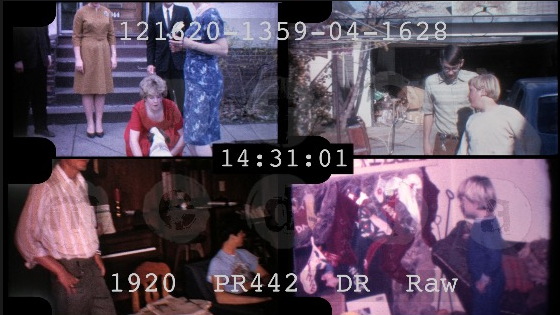
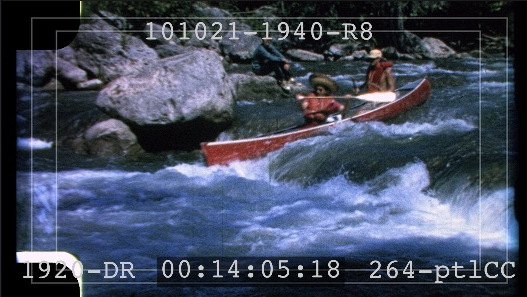
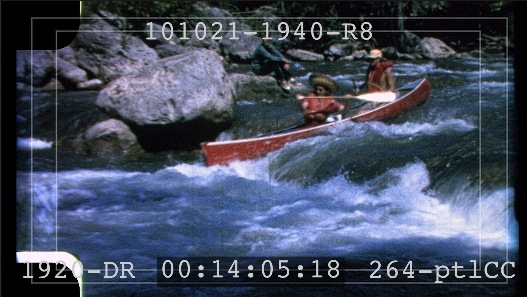
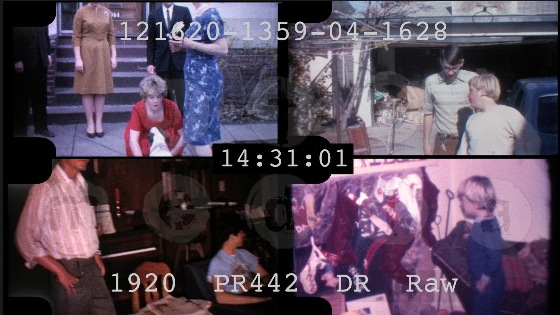
Believe you me when a client has close to 8 hours of old film to review you create something they can get through four hours of footage in 1/4 the time by making a four panel canvas (1/8th the time if mastered the 2x speed I mentioned above). Creating two lower res versions covering four hours runtime each timeline beats the beJesus out of eight one hour timelines. Sent these two out for review just today.
Last edit: 08 Jan 2022 04:51 by VTC.
Please Log in to join the conversation.
08 Jan 2022 19:04 #118309
by JoeEditor
Replied by JoeEditor on topic Remote Editing - Is it possible to easily & quickly share Source Timecode?
if a client has 8 hours of footage, they have 8 hours of footage.
Please Log in to join the conversation.
- Bluebicycle
-
- Offline
- Premium Member
-
Less
More
- Posts: 80
- Thank you received: 5
09 Jan 2022 11:51 #118320
by Bluebicycle
Replied by Bluebicycle on topic Remote Editing - Is it possible to easily & quickly share Source Timecode?
Is any of this content concurrent? Can't think this would work for anyone I know. So confusing. Watching back rushes can be a joyous endeavour, where you start to formulate ideas in your head, and add annotations.
Even with a comprehensive bunch of timecodes, sent to an editor, it's light years away from using FCP itself and the skimmer, or dropping markers in FrameIO.
Range Based keywording and Ratings are the most efficient way to log, from inside FCP itself. Or if building a narrative only, use the amazing Lumberjack Builder and you don't even need FCP.
Even with a comprehensive bunch of timecodes, sent to an editor, it's light years away from using FCP itself and the skimmer, or dropping markers in FrameIO.
Range Based keywording and Ratings are the most efficient way to log, from inside FCP itself. Or if building a narrative only, use the amazing Lumberjack Builder and you don't even need FCP.
Please Log in to join the conversation.
10 Jan 2022 10:46 #118344
by JoeEditor
Replied by JoeEditor on topic Remote Editing - Is it possible to easily & quickly share Source Timecode?
The time it takes to assemble all those clips (8 hours worth) into that configuration, then lay the timecode on top of each one, the increased export time of it all, and the super poor quality of tiny video, I'd never spend that much time just for a client to review what they want to keep or not. Frame.io is still way, way faster. I'm with Bluebicycle on this one. Stop creating unnecessary extra work for yourself.
Please Log in to join the conversation.
