




- Posts: 38
- Thank you received: 2
3 Post Moderation Rule for New Boarders (25 Jan 2021)
New boarders will have their posts moderated - Don't worry if you cannot see your post immediately.
Transcoding HDV interlaced to progressive for FCPX projects
21 Aug 2020 17:25 #109426
by Glitchdog
Replied by Glitchdog on topic Transcoding HDV interlaced to progressive for FCPX projects
Thanks Joema. I do have the 2.1.1 installed. When I drop the export, which came from a FCPX 1080p timeline (I confirmed that again to make sure), Invisor confirms it is indeed 1920x1080p, but it's like interlacing is now hardwired into the clip. Sorry, not sure how to describe it.
Here are two clips I edited into FCPX 1080p timeline and exported (only 42 mb in ProRes LT) the first is the original FCPX export and the second is a Compressor export, with CG to confirm on screen. What do you think?
drive.google.com/file/d/1oO60bcYSzFJ64k-...FVx/view?usp=sharing
Here are two clips I edited into FCPX 1080p timeline and exported (only 42 mb in ProRes LT) the first is the original FCPX export and the second is a Compressor export, with CG to confirm on screen. What do you think?
drive.google.com/file/d/1oO60bcYSzFJ64k-...FVx/view?usp=sharing
Please Log in to join the conversation.
- Tom Wolsky
-

- Offline
- Moderator
-

21 Aug 2020 17:38 - 21 Aug 2020 17:38 #109428
by Tom Wolsky
Replied by Tom Wolsky on topic Transcoding HDV interlaced to progressive for FCPX projects
This is very strange. Your FCP output file shows interlacing. This is what I see from my FCP export
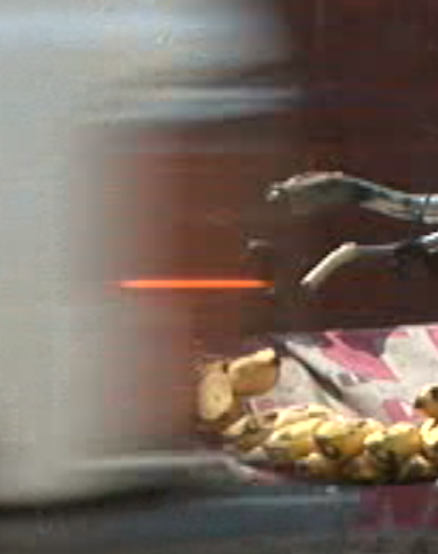
This in in VLC with deinterlacing off.
This in in VLC with deinterlacing off.
Last edit: 21 Aug 2020 17:38 by Tom Wolsky.
Please Log in to join the conversation.
- Tom Wolsky
-
- Offline
- Moderator
-
21 Aug 2020 17:40 #109429
by Tom Wolsky
Replied by Tom Wolsky on topic Transcoding HDV interlaced to progressive for FCPX projects
This is what I see in the file you uploaded.
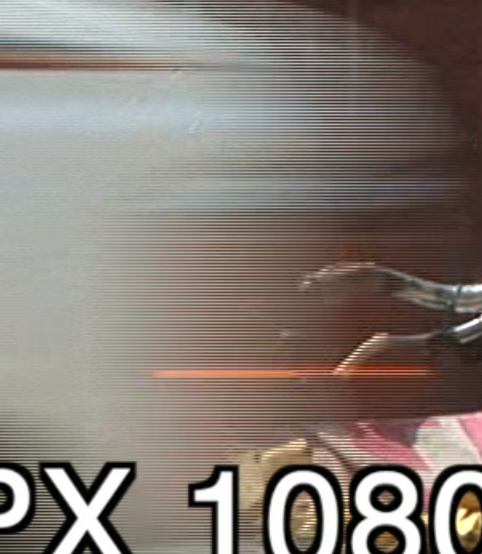
Please Log in to join the conversation.


21 Aug 2020 18:02 - 21 Aug 2020 18:03 #109430
by joema
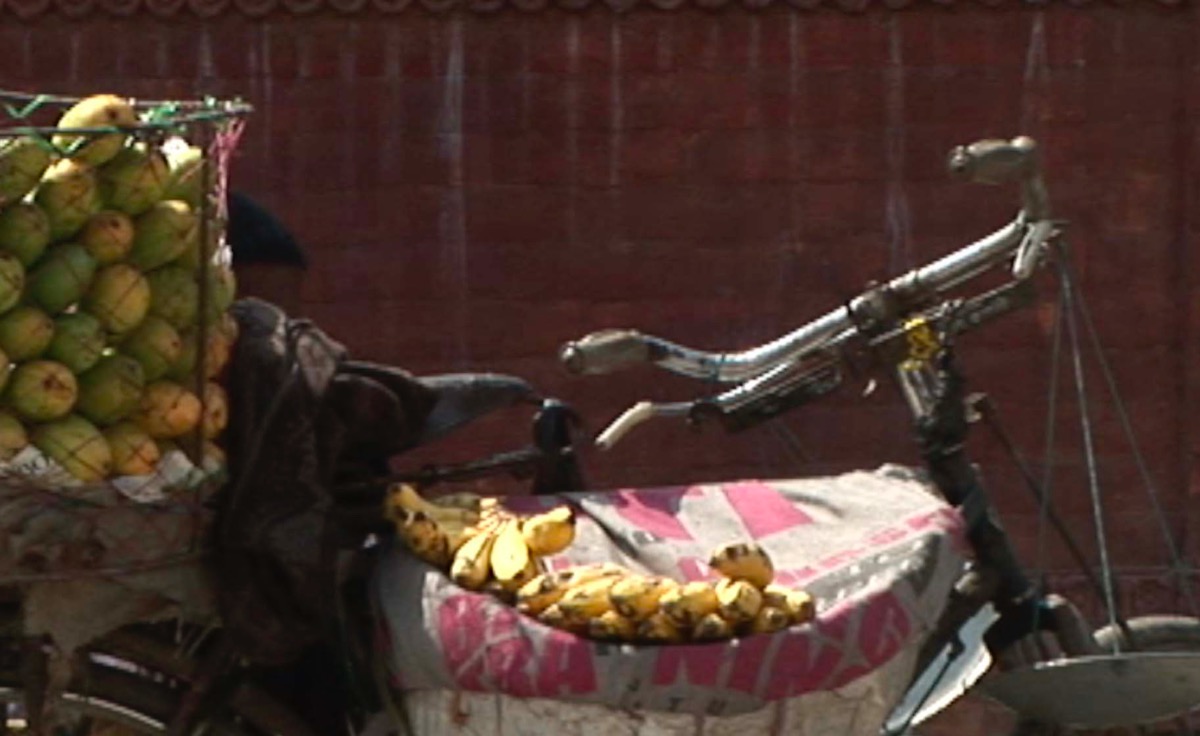
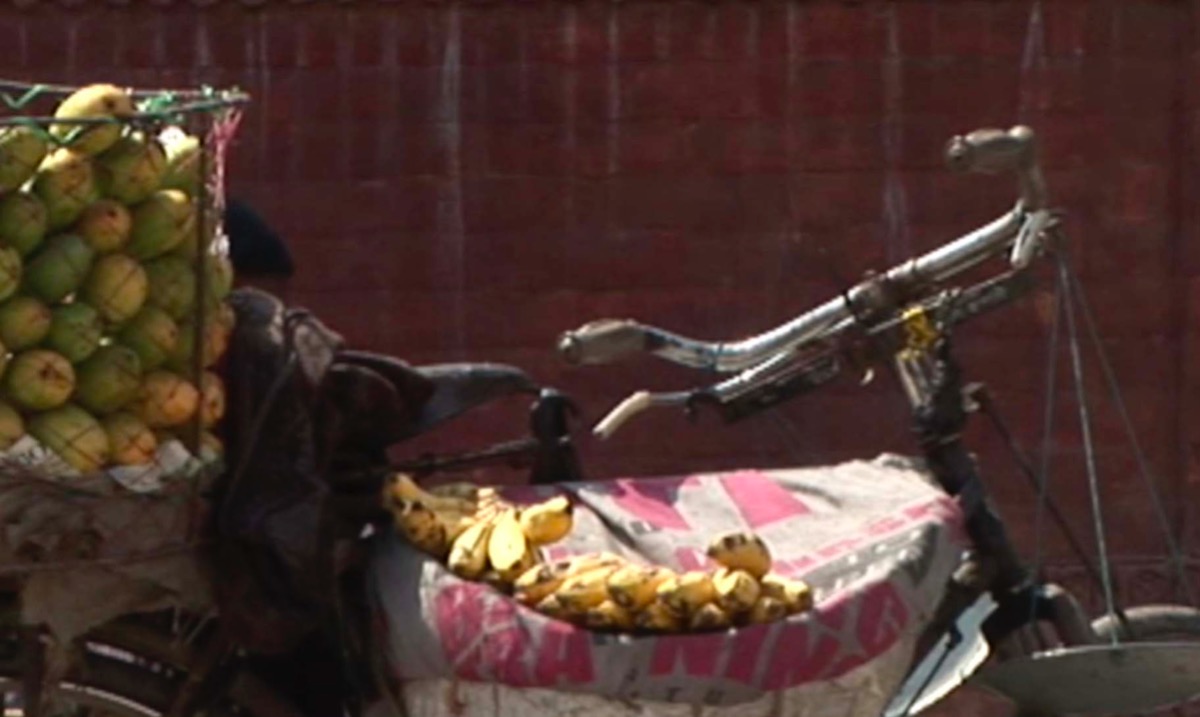
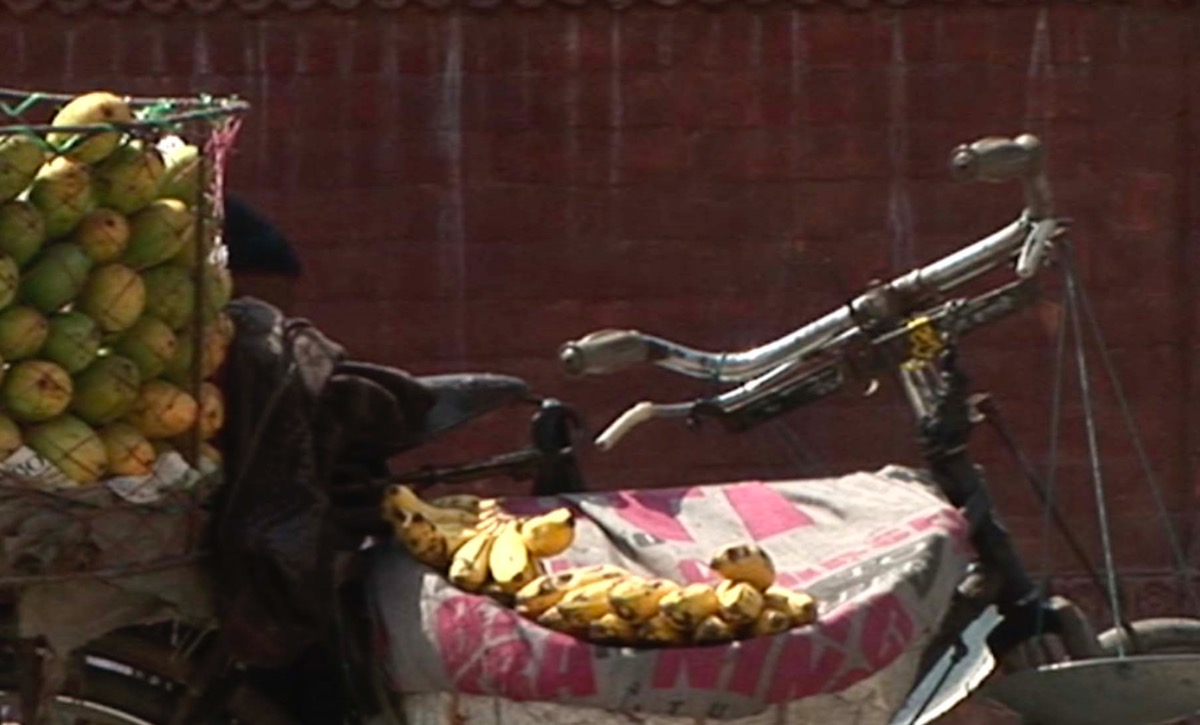
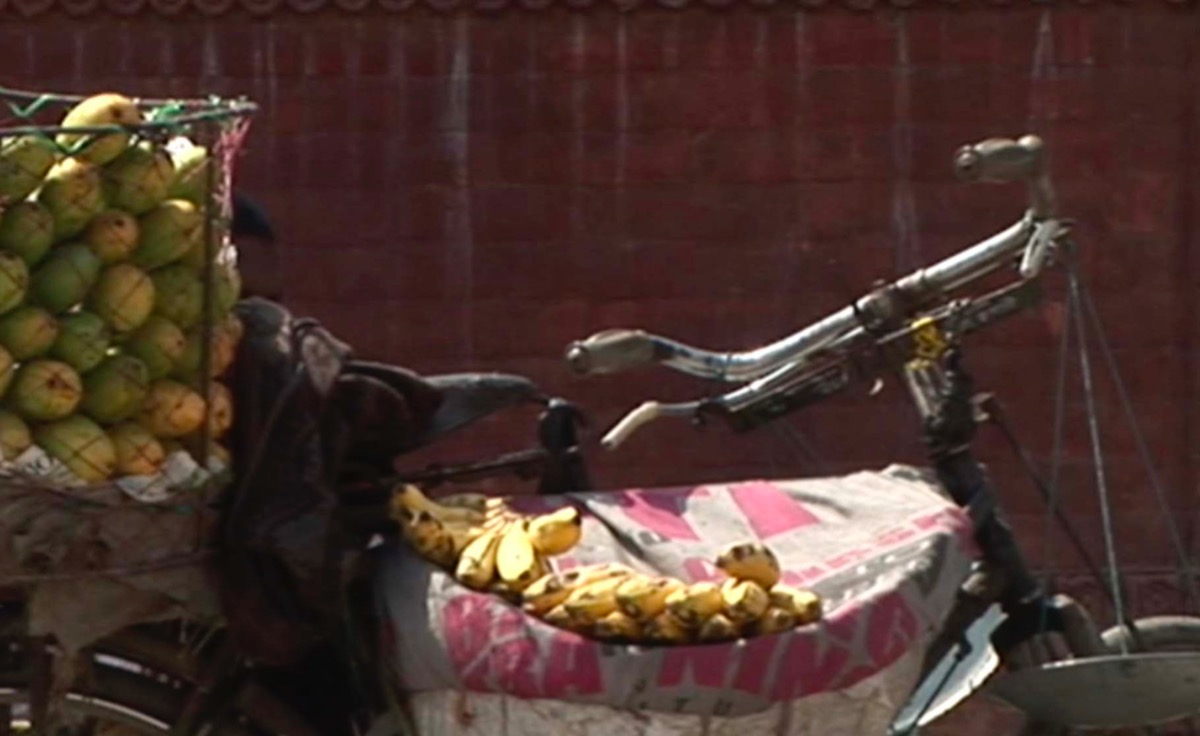
I just did some more tests of the bicycle, and even though moving objects show no combing artifacts, there is aliasing on the handlebars if the FCPX deinterlace filter is not applied. That is what I was worried about - you can't just look for simple, obvious things. The attached frame grabs were all made with VLC and playback deinterlacing disabled.
The ProRes LT clip shows combing artifacts. Since your demo clip is progressive, that's an example of "baked in" interlacing which cannot be fixed. You see that on Youtube now and then.
My latest tests imply our initial assumption that the FCPX deinterlacing filter being unnecessary may be wrong. Of course that doesn't explain why you cannot select that filter.
I suggest you restart FCPX, create a new test library, import just S1133-95_OriginalHDV.mov, create a *manual* 1080p 29.97 project, then add that clip to the timeline, select the clip and try to enable the deinterlace filter. If the checkbox won't stay, let us know. If it will, then export using this preset: File>Share>Master File>Settings, Format: Computer, Video Codec: H.264 Better Quality, Resolution: 1920 x 1080. Then examine that with VLC, making sure Video>Deinterlace>Off is set. In VLC you can single-step forward using the E key, but there's no reverse step. You have to go back with OPT+CMD+left arrow.
The FCPX export to ProRes
drive.google.com/file/d/1oO60bcYSzFJ64k-...FVx/view?usp=sharing [/quote]
Replied by joema on topic Transcoding HDV interlaced to progressive for FCPX projects
Glitchdog wrote: Thanks Joema. I do have the 2.1.1 installed. When I drop the export, which came from a FCPX 1080p timeline (I confirmed that again to make sure), Invisor confirms it is indeed 1920x1080p, but it's like interlacing is now hardwired into the clip. Sorry, not sure how to describe it...
I just did some more tests of the bicycle, and even though moving objects show no combing artifacts, there is aliasing on the handlebars if the FCPX deinterlace filter is not applied. That is what I was worried about - you can't just look for simple, obvious things. The attached frame grabs were all made with VLC and playback deinterlacing disabled.
Glitchdog wrote: Here are two clips I edited into FCPX 1080p timeline and exported (only 42 mb in ProRes LT) the first is the original FCPX export and the second is a Compressor export, with CG to confirm on screen. What do you think?
The ProRes LT clip shows combing artifacts. Since your demo clip is progressive, that's an example of "baked in" interlacing which cannot be fixed. You see that on Youtube now and then.
My latest tests imply our initial assumption that the FCPX deinterlacing filter being unnecessary may be wrong. Of course that doesn't explain why you cannot select that filter.
I suggest you restart FCPX, create a new test library, import just S1133-95_OriginalHDV.mov, create a *manual* 1080p 29.97 project, then add that clip to the timeline, select the clip and try to enable the deinterlace filter. If the checkbox won't stay, let us know. If it will, then export using this preset: File>Share>Master File>Settings, Format: Computer, Video Codec: H.264 Better Quality, Resolution: 1920 x 1080. Then examine that with VLC, making sure Video>Deinterlace>Off is set. In VLC you can single-step forward using the E key, but there's no reverse step. You have to go back with OPT+CMD+left arrow.
The FCPX export to ProRes
drive.google.com/file/d/1oO60bcYSzFJ64k-...FVx/view?usp=sharing [/quote]
Last edit: 21 Aug 2020 18:03 by joema.
Please Log in to join the conversation.
21 Aug 2020 19:50 #109431
by Glitchdog
Replied by Glitchdog on topic Transcoding HDV interlaced to progressive for FCPX projects
Hmmm, there must have been something wonky with the FCPX library I had been using for various tests, including the HDV one. Once I created a new library and project the box for deinterlacing stayed selected and the export worked great.
I did notice, whether using FCPX or Compressor to deinterlace, there was a tiny bit of black stair stepping on the handlebars, but I'm looking at that in FCPX at 200% or looking closely at them in VLC. I'm guessing that's as good as it gets with HDV deinterlaced, which I'm OK with. I'll keep an eye out for shots with more diagonal lines, etc, to see if I need to tweak differently for those.
I could not see a difference between Lanczos2 or 3 with this HDV footage. I did a test in Compressor with 200 HDV clips to 1080p w/Lanczos2 and it only took 20 minutes on a mid level 2015 MacPro.
So appreciate the help and time. If you have any other thoughts that would be great, otherwise I think I'm on the right track. Take care all!
I did notice, whether using FCPX or Compressor to deinterlace, there was a tiny bit of black stair stepping on the handlebars, but I'm looking at that in FCPX at 200% or looking closely at them in VLC. I'm guessing that's as good as it gets with HDV deinterlaced, which I'm OK with. I'll keep an eye out for shots with more diagonal lines, etc, to see if I need to tweak differently for those.
I could not see a difference between Lanczos2 or 3 with this HDV footage. I did a test in Compressor with 200 HDV clips to 1080p w/Lanczos2 and it only took 20 minutes on a mid level 2015 MacPro.
So appreciate the help and time. If you have any other thoughts that would be great, otherwise I think I'm on the right track. Take care all!
Please Log in to join the conversation.
