


- Posts: 18
- Thank you received: 0
3 Post Moderation Rule for New Boarders (25 Jan 2021)
New boarders will have their posts moderated - Don't worry if you cannot see your post immediately.
HELP! Exporting h264 makes video colors washed out
- cyanbaby101
-
 Topic Author
- Offline
- New Member
-

Less
More
29 Apr 2020 05:38 - 30 Apr 2020 07:00 #106654
by cyanbaby101
HELP! Exporting h264 makes video colors washed out was created by cyanbaby101
Hey All. I ripped my old VHS video to a 640 x 480 MOV. So the quality is already pretty crap. BUT it's a raw vid file so 4 hours is 72 GB. Which is obviously overkill.
I exported to h264 and the video's colors are washed out.
Anyone else have this problem?
I exported to h264 and the video's colors are washed out.
Anyone else have this problem?
Last edit: 30 Apr 2020 07:00 by cyanbaby101.
Please Log in to join the conversation.


30 Apr 2020 09:40 #106702
by JoeEditor
Replied by JoeEditor on topic HELP! Exporting h264 makes video colors washed out
What codec is the original QT file?
Please Log in to join the conversation.
- cyanbaby101
-
Topic Author
- Offline
- New Member
-
Less
More
- Posts: 18
- Thank you received: 0
30 Apr 2020 11:50 - 30 Apr 2020 11:52 #106710
by cyanbaby101
MPEG-4 Video, AAC
Replied by cyanbaby101 on topic HELP! Exporting h264 makes video colors washed out
MPEG-4 Video, AAC
Last edit: 30 Apr 2020 11:52 by cyanbaby101.
Please Log in to join the conversation.
- Tom Wolsky
-

- Offline
- Moderator
-

30 Apr 2020 12:18 #106711
by Tom Wolsky
Replied by Tom Wolsky on topic HELP! Exporting h264 makes video colors washed out
Please open a clip in the QuickTime player. Look in the Inspector window and post the complete information that's listed there or a screenshot.
Please Log in to join the conversation.

30 Apr 2020 12:56 - 30 Apr 2020 12:57 #106712
by joema
When troubleshooting, to avoid dealing with such a huge file you can trim this in Quicktime Player. This does not re-encode, so is very fast. If your only purpose in using FCPX is to trim the big clip you might be able to use Quicktime instead for this. support.apple.com/guide/quicktime-player...lip-qtpf2115f6fd/mac
As Tom suggested, we need to know the parameters of the input file. The shortcut key in Quicktime Player is CMD+I.
When you say the FCPX export looks "washed out" - when played by what, and relative to what? If by chance you played one with VLC and one with Quicktime, those can have different gamma settings.
If all were played by Quicktime from the local input and output files, in general I'd expect the color to be the same. However if the captured VHS file has a different color space, e.g. REC 601 and exported as REC 709, maybe that would look different. Quicktime Player will not show this, you have to look in the FCPX inspector under the "i" tab for that clip.
Replied by joema on topic HELP! Exporting h264 makes video colors washed out
cyanbaby101 wrote: ... it's a raw vid file so 4 hours is 72 GB...I exported to h264 and the video's colors are washed out....
When troubleshooting, to avoid dealing with such a huge file you can trim this in Quicktime Player. This does not re-encode, so is very fast. If your only purpose in using FCPX is to trim the big clip you might be able to use Quicktime instead for this. support.apple.com/guide/quicktime-player...lip-qtpf2115f6fd/mac
As Tom suggested, we need to know the parameters of the input file. The shortcut key in Quicktime Player is CMD+I.
When you say the FCPX export looks "washed out" - when played by what, and relative to what? If by chance you played one with VLC and one with Quicktime, those can have different gamma settings.
If all were played by Quicktime from the local input and output files, in general I'd expect the color to be the same. However if the captured VHS file has a different color space, e.g. REC 601 and exported as REC 709, maybe that would look different. Quicktime Player will not show this, you have to look in the FCPX inspector under the "i" tab for that clip.
Last edit: 30 Apr 2020 12:57 by joema.
Please Log in to join the conversation.
- cyanbaby101
-
Topic Author
- Offline
- New Member
-
Less
More
- Posts: 18
- Thank you received: 0
01 May 2020 02:15 #106733
by cyanbaby101
AAC, Stereo (l R) 48,000 khz
Apple MPEG4 Decompressor 640x480
FPS: 29.97
Data Size: 15.09 GB
Data Rate: 27.01 mbits/s
Normal Size: 640x480
Replied by cyanbaby101 on topic HELP! Exporting h264 makes video colors washed out
Tom Wolsky wrote: Please open a clip in the QuickTime player. Look in the Inspector window and post the complete information that's listed there or a screenshot.
AAC, Stereo (l R) 48,000 khz
Apple MPEG4 Decompressor 640x480
FPS: 29.97
Data Size: 15.09 GB
Data Rate: 27.01 mbits/s
Normal Size: 640x480
Please Log in to join the conversation.
- cyanbaby101
-
Topic Author
- Offline
- New Member
-
Less
More
- Posts: 18
- Thank you received: 0
01 May 2020 02:21 #106734
by cyanbaby101
Played in VLC, Quicktime, Previewer. All the same. h264 export coloring is washed out versus original file with specs I posted.
Replied by cyanbaby101 on topic HELP! Exporting h264 makes video colors washed out
joema wrote:
cyanbaby101 wrote: ... it's a raw vid file so 4 hours is 72 GB...I exported to h264 and the video's colors are washed out....
When you say the FCPX export looks "washed out" - when played by what, and relative to what? If by chance you played one with VLC and one with Quicktime, those can have different gamma settings.
Played in VLC, Quicktime, Previewer. All the same. h264 export coloring is washed out versus original file with specs I posted.
Please Log in to join the conversation.
- cyanbaby101
-
Topic Author
- Offline
- New Member
-
Less
More
- Posts: 18
- Thank you received: 0
01 May 2020 02:23 - 01 May 2020 02:25 #106735
by cyanbaby101
Replied by cyanbaby101 on topic HELP! Exporting h264 makes video colors washed out
Here is the screen shot of the problem:
If I export with Apple Pro Res it doesnt do the washed out thing. Only h264. However Pro Res file size is huge.

If I export with Apple Pro Res it doesnt do the washed out thing. Only h264. However Pro Res file size is huge.
Last edit: 01 May 2020 02:25 by cyanbaby101. Reason: typo
Please Log in to join the conversation.
- Tom Wolsky
-
- Offline
- Moderator
-
01 May 2020 06:17 #106740
by Tom Wolsky
Replied by Tom Wolsky on topic HELP! Exporting h264 makes video colors washed out
Ouch. Try optimizing your media in FCP and seeing if export H.264 looks better. If not you might have to convert to PriRes in the Finder.
Please Log in to join the conversation.
01 May 2020 13:25 #106751
by joema
Replied by joema on topic HELP! Exporting h264 makes video colors washed out
It might be a color space mis-identification caused by how it was originally ripped. At a minimum we need to see the color space identifier of the original clip as viewed in the FCPX inspector under the "i" tab.
I don't know how it was originally captured but many of those tools produce malformed metadata that causes problems downstream.
If you simply trim it using Quicktime Player does that small result clip show washed out color? support.apple.com/guide/quicktime-player...lip-qtpf2115f6fd/mac
Ideally we'd like to see the full output of a tool like Invisor for the original clip. www.invisorapp.com
This tool also enables side-by-side spreadsheet-style comparison between multiple files and is integrated into the Finder via right-click>Services>Analyze with Invisor. You can load multiple files or drag/drop additional files on the Invisor window to compare the metadata.
I don't know how it was originally captured but many of those tools produce malformed metadata that causes problems downstream.
If you simply trim it using Quicktime Player does that small result clip show washed out color? support.apple.com/guide/quicktime-player...lip-qtpf2115f6fd/mac
Ideally we'd like to see the full output of a tool like Invisor for the original clip. www.invisorapp.com
This tool also enables side-by-side spreadsheet-style comparison between multiple files and is integrated into the Finder via right-click>Services>Analyze with Invisor. You can load multiple files or drag/drop additional files on the Invisor window to compare the metadata.
Please Log in to join the conversation.
- cyanbaby101
-
Topic Author
- Offline
- New Member
-
Less
More
- Posts: 18
- Thank you received: 0
02 May 2020 09:12 #106787
by cyanbaby101
Hi Joema. Can I just sent you the video file? It's small. Probably quicker.
Replied by cyanbaby101 on topic HELP! Exporting h264 makes video colors washed out
joema wrote: It might be a color space mis-identification caused by how it was originally ripped. At a minimum we need to see the color space identifier of the original clip as viewed in the FCPX inspector under the "i" tab.
I don't know how it was originally captured but many of those tools produce malformed metadata that causes problems downstream.
If you simply trim it using Quicktime Player does that small result clip show washed out color? support.apple.com/guide/quicktime-player...lip-qtpf2115f6fd/mac
Ideally we'd like to see the full output of a tool like Invisor for the original clip. www.invisorapp.com
This tool also enables side-by-side spreadsheet-style comparison between multiple files and is integrated into the Finder via right-click>Services>Analyze with Invisor. You can load multiple files or drag/drop additional files on the Invisor window to compare the metadata.
Hi Joema. Can I just sent you the video file? It's small. Probably quicker.
Please Log in to join the conversation.
02 May 2020 09:51 #106788
by joema
I sent you a file upload link in a private message. You can upload it there. Let me know if it does not work.
Replied by joema on topic HELP! Exporting h264 makes video colors washed out
cyanbaby101 wrote: ...Hi Joema. Can I just sent you the video file? It's small. Probably quicker.
I sent you a file upload link in a private message. You can upload it there. Let me know if it does not work.
Please Log in to join the conversation.
- cyanbaby101
-
Topic Author
- Offline
- New Member
-
Less
More
- Posts: 18
- Thank you received: 0
04 May 2020 07:02 #106828
by cyanbaby101
I don't see any link or private message. Can I email it to you?
Replied by cyanbaby101 on topic HELP! Exporting h264 makes video colors washed out
joema wrote:
cyanbaby101 wrote: ...Hi Joema. Can I just sent you the video file? It's small. Probably quicker.
I sent you a file upload link in a private message. You can upload it there. Let me know if it does not work.
I don't see any link or private message. Can I email it to you?
Please Log in to join the conversation.
04 May 2020 11:19 #106838
by joema
Send it here: www.transferbigfiles.com/dropbox/joema
Replied by joema on topic HELP! Exporting h264 makes video colors washed out
cyanbaby101 wrote: ..I don't see any link or private message. Can I email it to you?
Send it here: www.transferbigfiles.com/dropbox/joema
Please Log in to join the conversation.
- cyanbaby101
-
Topic Author
- Offline
- New Member
-
Less
More
- Posts: 18
- Thank you received: 0
04 May 2020 14:11 #106849
by cyanbaby101
Sent. If you can figure out a way using quicktime or handbrake or anything to export this with h264 and not have it be washed out, that is my ultimate goal. Thanks so much!
Replied by cyanbaby101 on topic HELP! Exporting h264 makes video colors washed out
joema wrote:
cyanbaby101 wrote: ..I don't see any link or private message. Can I email it to you?
Send it here: www.transferbigfiles.com/dropbox/joema
Sent. If you can figure out a way using quicktime or handbrake or anything to export this with h264 and not have it be washed out, that is my ultimate goal. Thanks so much!
Please Log in to join the conversation.
04 May 2020 16:23 #106855
by joema
Replied by joema on topic HELP! Exporting h264 makes video colors washed out
In FCPX 10.4.8 on MacOS 10.15.4, I exported your test clip as H264 (fast) and as ProRes 422. Viewed in Quicktime Player 10, I don't see any significant difference in color. See attached. In the FCPX Inspector "i" tab, you could select "settings" at bottom and (1) Verify the color space and (2) Try overriding the color space to some different values then export. Even if it is already Rec601, override it to that then export. Then try Rec709.
If you are on an older version of FCPX or MacOS it is conceivable there have been changes in color space identification.
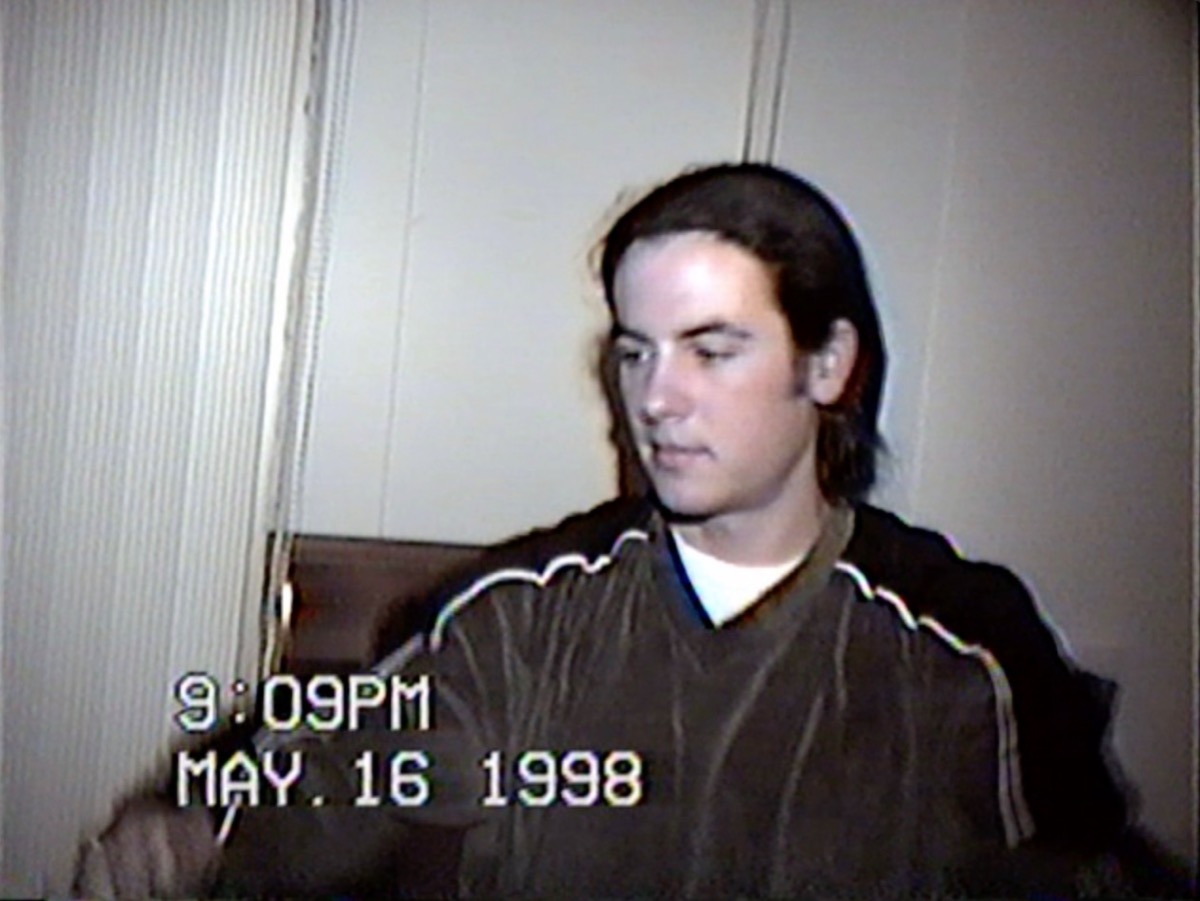
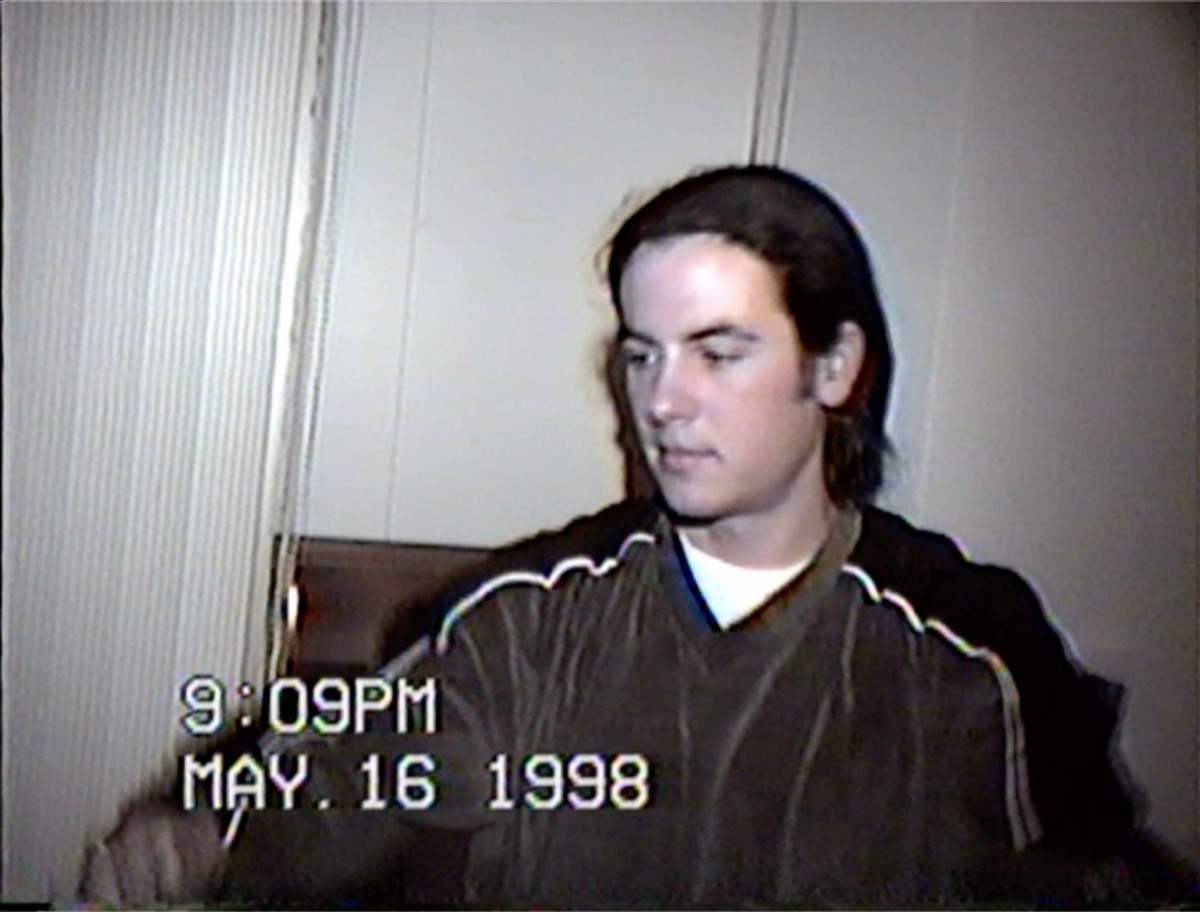
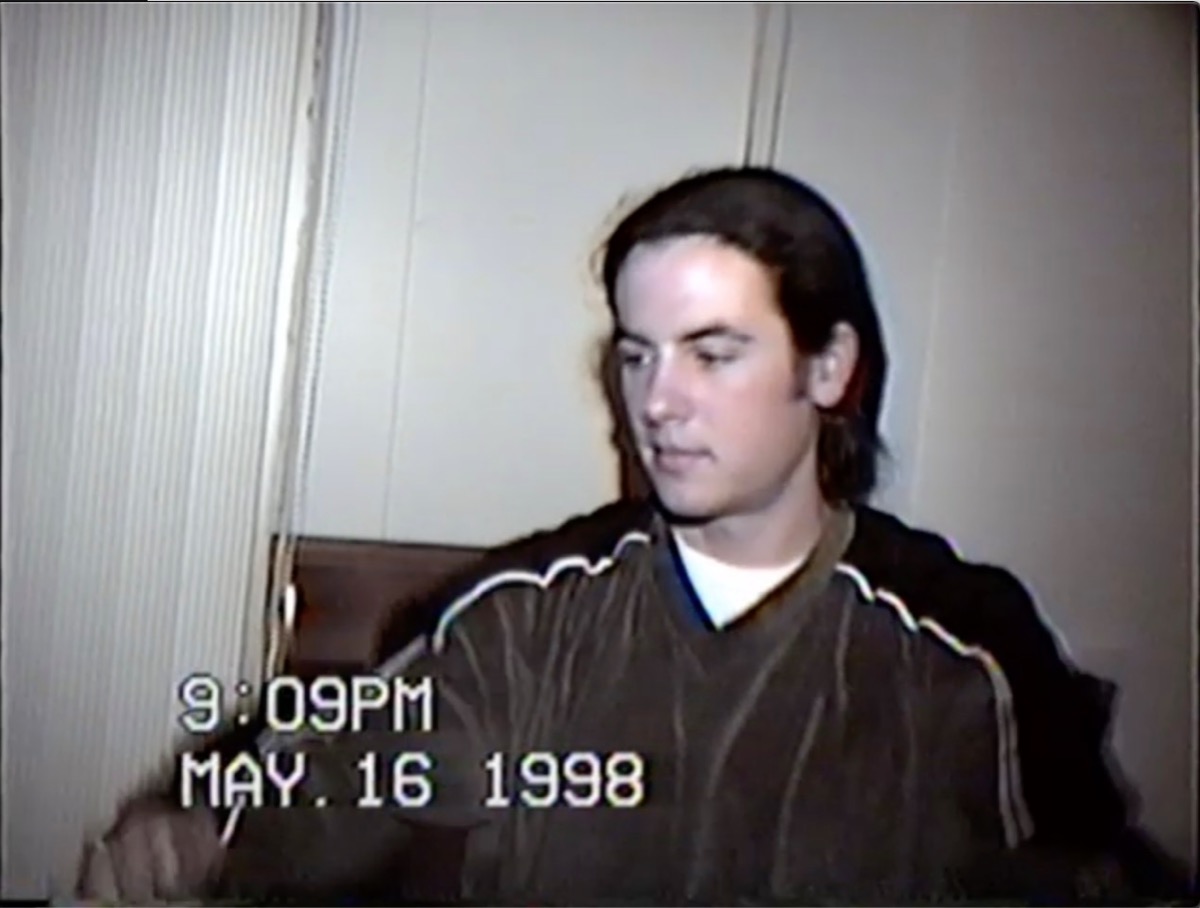
If you are on an older version of FCPX or MacOS it is conceivable there have been changes in color space identification.
Please Log in to join the conversation.
- cyanbaby101
-
Topic Author
- Offline
- New Member
-
Less
More
- Posts: 18
- Thank you received: 0
05 May 2020 01:58 - 05 May 2020 02:01 #106878
by cyanbaby101
I am on OSX 10.14.6 and FCP 10.4. The clip is already washed out in the FCP previewer even before export versus Quicktime Player even when I select Color Rec709 / Rec601 (Both washed out) in Color Space Override. I tried exported to verify it was not just the previewer and yes, still washed out.


Replied by cyanbaby101 on topic HELP! Exporting h264 makes video colors washed out
joema wrote: In FCPX 10.4.8 on MacOS 10.15.4, I exported your test clip as H264 (fast) and as ProRes 422. Viewed in Quicktime Player 10, I don't see any significant difference in color. See attached. In the FCPX Inspector "i" tab, you could select "settings" at bottom and (1) Verify the color space and (2) Try overriding the color space to some different values then export. Even if it is already Rec601, override it to that then export. Then try Rec709.
If you are on an older version of FCPX or MacOS it is conceivable there have been changes in color space identification.
I am on OSX 10.14.6 and FCP 10.4. The clip is already washed out in the FCP previewer even before export versus Quicktime Player even when I select Color Rec709 / Rec601 (Both washed out) in Color Space Override. I tried exported to verify it was not just the previewer and yes, still washed out.
Last edit: 05 May 2020 02:01 by cyanbaby101.
Please Log in to join the conversation.
- Tom Wolsky
-
- Offline
- Moderator
-
05 May 2020 11:16 #106901
by Tom Wolsky
Replied by Tom Wolsky on topic HELP! Exporting h264 makes video colors washed out
What Display Color setting are you using in System Preferences? It should be the default for the computer. Comparable the color displays in the QuickTime player, in QT7.
Please Log in to join the conversation.
05 May 2020 13:02 #106908
by joema
Your last screen cap shows you are using an older version of Quicktime Player, not version 10. How does the original clip look if you just press the space bar in Finder (Quick Look)?
Also there have been numerous color-related changes and fixes in FCPX since 10.4. While there is not one specifically described as "fixes washed out export", the fix list terminology is often broad and not comprehensive. It makes sense to upgrade to the latest possible version of FCPX. Starting with FCPX 10.4.7 there are also major performance improvements due to Metal.
In cases like this you often cannot trust what you're seeing on a single machine. Can you copy both original and exported clips to another Mac, another Windows machine, an iPhone or upload them to Youtube and check the color during streaming playback on various devices? This might give some ideas about the problem.
Replied by joema on topic HELP! Exporting h264 makes video colors washed out
cyanbaby101 wrote: ...I am on OSX 10.14.6 and FCP 10.4. The clip is already washed out in the FCP previewer even before export versus Quicktime Player even when I select Color Rec709 / Rec601 (Both washed out) in Color Space Override. I tried exported to verify it was not just the previewer and yes, still washed out...
Your last screen cap shows you are using an older version of Quicktime Player, not version 10. How does the original clip look if you just press the space bar in Finder (Quick Look)?
Also there have been numerous color-related changes and fixes in FCPX since 10.4. While there is not one specifically described as "fixes washed out export", the fix list terminology is often broad and not comprehensive. It makes sense to upgrade to the latest possible version of FCPX. Starting with FCPX 10.4.7 there are also major performance improvements due to Metal.
In cases like this you often cannot trust what you're seeing on a single machine. Can you copy both original and exported clips to another Mac, another Windows machine, an iPhone or upload them to Youtube and check the color during streaming playback on various devices? This might give some ideas about the problem.
Please Log in to join the conversation.
- cyanbaby101
-
Topic Author
- Offline
- New Member
-
Less
More
- Posts: 18
- Thank you received: 0
05 May 2020 15:01 - 06 May 2020 11:01 #106914
by cyanbaby101
Here is the compressed H264 and original on the iphone. Its not as washed out but there is a clear significance in the quality. As mentioned before my 4 hour video is a whopping 72 GB. I guess at this point I just want to know the best settings for compressing with the least amount of quality loss to drastically lower the file size. Is there any noticeable difference in compression quality with handbrake versus FCP? If not, what would be the optimal settings in Handbrake to compress this? If so, what are the optimal settings in FCP for this goal? H264 or H265? Thanks for your time.
Replied by cyanbaby101 on topic HELP! Exporting h264 makes video colors washed out
joema wrote:
cyanbaby101 wrote: ...I am on OSX 10.14.6 and FCP 10.4. The clip is already washed out in the FCP previewer even before export versus Quicktime Player even when I select Color Rec709 / Rec601 (Both washed out) in Color Space Override. I tried exported to verify it was not just the previewer and yes, still washed out...
Your last screen cap shows you are using an older version of Quicktime Player, not version 10. How does the original clip look if you just press the space bar in Finder (Quick Look)?
Also there have been numerous color-related changes and fixes in FCPX since 10.4. While there is not one specifically described as "fixes washed out export", the fix list terminology is often broad and not comprehensive. It makes sense to upgrade to the latest possible version of FCPX. Starting with FCPX 10.4.7 there are also major performance improvements due to Metal.
In cases like this you often cannot trust what you're seeing on a single machine. Can you copy both original and exported clips to another Mac, another Windows machine, an iPhone or upload them to Youtube and check the color during streaming playback on various devices? This might give some ideas about the problem.
Here is the compressed H264 and original on the iphone. Its not as washed out but there is a clear significance in the quality. As mentioned before my 4 hour video is a whopping 72 GB. I guess at this point I just want to know the best settings for compressing with the least amount of quality loss to drastically lower the file size. Is there any noticeable difference in compression quality with handbrake versus FCP? If not, what would be the optimal settings in Handbrake to compress this? If so, what are the optimal settings in FCP for this goal? H264 or H265? Thanks for your time.


Last edit: 06 May 2020 11:01 by cyanbaby101.
Please Log in to join the conversation.
