


3 Post Moderation Rule for New Boarders (25 Jan 2021)
New boarders will have their posts moderated - Don't worry if you cannot see your post immediately.
Choppy dolly track movement

I have a clip with an horizontal dolly track, shot on an Arri Alexa 3 years ago.
The clip is choppy, not because of the operator, it seems more like an "computer" issue. Like you'd have a choppy playback but it is in the clip.
Is there a way to "smoothen" it ? I've tryied to slow it down to 99% with Optical Flow but it didn't do anything better.
Thanks!!
Please Log in to join the conversation.
- Tom Wolsky
-

- Offline
- Moderator
-

Please Log in to join the conversation.
Go to 0:22 there are 3 consecutive shots that are a little choppy. But it does not come from the compression, it's already in the original clips from the Alexa.
Please Log in to join the conversation.

manoucho wrote: ...it does not come from the compression, it's already in the original clips from the Alexa.
Interesting...it looks like judder but it's intermittent as if from a digital source. It doesn't look like a rough dolly. It can be seen to varying degrees throughout the clip.
Are you sure The Alexa material contains this? Can you play it back outside FCP X before importing it to check? This is the type of thing that transcoding, compression, pulldown, or faulty motion compensation could introduce.
If the Alexa codec is supported by VLC I'd also try playing it back that way.
ARRI supports ProRes which is an all-intraframe codec. So in that case there are no pseudo frames to reconstruct on playback, and no uncertainty about long-GOP encoding. If that material is available I'd suggest taking a closer look at it (frame by frame) via several playback methods external to FCP. If the problem has been introduced later in the chain it's a lot easier to fix by changing the import or transcode than fixing it after it manifests.
The problem with optical smoothing is your phenomenon is uneven -- the severity varies from moment to moment. E.g, frame rate is constant yet the jerky motion is fluctuating. It's impossible to tell the editor's intent without specific input. Hypothetically an enhanced optical flow tool would allow you to select a range of frames, it would evaluate the object motion and make all other frames in the sequence match. That works for a constant speed dolly but what about a skateboarder going past the camera at varying angular speed? It would produce unnatural motion. Currently FCP X optical flow smoothing doesn't support this degree of control. Optical flow is an active area of academic research. There have been hundreds of papers published; it's not just one thing. I don't know if there are 3rd party plugins that might do a better job.
Theoretically it should be possible, and would be quite useful for jerky dolly and pan moves. The algorithm would be "this is a linear-speed pan/dolly, do whatever it takes inc'l changing clip length to produce smooth motion". It could not know foreground/background so would introduce the same smoothing regardless of perspective angle. I don't know if that would be a problem.
Please Log in to join the conversation.
I've taken the original Prores clip from the Alexa and put it on an SSD drive and played it with both VLC and Quicktime, and I can confirm that the chopiness is present.
OK so if I understand you well there might be solutions out there that could fix the issue, but we don't know which

Please Log in to join the conversation.
There's no question on Youtube it looks jerky. Playing the downloaded file (which is different from the uploaded file) looks better.
Some of this could be a non-smooth dolly move, and part could be frame judder. To a degree those are expected.
On Youtube I saw some sudden, really abnormal jerkiness, but after download it doesn't look so bad. But it's not perfect and I could see wanting improvement.
The other optical flow items I mentioned were mostly academic research, not actual products.
On your clip I tried importing it to FCP X, using 50% retime with optical flow, export, then re-import with 2x retime and more optical flow. I couldn't really see much improvement.
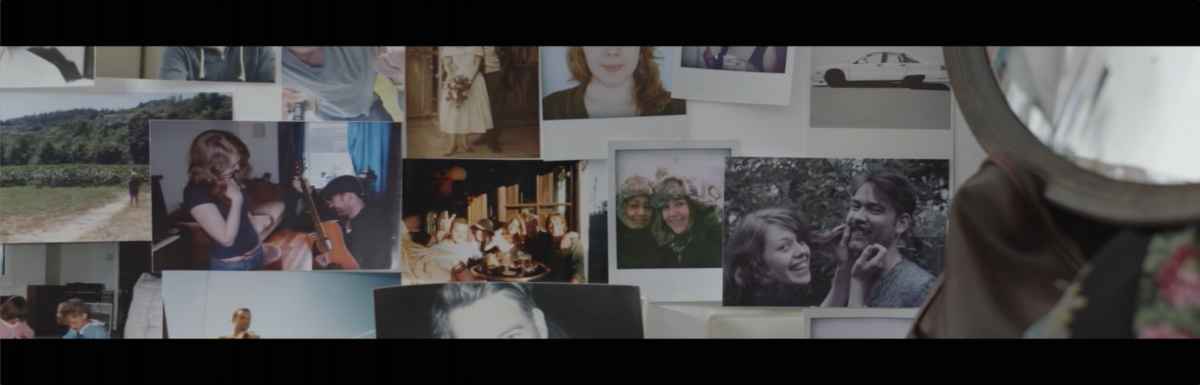
Although I first thought this was digital, it could just be a jerky dolly move. The problem with optical flow is it has no idea about foreground, background and perspective in adjusting motion rates. E.g, when moving across the wall photos, one is in the foreground. Obviously the lateral motion on that will be different. Yet optical smoothing would apply to both foreground and background equally. Any aggressive algorithm would quickly introduce visible artifacts.
This is interesting as I have been stuck in exactly the same situation before. I have no real answer except try what you already have. You could also try stabilization in hopes that algorithm would identify the dolly jerk as camera motion and smooth it out. However it would result in some cropping.
Please Log in to join the conversation.

To me it seems like the original clip was recorded in a different frame rate than it is played back in and duplicate frames were added to make up for the mismatching frame rates. Maybe it was recorded in proper 24P and you dropped it into a 25P timeline? Or it could be that the media used to write the file as it was recording was just too slow. I'm also amazed to discover that in this day and age of HD where framerates no longer really matter that 25P is still a thing.
Please Log in to join the conversation.
Redifer wrote: ...There definitely seems to be repeated frames in the footage...
Supposedly this is out of camera not processed, but maybe it went through "hard telecine" imposing 3:2 pulldown combined with a rate change for slower motion? If you combine those two it can produce jerkiness. en.wikipedia.org/wiki/Telecine#Soft_and_hard_telecine
Please Log in to join the conversation.
- Andreas Kiel
-

- Offline
- Platinum Member
-

- Posts: 1077
- Thank you received: 189
I thought to see duplicated frames as well. But it's not true.
One method I used years ago required After Effecrs and the motion tracker.
The advantage of AE is that you can copy keyframes and paste it into a spreadsheet. One of of my most beloved features since you can easily copy paste (maybe modified) keyframes from one "attribute" to an other.
So I gave this ancient method a try again. I isolated the part with the dolly move and made a simple rough track of the parts.
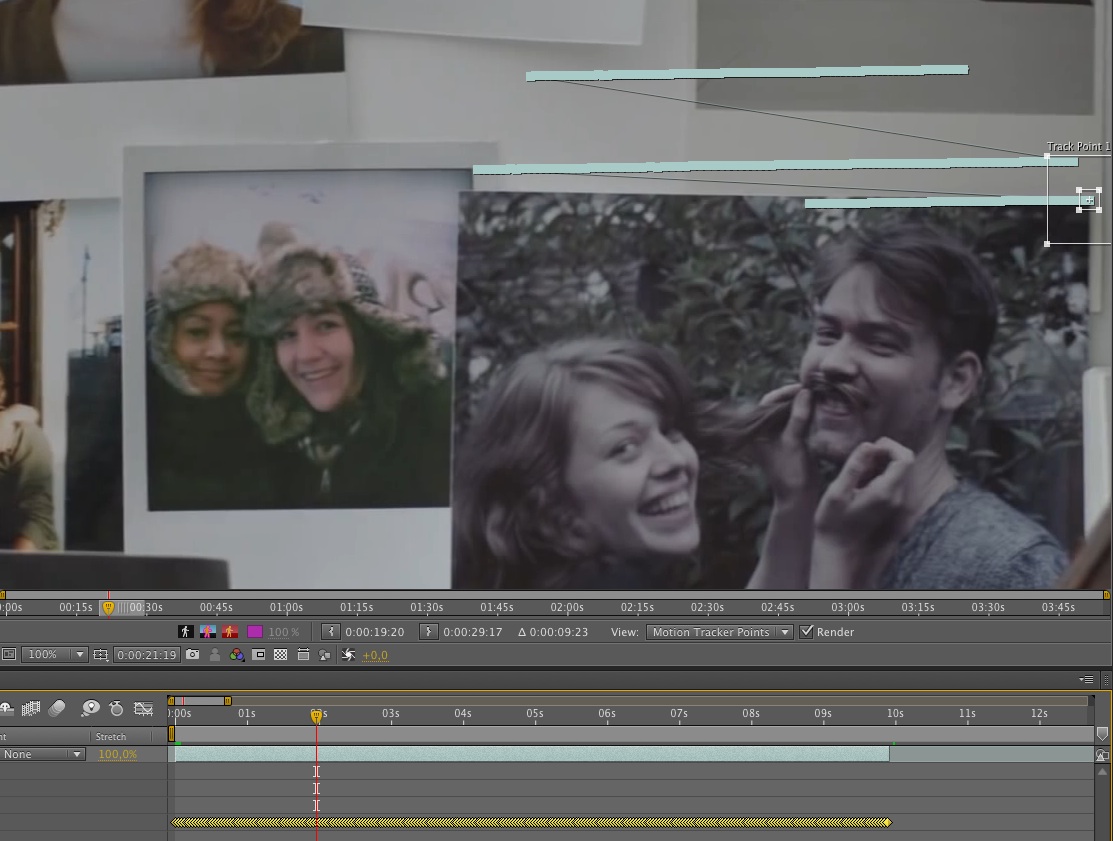
Pasting the keyframes into Numbers looks like below. The unlabeled column F is the X difference between frame x and x-1 which i created using a very simple formula.
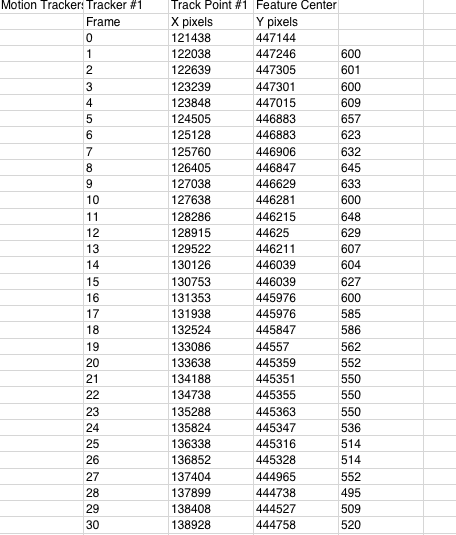
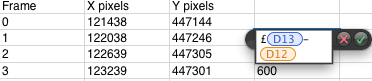
This way you can figure out which frames are "offending" quite easy.
- Andreas
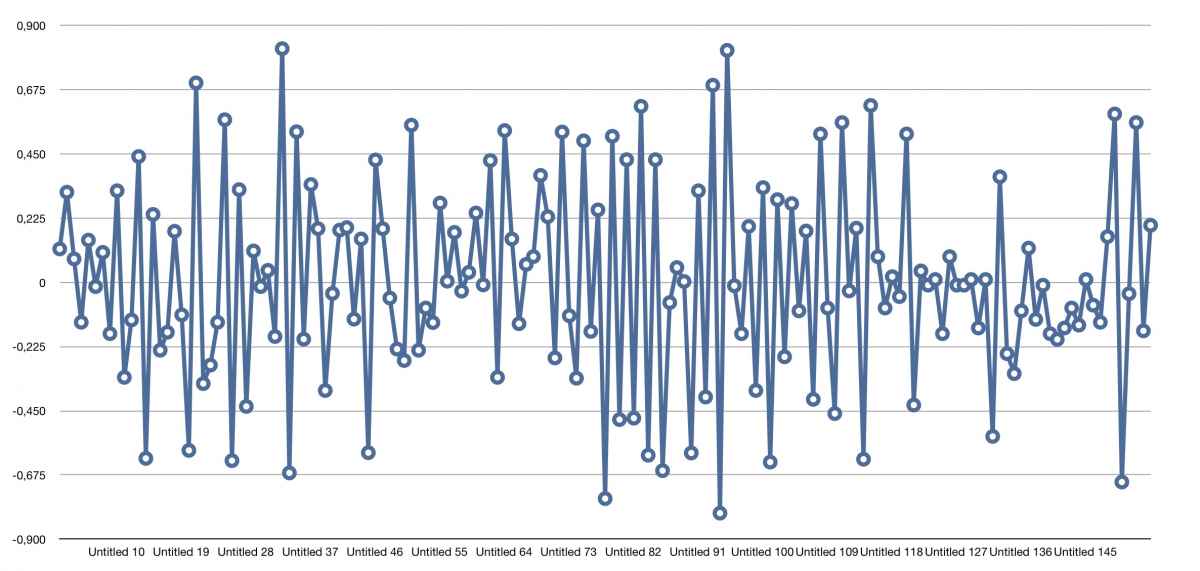
Edit: I've added a curve showing the acceleration of tracking points. This shows that the original dolly has no constant speed.
Please Log in to join the conversation.
- Karsten Schlüter
-

- Offline
- Moderator
-
- Posts: 3790
- Thank you received: 718
As "48fps in 25fps"
Sorry for sounding silly (=alexa is way above my wallet size) but what were the original recording fps, camera and file? (My consumer cam fz1000 puts 120fps into 25fps files, not as one would expect as 'native' 120fps files.)
Those three dolly pans are obviously slowmo. maybe that's a mismatching numbrrs in-cam problem?
Please Log in to join the conversation.
- Andreas Kiel
-
- Offline
- Platinum Member
-
- Posts: 1077
- Thank you received: 189
I don't think it's a slomo. Look at the curve above. These random stuff won't happen with a cam like the Alexa and probably not with an "artificial" slomo.
The problem seems to the mechanics of the dolly.
To solve the problem you have to re-create the dolly parts.
As I said above you can use AE to do that. Use a part which is always visible (otherwise you pause and move the tracker to another point) and stabilize the parts of the clips you need.
The actual video will travel out of the visual frame. Therefore you have to widen the comp. In case of the first part to 3363.
Then export the comp as image sequence with alpha!!!
Import the folder with the images into AE and create a new comp with them. Don't use Sequence Layers!!!
You will get a super-wide screen still. Export this as a single image again. You will loose some of the perspective things though.
Use this image to create a new pan (dolly).
Still from the first part.
- Andreas
Please Log in to join the conversation.
Please Log in to join the conversation.
- Andreas Kiel
-
- Offline
- Platinum Member
-
- Posts: 1077
- Thank you received: 189
So now after analysis the reference point has constant speed.
Playback still is randomly jerky.
Finally all the things are obviously a playback issue (my machine has even less power than Refifier's).
- Andreas
Please Log in to join the conversation.
- ronny courtens
-

- Offline
- Moderator
-
- Posts: 4455
- Thank you received: 962
Can you send me one of the original Alexa clips? Testing based on a Youtube video really does not make any sense. If the file is too big for WeTransfer you can use Airbridge: ronnycourtens(at)mac(dot(com).
- Ronny
Please Log in to join the conversation.
- Andreas Kiel
-
- Offline
- Platinum Member
-
- Posts: 1077
- Thank you received: 189
The first one should be about 220 MB ProRes HQ. This can be uploaded to any transfer service.
Again I don't think the dolly is that bad.
- Andreas
Please Log in to join the conversation.
Thanks a lot guys.
I've prepared a big package with the following:
- the 3 original clips and a note with the timecodes
- the 4444 conversion of the DPX sequence I have received from the grader (Ronny, Studio L'Equipe
 ) - because the issue might have happened when I converted it ?
There's always a chance that on your powerful machine, there's no issue at all, which would mean it's a compression issue and that would make me quite happy
I'm uploading now, it's going to take some time, it's really large.
THANK YOU SO MUCH guys, you're the best.
(I've already included the community fcp.co in the special thanks of my next short, which I'm finishing soon and for which you've helped tremendously)
Manu
Please Log in to join the conversation.
- ronny courtens
-
- Offline
- Moderator
-
- Posts: 4455
- Thank you received: 962
Happy to see that you work with my favorite post house
And thank you for sending this package, I will certainly have a look at it.- Ronny
Please Log in to join the conversation.
Please Log in to join the conversation.
- Andreas Kiel
-
- Offline
- Platinum Member
-
- Posts: 1077
- Thank you received: 189
- Andreas
Please Log in to join the conversation.
- ronny courtens
-
- Offline
- Moderator
-
- Posts: 4455
- Thank you received: 962
Am downloading the package now but I can already reassure you. I have called Yves who has supervised the grading and he told me there was absolutely nothing wrong with your dolly footage.
I also did a double-check on Youtube and in 720p the panning sometimes plays with hiccups, sometimes it doesn't. When you switch to 480p it always plays smoothly. So all of this simply seems related to the limitations of crappy Youtube.
But I will do a final test on the files you have sent, just to be absolutely sure there is nothing wrong.
- Ronny
Please Log in to join the conversation.
