


- Posts: 22
- Thank you received: 0
3 Post Moderation Rule for New Boarders (25 Jan 2021)
New boarders will have their posts moderated - Don't worry if you cannot see your post immediately.
FCP Has gone haywire, anyone know how to fix this?

- ronny courtens
-

- Offline
- Moderator
-

Less
More
- Posts: 4455
- Thank you received: 962
30 Oct 2014 22:37 #55231
by ronny courtens
Replied by ronny courtens on topic FCP Has gone haywire, anyone know how to fix this?
The screenshot has not been attached. Make sure the file size of the screenshot is not higher than 250 KB. You can change the file size by opening the image and by saving it as a JPEG, making sure to set the quality slider so that the file size is lower than 250 KB.
-Ronny
-Ronny
Please Log in to join the conversation.
30 Oct 2014 22:44 #55232
by cvest12
Replied by cvest12 on topic FCP Has gone haywire, anyone know how to fix this?
Got it sorry had to convert it
Please Log in to join the conversation.
- ronny courtens
-
- Offline
- Moderator
-
Less
More
- Posts: 4455
- Thank you received: 962
30 Oct 2014 22:56 - 30 Oct 2014 22:56 #55234
by ronny courtens
Replied by ronny courtens on topic FCP Has gone haywire, anyone know how to fix this?
Great, thank you.
Do you see that weird problem now that the Event is opened?
- Ronny
Do you see that weird problem now that the Event is opened?
- Ronny
Last edit: 30 Oct 2014 22:56 by ronny courtens.
Please Log in to join the conversation.
30 Oct 2014 23:08 #55235
by cvest12
Replied by cvest12 on topic FCP Has gone haywire, anyone know how to fix this?
No i am not familiar?
Please Log in to join the conversation.
- ronny courtens
-
- Offline
- Moderator
-
Less
More
- Posts: 4455
- Thank you received: 962
30 Oct 2014 23:10 #55236
by ronny courtens
Replied by ronny courtens on topic FCP Has gone haywire, anyone know how to fix this?
You said the problem only happens when you open the Cole's Home Movies Event.
So my question is: now that the Event is opened, do you see that problem?
- Ronny
So my question is: now that the Event is opened, do you see that problem?
- Ronny
Please Log in to join the conversation.
30 Oct 2014 23:11 #55237
by cvest12
Replied by cvest12 on topic FCP Has gone haywire, anyone know how to fix this?
Oh yes it is very much prevalent when it is opened
Please Log in to join the conversation.
- ronny courtens
-
- Offline
- Moderator
-
Less
More
- Posts: 4455
- Thank you received: 962
30 Oct 2014 23:17 #55239
by ronny courtens
Replied by ronny courtens on topic FCP Has gone haywire, anyone know how to fix this?
Okay, so there is definitely something wrong with that Event. Let's do a test.
I see you have 16 clips in the Event.
Change the Clip duration slider from "30 sec" to "All" so you see all the clips in the browser.
Then select every clip one by one and play them. Do you see every clip playing normally in the Viewer? Does the problem go away when you play certain clips?
- Ronny
I see you have 16 clips in the Event.
Change the Clip duration slider from "30 sec" to "All" so you see all the clips in the browser.
Then select every clip one by one and play them. Do you see every clip playing normally in the Viewer? Does the problem go away when you play certain clips?
- Ronny
Please Log in to join the conversation.
30 Oct 2014 23:34 #55240
by cvest12
Replied by cvest12 on topic FCP Has gone haywire, anyone know how to fix this?
Now it will not even let me open the project, is it too far corrupted?

Please Log in to join the conversation.
- ronny courtens
-
- Offline
- Moderator
-
Less
More
- Posts: 4455
- Thank you received: 962
30 Oct 2014 23:46 #55241
by ronny courtens
Replied by ronny courtens on topic FCP Has gone haywire, anyone know how to fix this?
Aha, now I think I see where the problem is. Stay with me and I think we will sort this out very quickly.
Close FCP X.
Open a Finder window and go to the "Macintosh HD's project and events" Library.
R-click the Library and choose "Show Package Content"
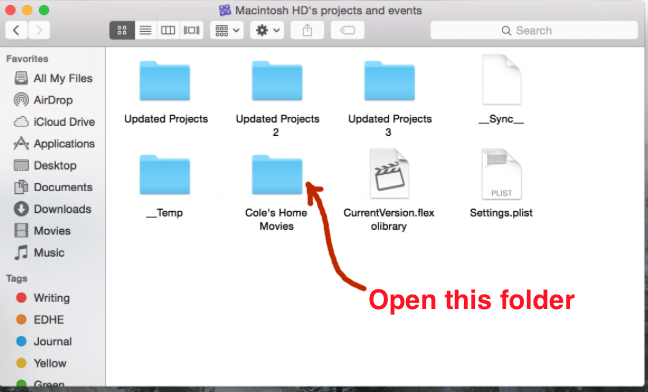
You will see the Cole's Home Movies folder. Open that folder and make a screenshot of what's inside that folder.
- Ronny
Close FCP X.
Open a Finder window and go to the "Macintosh HD's project and events" Library.
R-click the Library and choose "Show Package Content"
You will see the Cole's Home Movies folder. Open that folder and make a screenshot of what's inside that folder.
- Ronny
Please Log in to join the conversation.
30 Oct 2014 23:48 #55242
by cvest12
Replied by cvest12 on topic FCP Has gone haywire, anyone know how to fix this?
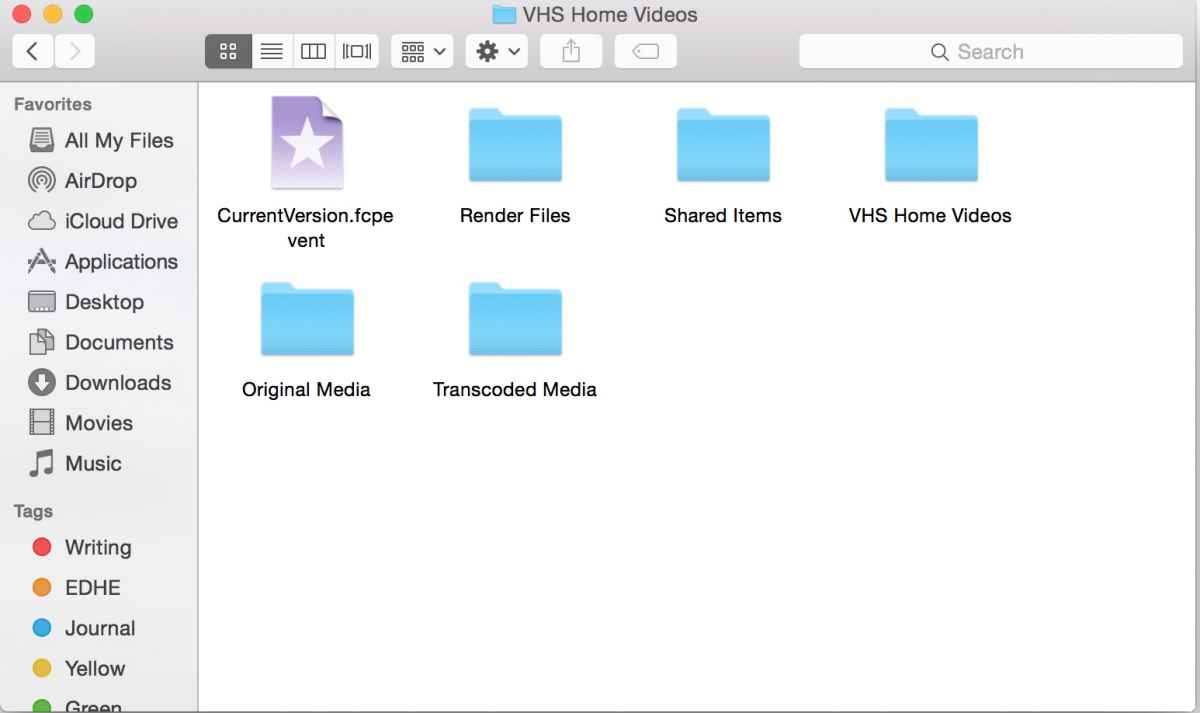
Is this what you needed?
Please Log in to join the conversation.
- ronny courtens
-
- Offline
- Moderator
-
Less
More
- Posts: 4455
- Thank you received: 962
30 Oct 2014 23:53 #55243
by ronny courtens
Replied by ronny courtens on topic FCP Has gone haywire, anyone know how to fix this?
Nope, that's not it. I need to see what is inside this folder:
- Ronny
- Ronny
Please Log in to join the conversation.
30 Oct 2014 23:59 #55244
by cvest12
Replied by cvest12 on topic FCP Has gone haywire, anyone know how to fix this?
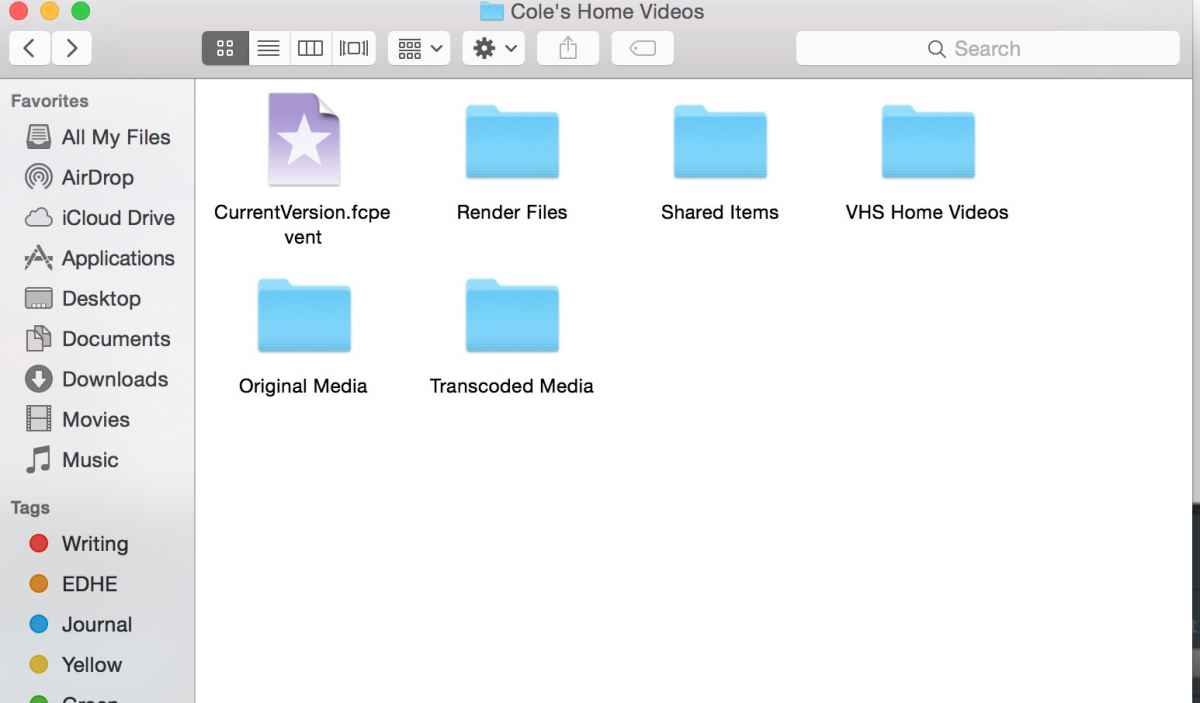
Sorry for all the trouble, i appreciate all of this very much.
Please Log in to join the conversation.
30 Oct 2014 23:59 #55245
by cvest12
Replied by cvest12 on topic FCP Has gone haywire, anyone know how to fix this?
Sorry for all the trouble, i appreciate all of this very much.
Please Log in to join the conversation.
- ronny courtens
-
- Offline
- Moderator
-
Less
More
- Posts: 4455
- Thank you received: 962
31 Oct 2014 00:18 #55252
by ronny courtens
Replied by ronny courtens on topic FCP Has gone haywire, anyone know how to fix this?
No problem, I know what is happening and we are getting close.
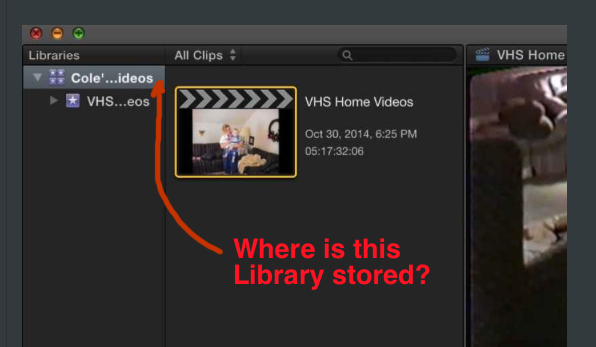
The screenshot you have posted before shows a Library called "Cole's Home Videos".
Where is that Library stored?
- Ronny
The screenshot you have posted before shows a Library called "Cole's Home Videos".
Where is that Library stored?
- Ronny
Please Log in to join the conversation.
31 Oct 2014 00:57 #55253
by cvest12
Replied by cvest12 on topic FCP Has gone haywire, anyone know how to fix this?
It is stored under movies finder, is that t
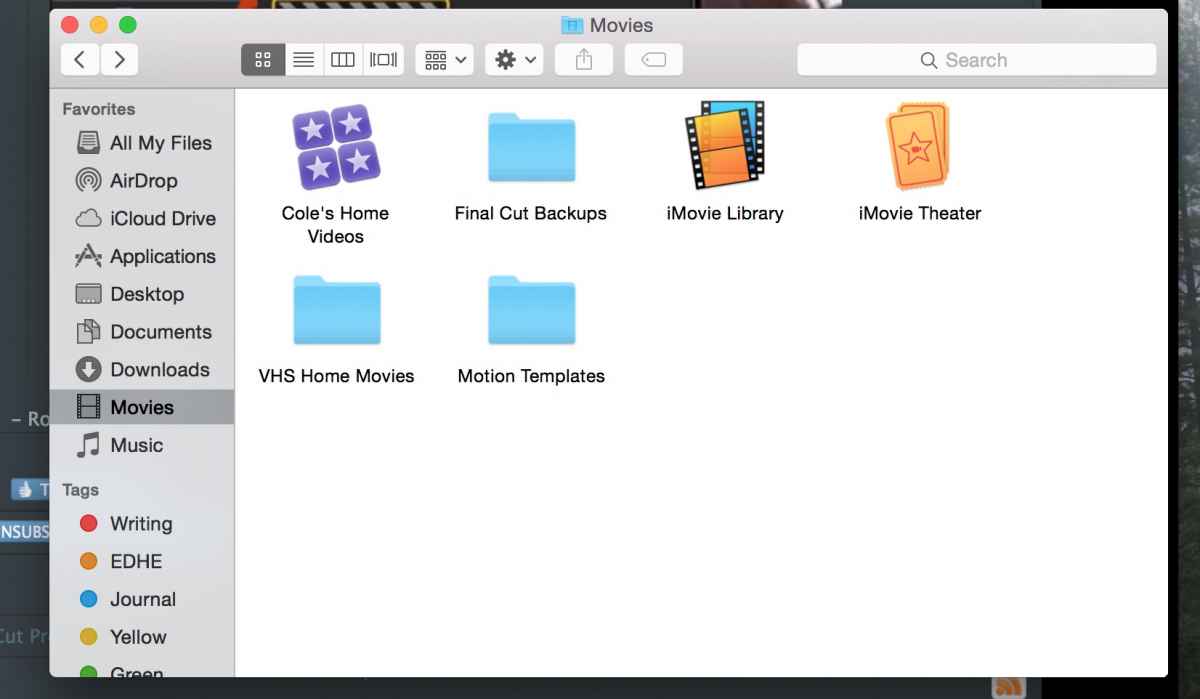
hat you mean?
hat you mean?
Please Log in to join the conversation.
- ronny courtens
-
- Offline
- Moderator
-
Less
More
- Posts: 4455
- Thank you received: 962
31 Oct 2014 01:26 #55254
by ronny courtens
Replied by ronny courtens on topic FCP Has gone haywire, anyone know how to fix this?
Yes, that's it. Now open the Final Cut Backups folder. Inside that folder you will see a folder called "Cole's Home Videos".
Open that folder, you will see several Library files. Go to the most recent one and double-click it. FCP X will launch and it will open that Library. Do you still have the problem with that Library open?
- Ronny
Open that folder, you will see several Library files. Go to the most recent one and double-click it. FCP X will launch and it will open that Library. Do you still have the problem with that Library open?
- Ronny
Please Log in to join the conversation.
31 Oct 2014 01:31 #55255
by cvest12
Replied by cvest12 on topic FCP Has gone haywire, anyone know how to fix this?
Here are the two backup folders, one is empty?
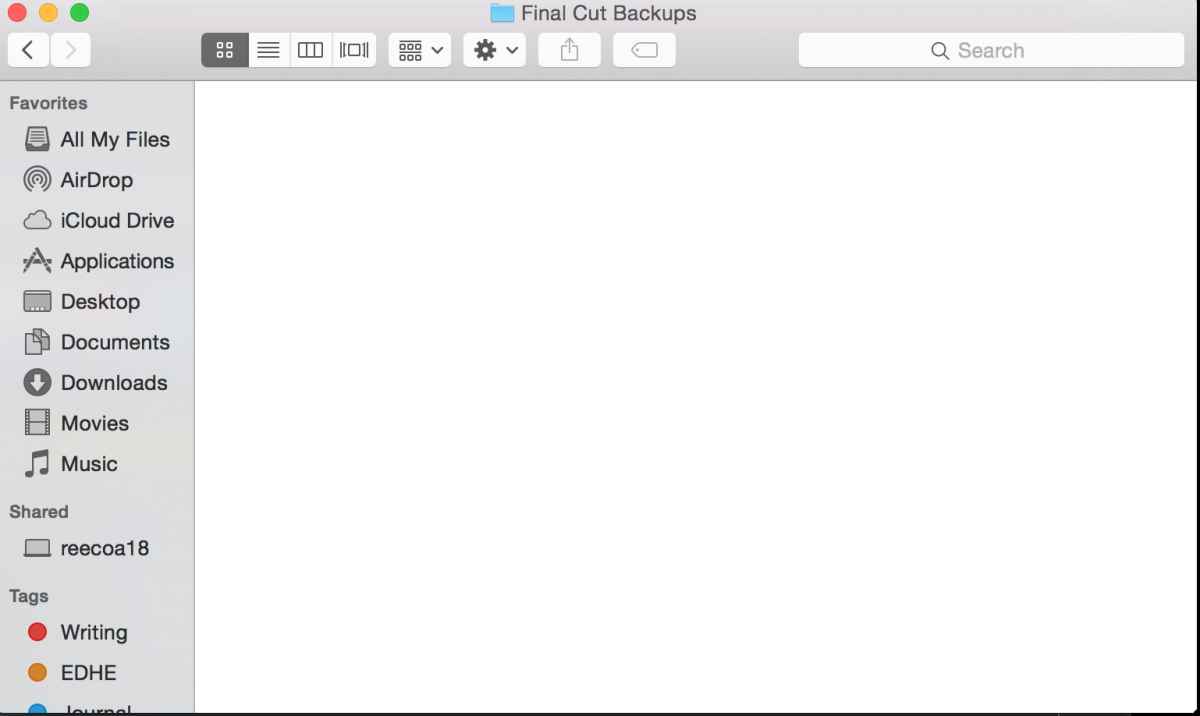
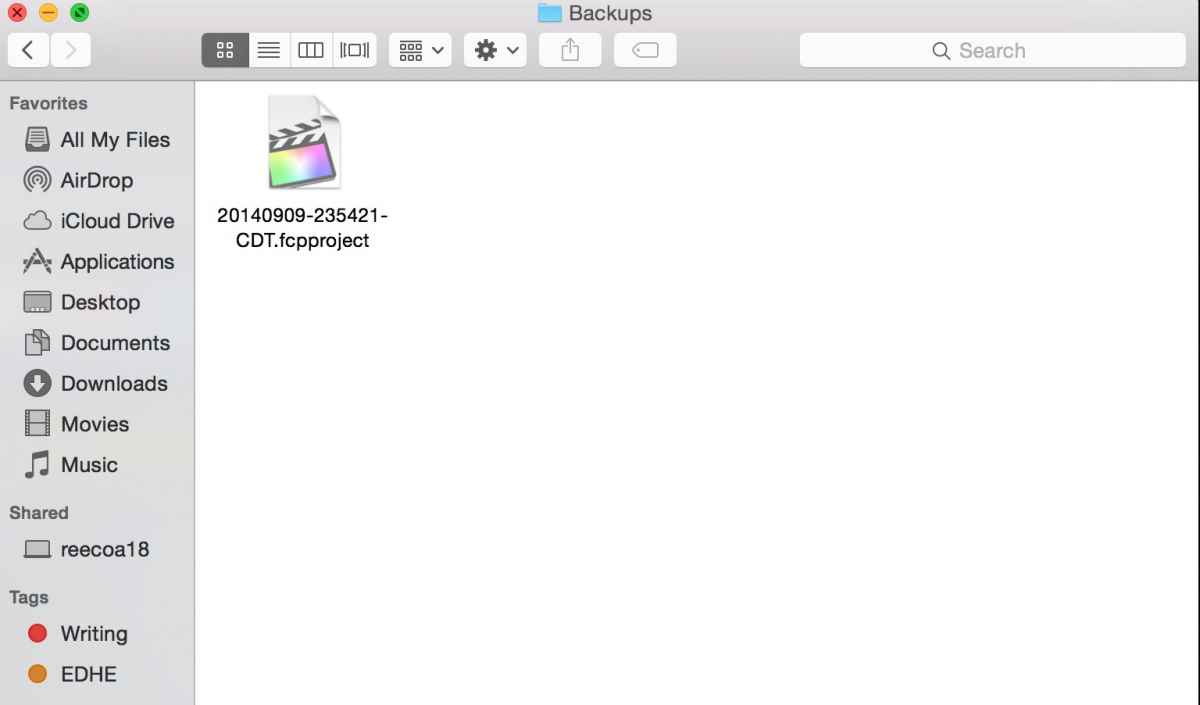
Please Log in to join the conversation.
- ronny courtens
-
- Offline
- Moderator
-
Less
More
- Posts: 4455
- Thank you received: 962
31 Oct 2014 02:01 #55256
by ronny courtens
Replied by ronny courtens on topic FCP Has gone haywire, anyone know how to fix this?
Ouch, that's not good. In that case we will have to work with the original Library.
Select the "Cole's Home Videos Library" and open the package.
Trash the CurrentVersion.flexolibrary file, close the package and double-click on the Library icon to open the Library in FCP X. This may take some time, as FCP X will restore the Library database.
See if this solves the problem.
- Ronny
Select the "Cole's Home Videos Library" and open the package.
Trash the CurrentVersion.flexolibrary file, close the package and double-click on the Library icon to open the Library in FCP X. This may take some time, as FCP X will restore the Library database.
See if this solves the problem.
- Ronny
Please Log in to join the conversation.
31 Oct 2014 02:10 #55258
by cvest12
Replied by cvest12 on topic FCP Has gone haywire, anyone know how to fix this?
It is still doing the same thing and the only thing running in the background is it is rendering.
Please Log in to join the conversation.
