


- Posts: 222
- Thank you received: 3
3 Post Moderation Rule for New Boarders (25 Jan 2021)
New boarders will have their posts moderated - Don't worry if you cannot see your post immediately.
Mpeg-4 Video files won't play/import
01 Oct 2014 03:27 #53464
by Rbelfi
Mpeg-4 Video files won't play/import was created by Rbelfi
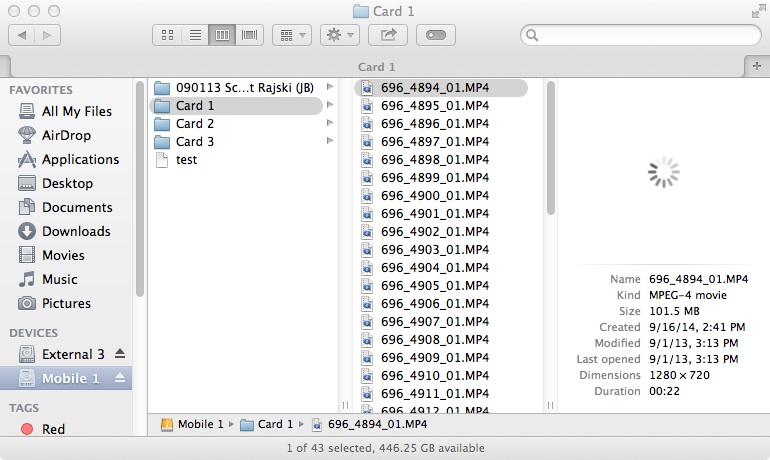
My system hard drive crash and was unrecoverable so I had to replace it and do a fresh install of everything. I've since tried importing mpeg-4 files that were sent to me from a studio. I'm not sure what type of DSLR they used, but the structure is different than I normally see.
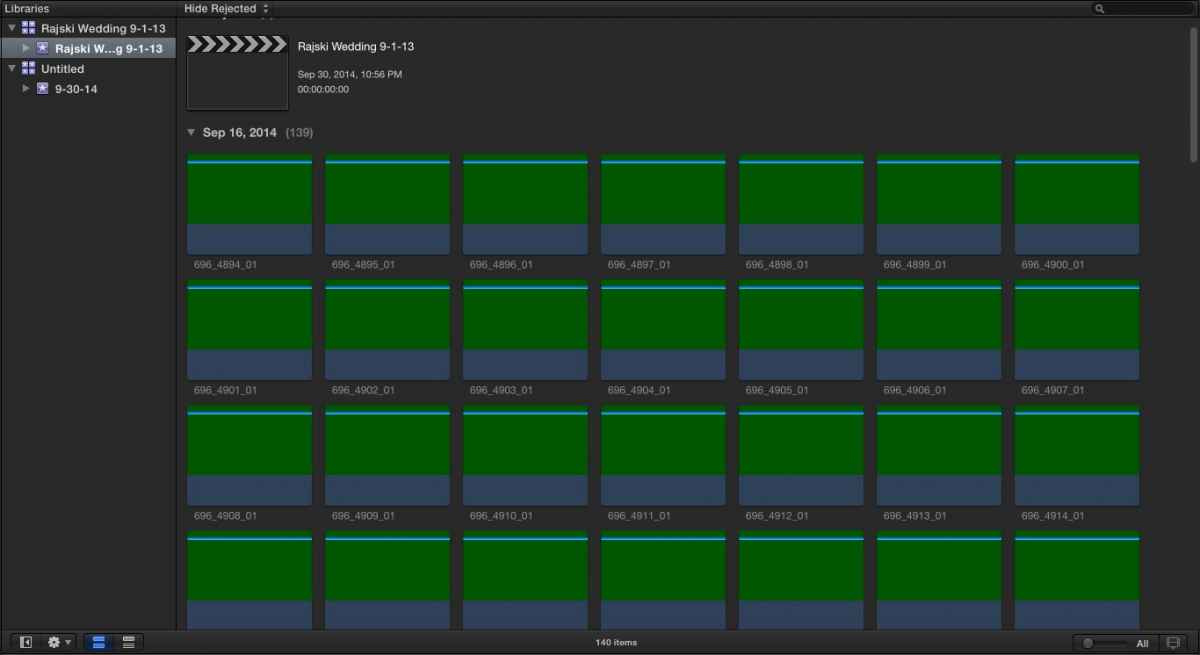
The main problem is after I extracted the mpeg-4 files and moved them into folders for importing none of them will play or show up properly into FCPX. I'm wondering if I'm missing a codec or something that was on my previous HDD? I can confirm the ProApps Codec was installed recently from the App Store.
Any ideas on if this is my machine not being able to read the files or if it's the studios files? Thanks.
The main problem is after I extracted the mpeg-4 files and moved them into folders for importing none of them will play or show up properly into FCPX. I'm wondering if I'm missing a codec or something that was on my previous HDD? I can confirm the ProApps Codec was installed recently from the App Store.
Any ideas on if this is my machine not being able to read the files or if it's the studios files? Thanks.
Please Log in to join the conversation.
01 Oct 2014 10:27 #53472
by Rbelfi
Replied by Rbelfi on topic Mpeg-4 Video files won't play/import
I've taken a few screen grabs as well that didn't attach the first time.

Please Log in to join the conversation.
01 Oct 2014 12:29 #53475
by lichinho
Replied by lichinho on topic Mpeg-4 Video files won't play/import
Do the clips play in QT Player?
MPEG 4 by itself does not say much, as it is just a container. What is the codec inside?
Hit Cmd-I in QT Player and post a screenshot of the movie inspector.
MPEG 4 by itself does not say much, as it is just a container. What is the codec inside?
Hit Cmd-I in QT Player and post a screenshot of the movie inspector.
Please Log in to join the conversation.
01 Oct 2014 12:53 #53478
by Rbelfi
Replied by Rbelfi on topic Mpeg-4 Video files won't play/import
I can't open the clips in QT player as I get a unsopported file type error.
Please Log in to join the conversation.
01 Oct 2014 12:57 #53479
by lichinho
Replied by lichinho on topic Mpeg-4 Video files won't play/import
If you can't open in QT Player, try opening in VLC - which can play almost anything - and check out what the details of the files are. Again, hit Cmd-I to get the file information, especially what it says under "Codec details".
Please Log in to join the conversation.
01 Oct 2014 13:02 #53480
by Rbelfi
Replied by Rbelfi on topic Mpeg-4 Video files won't play/import
I will download VLC later tonight when I get home later and will reply back with an update after I try that. Thanks.
Please Log in to join the conversation.

01 Oct 2014 15:17 #53488
by JasonP
Replied by JasonP on topic Mpeg-4 Video files won't play/import
I find that MPEG Streamclip works really well for opening .mp4 files and when a video is loaded in it Cmd+I shows information better than Quicktime even.
Please Log in to join the conversation.
01 Oct 2014 18:10 #53501
by Rbelfi
Replied by Rbelfi on topic Mpeg-4 Video files won't play/import
I willl try Mpeg Streamclip as well tonight, thank you.
I never had issues playing/importing mpeg-4 files before my system crashed. Is there a codec or something else I could be missing?
I never had issues playing/importing mpeg-4 files before my system crashed. Is there a codec or something else I could be missing?
Please Log in to join the conversation.
01 Oct 2014 23:01 #53524
by Rbelfi
Replied by Rbelfi on topic Mpeg-4 Video files won't play/import
So the clips were able to be played via VLC player, but not in Mpeg Streamclip.
I tried to convert them in compressor, but compressor would not open the files. Any ideas?
I tried to convert them in compressor, but compressor would not open the files. Any ideas?
Please Log in to join the conversation.
02 Oct 2014 03:21 #53526
by marchyman
Replied by marchyman on topic Mpeg-4 Video files won't play/import
You are missing this:
store.apple.com/us/product/D2187Z/A/quic...mponent-for-mac-os-x
You may have had it but lost it in the crash.
You may have had it but lost it in the crash.
Please Log in to join the conversation.

02 Oct 2014 10:09 - 02 Oct 2014 10:12 #53537
by BenB
Replied by BenB on topic Mpeg-4 Video files won't play/import
Actually that is an old MPEG-2 playback component, which should not be necessary in FCPX. He's working with MPEG-4, which is not the same codec, and not effected by the MPEG-2 playback component.
MPEG-4 can take many flavors, many different encoding and entropy configurations. It isn't one, single universal codec. Industry standards don't exist any longer in video.
You could try manually running the latest QuickTime update.
support.apple.com/downloads/#quicktime
Personally, I'd ask that studio how they created these MPEG-4 files, what camera they came from. Something has changed, and it may be on their end.
MPEG-4 can take many flavors, many different encoding and entropy configurations. It isn't one, single universal codec. Industry standards don't exist any longer in video.
You could try manually running the latest QuickTime update.
support.apple.com/downloads/#quicktime
Personally, I'd ask that studio how they created these MPEG-4 files, what camera they came from. Something has changed, and it may be on their end.
Last edit: 02 Oct 2014 10:12 by BenB.
Please Log in to join the conversation.
02 Oct 2014 10:36 #53540
by lichinho
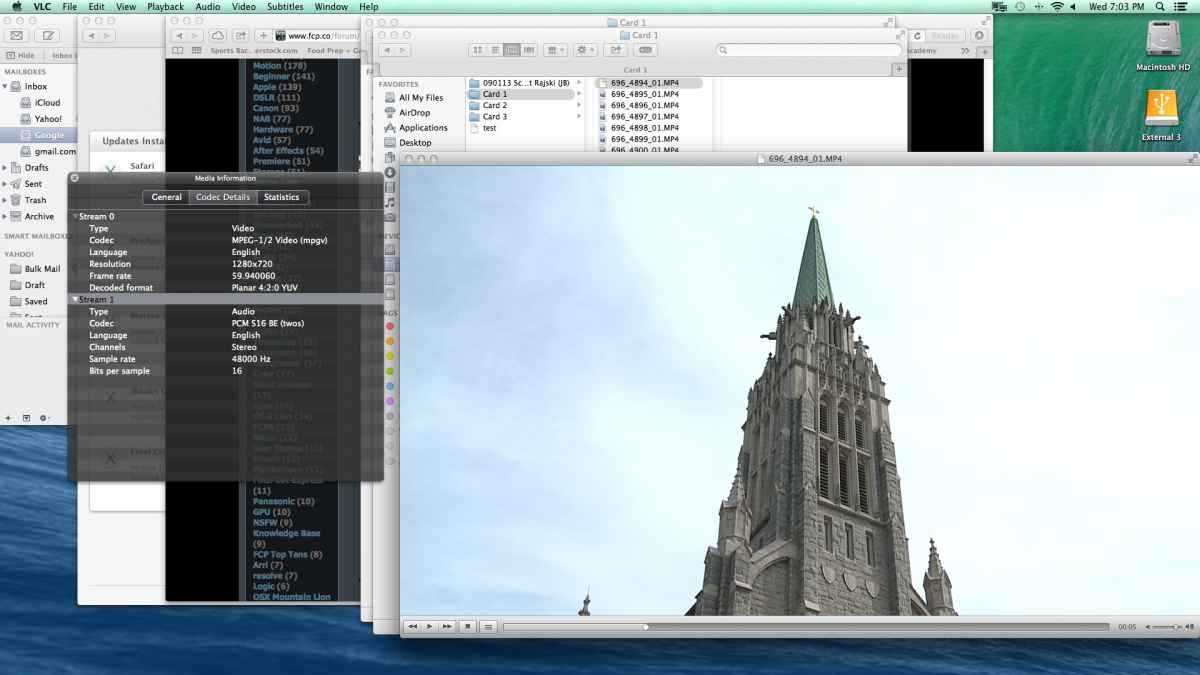
Did you look at the screenshot the OP posted from within VLC?
The media is in an mpeg4 container, but the codec is described as mpeg1/2 - weird, but that is what it says...
If it is indeed encoded as mpeg2, then the playback component is required by mpeg streamclip, or quicktime player 7 (or any player that relies on the old quicktime framework).
Replied by lichinho on topic Mpeg-4 Video files won't play/import
BenB wrote: Actually that is an old MPEG-2 playback component, which should not be necessary in FCPX. He's working with MPEG-4, which is not the same codec, and not effected by the MPEG-2 playback component.
MPEG-4 can take many flavors, many different encoding and entropy configurations. It isn't one, single universal codec. Industry standards don't exist any longer in video.
You could try manually running the latest QuickTime update.
support.apple.com/downloads/#quicktime
Personally, I'd ask that studio how they created these MPEG-4 files, what camera they came from. Something has changed, and it may be on their end.
Did you look at the screenshot the OP posted from within VLC?
The media is in an mpeg4 container, but the codec is described as mpeg1/2 - weird, but that is what it says...
If it is indeed encoded as mpeg2, then the playback component is required by mpeg streamclip, or quicktime player 7 (or any player that relies on the old quicktime framework).
Please Log in to join the conversation.
02 Oct 2014 10:49 #53541
by Rbelfi
Replied by Rbelfi on topic Mpeg-4 Video files won't play/import
Hey guys, I have tried manually updated Quicktime and even downloaded the last version of Quicktime 7, no luck though. I also bought the Mpeg-2 playback component, but my computer will not allow me to install it as I'm running the latest OS and it says it is not needed.
Looks like I'll have to contact the studio about the format it was shot it... have had nothing but problems with this studio. What strange is that right before my system hard drive crash I imported the other wedding into FCPX and it worked as it should. I've since deleted the files since I no longer needed it so I can't compare the two.
Looks like I'll have to contact the studio about the format it was shot it... have had nothing but problems with this studio. What strange is that right before my system hard drive crash I imported the other wedding into FCPX and it worked as it should. I've since deleted the files since I no longer needed it so I can't compare the two.
Please Log in to join the conversation.
02 Oct 2014 11:52 #53543
by BenB
Replied by BenB on topic Mpeg-4 Video files won't play/import
Like I said, that MPEG-2 playback component is old, and no longer needed since Mavericks (or was it Leopard).
MPEG-4 of any flavor will be beyond what that playback component was originally written to do. It won't recognize anything in an MPEG-4 wrapper.
I bet the studio changed something. Will be interesting to find out.
MPEG-4 of any flavor will be beyond what that playback component was originally written to do. It won't recognize anything in an MPEG-4 wrapper.
I bet the studio changed something. Will be interesting to find out.
Please Log in to join the conversation.
02 Oct 2014 14:07 #53548
by lichinho
Replied by lichinho on topic Mpeg-4 Video files won't play/import
The quicktime mpeg2 playback component is not needed by Quicktime Player, but it IS still used for mpeg2 material by Quicktime 7 and by MPEG Streamclip. There are instructions in the Streamclip site for installing it under Mavericks.
That said, I agree that it is not likely to help.
It is still weird to have an mp4 file with and mpeg1 or mpeg2 codec inside.
That said, I agree that it is not likely to help.
It is still weird to have an mp4 file with and mpeg1 or mpeg2 codec inside.
Please Log in to join the conversation.
02 Oct 2014 18:04 #53561
by Rbelfi
Replied by Rbelfi on topic Mpeg-4 Video files won't play/import
I'm going to contact the studio about the problems I'm experiencing. What's fusterating is that for 2 months I've been trying to get these files and between waiting for them to send my drive back and getting curropt files each time I don't feel like it worth it much longer. If I had other avenues to suppliment the potential income my decsion would be much easier. Though wasting so much time one their files/issues is equally a waste of time and money.
Please Log in to join the conversation.
07 Oct 2014 21:05 #53772
by Rbelfi
Replied by Rbelfi on topic Mpeg-4 Video files won't play/import
I've heard back from the studio and they claim the files import and play in their editing software without issue. I've tried loading the files onto a editing pc at my job and the computer can not recognize the files in any software I've tried.
I have a feeling they're not admitting something (has happened alot recently with mistakes I've noticed). Does anyone have any last ideas I could try before telling them the files still don't work? Thanks.
I have a feeling they're not admitting something (has happened alot recently with mistakes I've noticed). Does anyone have any last ideas I could try before telling them the files still don't work? Thanks.
Please Log in to join the conversation.
- haysoos123
-

- Offline
- Platinum Member
-

Less
More
- Posts: 402
- Thank you received: 72
07 Oct 2014 23:07 #53778
by haysoos123
Replied by haysoos123 on topic Mpeg-4 Video files won't play/import
You should still install the MPEG-2 component, and then from Quicktime 7, you should be able to export into something sane like ProRes. In order to install the MPEG-2 component, you have to go into System Preferences->Security & Privacy->General TAB, and allow apps downloaded from anywhere. Please see this:
discussions.apple.com/message/24843203
Keep in mind that FCPX doesn't use Quicktime 7 any longer for its engine, so you will have to transcode to something like ProRes. MPEG Streamclip relies on Quicktime 7 internally, so that's why it needs this component. You can use either MPEG Streamclip or Quicktime 7 to do your conversions; they should come out the same.
This SHOULD work, but I haven't tested this out for your specific needs.
discussions.apple.com/message/24843203
Keep in mind that FCPX doesn't use Quicktime 7 any longer for its engine, so you will have to transcode to something like ProRes. MPEG Streamclip relies on Quicktime 7 internally, so that's why it needs this component. You can use either MPEG Streamclip or Quicktime 7 to do your conversions; they should come out the same.
This SHOULD work, but I haven't tested this out for your specific needs.
Please Log in to join the conversation.
- haysoos123
-
- Offline
- Platinum Member
-
Less
More
- Posts: 402
- Thank you received: 72
07 Oct 2014 23:16 #53779
by haysoos123
Replied by haysoos123 on topic Mpeg-4 Video files won't play/import
Hmm, I suggest you go back to MPEG Streamclip's page and download their beta version, which includes some sort of script to get the component installed on Lion and later. Please read the instructions. You may not be able to easily install it on Mavericks as I said above (although you can try... it might work). You will still need the component which you said you already bought.
Please Log in to join the conversation.
