


- Posts: 238
- Thank you received: 20
3 Post Moderation Rule for New Boarders (25 Jan 2021)
New boarders will have their posts moderated - Don't worry if you cannot see your post immediately.
10.1.2 Bug report
- Squamish ed
-
 Topic Author
- Offline
- Elite Member
-

Less
More
30 Jun 2014 22:08 #48951
by Squamish ed
Ed
10.1.2 Bug report was created by Squamish ed
Thought it might be appropriate to have a place to identify bugs in the newest release.
When I place a Basic Title over a clip, select Face, select colour and then use the magnifying glass to pick a colour from somewhere in the scene it works but my cursor disappears. By moving the mouse down to the timeline I can still highlight clips so the function is there but hard to use when the arrow (cursor) is invisible. The workaround I've found is to hit CMD/TAB to select another program. The program doesn't change but the cursor reappears.
Can anyone else duplicate this? I've tested it several times and it behaves consistently. Yes, I have reported it to Apple. I'm wondering if this is a quirk on my system or a bug.
When I place a Basic Title over a clip, select Face, select colour and then use the magnifying glass to pick a colour from somewhere in the scene it works but my cursor disappears. By moving the mouse down to the timeline I can still highlight clips so the function is there but hard to use when the arrow (cursor) is invisible. The workaround I've found is to hit CMD/TAB to select another program. The program doesn't change but the cursor reappears.
Can anyone else duplicate this? I've tested it several times and it behaves consistently. Yes, I have reported it to Apple. I'm wondering if this is a quirk on my system or a bug.
Ed
Please Log in to join the conversation.
- ronny courtens
-

- Offline
- Moderator
-

Less
More
- Posts: 4455
- Thank you received: 962
30 Jun 2014 22:22 #48954
by ronny courtens
Replied by ronny courtens on topic 10.1.2 Bug report
I don't see this behavior, but it's good you have submitted a bug report to Apple.
- Ronny
- Ronny
Please Log in to join the conversation.
- Tom Wolsky
-

- Offline
- Moderator
-
30 Jun 2014 22:22 #48955
by Tom Wolsky
Replied by Tom Wolsky on topic 10.1.2 Bug report
This is normal. The text selection tool is active because you have the text selected. If you move in the viewer you should see the I beam pointer.
Please Log in to join the conversation.
- Tom Wolsky
-
- Offline
- Moderator
-
30 Jun 2014 22:22 #48956
by Tom Wolsky
Replied by Tom Wolsky on topic 10.1.2 Bug report
This is normal. The text selection tool is active because you have the text selected. If you move in the viewer you should see the I beam pointer.
Please Log in to join the conversation.
30 Jun 2014 22:33 #48960
by Claude
Replied by Claude on topic 10.1.2 Bug report
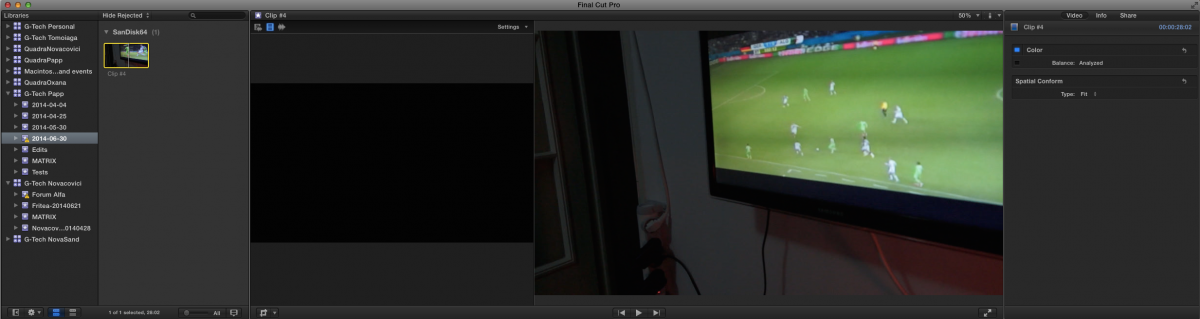
I have updated to 10.1.2 and now all newly imported material has no sound... I don't even have the "Audio" tab in the Inspector window. The same material, imported on a different system (with FCPX 10.1.1) works just fine. No idea what to do...
Please Log in to join the conversation.
- Tom Wolsky
-
- Offline
- Moderator
-
30 Jun 2014 23:17 #48966
by Tom Wolsky
Replied by Tom Wolsky on topic 10.1.2 Bug report
You need to give complete specifics of the media, the source, and how it's being imported.
Please Log in to join the conversation.
- Squamish ed
-
Topic Author
- Offline
- Elite Member
-
Less
More
- Posts: 238
- Thank you received: 20
30 Jun 2014 23:19 #48967
by Squamish ed
Ed
Replied by Squamish ed on topic 10.1.2 Bug report
Thanks Tom, I just tried again and got exactly the same result. I moved in the viewer and no I Beam or any other cursor appears. I tried it again with a different font and a different colour selector. I could move the skimmer on the timeline and click in the Inspector area but no cursor appears anywhere. I've got Events on a second display and nothing happens if I click there other than that the background turns lighter grey as it does when I have a visible cursor.
By moving the mouse upward and clicking a couple of times in the grey menu bar at the top of the screen the cursor reappears and then the magnifying glass/colour picker doesn't work unless I start the colour selection process over. Choosing colours any other way works normally: the text changes colour and the cursor remains visible.
Ronny - thanks for checking.
By moving the mouse upward and clicking a couple of times in the grey menu bar at the top of the screen the cursor reappears and then the magnifying glass/colour picker doesn't work unless I start the colour selection process over. Choosing colours any other way works normally: the text changes colour and the cursor remains visible.
Ronny - thanks for checking.
Ed
Please Log in to join the conversation.
30 Jun 2014 23:53 #48969
by Claude
System #1: iMac with FCPX 10.1.2
System #2: MBP with FCPX 10.1.1
Media: AVCHD footage filmed with a Sony NEX-VG20 camera
The footage was copied from the SDXC card to a hard-drive and then imported from that drive into FCPX. On FCPX 10.1.1 there's sound, on FCPX 10.1.2 there's no sound. It's the exact same footage. (I've even test-imported other media into FCPX 10.1.2 and all of it has the same problem.) I've had no issues until today, when I've updated my main system (the iMac) to FCPX 10.1.2.
Replied by Claude on topic 10.1.2 Bug report
Tom Wolsky wrote: You need to give complete specifics of the media, the source, and how it's being imported.
System #1: iMac with FCPX 10.1.2
System #2: MBP with FCPX 10.1.1
Media: AVCHD footage filmed with a Sony NEX-VG20 camera
The footage was copied from the SDXC card to a hard-drive and then imported from that drive into FCPX. On FCPX 10.1.1 there's sound, on FCPX 10.1.2 there's no sound. It's the exact same footage. (I've even test-imported other media into FCPX 10.1.2 and all of it has the same problem.) I've had no issues until today, when I've updated my main system (the iMac) to FCPX 10.1.2.
Please Log in to join the conversation.
- sbecker777
-
- Offline
- Junior Member
-

Less
More
- Posts: 21
- Thank you received: 5
01 Jul 2014 03:18 - 01 Jul 2014 03:20 #48981
by sbecker777
Replied by sbecker777 on topic 10.1.2 Bug report
I've tried to duplicate this exactly and I don't see the behavior you describe. By any chance do you have any Color Picker plugins or extensions installed? (ColorPicker, HexColor Picker, Skala, etc...)
Do you have Pixelmator installed? It installs a hex picker.
Just a thought...
Do you have Pixelmator installed? It installs a hex picker.
Just a thought...
Last edit: 01 Jul 2014 03:20 by sbecker777.
Please Log in to join the conversation.
- ronny courtens
-
- Offline
- Moderator
-
Less
More
- Posts: 4455
- Thank you received: 962
01 Jul 2014 07:32 #48982
by ronny courtens
Replied by ronny courtens on topic 10.1.2 Bug report
Claude,
So far you seem to be the only one having this particular issue, so I think something must have screwed up your update.
I suggest you completely remove FCP X using this free utility: www.digitalrebellion.com/fcsremover/
Then re-install 10.1.2, do a repair permissions after the reinstall and see if everything works as expected.
- Ronny
So far you seem to be the only one having this particular issue, so I think something must have screwed up your update.
I suggest you completely remove FCP X using this free utility: www.digitalrebellion.com/fcsremover/
Then re-install 10.1.2, do a repair permissions after the reinstall and see if everything works as expected.
- Ronny
Please Log in to join the conversation.
01 Jul 2014 08:36 - 01 Jul 2014 08:45 #48984
by Claude
Replied by Claude on topic 10.1.2 Bug report
Pixelmator is installed - but I've never had any conflict between it and FCPX, ever.
I was thinking of uninstalling & reinstalling, but I was terrified of all the add-ons I'll have to reinstall after that... and, being in the middle of a couple of projects, I was thinking of saving some time and reverting to 10.1.1 (with the help of TimeMachine). But I guess I might take a day and reinstall everything.
As for the recommended uninstaller, do you have any experience with AppZapper? Or is the one you recommended 100% safe?
Thanks for your help!
(LATER EDIT) Oh-kaayy... since the libraries were updated by 10.1.2, they can't be opened with 10.1.1... great.
I was thinking of uninstalling & reinstalling, but I was terrified of all the add-ons I'll have to reinstall after that... and, being in the middle of a couple of projects, I was thinking of saving some time and reverting to 10.1.1 (with the help of TimeMachine). But I guess I might take a day and reinstall everything.
As for the recommended uninstaller, do you have any experience with AppZapper? Or is the one you recommended 100% safe?
Thanks for your help!
(LATER EDIT) Oh-kaayy... since the libraries were updated by 10.1.2, they can't be opened with 10.1.1... great.
Last edit: 01 Jul 2014 08:45 by Claude.
Please Log in to join the conversation.
- ievgeniilarin
-
- Offline
- New Member
-

01 Jul 2014 09:53 #48985
by ievgeniilarin
Replied by ievgeniilarin on topic 10.1.2 Bug report
With updating 10.1.1 library to 10.1.2 all the library projects lost their notes.
Please Log in to join the conversation.

01 Jul 2014 11:42 - 01 Jul 2014 11:43 #48988
by BenB
Replied by BenB on topic 10.1.2 Bug report
Claude; the FCS Remover app that was recommended is written specifically for these apps, and is the only thing you should ever use to remove them. It has been around awhile, and is perfectly safe. It won't remove your third party plugins, either. I am not a fan of AppZapper, never had any need for it. Admittedly my experience with it is very limited. But I'd not use it for FCPX/Motion/Compressor, no.
ievgeniilarin; do you mean the notes are not in the Inspector, or the notes column is not in the Brower's list view any longer?
ievgeniilarin; do you mean the notes are not in the Inspector, or the notes column is not in the Brower's list view any longer?
Last edit: 01 Jul 2014 11:43 by BenB.
Please Log in to join the conversation.
- ronny courtens
-
- Offline
- Moderator
-
Less
More
- Posts: 4455
- Thank you received: 962
01 Jul 2014 19:19 #49009
by ronny courtens
Replied by ronny courtens on topic 10.1.2 Bug report
Claude,
As Ben says: FCS Remover is the best utility you can use to completely remove FCP X from your system, and it is perfectly safe.
If you only remove FCP X you won't have to re-install anything else, just re-install FCP X and all your plugins should work. Removing and re-installing the FCP X app generally takes about 2 minutes.
- Ronny
As Ben says: FCS Remover is the best utility you can use to completely remove FCP X from your system, and it is perfectly safe.
If you only remove FCP X you won't have to re-install anything else, just re-install FCP X and all your plugins should work. Removing and re-installing the FCP X app generally takes about 2 minutes.
- Ronny
Please Log in to join the conversation.
02 Jul 2014 18:05 #49067
by Claude
Replied by Claude on topic 10.1.2 Bug report
I have used the FCP Remover and uninstalled the app and all the plug-ins - I wanted to start fresh. Everything works fine as of now, knock on wood... I'll install the plug-ins one by one and then test FCPX to see if any new issue arises.
Thank you all for your help.
Thank you all for your help.
Please Log in to join the conversation.

03 Jul 2014 04:20 #49089
by FernKraft
Replied by FernKraft on topic 10.1.2 Bug report
Is anybody else having their MP3's or the like "optimized" into .mov? Tried several different files, same result... .MOV
Everything seems the same otherwise, only noticed because I was switching out a watermarked song... weird.
Everything seems the same otherwise, only noticed because I was switching out a watermarked song... weird.
Please Log in to join the conversation.

04 Jul 2014 13:07 #49179
by Seanus
Sean Lander - Editing since 1982 - AVID 1991 - FCP 1999 - FCPX 2011
Replied by Seanus on topic 10.1.2 Bug report
Was just reported in a Facebook group that FCP X 10.1.2 is not saving backups from new projects.
Better check guys. This one is a biggy!
Better check guys. This one is a biggy!
Sean Lander - Editing since 1982 - AVID 1991 - FCP 1999 - FCPX 2011
Please Log in to join the conversation.
- Tom Wolsky
-
- Offline
- Moderator
-
04 Jul 2014 13:14 - 04 Jul 2014 13:15 #49180
by Tom Wolsky
Replied by Tom Wolsky on topic 10.1.2 Bug report
Backups do seem to save once they start. There is a problem getting it to trigger the start on a new library. Making a new project or duplicating a project seems to trigger it. What I'm seeing is if you make a new project while the application is still open backups are started. If you import and do other stuff and close the app. No backups are created. Nor do backups seem to be created after that when you reopen the library unless you duplicate a project. It's inconsistent, but once it starts to save it does seem to continue to save. Maybe. Not enough data yet.
Last edit: 04 Jul 2014 13:15 by Tom Wolsky.
Please Log in to join the conversation.
04 Jul 2014 13:29 #49181
by Makki
Replied by Makki on topic 10.1.2 Bug report
Seanus. This is exactly the case with my FCPX. No backup. But it is not a big issue for me since I use Backups for FCP all the time.
Please Log in to join the conversation.
04 Jul 2014 14:31 #49183
by BenB
Yes, I've noticed that. I imported to be managed media, and ended up with two versions, the original MP3, which Reveal In Finder, and File Type in the Browser show. Plus an optimized .mov version, also. To this is doubling drive usage unnecessarily.
I sent it to the trash, and both versions are STILL in the media folder (I have this Library using an external folder for Media, as a test Library). I quit FCPX and relaunched. The file is no longer listed in the Browser, but both versions of the audio file are still in the media folder. WTH?
BUG!
Replied by BenB on topic 10.1.2 Bug report
FernKraft wrote: Is anybody else having their MP3's or the like "optimized" into .mov? Tried several different files, same result... .MOV
Yes, I've noticed that. I imported to be managed media, and ended up with two versions, the original MP3, which Reveal In Finder, and File Type in the Browser show. Plus an optimized .mov version, also. To this is doubling drive usage unnecessarily.
I sent it to the trash, and both versions are STILL in the media folder (I have this Library using an external folder for Media, as a test Library). I quit FCPX and relaunched. The file is no longer listed in the Browser, but both versions of the audio file are still in the media folder. WTH?
BUG!
Please Log in to join the conversation.
