


- Posts: 263
- Thank you received: 2
3 Post Moderation Rule for New Boarders (25 Jan 2021)
New boarders will have their posts moderated - Don't worry if you cannot see your post immediately.
Importing xml from 7toX crashing
21 May 2014 14:59 #46411
by gaddster
MBP retina 15" 2014
imac 27 i7 2013
G-tech
Panasonic GH4, AC90, Gopro
Replied by gaddster on topic Importing xml from 7toX crashing
MBP retina 15" 2014
imac 27 i7 2013
G-tech
Panasonic GH4, AC90, Gopro
Please Log in to join the conversation.
21 May 2014 15:58 #46413
by tpayton
Replied by tpayton on topic Importing xml from 7toX crashing
Actually the fcpxml imported just fine instantly.
Here is the library that was made. See if you can reconnect media.
Here is the library that was made. See if you can reconnect media.
Please Log in to join the conversation.
- Andreas Kiel
-

- Offline
- Platinum Member
-

Less
More
- Posts: 1077
- Thank you received: 189
21 May 2014 16:27 #46415
by Andreas Kiel
Replied by Andreas Kiel on topic Importing xml from 7toX crashing
Hmm,
I currently on this machine I don't have a X 10.1.1 available. So I can't test. But looking at the fcpxml none of the used titles are referenced to a matching effect in the resources. This may lead to a hang during import.
Maybe I'll find time later today to test with 10.1.1.
- Andreas
I currently on this machine I don't have a X 10.1.1 available. So I can't test. But looking at the fcpxml none of the used titles are referenced to a matching effect in the resources. This may lead to a hang during import.
Maybe I'll find time later today to test with 10.1.1.
- Andreas
Please Log in to join the conversation.
21 May 2014 16:33 #46417
by gaddster
MBP retina 15" 2014
imac 27 i7 2013
G-tech
Panasonic GH4, AC90, Gopro
Replied by gaddster on topic Importing xml from 7toX crashing
tpayton, thank you this has worked great..
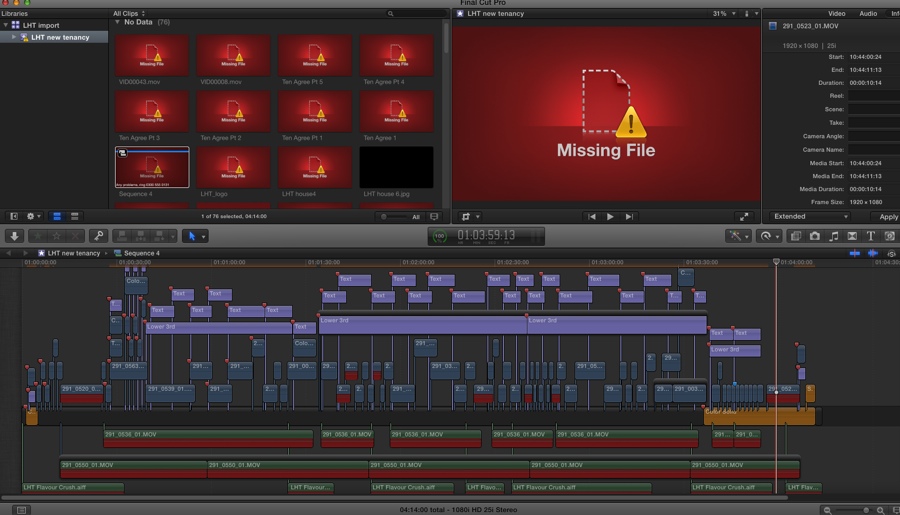
I have about 10 out of 75 that for some reason won't re-link but hopefully i can work that out.. I did notice an FXfactory notifier on import and wondered if that had anything to do with it
I have about 10 out of 75 that for some reason won't re-link but hopefully i can work that out.. I did notice an FXfactory notifier on import and wondered if that had anything to do with it
MBP retina 15" 2014
imac 27 i7 2013
G-tech
Panasonic GH4, AC90, Gopro
Please Log in to join the conversation.
21 May 2014 16:46 #46418
by gaddster
MBP retina 15" 2014
imac 27 i7 2013
G-tech
Panasonic GH4, AC90, Gopro
Replied by gaddster on topic Importing xml from 7toX crashing
Thanks Andreas, I did get a notifier up saying ' import could not be opened. fxfactory notifier cannot open files in this 'package' format.. Not sure if thats the root problem
MBP retina 15" 2014
imac 27 i7 2013
G-tech
Panasonic GH4, AC90, Gopro
Please Log in to join the conversation.
- ronny courtens
-

- Offline
- Moderator
-

Less
More
- Posts: 4455
- Thank you received: 962
21 May 2014 16:54 - 21 May 2014 16:58 #46419
by ronny courtens
Replied by ronny courtens on topic Importing xml from 7toX crashing
Nice job, Timothy!
BTW I'm on the road and I was able to import the FCPX XML file instantly on a tiny MacBook Air. I can see the clips and I can open the Project timeline.
Phil,
If the FCP7 editor has used third-party plugins such as the ones from Fx Factory you will need to have the same plugins installed or you will have to substitute the effects with others you have on your system.
As Andreas said the title information in the XML does not reference existing title templates in FCP X. But the text is there, so you only will need to drop an appropriate title template onto the title clips in the timeline. Your text will be preserved.
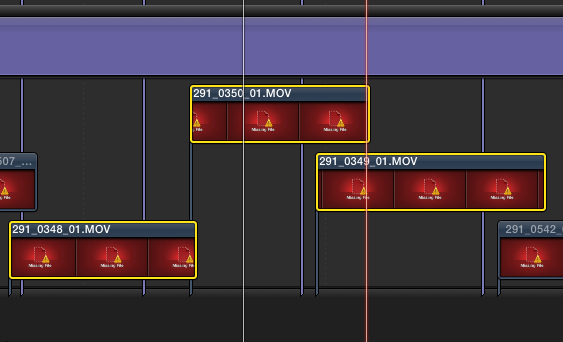
I see you still have some media clips missing. The Info on those clips says they are located on the same drive as all other clips and the icon just says "Missing File", so this has nothing to do with any effects. You may make a note of the missing clip names and do a search on that drive to see if they are actually on the drive or not. If not you will have to ask the editor to send them to you. If they are on that drive but they won't relink automatically you can try dragging them from the drive onto your Event.
- Ronny
BTW I'm on the road and I was able to import the FCPX XML file instantly on a tiny MacBook Air. I can see the clips and I can open the Project timeline.
Phil,
If the FCP7 editor has used third-party plugins such as the ones from Fx Factory you will need to have the same plugins installed or you will have to substitute the effects with others you have on your system.
As Andreas said the title information in the XML does not reference existing title templates in FCP X. But the text is there, so you only will need to drop an appropriate title template onto the title clips in the timeline. Your text will be preserved.
I see you still have some media clips missing. The Info on those clips says they are located on the same drive as all other clips and the icon just says "Missing File", so this has nothing to do with any effects. You may make a note of the missing clip names and do a search on that drive to see if they are actually on the drive or not. If not you will have to ask the editor to send them to you. If they are on that drive but they won't relink automatically you can try dragging them from the drive onto your Event.
- Ronny
Last edit: 21 May 2014 16:58 by ronny courtens.
Please Log in to join the conversation.
21 May 2014 22:04 #46445
by gaddster
MBP retina 15" 2014
imac 27 i7 2013
G-tech
Panasonic GH4, AC90, Gopro
Replied by gaddster on topic Importing xml from 7toX crashing
Thanks Ronnie and everyone who has helped (including the support team at intelligent assistance 7tox app)
Im still speaking to the developers to see exactly why my iMac and macbook pro could not do what all you guys did with ease, frustrating :blink:
Im still speaking to the developers to see exactly why my iMac and macbook pro could not do what all you guys did with ease, frustrating :blink:
MBP retina 15" 2014
imac 27 i7 2013
G-tech
Panasonic GH4, AC90, Gopro
Please Log in to join the conversation.
21 May 2014 22:52 #46451
by tpayton
Replied by tpayton on topic Importing xml from 7toX crashing
What FXPlugins do you have? FX Facotry? CoreMelt?
Please Log in to join the conversation.
- Andreas Kiel
-
- Offline
- Platinum Member
-
Less
More
- Posts: 1077
- Thank you received: 189
22 May 2014 10:50 #46477
by Andreas Kiel
Replied by Andreas Kiel on topic Importing xml from 7toX crashing
Shame on me: I had a too quick look at the XML. The effects are there. Might be in a non conventional order - but they exist.
None of those effects seem to link to a effect which is not build in. But there are some FXplug ones where I don't know whether they really come from FCP X.
The problem doesn't seem to be external plugins. It must be something with the system setup.
As said I've no FCP(X) available right now.
- Andreas
None of those effects seem to link to a effect which is not build in. But there are some FXplug ones where I don't know whether they really come from FCP X.
The problem doesn't seem to be external plugins. It must be something with the system setup.
As said I've no FCP(X) available right now.
- Andreas
Please Log in to join the conversation.
- Andreas Kiel
-
- Offline
- Platinum Member
-
Less
More
- Posts: 1077
- Thank you received: 189
22 May 2014 11:49 - 22 May 2014 11:53 #46478
by Andreas Kiel
Replied by Andreas Kiel on topic Importing xml from 7toX crashing
Just another thought (while being away from FCP X).
Your XML contains entries like
. These lead to the wrong path. Should be
only.
- Andreas
Your XML contains entries like
Code:
&
Code:
&
- Andreas
Last edit: 22 May 2014 11:53 by Andreas Kiel.
Please Log in to join the conversation.
22 May 2014 13:18 #46483
by gaddster
MBP retina 15" 2014
imac 27 i7 2013
G-tech
Panasonic GH4, AC90, Gopro
Replied by gaddster on topic Importing xml from 7toX crashing
Thanks Andreas
What worries me is that it works on other people machines but not mine :blink:
tpayton, I will have to look at what I have on both machines as I have collated quite a few effects/transitions over the last few years (most I dont use now ironically)
What worries me is that it works on other people machines but not mine :blink:
tpayton, I will have to look at what I have on both machines as I have collated quite a few effects/transitions over the last few years (most I dont use now ironically)
MBP retina 15" 2014
imac 27 i7 2013
G-tech
Panasonic GH4, AC90, Gopro
Please Log in to join the conversation.
22 May 2014 13:59 #46484
by lichinho
Replied by lichinho on topic Importing xml from 7toX crashing
The XML worked here.
I suggest you try importing the XML running from a different admin user account.
I suggest you try importing the XML running from a different admin user account.
Please Log in to join the conversation.
23 May 2014 14:29 #46554
by gaddster
MBP retina 15" 2014
imac 27 i7 2013
G-tech
Panasonic GH4, AC90, Gopro
Replied by gaddster on topic Importing xml from 7toX crashing
Guys
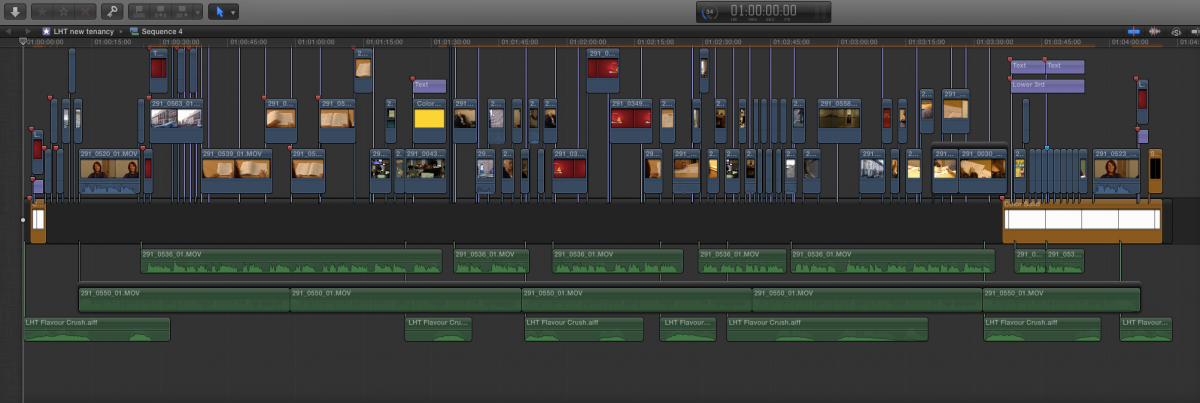
out of curiosity, everything seems connected to a spacer on the primary story line, is this the way 7toX translates or is this how you guys work too?
out of curiosity, everything seems connected to a spacer on the primary story line, is this the way 7toX translates or is this how you guys work too?
MBP retina 15" 2014
imac 27 i7 2013
G-tech
Panasonic GH4, AC90, Gopro
Please Log in to join the conversation.
- Darren Roark
-
- Offline
- Platinum Member
-
23 May 2014 15:23 #46559
by Darren Roark
Replied by Darren Roark on topic Importing xml from 7toX crashing
For everyone's information, the support for the 7toX and all the other Intelligent Assistance apps is great. If you send a support email during Pacific time business hours they are great about getting back to you. Sometimes they have been able to fix an XML.
Please Log in to join the conversation.
