


- Posts: 110
- Thank you received: 6
3 Post Moderation Rule for New Boarders (25 Jan 2021)
New boarders will have their posts moderated - Don't worry if you cannot see your post immediately.
why FCPX can not be professional.
01 May 2014 15:38 - 01 May 2014 15:43 #45462
by artofoe
why FCPX can not be professional. was created by artofoe
just do a test, final 7 can, avid can, but fcpx10.1.1 can not:
layer 1: 10s video (1080 50i)
layer 2: 3s text*3 ,just white text
then, copy it to 1.5 hour
then, select all layers from about 20mins to the end
press p
move 5 seconds.
the FCPX die.
I do this on mac pro 2013 6 core 2*D500
so, I can say FCPX can not do subtitle which is essential in post production.
but FCP7 and Avid can.
layer 1: 10s video (1080 50i)
layer 2: 3s text*3 ,just white text
then, copy it to 1.5 hour
then, select all layers from about 20mins to the end
press p
move 5 seconds.
the FCPX die.
I do this on mac pro 2013 6 core 2*D500
so, I can say FCPX can not do subtitle which is essential in post production.
but FCP7 and Avid can.
Last edit: 01 May 2014 15:43 by artofoe.
Please Log in to join the conversation.
01 May 2014 15:42 #45463
by artofoe
Replied by artofoe on topic why FCPX can not be professional.
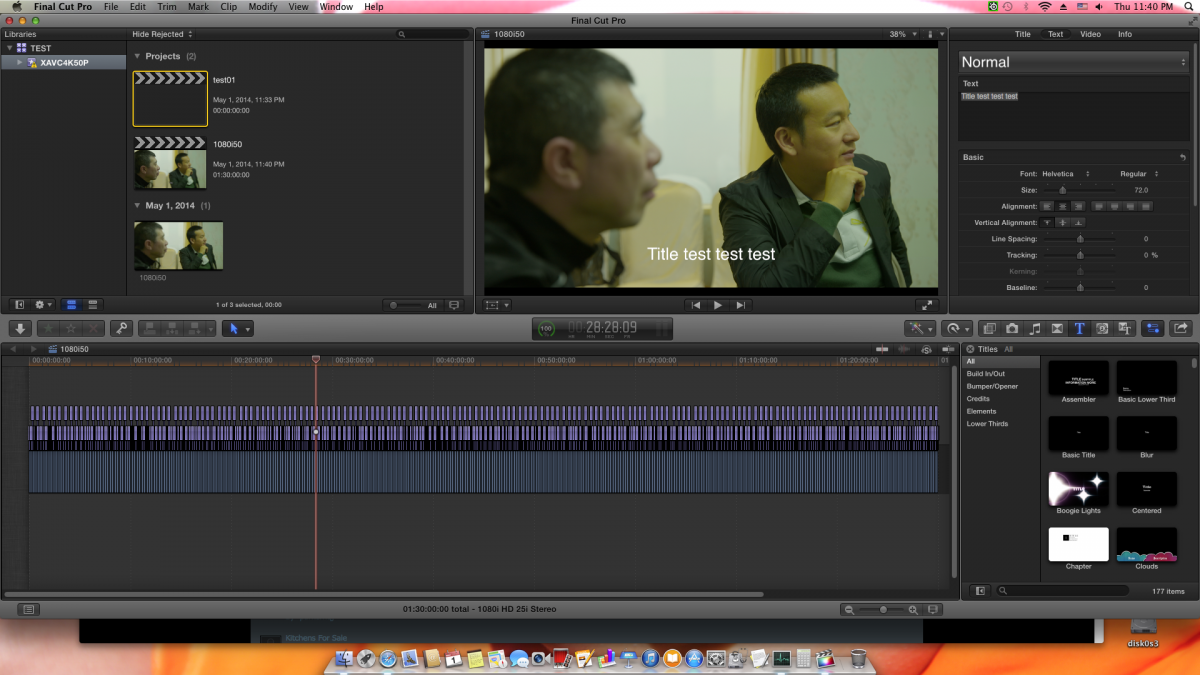
my screen is like this:
Please Log in to join the conversation.
01 May 2014 15:44 #45464
by artofoe
Replied by artofoe on topic why FCPX can not be professional.
and why it looks like i have 3 layers when I fit the timeline to window?
I have only 2 layers!
I have only 2 layers!
Please Log in to join the conversation.
- Tom Wolsky
-

- Offline
- Moderator
-

01 May 2014 15:50 #45466
by Tom Wolsky
Replied by Tom Wolsky on topic why FCPX can not be professional.
Rather than trying to move it, why not insert a gap?
Please Log in to join the conversation.
- Tom Wolsky
-
- Offline
- Moderator
-
01 May 2014 15:51 #45467
by Tom Wolsky
Replied by Tom Wolsky on topic why FCPX can not be professional.
Would need to zoom in a little to see what's going on. Maybe don't post a screen shot of the whole computer screen.
Please Log in to join the conversation.

01 May 2014 15:55 #45468
by muddygun
Replied by muddygun on topic why FCPX can not be professional.
I don't know...I just made 400 bucks off an hours worth of work in FCP 10.1
Your replicating an instance that is pretty strange to say the least....not saying its not a possible timeline. Just one that I have never seen. And just to compare, there are about 5 instances I can think of on a normal basis, where FCP 7 would shut down on me and with fcp x it works without a hiccup. just saying....
Your replicating an instance that is pretty strange to say the least....not saying its not a possible timeline. Just one that I have never seen. And just to compare, there are about 5 instances I can think of on a normal basis, where FCP 7 would shut down on me and with fcp x it works without a hiccup. just saying....
Please Log in to join the conversation.
01 May 2014 16:04 #45470
by artofoe
Replied by artofoe on topic why FCPX can not be professional.
if instance can not do, i don't think thousands of different text clips can.
FCP7 and Avid can do it for sure, we do hours of TV programs with fcp7 and avid too many years
with subtitle on the timeline.
FCP7 and Avid can do it for sure, we do hours of TV programs with fcp7 and avid too many years
with subtitle on the timeline.
Please Log in to join the conversation.

01 May 2014 16:15 #45473
by plysat
Can't sleep? Try this: fcpxpert.net ;-)
Replied by plysat on topic why FCPX can not be professional.
Just did the same thing here on a 2012 MacBook Air. Works fine. A bit sluggish when dragging but not bad when insetting gap and/or using the trim tools.
Can't sleep? Try this: fcpxpert.net ;-)
Please Log in to join the conversation.

01 May 2014 16:30 #45474
by wdevn
LLAP,
James
Taipei, Taiwan
Replied by wdevn on topic why FCPX can not be professional.
Artofoe 你好! I just did a test like this and it worked well. 沒問題。。No problem. I will test more with longer clips.
LLAP,
James
Taipei, Taiwan
Please Log in to join the conversation.
01 May 2014 16:37 - 01 May 2014 16:39 #45475
by muddygun
Replied by muddygun on topic why FCPX can not be professional.
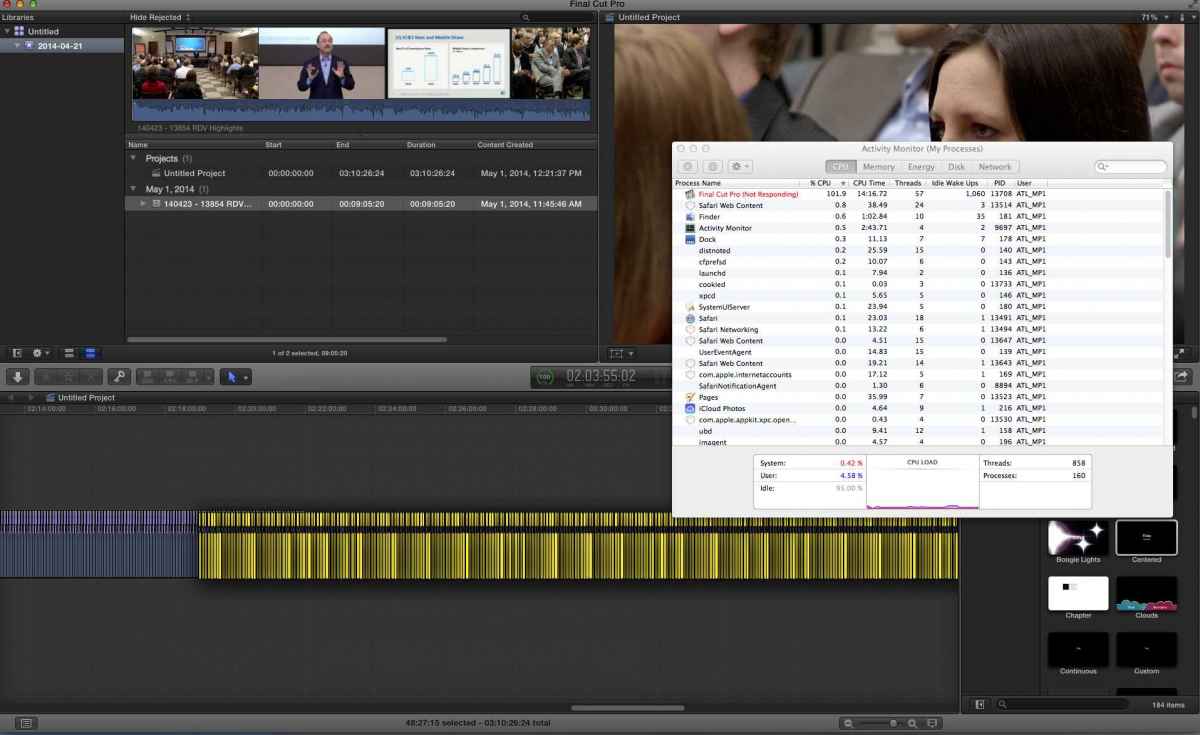
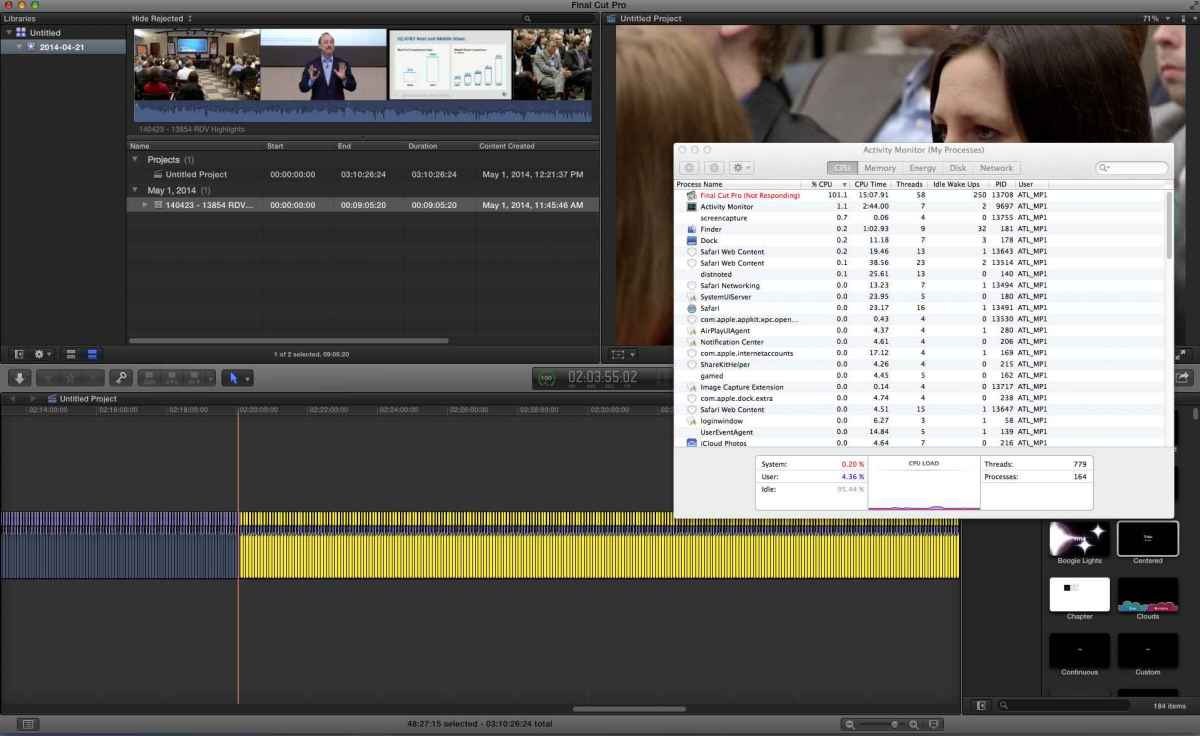
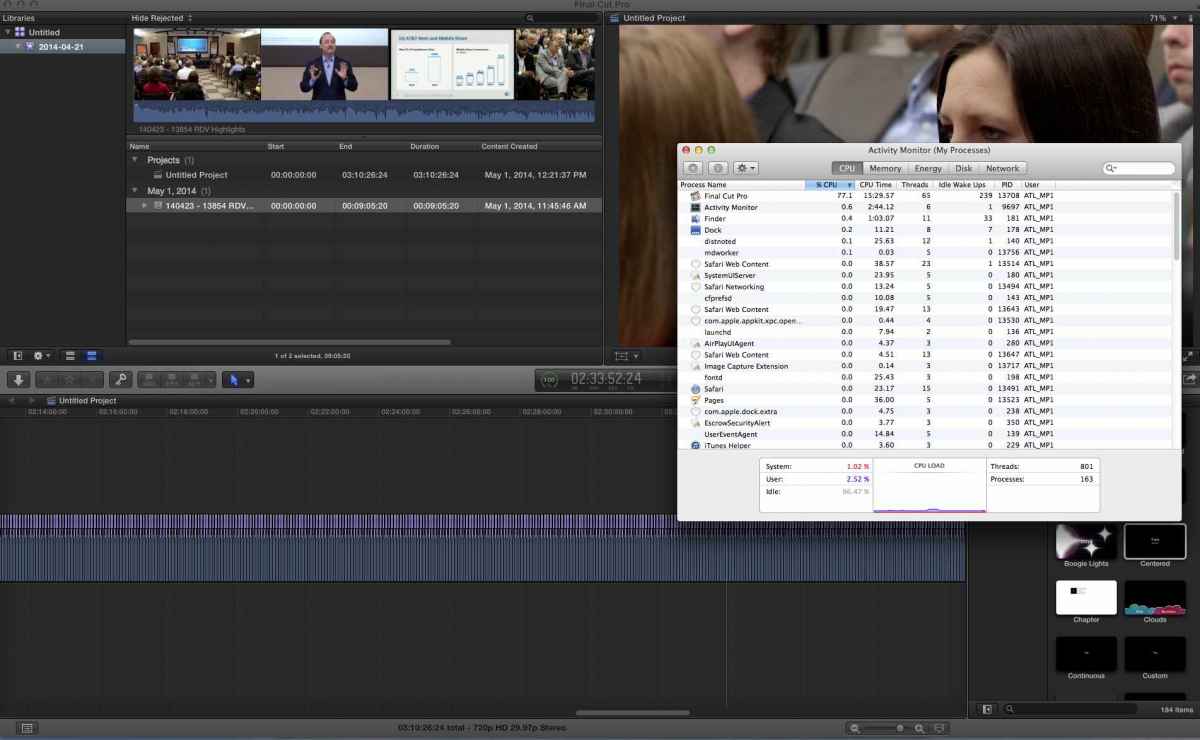
I have added 3 pictures replicating the same thing you did, with an activity monitor running. Now it says FCPX is not responding...but i assure you it is working in overtime. Mind you, these clips are mp4s! Which are not the best codec to have inside fcp. Yes it took 5 minutes to move about 30 minutes worth of 5 sec clips with text on top...but it did it. When i moved smaller increments, there was some lag...but nothing crazy. This is a decked out new mac pro by the way.
Last edit: 01 May 2014 16:39 by muddygun.
Please Log in to join the conversation.
01 May 2014 16:38 #45476
by artofoe
Replied by artofoe on topic why FCPX can not be professional.
wow! I will do a test on iMac next week. may be the nvidia card works fine?
Please Log in to join the conversation.
01 May 2014 16:45 #45477
by artofoe
My clip's codec is prores422 1080 50i. The clip is generated by FCPX itself.
I've tested insert blank or trim 5s, that's the solution for now maybe.
But the control of "huge mount of clips" is not flexible like FCP7.
Replied by artofoe on topic why FCPX can not be professional.
muddygun wrote: I have added 3 pictures replicating the same thing you did, with an activity monitor running. Now it says FCPX is not responding...but i assure you it is working in overtime. Mind you, these clips are mp4s! Which are not the best codec to have inside fcp. Yes it took 5 minutes to move about 30 minutes worth of 5 sec clips with text on top...but it did it. When i moved smaller increments, there was some lag...but nothing crazy. This is a decked out new mac pro by the way.
My clip's codec is prores422 1080 50i. The clip is generated by FCPX itself.
I've tested insert blank or trim 5s, that's the solution for now maybe.
But the control of "huge mount of clips" is not flexible like FCP7.
Please Log in to join the conversation.
01 May 2014 16:46 #45478
by artofoe
Replied by artofoe on topic why FCPX can not be professional.
hi, wdevn : D you know where I'm from
Please Log in to join the conversation.
01 May 2014 17:06 - 01 May 2014 17:08 #45479
by tpayton
Replied by tpayton on topic why FCPX can not be professional.
I don't doubt your problem, as it seems reproducible, however, I did this on my iMac 2013 and it works just fine.
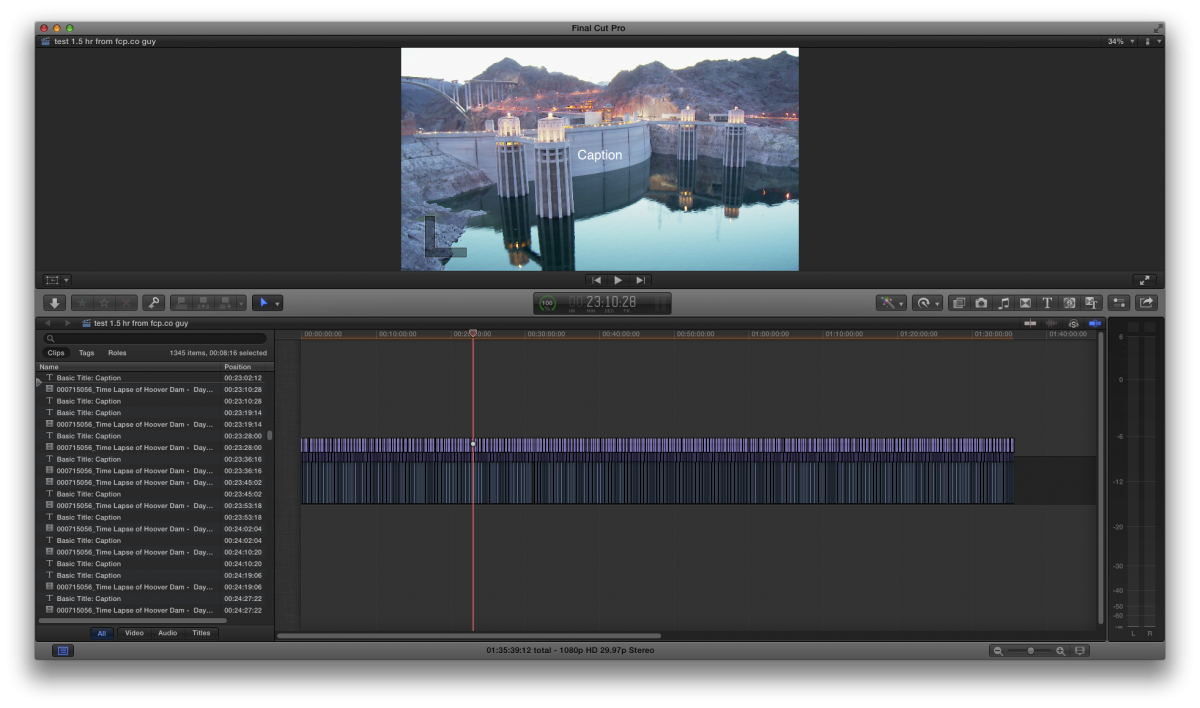
One thing to realize is that every text in FCPX is a motion template, so if you are really going to have 500+ titles in a timeline, you want to make sure you are not using a large motion template for text. Which motion template are you using?
We use captioning quite frequently, and typically use the excellent X-Title importer to create the captions from a caption text file:
www.spherico.com/filmtools/TitleExchange/XTI/index.html
Although I have not used it you might consider this solution also:
fxfactory.com/blog/after-effects/subtitl...-effects-and-motion/
Also OP, I can understand that you are upset, but perhaps next time you can phrase your title as "Help, too many subtitles are causing a crash". Rather than implying that FCPX isn't a professional tool in your title. I get what you were saying, but folks here are probably more prone to overlook your existing title rather than reach out with help.
One thing to realize is that every text in FCPX is a motion template, so if you are really going to have 500+ titles in a timeline, you want to make sure you are not using a large motion template for text. Which motion template are you using?
We use captioning quite frequently, and typically use the excellent X-Title importer to create the captions from a caption text file:
www.spherico.com/filmtools/TitleExchange/XTI/index.html
Although I have not used it you might consider this solution also:
fxfactory.com/blog/after-effects/subtitl...-effects-and-motion/
Also OP, I can understand that you are upset, but perhaps next time you can phrase your title as "Help, too many subtitles are causing a crash". Rather than implying that FCPX isn't a professional tool in your title. I get what you were saying, but folks here are probably more prone to overlook your existing title rather than reach out with help.
Last edit: 01 May 2014 17:08 by tpayton.
Please Log in to join the conversation.
01 May 2014 17:30 - 01 May 2014 18:19 #45480
by tpayton
Replied by tpayton on topic why FCPX can not be professional.
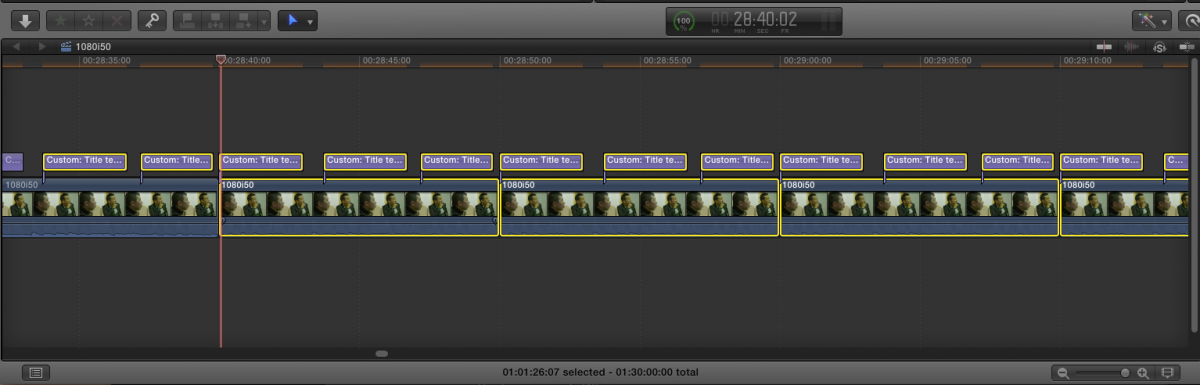
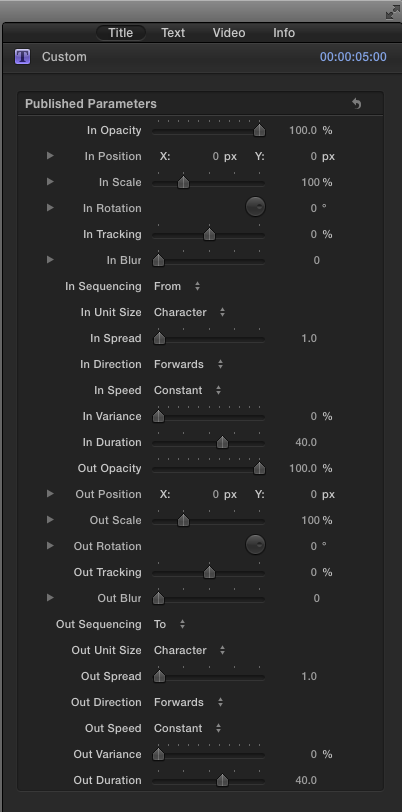
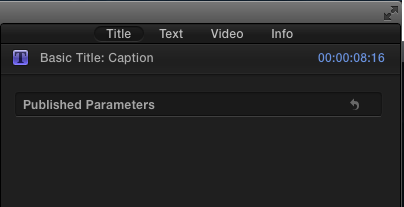
I look at your screen shot and I think I see the issue. You are using the title called "Custom" which is frankly a monster with all it's custom controls. You need to be using something simpler for titles. Basic text for example (See below).
I've helped many folks who have a tendency throw so much stuff at FCPX just because it seems to easy to do. FCPX is very powerful and simple, but professional workflows must first be tested thoroughly and refined before they are implemented on a large project, or even a small ones.
I worked on a feature and frankly it took weeks of testing to figure out the most efficient workflow. This wasn't because FCPX is lacking, but lots of folks have figured out the workflows for Avid, FCP7, etc. It is still fresh territory for FCPX.
Controls for Custom:
Controls for Basic Text:
I've helped many folks who have a tendency throw so much stuff at FCPX just because it seems to easy to do. FCPX is very powerful and simple, but professional workflows must first be tested thoroughly and refined before they are implemented on a large project, or even a small ones.
I worked on a feature and frankly it took weeks of testing to figure out the most efficient workflow. This wasn't because FCPX is lacking, but lots of folks have figured out the workflows for Avid, FCP7, etc. It is still fresh territory for FCPX.
Controls for Custom:
Controls for Basic Text:
Last edit: 01 May 2014 18:19 by tpayton.
Please Log in to join the conversation.
01 May 2014 18:01 - 01 May 2014 18:03 #45481
by artofoe
Replied by artofoe on topic why FCPX can not be professional.
Thank you very much, tpayton, I agree with you 
I've done some tests for months about our workflow for 4K.
The reason I choose FCPX is it supports XAVC, and it can export 4K codec,but avid cannot.
I know my topic is not good, and I will consider carefully in the future.
As a matter of fact I like FCPX for the realtime performance and editing efficiency.
But sometimes, it is not that mature like FCP7 or Avid when doing some aspect of our basic needs like the subtitle.
We've done a 4K 50P documentary film that has about 600 hours + clips with FCPX in February ,
and at that time, the big problem is the subtitle.
By the way , I change my text to Basic title, but the result is the same:
I've done some tests for months about our workflow for 4K.
The reason I choose FCPX is it supports XAVC, and it can export 4K codec,but avid cannot.
I know my topic is not good, and I will consider carefully in the future.
As a matter of fact I like FCPX for the realtime performance and editing efficiency.
But sometimes, it is not that mature like FCP7 or Avid when doing some aspect of our basic needs like the subtitle.
We've done a 4K 50P documentary film that has about 600 hours + clips with FCPX in February ,
and at that time, the big problem is the subtitle.
By the way , I change my text to Basic title, but the result is the same:
tpayton wrote: I look at your screen shot and I think I see the issue. You are using the title called "Custom" which is frankly a monster with all it's custom controls. You need to be using something simpler for titles. Basic text for example (See below).
I've helped many folks who have a tendency throw so much stuff at FCPX just because it seems to easy to do. FCPX is very powerful and simple, but professional workflows must first be tested thoroughly and refined before they are implemented on a large project, or even a small ones.
I worked on a feature and frankly it took weeks of testing to figure out the most efficient workflow.
Controls for Custom:
Controls for Basic Text:
Last edit: 01 May 2014 18:03 by artofoe.
Please Log in to join the conversation.
01 May 2014 18:14 #45483
by muddygun
Replied by muddygun on topic why FCPX can not be professional.
I know I am not in your situation artofoe...but why would you have 600 hours of clips in one timeline? can you not make a compound clip out of each segment, or just multiple timelines(or projects as 10.1 calls them).
Please Log in to join the conversation.
01 May 2014 18:18 #45484
by artofoe
Replied by artofoe on topic why FCPX can not be professional.
Of course, we did not use all of the clips. The film is about 40min *3.
And we made a compound of the text layer every 5 mins to solve the problem.
And we made a compound of the text layer every 5 mins to solve the problem.
Please Log in to join the conversation.
01 May 2014 18:22 #45485
by tpayton
Weird. What part of the world are you in? Perhaps you can contact me via email and you can send me an XML of your project. Perhaps I can help you with that workflow.
You can email me using my fcp.co username and then at my company which is onecreative.net
- T.
Replied by tpayton on topic why FCPX can not be professional.
artofoe wrote: By the way , I change my text to Basic title, but the result is the same:
Weird. What part of the world are you in? Perhaps you can contact me via email and you can send me an XML of your project. Perhaps I can help you with that workflow.
You can email me using my fcp.co username and then at my company which is onecreative.net
- T.
Please Log in to join the conversation.
