


3 Post Moderation Rule for New Boarders (25 Jan 2021)
New boarders will have their posts moderated - Don't worry if you cannot see your post immediately.
My Smokin' MacPro Is Slow...Render Is Slow...am I being stupid picky?
- Darren Roark
-

- Offline
- Platinum Member
-

I worked on a doc with a guy with the same gen pro as yours. It was so slow with the h264 footage until we transcoded. I think it has to do also with your gpu being opencl 1.0. It is frustrating that the pro towers don't perform well with fcp x.
A new gpu may help. The sapphire 7950 seems like a good possibility.
Please Log in to join the conversation.


Please Log in to join the conversation.
I've heard about ClipWrap, but never looked into it. Sounds like just what I need to integrate into my workflow.
Speaking of which, they claim it's faster than transcoding in FCPX. Have you found this to be true?
Please Log in to join the conversation.
If having the creation time/date of a clip is important to you for sorting clips in to order, or just generally tracking down a clip that was shot on the morning of xyz day etc then you should try to capture from the AVCHD in to FCPX because generally (assuming the camera actually supports it) FCPX will do a good job of keep thing stuff intact.
Once you go the external transcoding route it's almost always lost.
I try to capture to FCPX from original media when ever possible, but if you can't do that then ClipWrap is certainly a great little utility for getting from AVCHD to ProRes.
Please Log in to join the conversation.
Please Log in to join the conversation.
talonhead wrote: Here's an interesting thing. I removed Magic Bullet from the system and experimented a bit heavier with the built-in effects..
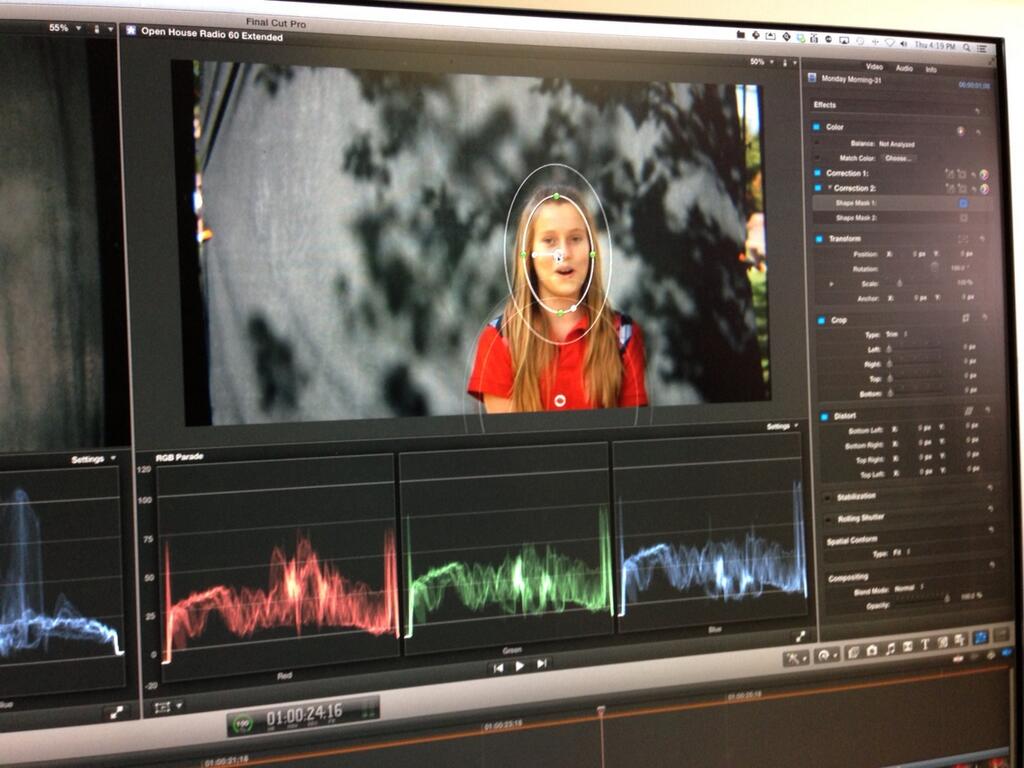
Magic Bullet is very cool, but I think you would be hard pressed to find something that you can't do with FCPX native color correction. (granted the color board is problematic when trying to utilize the vector scope, there are no channel curves and your shape masks are limited to squares and ovals, but even with those limitations you'll be surprised at what issues you can't deal with.)
Color Grading Central has some excellent free basic color grading tutorials for FCPX:
www.colorgradingcentral.com/final-cut-pr...ng-table-of-contents
Those only scratch the surface however, lots more you can do with secondaries. I redid a project that I had done in Apple Color several years ago, and was able to get even better results. Plus it all played back in real time.
Please Log in to join the conversation.

Magic Bullet is demanding but I have it on my system and it works pretty well, especially the new update from Red Giant. I have a Mac Pro 12 core with SSD's and external RAID 5 SATA 3 drives, and ATI Radeon HD5870 - similar to the OP setup.
1080 60P is still demanding even optimized and FCPX can be a demanding app. I am using it with HIGH QUALITY playback and full or optimized media, with dual displays and all event browser clips showing thumbnails. T Payton is correct in that changing a few of those settings in your app will help to speed things up, but for me with everything as described above, I still get pretty good performance.
If FCPX is taking over 30 seconds to start up, there may be another issue. It should open (especially off SSD) pretty quick 10 to 15 secs even with a large amount of projects from my experience.
I would check into other OS issues - is Time Machine running? are other apps running in background? If running Mavericks, be sure APP NAP is selected OFF in the GET INFO section of FCPX, COMPRESSOR, and MOTION. Also, set up a Quick cluster with services for compressor to assist with rendering using all but a few cores of your processor. (More info on that can be found on this forum).
Creating history....one edit at a time !
Please Log in to join the conversation.
No TM running at the time. I don't have other apps running in the background (at least ones really demanding). I was running Mavericks, but it's too buggy for me right now...so I went back to ML.
All in all, you guys have been super helpful! I have other questions, but will start new threads in regards to.
I believe I like this place better than Apple support FCPX forum. They tend to rake people over the coals a bit too much for my taste. Many people on pedestals over there. Ehh...
THANK YOU ALL!
Please Log in to join the conversation.
talonhead wrote: That said, I think the best route (at least what I'm most comfortable with) is to use ClipWrap to re-wrap the MTS files I have, import into FCPX, then let FCPX transcode to ProRes422 or 422Proxy.
Might I suggest rarevision.com/5dtorgb/ for your MTS conversion. They have a single file version (free) on said website, and a batch version on the Apps Strore. I have been using this converter for 2 years with very good results ( running Sony NEX camera)
K
Please Log in to join the conversation.
- Darren Roark
-
- Offline
- Platinum Member
-
Please Log in to join the conversation.
