


3 Post Moderation Rule for New Boarders (25 Jan 2021)
New boarders will have their posts moderated - Don't worry if you cannot see your post immediately.
How to add a Fade-In on a Clip but not create a Transition?
- Tom Wolsky
-

- Offline
- Moderator
-

Please Log in to join the conversation.


Please Log in to join the conversation.
- Tom Wolsky
-
- Offline
- Moderator
-
Please Log in to join the conversation.
- jaredrwhite
-

- Offline
- New Member
-

- Posts: 3
- Thank you received: 0
 . Setting it to 100 means "Clip A" will fade to black, then it will cut directly to Clip B (basically, just a fade to black for Clip A). The "Hold" slider, along with the length of the transition, will then affect the amount of time it stays black onscreen.
 Please Log in to join the conversation.
- haysoos123
-

- Offline
- Platinum Member
-

- Posts: 402
- Thank you received: 72
bendermac wrote:
how would you apply a fade-in in this example (see screenshot below) without a dedicated fade-in filter like the one from alex4d or from motion provided by dgwvideo? afaik you have make a connected clip to get it to work.
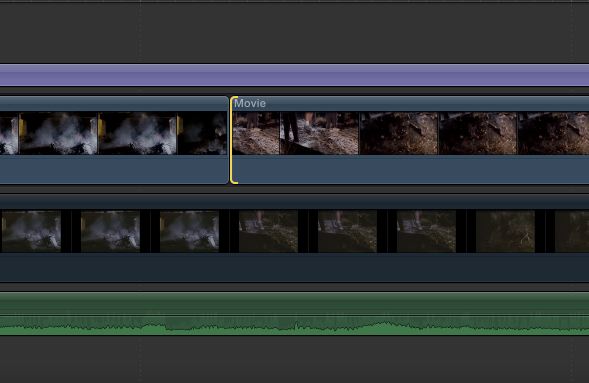
This is a small quirk of the UI, since it "helps" you by turning a transition between two adjacent connected clips into a dissolve between them, which is what you're not asking for in this situation. To add a fade-in here, I will usually select that second connected clip and nudge it a frame over so that it's no longer adjacent, apply the transition, and then nudge it back. It's just a little extra step.
Please Log in to join the conversation.

Please Log in to join the conversation.
- Karsten Schlüter
-

- Offline
- Moderator
-
- Posts: 3790
- Thank you received: 718
bendermac wrote: ... i want to add a fade-in on a clip but no matter what, fcpx always adds a transition because there is a clip in front of it. ...
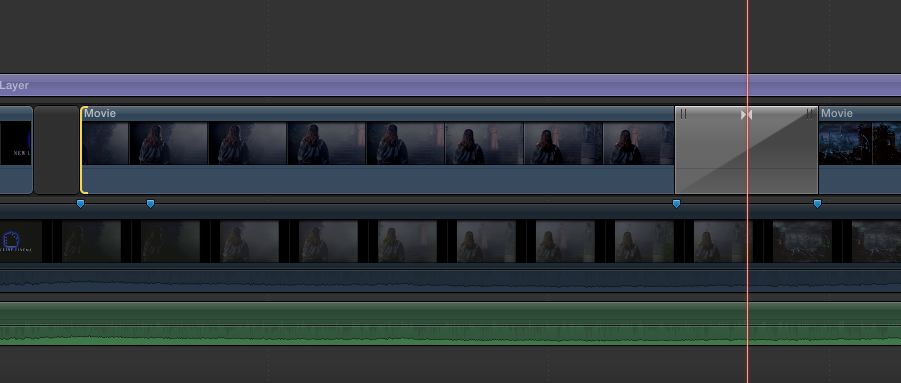
...
for me, the stupid alien (maybe I'm just lost in translation):
What is the difference btw. a 'transition from black' (not wanted by OP)
and a 'fade in' (wanted by OP)??? :S
Please Log in to join the conversation.

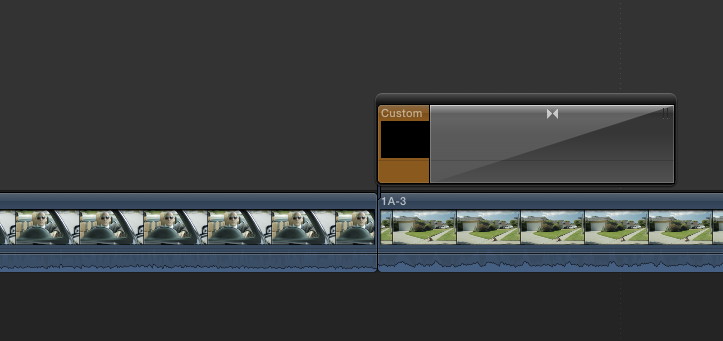
1. Connect the Custom generator (from the Solids category) and add a crossfade transition to it.
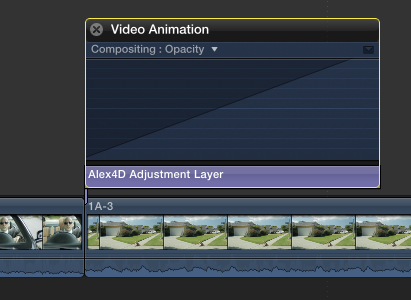
2. Connect an Adjustment Layer and fade its opacity in (or keyframe its Opacity)
3. Create a black generator with a built-in fade in Motion to connect when you need a fade in.
Sadly the answer isn't "Press Command-Option-P-R"... yet.
@Alex4D
(The 'W' is for 'Workaround')
Please Log in to join the conversation.
and a 'fade in' (wanted by OP)???"
Same thing.
Please Log in to join the conversation.
- Karsten Schlüter
-
- Offline
- Moderator
-
- Posts: 3790
- Thank you received: 718
BenB wrote: ... Same thing.
Then I don't understand the original question: ...
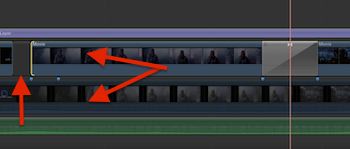
a) the primary storyline is not in use ... why? cmd-alt-arrow down the top layer, and the OP can apply any dissolve/transition/fade/from black/whatever he wants ...
b) if it's not a fade btw. two clips he wants, it HAS to be a transition from black to clip ... 'fade' means partial transparent = so, what ELSE does he wants to see? Nothing? The clip underneath? No.the clip before? No. Plain black? That's the clip before. Or, using the fade-to/from-color transition, as mentioned before....
c) ... or is the whole story about magnetic timeline/free positioning, loosing timing, etc ...?
:blink: me confused, sorry for no contribution to solve this riddle .... Will be interesting, what the OP finally does ...
my imagination is limited, ............. again. :lol:
Please Log in to join the conversation.
