




- Posts: 65
- Thank you received: 0
3 Post Moderation Rule for New Boarders (25 Jan 2021)
New boarders will have their posts moderated - Don't worry if you cannot see your post immediately.
VTwinFX wont load
31 Jul 2022 23:02 #121652
by steve223
VTwinFX wont load was created by steve223
hello,
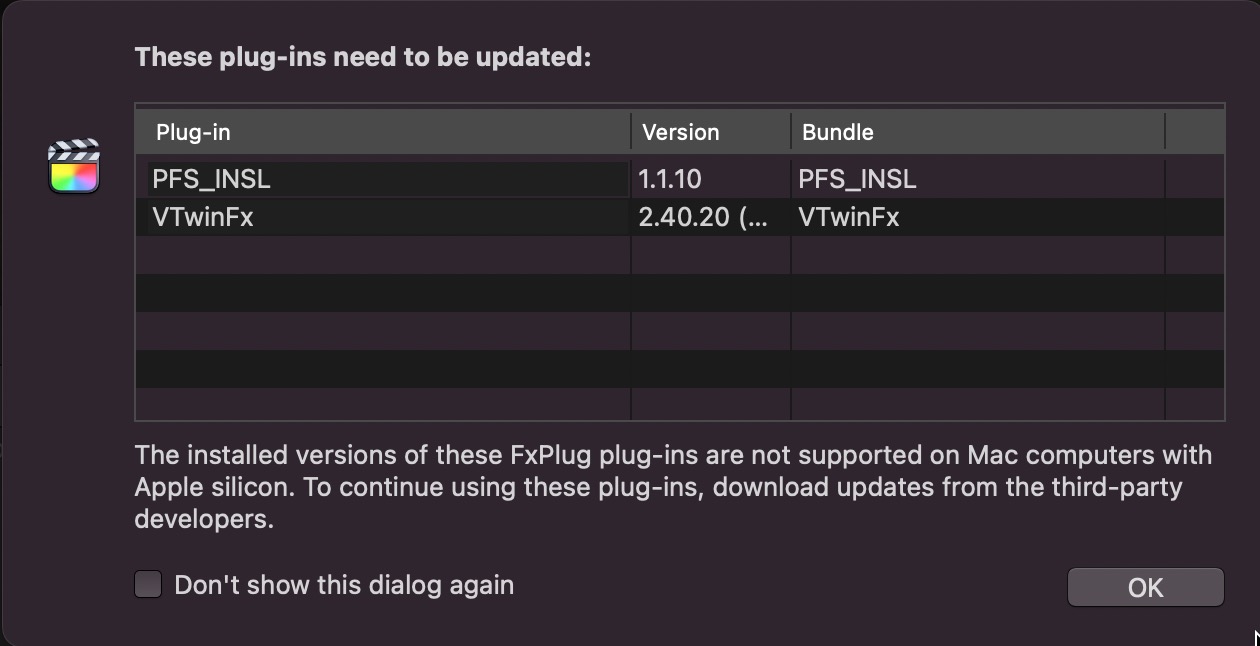
I'm on a MacStudio latest version of everything and have a few issues with Core Melt plug ins. Every start of FCP I see a window telling me VTwinFX 2.40.20 needs to updated. Which of the CoreMelt Plug-ins does this relate to and how to fix it? Also I use to lock and load to stabilise some clips, which works great, but upon restart the next day, it tells me Plugins are missing and the clip has the red window. The only way to solve is to disable stabilising on the clip and do it all over again sometimes also several restarts of FCP will sort it This is very Annoying
I'm on a MacStudio latest version of everything and have a few issues with Core Melt plug ins. Every start of FCP I see a window telling me VTwinFX 2.40.20 needs to updated. Which of the CoreMelt Plug-ins does this relate to and how to fix it? Also I use to lock and load to stabilise some clips, which works great, but upon restart the next day, it tells me Plugins are missing and the clip has the red window. The only way to solve is to disable stabilising on the clip and do it all over again sometimes also several restarts of FCP will sort it This is very Annoying
Please Log in to join the conversation.


01 Aug 2022 00:08 #121653
by DaveM
Replied by DaveM on topic VTwinFX wont load
I have a "VTwinFX.app" file in a Coremelt folder in my Applications folder. It appears to be the same version as yours. I have an Intel Mac so I can't be of much further help...
Please Log in to join the conversation.

01 Aug 2022 16:13 #121665
by dmetz
Replied by dmetz on topic VTwinFX wont load
You can use Intel-only plugins if you launch FCP in Rosetta mode:
coremelt.com/blogs/news/how-to-use-corem...-on-apple-m1-silicon
Most of their stuff is already M1 ready, but you'll want to check the CoreMelt Manager app regularly to make sure you've got all of the latest versions.
I keep everything current, and have checked the 'Don't show this to me anymore' box on the warning dialog.
coremelt.com/blogs/news/how-to-use-corem...-on-apple-m1-silicon
Most of their stuff is already M1 ready, but you'll want to check the CoreMelt Manager app regularly to make sure you've got all of the latest versions.
I keep everything current, and have checked the 'Don't show this to me anymore' box on the warning dialog.
Please Log in to join the conversation.
Moderators: funwithstuff, CoreMelt
