


- Posts: 42
- Thank you received: 0
3 Post Moderation Rule for New Boarders (25 Jan 2021)
New boarders will have their posts moderated - Don't worry if you cannot see your post immediately.
Stencil Alpha mask without rendering the garbage background as black. Possible|/
- jamespeach
-
 Topic Author
- Offline
- Senior Member
-

Less
More
16 Jul 2023 23:17 - 16 Jul 2023 23:18 #126408
by jamespeach
Stencil Alpha mask without rendering the garbage background as black. Possible|/ was created by jamespeach
I suspect I'm just being dense here but I can't work out how to have a shape mask that allows me to see the layer underneath.
I'm using motion because I want it to be a layer and not an effect (for my workflow)
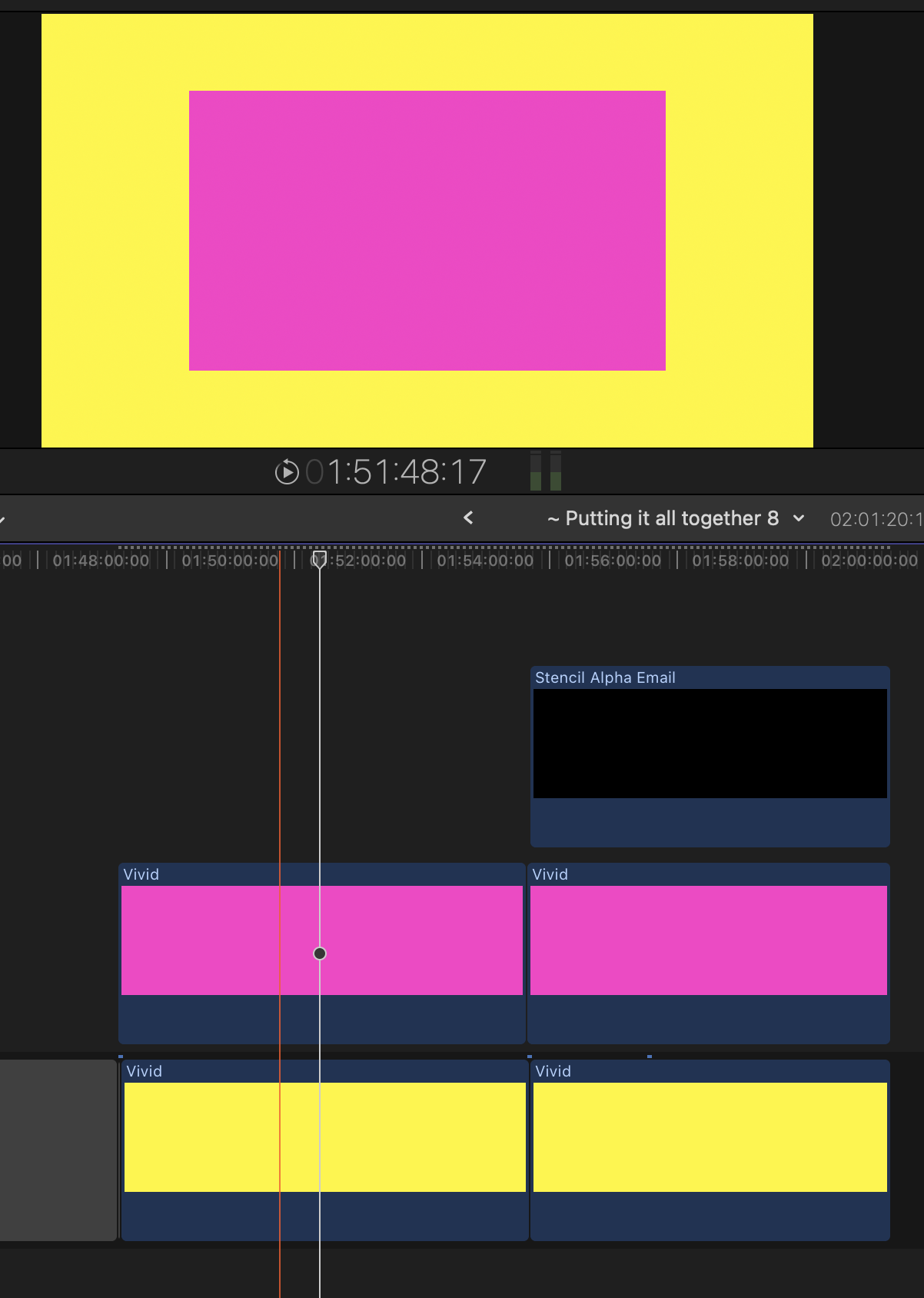
Here's how I expect it to work using shape mask directly inside Final Cut Pro
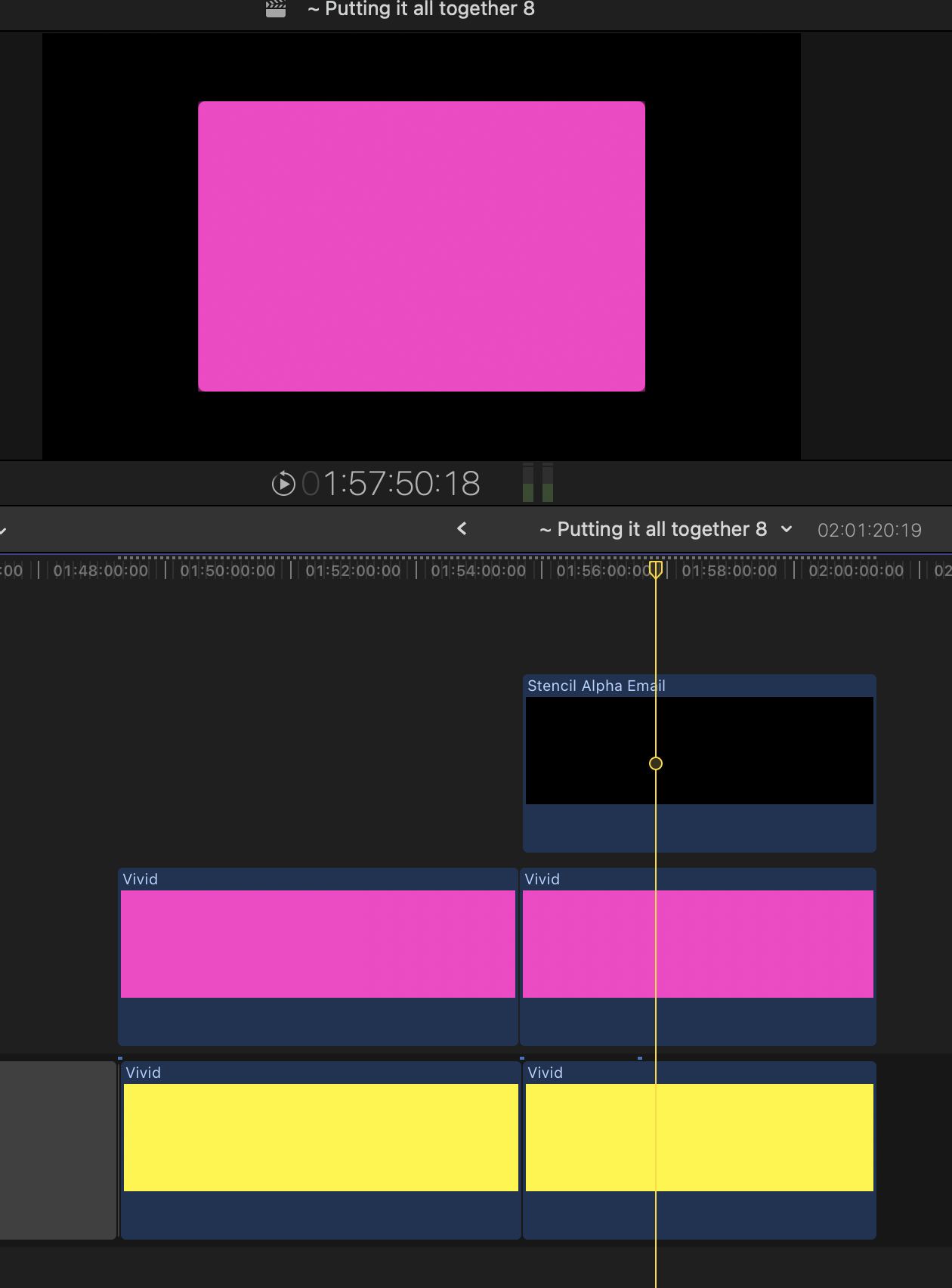
And here's how my mask layer that I made in Motion is functioning.
Here's my motion project. I can't quite wrap my head around where the black is being added. I know it has nothing to show but surely it should show nothing. Or, in this instance, I put a green layer there.
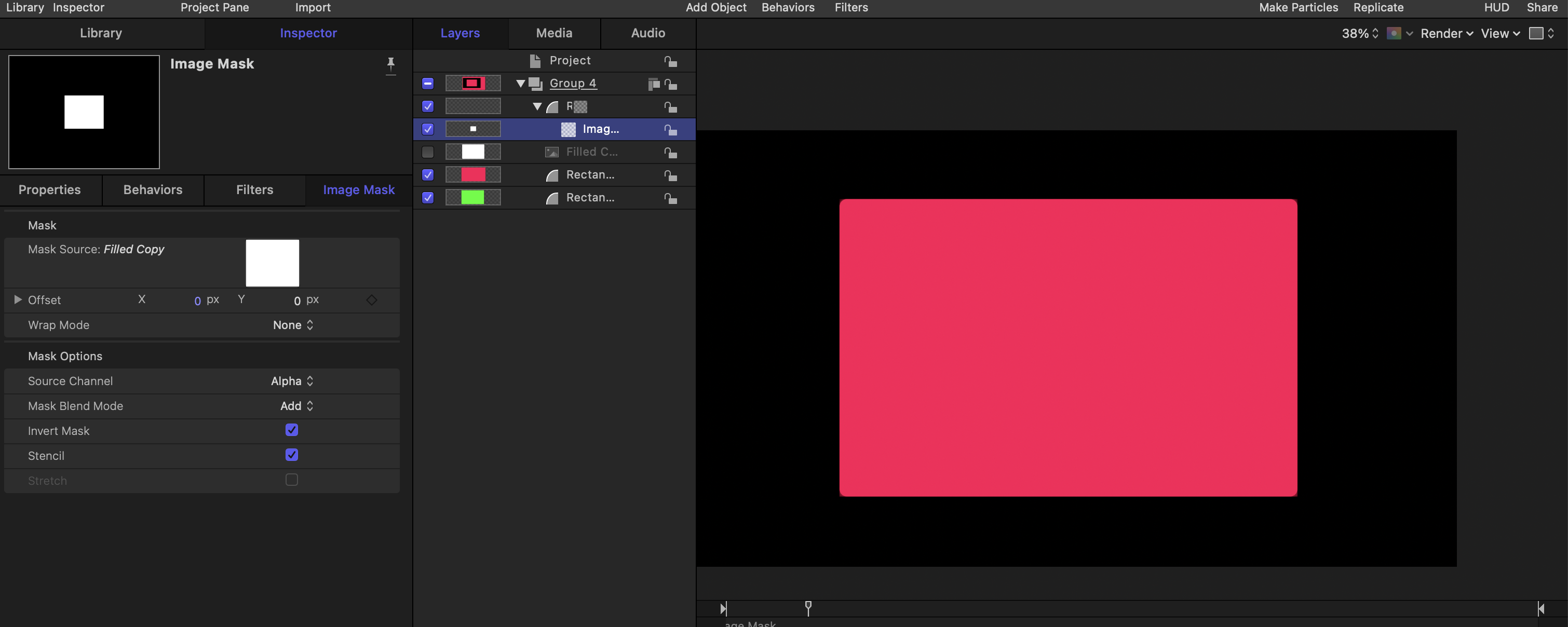
Apologies for the gross colours.
I'm using motion because I want it to be a layer and not an effect (for my workflow)
Here's how I expect it to work using shape mask directly inside Final Cut Pro
And here's how my mask layer that I made in Motion is functioning.
Here's my motion project. I can't quite wrap my head around where the black is being added. I know it has nothing to show but surely it should show nothing. Or, in this instance, I put a green layer there.
Apologies for the gross colours.
Last edit: 16 Jul 2023 23:18 by jamespeach.
Please Log in to join the conversation.


17 Jul 2023 03:12 #126410
by sc_fox
Replied by sc_fox on topic Stencil Alpha mask without rendering the garbage background as black. Possible|/
I'm not sure why you have the "shape mask" - the stencil probably makes it superfluous.
Place your Stencil effect inside one group. Place all your "underneath" content in a separate group under the stencil group.
Select the Stencil Group and in Properties > Blending, change the Group Blend Mode from its default of "Pass Through" to Normal. That will stop the stencil action at the "bottom" of the group in which it is invoked.
If you are using Stencil Alpha (or Silhouette Alpha) on a Group of objects, then place that group within a Group with blend mode Normal for any other content you need to show below it.
If you have groups set to Pass Through, Stencil (and Silhouette) will "cut" through **everything** below it. You may have noticed the same behavior in Final Cut (place a shape over the storyline and set the blend mode to Stencil Alpha, and ***everything*** underneath it will be cut out.
Place your Stencil effect inside one group. Place all your "underneath" content in a separate group under the stencil group.
Select the Stencil Group and in Properties > Blending, change the Group Blend Mode from its default of "Pass Through" to Normal. That will stop the stencil action at the "bottom" of the group in which it is invoked.
If you are using Stencil Alpha (or Silhouette Alpha) on a Group of objects, then place that group within a Group with blend mode Normal for any other content you need to show below it.
If you have groups set to Pass Through, Stencil (and Silhouette) will "cut" through **everything** below it. You may have noticed the same behavior in Final Cut (place a shape over the storyline and set the blend mode to Stencil Alpha, and ***everything*** underneath it will be cut out.
Please Log in to join the conversation.
- jamespeach
-
Topic Author
- Offline
- Senior Member
-
Less
More
- Posts: 42
- Thank you received: 0
04 Aug 2023 09:59 - 04 Aug 2023 10:02 #126686
by jamespeach
Replied by jamespeach on topic Stencil Alpha mask without rendering the garbage background as black. Possible|/
Oh I hate how this forum works/ looks. I just did a quick reply but I'm not sure whether it posted.
Anyway Thank you so much for this. It works for me in Motion now.
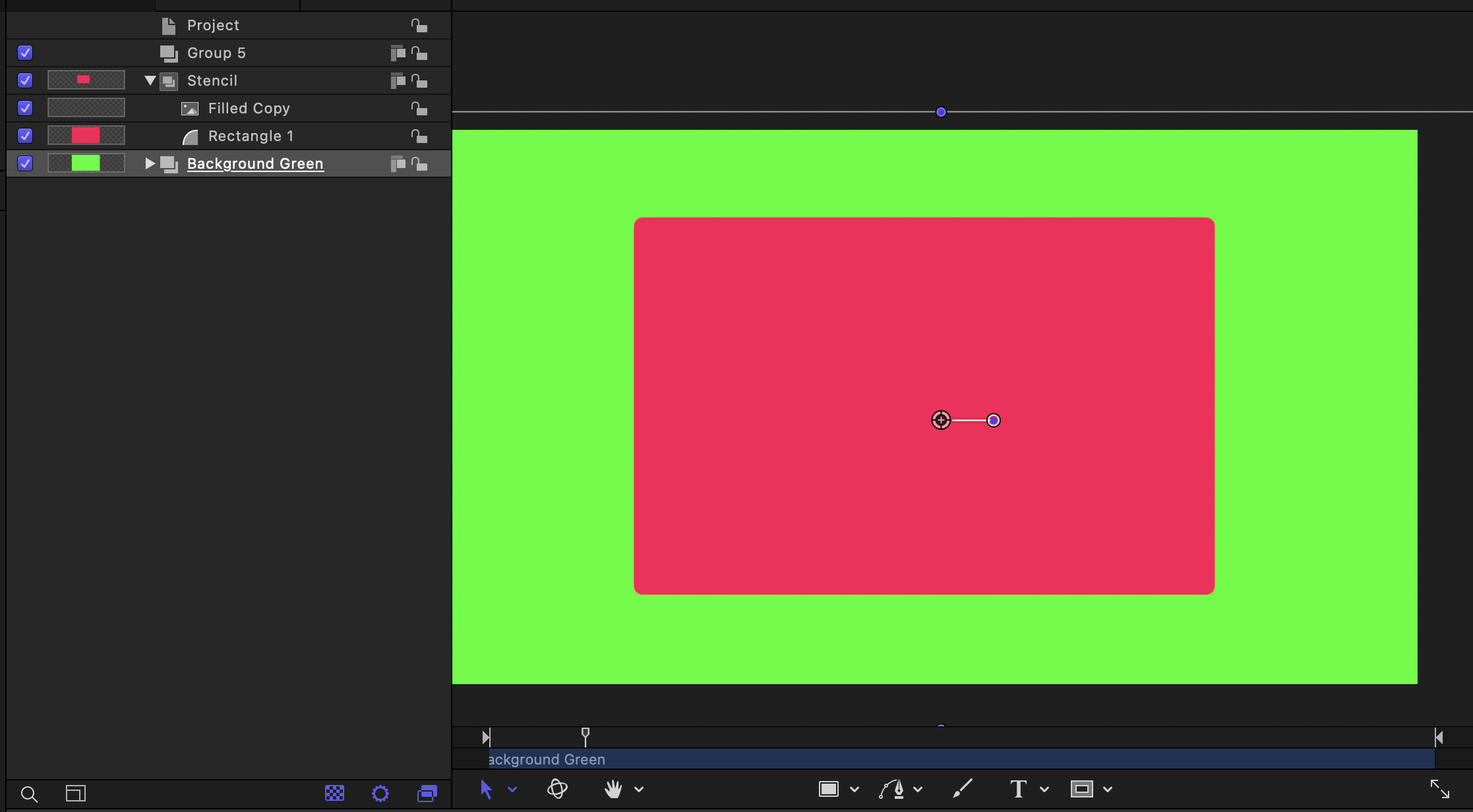
However, I can't get it to work as a title (note; not effect: I wanted to lay it on top of footage) in final cut pro. Is this because the groups need to be done in advance in motion? I was hoping to have the stencil slice through one piece of footage and leave me with the background of the one below. It sounds like I may have to do this manually in Final Cut Pro?
Thank you again.
Anyway Thank you so much for this. It works for me in Motion now.
However, I can't get it to work as a title (note; not effect: I wanted to lay it on top of footage) in final cut pro. Is this because the groups need to be done in advance in motion? I was hoping to have the stencil slice through one piece of footage and leave me with the background of the one below. It sounds like I may have to do this manually in Final Cut Pro?
Thank you again.
Last edit: 04 Aug 2023 10:02 by jamespeach.
Please Log in to join the conversation.
- jamespeach
-
Topic Author
- Offline
- Senior Member
-
Less
More
- Posts: 42
- Thank you received: 0
04 Aug 2023 10:20 #126687
by jamespeach
Replied by jamespeach on topic Stencil Alpha mask without rendering the garbage background as black. Possible|/
You're right about the mask; redundant and I don't know why I had that in there. Here's a video showing what I want to achieve; I think it might be impossible.
Please Log in to join the conversation.
