


3 Post Moderation Rule for New Boarders (25 Jan 2021)
New boarders will have their posts moderated - Don't worry if you cannot see your post immediately.
Creating light behind text cutouts.
- NealF
-
 Topic Author
- Offline
- Senior Member
-

- I'm a composer, producer, performer and multimedia artist and activist.Not much to say. I'll leave that up to whoever gives a crap after I'm dead.Go to The Real Neal Fox ( http://TheRealNealFox.com ) to find out more than you'd ever want to know.
Less
More
24 Dec 2017 23:39 #92697
by NealF
Creating light behind text cutouts. was created by NealF
Hi,
I'm trying to create the effect of a page of text with light coming from behind it. The text will be cutouts so light can pass through. I'll have a slow movement of the light, but nothing drastic. No need for long rays emanating from the holes that are the text.
I tried making a page of black in Photoshop with the letters cut out. Saved as a png. Then I thought all I had to do was put a spot light behind it and move it around. But I couldn't get that to work.
There must be a way to do this. Can't find any tutorials that do it.
Thanks.
I'm trying to create the effect of a page of text with light coming from behind it. The text will be cutouts so light can pass through. I'll have a slow movement of the light, but nothing drastic. No need for long rays emanating from the holes that are the text.
I tried making a page of black in Photoshop with the letters cut out. Saved as a png. Then I thought all I had to do was put a spot light behind it and move it around. But I couldn't get that to work.
There must be a way to do this. Can't find any tutorials that do it.
Thanks.
Please Log in to join the conversation.


25 Dec 2017 01:40 #92701
by JoeEditor
Replied by JoeEditor on topic Creating light behind text cutouts.
Please Log in to join the conversation.
- Karsten Schlüter
-

- Offline
- Moderator
-

Less
More
- Posts: 3790
- Thank you received: 718
25 Dec 2017 05:16 #92703
by Karsten Schlüter
Replied by Karsten Schlüter on topic Creating light behind text cutouts.
there's an excellent tutorial available from Motion Master Mind Simon Ubsdell
… which inspired me to a free plugin
www.fcp.co/forum/generators/24259-volume...red-by-simon-ubsdell
feel free to de-construct mine to inspire your project …

… which inspired me to a free plugin
www.fcp.co/forum/generators/24259-volume...red-by-simon-ubsdell
feel free to de-construct mine to inspire your project …
Please Log in to join the conversation.
25 Dec 2017 15:27 #92712
by NealF
Replied by NealF on topic Creating light behind text cutouts.
Looks like that plugin would do it. I gave a quick try with the demo version but it crashed. Maybe my old Mac Pro isn't fast enough.
Please Log in to join the conversation.
25 Dec 2017 15:32 #92713
by NealF
Replied by NealF on topic Creating light behind text cutouts.
That's a great tutorial. But the effect I'm trying to create is not with solid text.
What I want is to do something that looks like a black card with a light bulb behind it. The text would be cutouts allowing the light to shine through.
Don't need rays of light, necessarily. But I'd like the text to show as the light source moves.
What I want is to do something that looks like a black card with a light bulb behind it. The text would be cutouts allowing the light to shine through.
Don't need rays of light, necessarily. But I'd like the text to show as the light source moves.
Please Log in to join the conversation.
25 Dec 2017 16:32 #92715
by JoeEditor
Replied by JoeEditor on topic Creating light behind text cutouts.
With out light rays, you'd have on way to seeing light "shining through". It's just be white text.
I tried to create this, but someone like Karsten would be better at it. I made a rectangle shape. Used text as a Shape Mask on that rectangle, placed a spot light behind it. You can't see the light. If you spin around and look at it form the side the light is on, you see it lit up, with the text as holes in it. Spin around to the other side, opposite the light, you won't see any light coming through the holes made by the mask.
So my issue is, how do we make the light show up? Can we create some sort of fog to make the light rays show up? I've tried the godray effects I have, none work in a 3D environment.
I think I'd stick with Volumetrics from MotionVFX.
I tried to create this, but someone like Karsten would be better at it. I made a rectangle shape. Used text as a Shape Mask on that rectangle, placed a spot light behind it. You can't see the light. If you spin around and look at it form the side the light is on, you see it lit up, with the text as holes in it. Spin around to the other side, opposite the light, you won't see any light coming through the holes made by the mask.
So my issue is, how do we make the light show up? Can we create some sort of fog to make the light rays show up? I've tried the godray effects I have, none work in a 3D environment.
I think I'd stick with Volumetrics from MotionVFX.
Please Log in to join the conversation.
- Karsten Schlüter
-
- Offline
- Moderator
-
Less
More
- Posts: 3790
- Thank you received: 718
25 Dec 2017 16:42 #92716
by Karsten Schlüter
well, you experience a perplexing fact: light itself is invisible, believe it or not
You can see light only when it get bounced back from some surface.
Have a look:
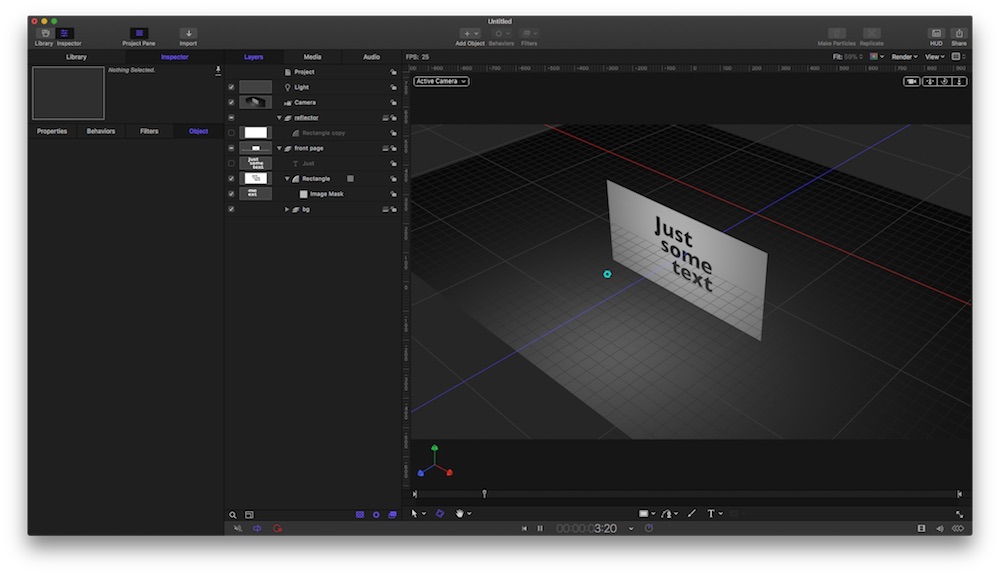
a card, a light in front of it, some text as cut-out (=image-mask, subtract/stencil)
When look from front, you see the cut-out as 'black', and the card is grey…
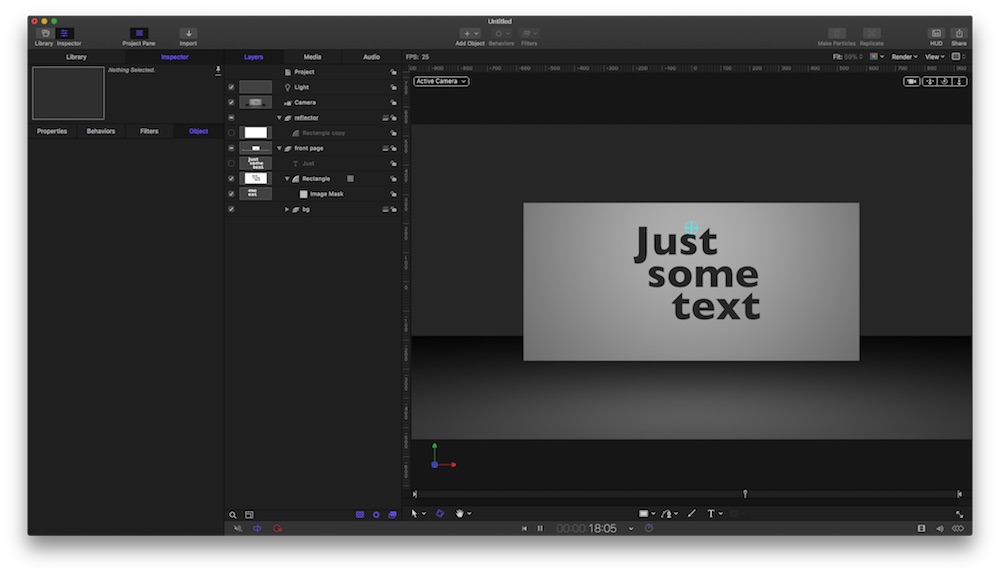
Now, pu the 'bulb' behind the card:
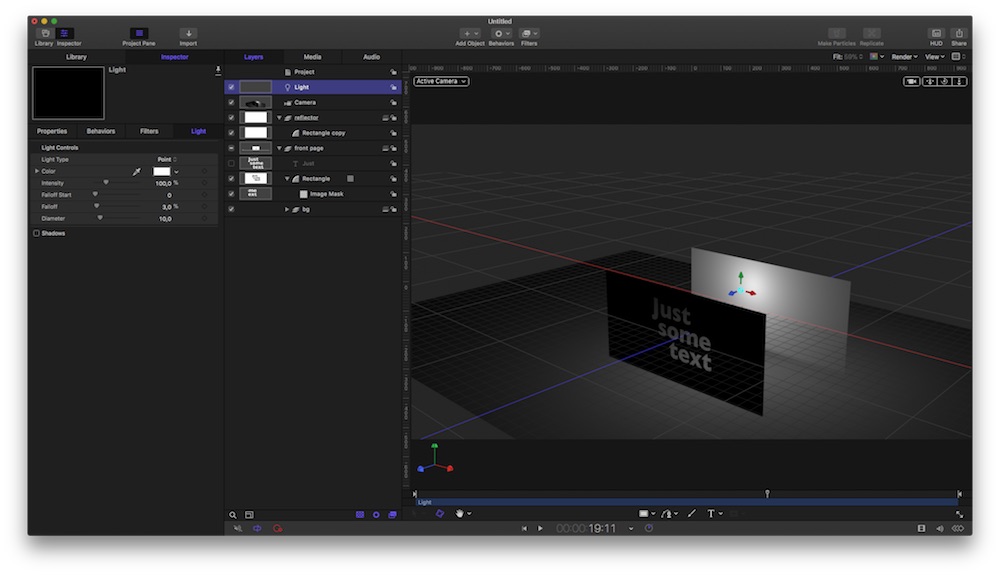
The Bulb itself is invisible … but when you put a 'reflector' = a white rectangle BEHIND the light, you can 'see' the the cut-out. And ONLY with a reflector …
The Volumetrics is a cinematic invention: in real life, you use a fog-machine/water-cracker/… and the billions of tiny drops reflect the light-beams. If you don't want beams, a bouncer is your only chance to make the cut-outs visible.
… and for sure, you can move the light, which gives a nice, a bit creepy effect …-
Replied by Karsten Schlüter on topic Creating light behind text cutouts.
NealF wrote: … What I want is to do something that looks like a black card with a light bulb behind it. The text would be cutouts allowing the light to shine through.
Don't need rays of light, necessarily.…
well, you experience a perplexing fact: light itself is invisible, believe it or not
You can see light only when it get bounced back from some surface.
Have a look:
a card, a light in front of it, some text as cut-out (=image-mask, subtract/stencil)
When look from front, you see the cut-out as 'black', and the card is grey…
Now, pu the 'bulb' behind the card:
The Bulb itself is invisible … but when you put a 'reflector' = a white rectangle BEHIND the light, you can 'see' the the cut-out. And ONLY with a reflector …
The Volumetrics is a cinematic invention: in real life, you use a fog-machine/water-cracker/… and the billions of tiny drops reflect the light-beams. If you don't want beams, a bouncer is your only chance to make the cut-outs visible.
… and for sure, you can move the light, which gives a nice, a bit creepy effect …-
Please Log in to join the conversation.
- Karsten Schlüter
-
- Offline
- Moderator
-
Less
More
- Posts: 3790
- Thank you received: 718
25 Dec 2017 17:01 #92717
by Karsten Schlüter
Replied by Karsten Schlüter on topic Creating light behind text cutouts.
… you beat my by the minute, Ben, but thanks for the flowers!
for the fun of it, attached two movs (dl/unzip):
scene without reflector ,scene with reflector
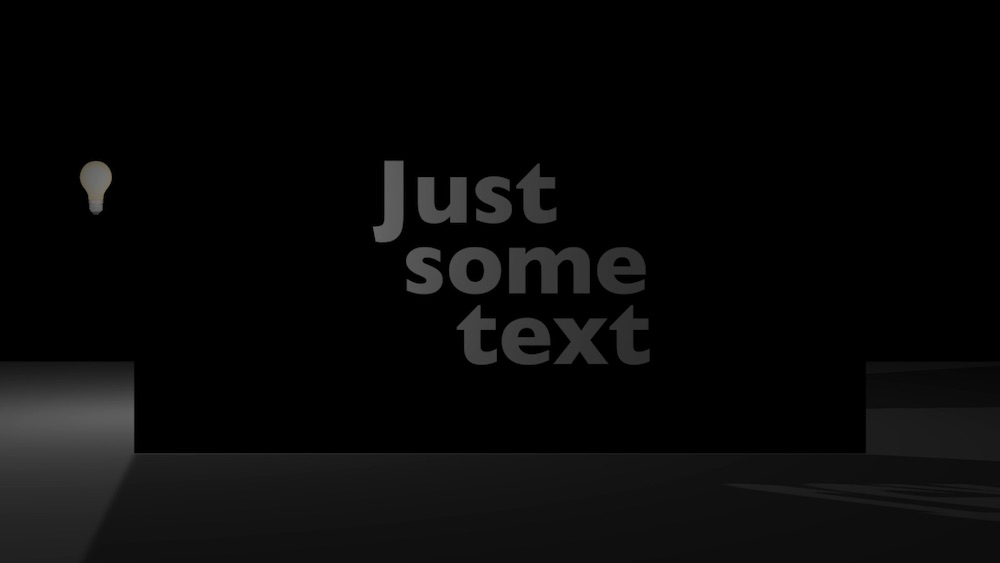
for the fun of it, attached two movs (dl/unzip):
scene without reflector ,scene with reflector
Please Log in to join the conversation.
25 Dec 2017 17:08 #92718
by NealF
Replied by NealF on topic Creating light behind text cutouts.
Wow. Now I know why I spent an hour trying to see the light.
You guys have been extremely helpful. Thanks so much.
You guys have been extremely helpful. Thanks so much.
Please Log in to join the conversation.
