


- Posts: 3
- Thank you received: 0
3 Post Moderation Rule for New Boarders (25 Jan 2021)
New boarders will have their posts moderated - Don't worry if you cannot see your post immediately.
Graphics Question
- richard.finkelstein
-
 Topic Author
- Offline
- New Member
-

Less
More
20 Dec 2017 19:03 #92600
by richard.finkelstein
Graphics Question was created by richard.finkelstein
Hello FCP.PRO
I recently bought Motion 5 and I am quite the novice. I currently am working on a project where I have the front of a music album cover in 3-d space, where when I use the rotate function the same image is both on the "front and the back" per say.
However, I would naturally want the image of the tracklist to go on the back. I envision the final product to be where the album is rotating continuously on a y- axis, showcasing both the front and back cover.
if you can direct me on how to change the back side of this front image to the picture of the tracklist, I'd greatly appreciate it. Thank you in advance.
I recently bought Motion 5 and I am quite the novice. I currently am working on a project where I have the front of a music album cover in 3-d space, where when I use the rotate function the same image is both on the "front and the back" per say.
However, I would naturally want the image of the tracklist to go on the back. I envision the final product to be where the album is rotating continuously on a y- axis, showcasing both the front and back cover.
if you can direct me on how to change the back side of this front image to the picture of the tracklist, I'd greatly appreciate it. Thank you in advance.
Please Log in to join the conversation.
- Karsten Schlüter
-

- Offline
- Moderator
-

Less
More
- Posts: 3790
- Thank you received: 718
21 Dec 2017 05:59 - 21 Dec 2017 06:02 #92622
by Karsten Schlüter
Replied by Karsten Schlüter on topic Graphics Question
Welcome Richard to fcp.co 
the easiest way, I'm aware of, is:
• add a camera to your project = making it '3D' (guess you done that already)
• put both graphics into same group and position (for convenience set both to 0)
• change for one object the z-position by 1pt
• apply Rate behavior to whole group …
dl, unzip and open demo-project:
Have fun with Motion!
the easiest way, I'm aware of, is:
• add a camera to your project = making it '3D' (guess you done that already)
• put both graphics into same group and position (for convenience set both to 0)
• change for one object the z-position by 1pt
• apply Rate behavior to whole group …
dl, unzip and open demo-project:
Have fun with Motion!
Last edit: 21 Dec 2017 06:02 by Karsten Schlüter.
Please Log in to join the conversation.
- Fcp my bread and butter
-

- Offline
- Senior Member
-

Less
More
- Posts: 68
- Thank you received: 5
21 Dec 2017 12:51 #92640
by Fcp my bread and butter
Replied by Fcp my bread and butter on topic Graphics Question
haha old records...
you used the interior of the leaflet for the back to avoid confusion ...
still needs a -180 on Y rotation though
you used the interior of the leaflet for the back to avoid confusion ...
still needs a -180 on Y rotation though
Please Log in to join the conversation.

21 Dec 2017 22:01 #92649
by Pielle
Replied by Pielle on topic Graphics Question
Hi Xavier. Try this, it's a little bit more complicated 3D variation
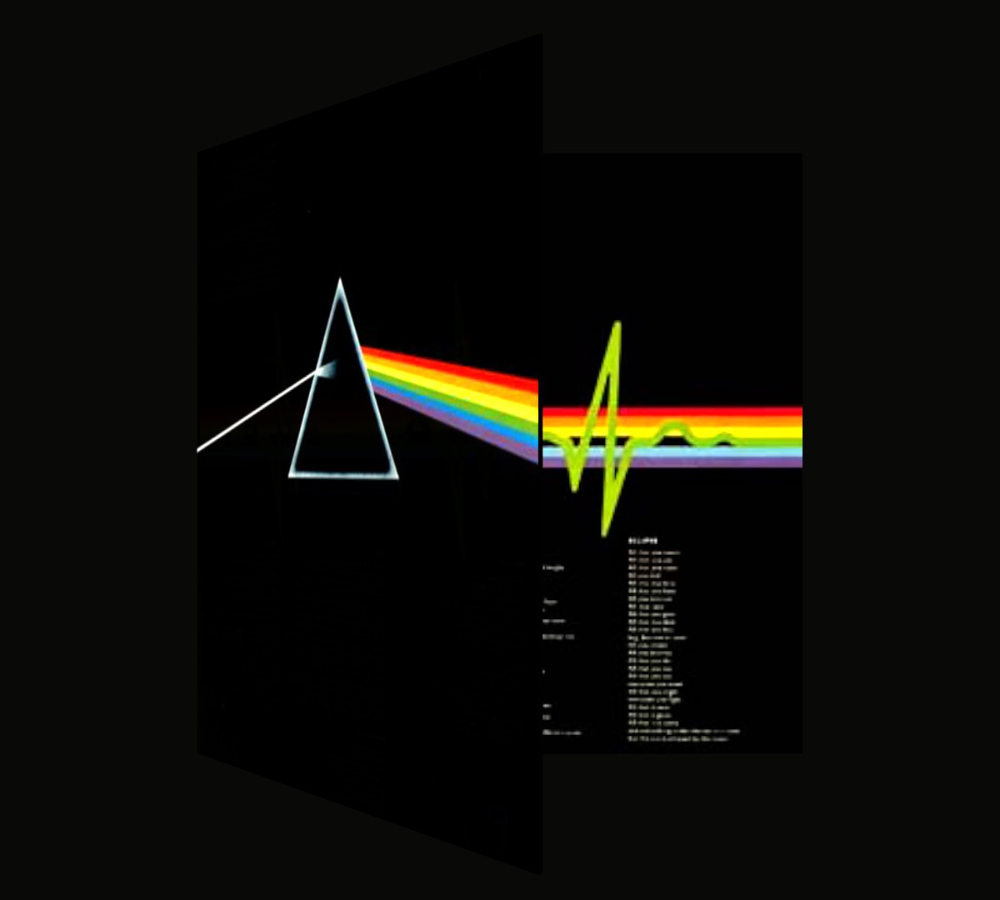
Please Log in to join the conversation.
- Fcp my bread and butter
-
- Offline
- Senior Member
-
Less
More
- Posts: 68
- Thank you received: 5
22 Dec 2017 10:12 #92662
by Fcp my bread and butter
Replied by Fcp my bread and butter on topic Graphics Question
well I am not the guy who asked ... but nice anyway
I am back on Pink Floyd on iTunes right now
I am back on Pink Floyd on iTunes right now
Please Log in to join the conversation.
- richard.finkelstein
-
Topic Author
- Offline
- New Member
-
Less
More
- Posts: 3
- Thank you received: 0
29 Dec 2017 21:30 #92823
by richard.finkelstein
Replied by richard.finkelstein on topic Graphics Question
Thank you so much!!!
Please Log in to join the conversation.
