


- Posts: 6
- Thank you received: 1
3 Post Moderation Rule for New Boarders (25 Jan 2021)
New boarders will have their posts moderated - Don't worry if you cannot see your post immediately.
Extending a template
- Dutchybert
-
 Topic Author
- Offline
- New Member
-

Less
More
13 Aug 2017 17:51 #89877
by Dutchybert
Extending a template was created by Dutchybert
Good afternoon,
I am new here and with Motion as well..
I bought a template and that runs for about 58 seconds. I was able to change the pictures and the background music, changed the colorising.
I would like to extend the time, or better want to add extra dropzones. I tried to copy the dropzones ( 13 come within the template) but for some reason it is not working.
Can someone please help me how to achieve what I want?
Thanks
I am new here and with Motion as well..
I bought a template and that runs for about 58 seconds. I was able to change the pictures and the background music, changed the colorising.
I would like to extend the time, or better want to add extra dropzones. I tried to copy the dropzones ( 13 come within the template) but for some reason it is not working.
Can someone please help me how to achieve what I want?
Thanks
Please Log in to join the conversation.
- Karsten Schlüter
-

- Offline
- Moderator
-

Less
More
- Posts: 3790
- Thank you received: 718
17 Aug 2017 07:02 #89938
by Karsten Schlüter
Replied by Karsten Schlüter on topic Extending a template
Welcome Bert to fcp.co 
… that's very hard to tell from remote, without knowing any detail of the project.
And 'tinkering' in commercial plugins, extending a project by adding drop-zones, mimicking existing animation etc. is no beginner's task ...
Can you share us a screenshot of the Project?
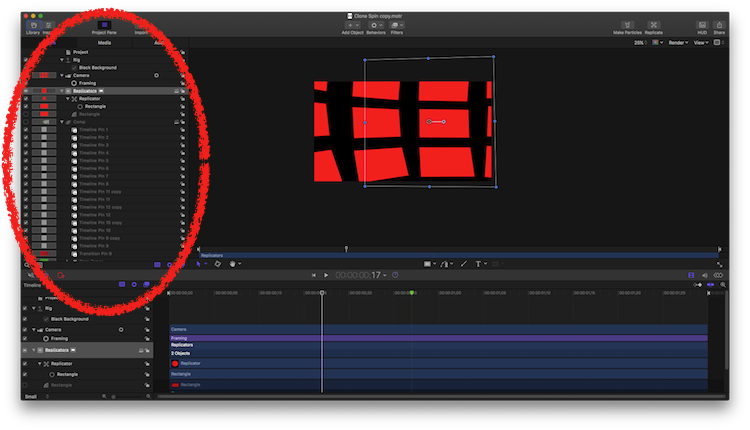
esp. the Project Pane (circle) is of interest. (it has already 13 drop zones, so,I guess it's even more convoluted :S )
… that's very hard to tell from remote, without knowing any detail of the project.
And 'tinkering' in commercial plugins, extending a project by adding drop-zones, mimicking existing animation etc. is no beginner's task ...
Can you share us a screenshot of the Project?
esp. the Project Pane (circle) is of interest. (it has already 13 drop zones, so,I guess it's even more convoluted :S )
Please Log in to join the conversation.
- Dutchybert
-
Topic Author
- Offline
- New Member
-
Less
More
- Posts: 6
- Thank you received: 1
17 Aug 2017 11:34 #89950
by Dutchybert
Replied by Dutchybert on topic Extending a template
Hello Karsten,
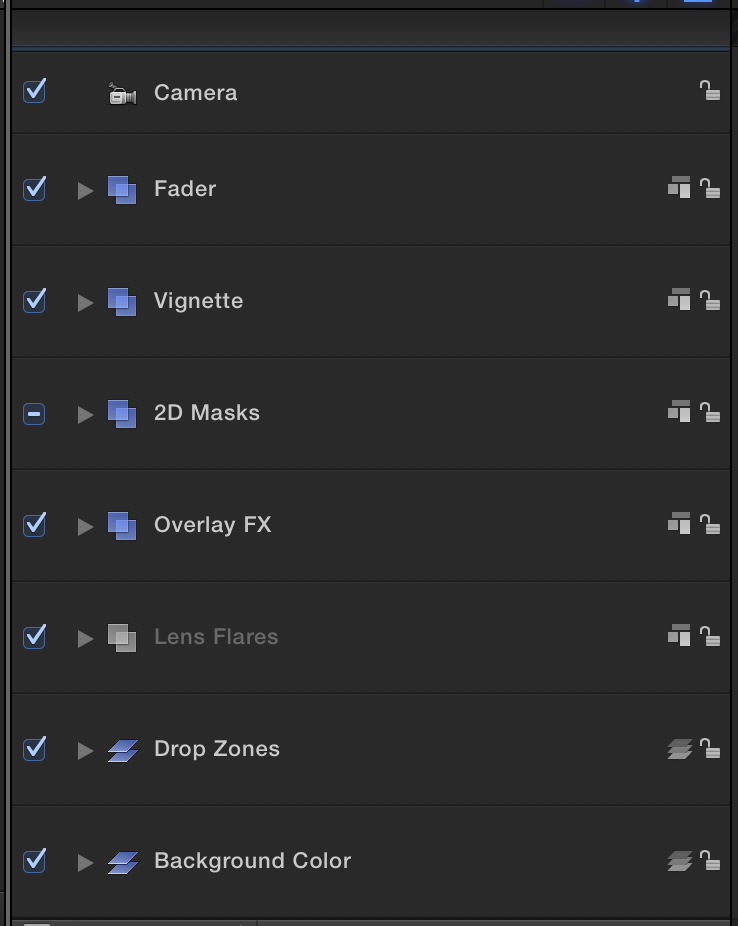
Thank you for the reply. As your differs from mine , but I think I have the right screen shot. Hopefully it helps.
Thanks for the help in advance.
Bert
Thank you for the reply. As your differs from mine , but I think I have the right screen shot. Hopefully it helps.
Thanks for the help in advance.
Bert
Please Log in to join the conversation.
- Karsten Schlüter
-
- Offline
- Moderator
-
Less
More
- Posts: 3790
- Thank you received: 718
22 Aug 2017 04:03 #90046
by Karsten Schlüter
we narrow us, Bert
This is the right pane, but all layers collapsed … info: looks complex, masks, overlays, flares … phew!
For a start, un-collapse the Dropzones …
Not meant rude, but what I foresee to this point in time: I will not able to talk you remotely thru the whole process of extending such a plugin (if possible anyhow), when alone creating a use- and meaningful screen-shot is an issue
It's like sending me the index of a cooking book, and asking for help to change a specific recipe from 'for 4' to 'for 12' .... sort-of …
Plan B )
have you tried to contact the manufacturer of that plugin? Smaller companies are often very helpful with 'customisation' …
Replied by Karsten Schlüter on topic Extending a template
Dutchybert wrote: … As your differs from mine , but I think I have the right screen shot. Hopefully it helps.…[/attachment]
we narrow us, Bert
This is the right pane, but all layers collapsed … info: looks complex, masks, overlays, flares … phew!
For a start, un-collapse the Dropzones …
Not meant rude, but what I foresee to this point in time: I will not able to talk you remotely thru the whole process of extending such a plugin (if possible anyhow), when alone creating a use- and meaningful screen-shot is an issue
It's like sending me the index of a cooking book, and asking for help to change a specific recipe from 'for 4' to 'for 12' .... sort-of …
Plan B )
have you tried to contact the manufacturer of that plugin? Smaller companies are often very helpful with 'customisation' …
Please Log in to join the conversation.
- Dutchybert
-
Topic Author
- Offline
- New Member
-
Less
More
- Posts: 6
- Thank you received: 1
31 Aug 2017 10:10 #90206
by Dutchybert
Replied by Dutchybert on topic Extending a template
Hello Kartsen,
sorry for the delay in replying.
It was never my intention to let you do all the work.
I found a solution. I copied everything and pasted it at the end of the time line. The only problem after that was that I could not move the "end marker" of the original template. It took me a while to move that marker, I was able to "paste" the copy and the original together.
Now I can use all the drop zones and add more pictures to my slideshow.
Hope I made myself clear.
Thanks again
Bert
sorry for the delay in replying.
It was never my intention to let you do all the work.
I found a solution. I copied everything and pasted it at the end of the time line. The only problem after that was that I could not move the "end marker" of the original template. It took me a while to move that marker, I was able to "paste" the copy and the original together.
Now I can use all the drop zones and add more pictures to my slideshow.
Hope I made myself clear.
Thanks again
Bert
Please Log in to join the conversation.
- Dutchybert
-
Topic Author
- Offline
- New Member
-
Less
More
- Posts: 6
- Thank you received: 1
03 Sep 2017 13:38 #90289
by Dutchybert
Replied by Dutchybert on topic Extending a template
Dear Karsten,
I already replied, but guess something went wrong.
So once again
I was never my intention to give you a lot of work and certainly never the idea that you should explain every step.
I copied everything and pasted it. That was no problem. I could ad extra pictures, but the video played only the first part.
After struggling and try and error, it was the end of the video marker. Once I was able to move/change that one, it worked almost as I wanted.
Thanks for everything,
Bert
I already replied, but guess something went wrong.
So once again
I was never my intention to give you a lot of work and certainly never the idea that you should explain every step.
I copied everything and pasted it. That was no problem. I could ad extra pictures, but the video played only the first part.
After struggling and try and error, it was the end of the video marker. Once I was able to move/change that one, it worked almost as I wanted.
Thanks for everything,
Bert
Please Log in to join the conversation.
