


- Posts: 228
- Thank you received: 16
3 Post Moderation Rule for New Boarders (25 Jan 2021)
New boarders will have their posts moderated - Don't worry if you cannot see your post immediately.
OSC & Scaling / Object moves as well on x & y ....
21 Apr 2017 09:55 - 21 Apr 2017 09:57 #87399
by Schnurr
OSC & Scaling / Object moves as well on x & y .... was created by Schnurr
Hi I am trying to include a scale parameter to an OSC while doing so the object moves as well on the x & y aches and doesn't stay at the OSC position. Any idea what I am doing wrong .. Tx
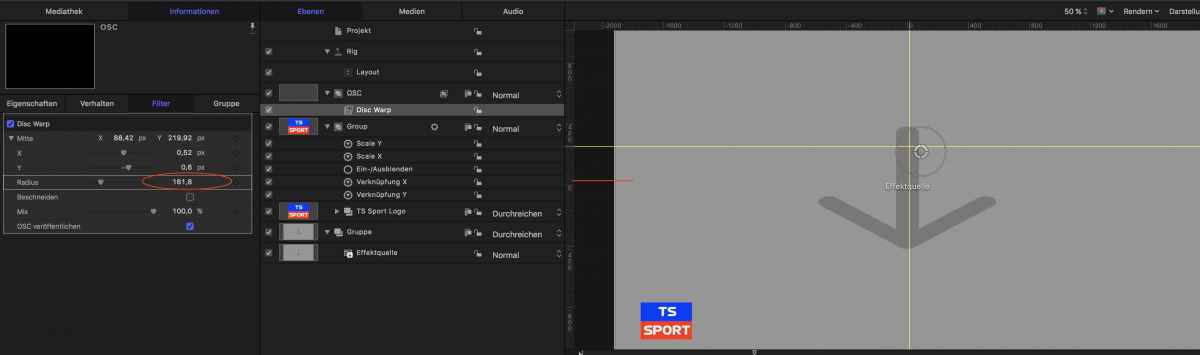
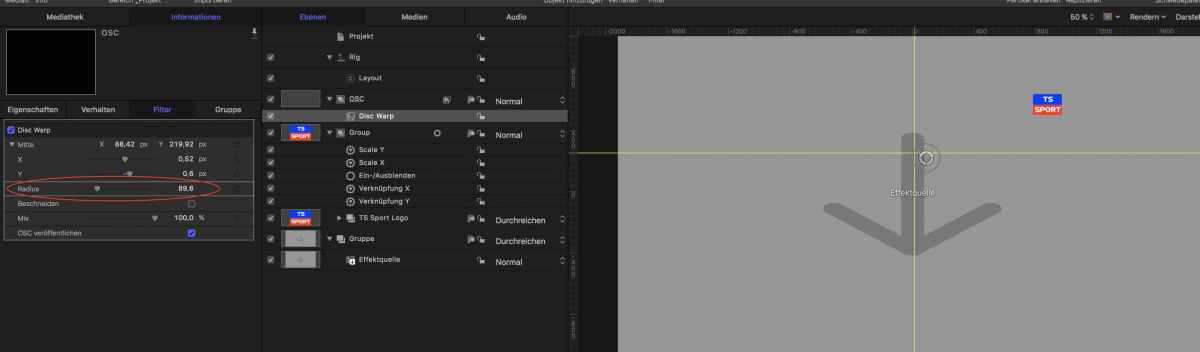
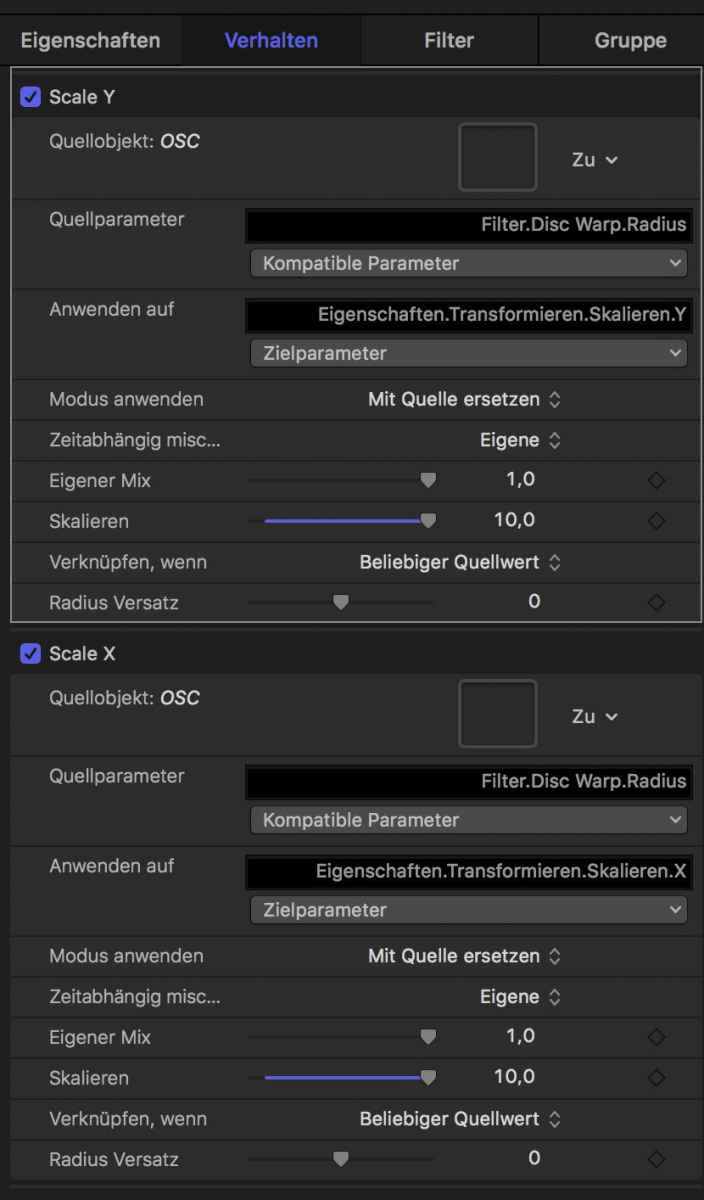
Last edit: 21 Apr 2017 09:57 by Schnurr.
Please Log in to join the conversation.
- Karsten Schlüter
-

- Offline
- Moderator
-

Less
More
- Posts: 3790
- Thank you received: 718
22 Apr 2017 06:02 - 22 Apr 2017 06:04 #87437
by Karsten Schlüter
you scale the group … and that 'moves' the coordinate-system
F. Mahoney could explain that … mindboggling stuff. Did you ever understood why that '-0.5 scale'-thingie? Not me :silly:
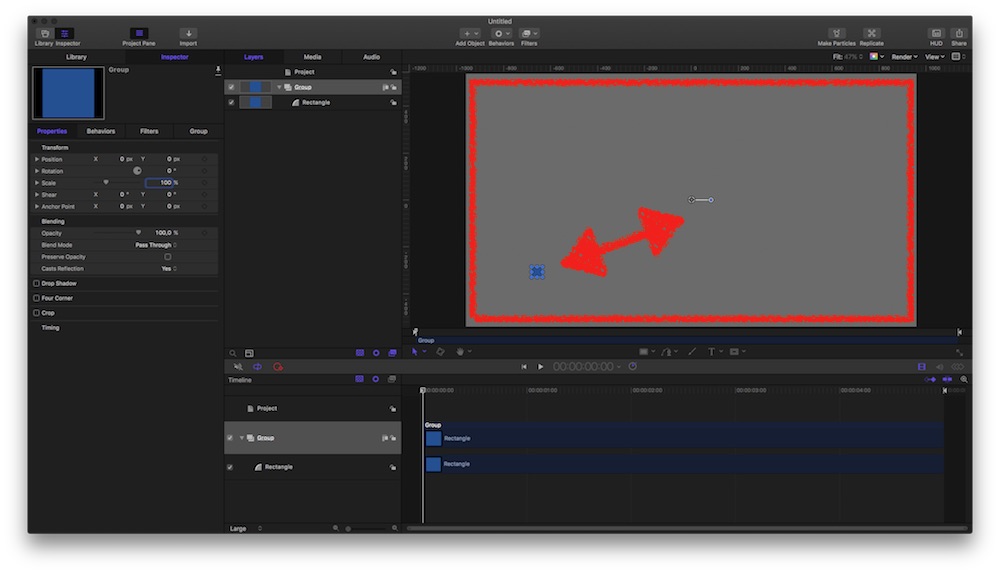
In pics and arrows…
your set-up, with an graphic off center:
now, when scaling the whole group …
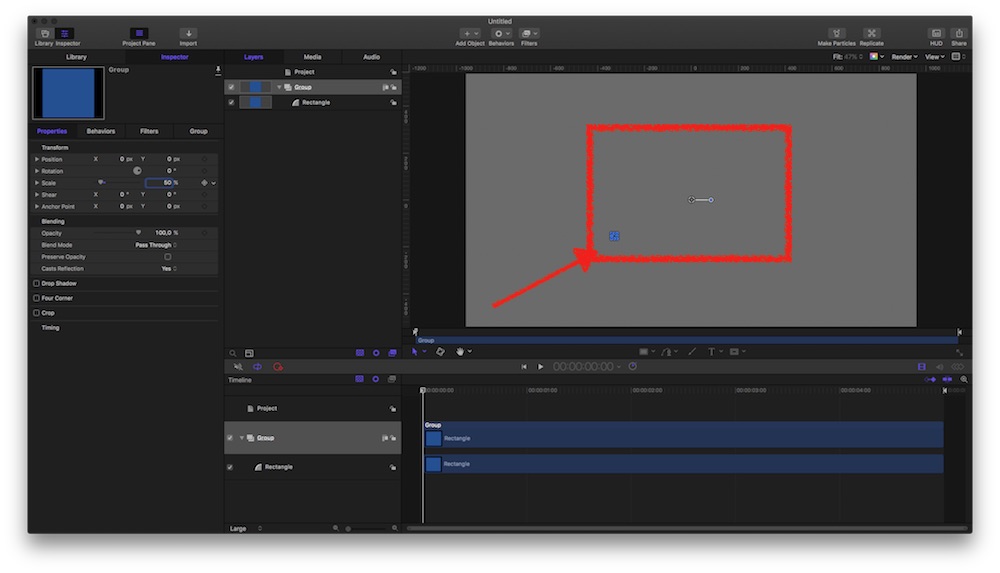
the group/'box'/coordinate system 'shrinks' >> 'moves' the graphic.
And when parameters go negative, axis are swapped (a neg. x-zoom mirrors a graphic)
What you like to accomplish is scaling the graphic, not the group, right?
apply link to ITS parameters... or consider a 3-dimensional system, where perspective cares for 'size' .......
Replied by Karsten Schlüter on topic OSC & Scaling / Object moves as well on x & y ....
Schnurr wrote: … Any idea what I am doing wrong .. …
you scale the group … and that 'moves' the coordinate-system
F. Mahoney could explain that … mindboggling stuff. Did you ever understood why that '-0.5 scale'-thingie? Not me :silly:
In pics and arrows…
your set-up, with an graphic off center:
now, when scaling the whole group …
the group/'box'/coordinate system 'shrinks' >> 'moves' the graphic.
And when parameters go negative, axis are swapped (a neg. x-zoom mirrors a graphic)
What you like to accomplish is scaling the graphic, not the group, right?
apply link to ITS parameters... or consider a 3-dimensional system, where perspective cares for 'size' .......
Last edit: 22 Apr 2017 06:04 by Karsten Schlüter.
Please Log in to join the conversation.
22 Apr 2017 10:59 #87442
by Schnurr
Replied by Schnurr on topic OSC & Scaling / Object moves as well on x & y ....
Hi Karsten,
I wanted to apply the scale to the group (text, boxes, etc). I think the route cause in my situation was that I applied the OSC after I created the group and after the positing of the group eg. lower left corner.
putting the whole group and elements in the center of M5 solves the problem.
I wanted to apply the scale to the group (text, boxes, etc). I think the route cause in my situation was that I applied the OSC after I created the group and after the positing of the group eg. lower left corner.
putting the whole group and elements in the center of M5 solves the problem.
Please Log in to join the conversation.
