


- Posts: 228
- Thank you received: 16
3 Post Moderation Rule for New Boarders (25 Jan 2021)
New boarders will have their posts moderated - Don't worry if you cannot see your post immediately.
Effect template very slow ... any idea why?
10 Jan 2017 14:17 - 10 Jan 2017 14:21 #84731
by Schnurr
Effect template very slow ... any idea why? was created by Schnurr
Hi,
thanks to Karsten for his great help I am creating some soccer templates with M5.3. What is strange for me that even turning off most of the CPU consuming options and playing the template back is super super slow. Per second only 3-4 frames are playing back which makes it hard to judge for example keyframe animations. Even turning off the graphic doesn't improve the speed.
Basically just some boxes, align elements and rigging. Compared to other templates I would say "peanuts"
Any idea how to improve the performance?
Working on a 3,1 GHz Intel Core i5 with 16GB and Intel Iris Pro Graphics 6200 1536 MB.
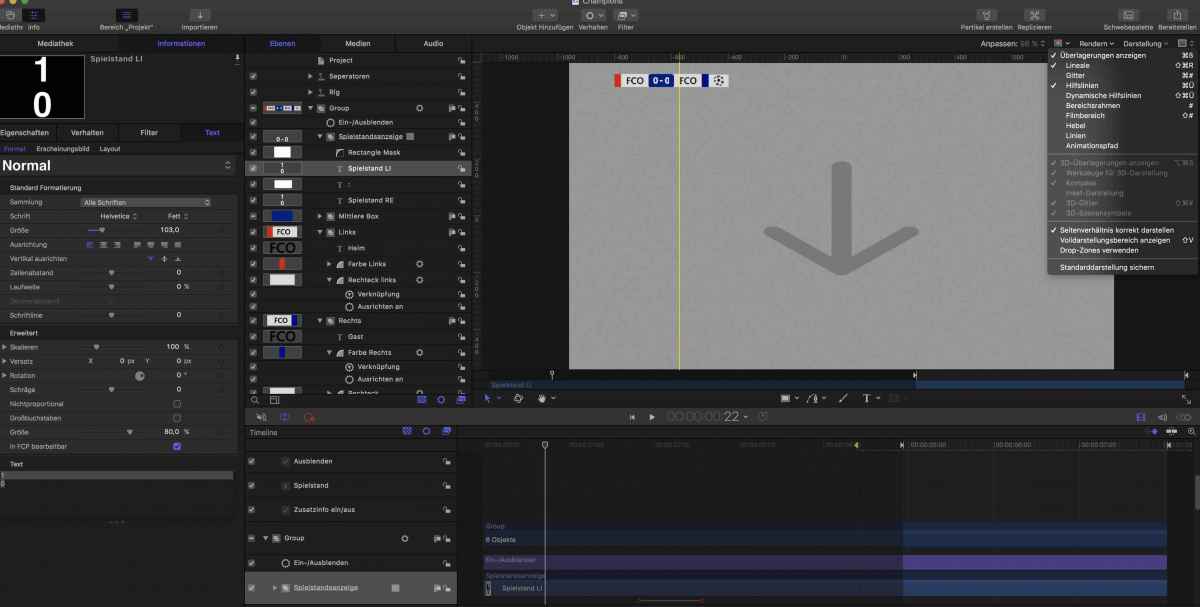
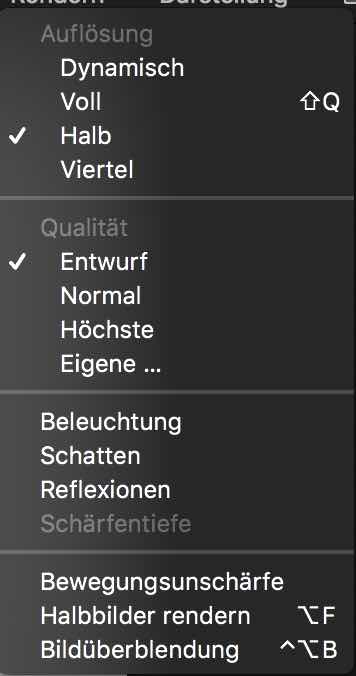
thanks to Karsten for his great help I am creating some soccer templates with M5.3. What is strange for me that even turning off most of the CPU consuming options and playing the template back is super super slow. Per second only 3-4 frames are playing back which makes it hard to judge for example keyframe animations. Even turning off the graphic doesn't improve the speed.
Basically just some boxes, align elements and rigging. Compared to other templates I would say "peanuts"
Any idea how to improve the performance?
Working on a 3,1 GHz Intel Core i5 with 16GB and Intel Iris Pro Graphics 6200 1536 MB.
Last edit: 10 Jan 2017 14:21 by Schnurr.
Please Log in to join the conversation.

10 Jan 2017 14:45 #84734
by Deyson
Replied by Deyson on topic Effect template very slow ... any idea why?
Hello,
The first thing I recommend if you had tried everything is a fresh reboot and close all apps, especially Safari. Look at your activity log and see what may be hogging RAM.
Also, There are times when I am doing many things at one time and I use up a lot of my CPU. What I use in those cases is this App. It has a free version. I used it so much that I had bought it: macpaw.com/cleanmymac
The first thing I recommend if you had tried everything is a fresh reboot and close all apps, especially Safari. Look at your activity log and see what may be hogging RAM.
Also, There are times when I am doing many things at one time and I use up a lot of my CPU. What I use in those cases is this App. It has a free version. I used it so much that I had bought it: macpaw.com/cleanmymac
Please Log in to join the conversation.
10 Jan 2017 15:12 #84735
by Schnurr
Replied by Schnurr on topic Effect template very slow ... any idea why?
Hi Deyson,
thanks had closed everything beforehand. But 1sec = 1-3 frames ;-((
RAM usages looks normal but CPU >200%. Will try your recommendation.
Thanks
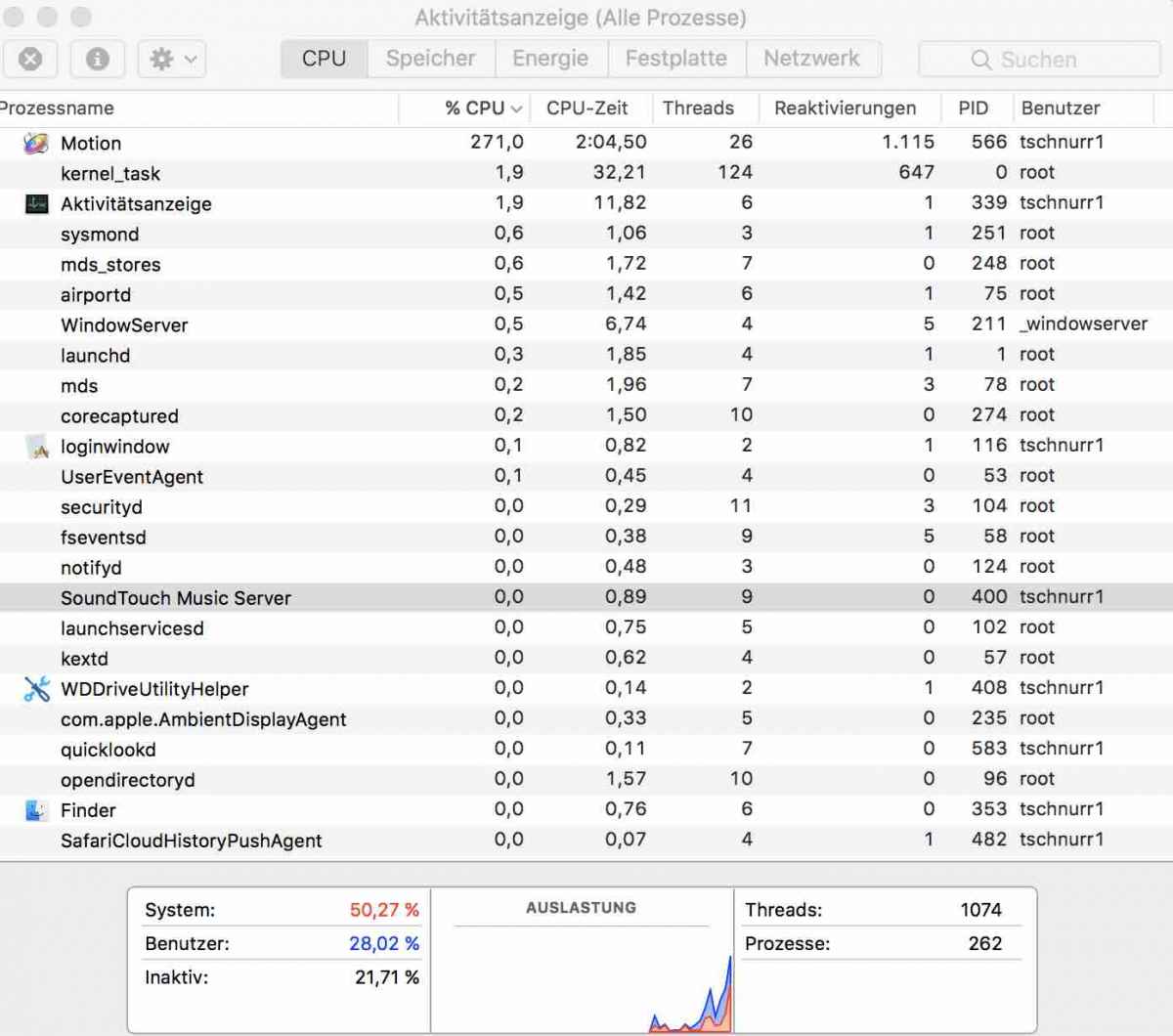
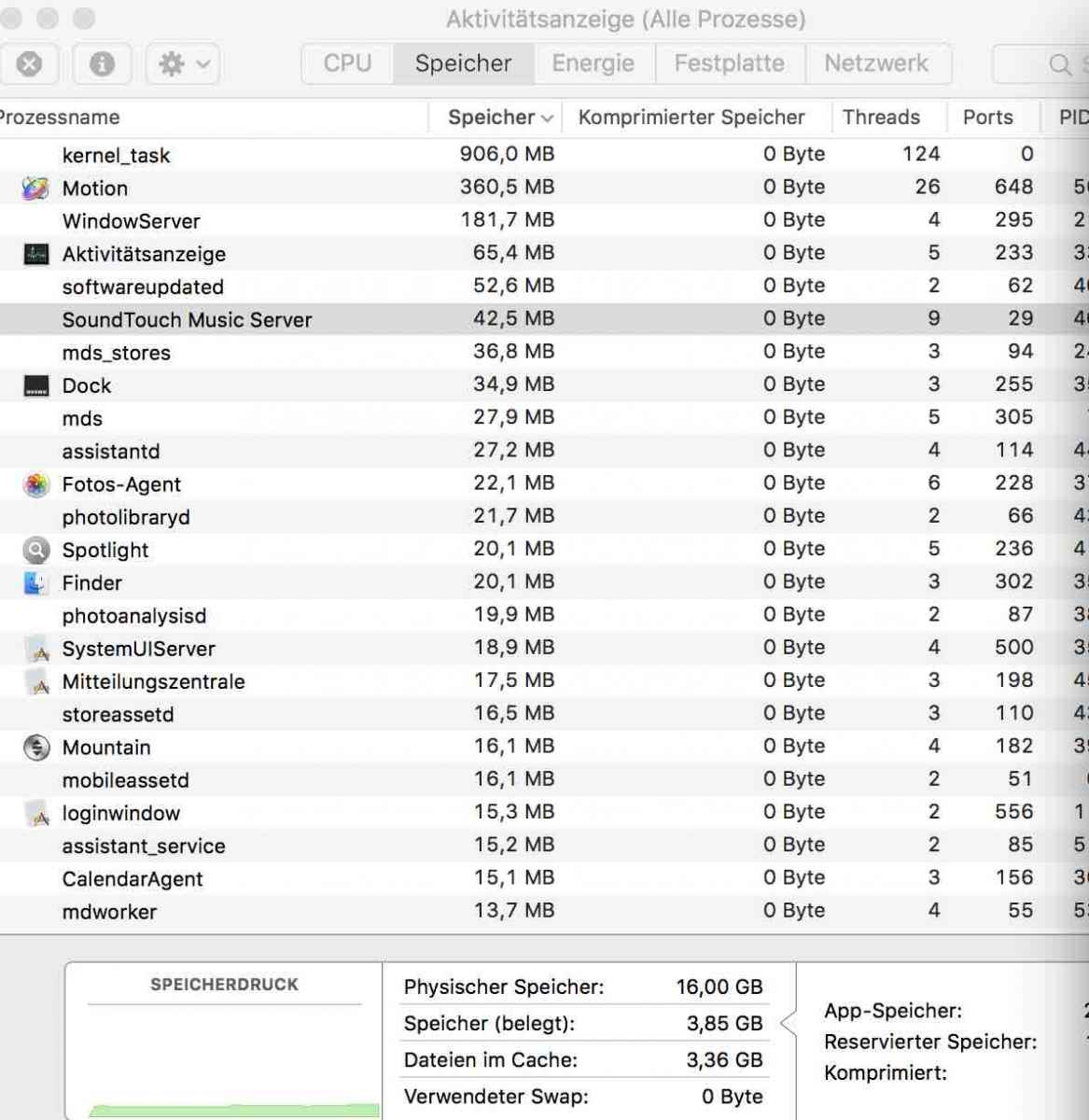
thanks had closed everything beforehand. But 1sec = 1-3 frames ;-((
RAM usages looks normal but CPU >200%. Will try your recommendation.
Thanks
Please Log in to join the conversation.
10 Jan 2017 16:07 #84738
by Deyson
Replied by Deyson on topic Effect template very slow ... any idea why?
Please keep me posted. Also, try to turn things off until the system speeds up. It may be something you had added in Motion had created a code loop maybe.
Please Log in to join the conversation.
- Karsten Schlüter
-

- Offline
- Moderator
-

Less
More
- Posts: 3790
- Thank you received: 718
10 Jan 2017 18:58 - 10 Jan 2017 19:03 #84743
by Karsten Schlüter
Replied by Karsten Schlüter on topic Effect template very slow ... any idea why?
Hi Tobi,
I know you will hate me for the following but:
… and still using a 2012 MacMini - magic?
No.
I just erased EVERY Align-to Behaviour in your project, that simple.
Behaviours are no 'layout'-tool; and, like Compounds in Compounds in Compounds <shiver>, which kill any beast of a Mac, you stack 'Behaviours in dependency to a Behaviour in dependency to a Behaviour to…' - you got the idea.
The last white rectangle's position has to be calculated in a 5th iteration! Good for a Mandelbaum Set, but complete nonsense for arranging 5 boxes!
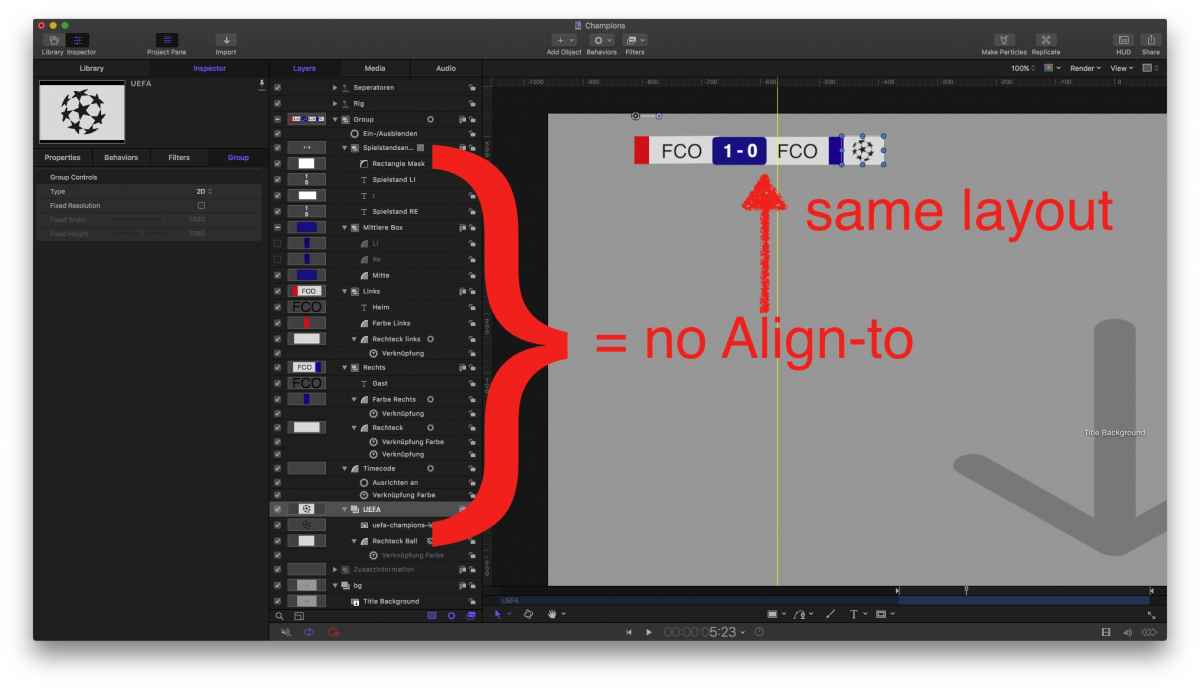
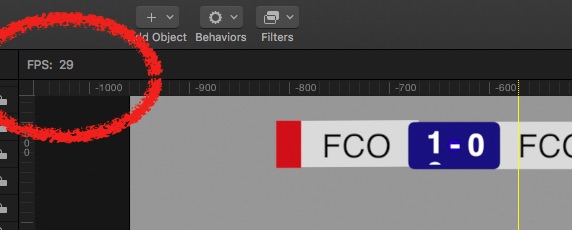
Try yourself - erase EVERY Align-to Behaviour and arrange rectangles manually - 29fps, easy.
… and I haven't recommended THAT
I know you will hate me for the following but:
… and still using a 2012 MacMini - magic?
No.
I just erased EVERY Align-to Behaviour in your project, that simple.
Behaviours are no 'layout'-tool; and, like Compounds in Compounds in Compounds <shiver>, which kill any beast of a Mac, you stack 'Behaviours in dependency to a Behaviour in dependency to a Behaviour to…' - you got the idea.
The last white rectangle's position has to be calculated in a 5th iteration! Good for a Mandelbaum Set, but complete nonsense for arranging 5 boxes!
Try yourself - erase EVERY Align-to Behaviour and arrange rectangles manually - 29fps, easy.
… and I haven't recommended THAT
Last edit: 10 Jan 2017 19:03 by Karsten Schlüter.
Please Log in to join the conversation.
10 Jan 2017 20:56 #84746
by Schnurr
Replied by Schnurr on topic Effect template very slow ... any idea why?
Hi Karsten,
Thanks for looking into that.
Reason why I used the align function is to adjust the rectangles based on the width of the text elements (team A & .
.
Okay will delete/deselect all align elements and see whether that's the root cause of the performance.
Tobias
Thanks for looking into that.
Reason why I used the align function is to adjust the rectangles based on the width of the text elements (team A &
.Okay will delete/deselect all align elements and see whether that's the root cause of the performance.
Tobias
Please Log in to join the conversation.
11 Jan 2017 10:42 - 11 Jan 2017 12:51 #84759
by Schnurr
Replied by Schnurr on topic Effect template very slow ... any idea why?
yes these align elements cause the performance issue. Tried to keep the two who are relevant for the definition of the width of the box and replaced the other ones with "parameter linkage" & transformation position x but doesn't solve it. So leave it as it is at the moment.
Last edit: 11 Jan 2017 12:51 by Schnurr.
Please Log in to join the conversation.
- Karsten Schlüter
-
- Offline
- Moderator
-
Less
More
- Posts: 3790
- Thank you received: 718
11 Jan 2017 14:06 #84763
by Karsten Schlüter
I still don't. get it why you make that simple insert so complex:
all 'variable' elements, team-name/'sign', result, colours and 'enhancements' (the ball) do have more or less a standard size (there's no team III and no team WWW, no game result with 123:456).
So, why the heck a dynamic layout??
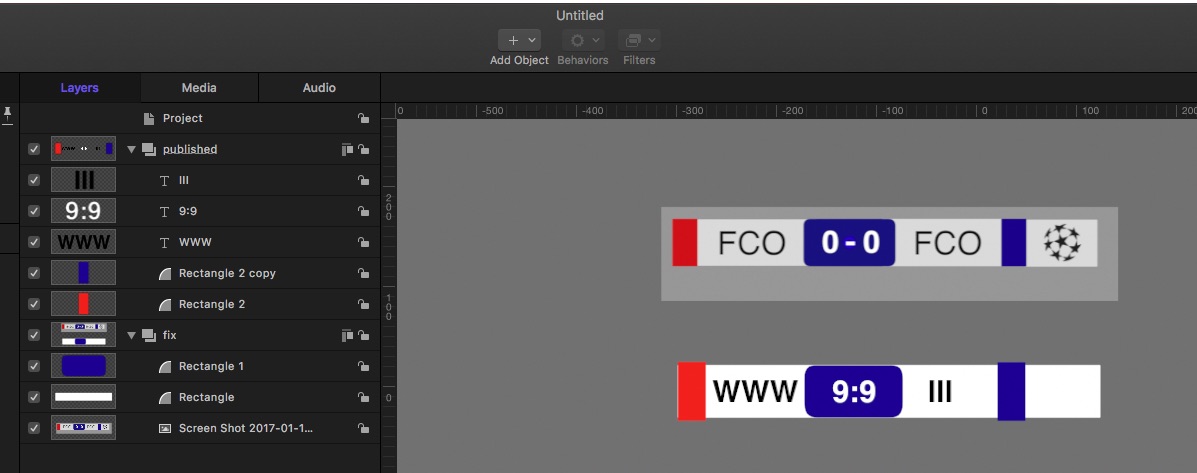
one group static elements, one group to-be-published = none asks for a dynamic layout.
hmmm?
Replied by Karsten Schlüter on topic Effect template very slow ... any idea why?
Schnurr wrote: … and replaced the other ones with "parameter linkage" & transformation position x but doesn't solve it. …
I still don't. get it why you make that simple insert so complex:
all 'variable' elements, team-name/'sign', result, colours and 'enhancements' (the ball) do have more or less a standard size (there's no team III and no team WWW, no game result with 123:456).
So, why the heck a dynamic layout??
one group static elements, one group to-be-published = none asks for a dynamic layout.
hmmm?
Please Log in to join the conversation.
11 Jan 2017 17:43 #84768
by Schnurr
Replied by Schnurr on topic Effect template very slow ... any idea why?
because the names are dynamic and the elements should follow accordingly. Will try to optimise.

and the elements should follow accordingly. Will try to optimise.
Please Log in to join the conversation.
- Karsten Schlüter
-
- Offline
- Moderator
-
Less
More
- Posts: 3790
- Thank you received: 718
12 Jan 2017 15:56 - 12 Jan 2017 15:57 #84787
by Karsten Schlüter
… not in your above examples, just 3 digit abrv...
However:
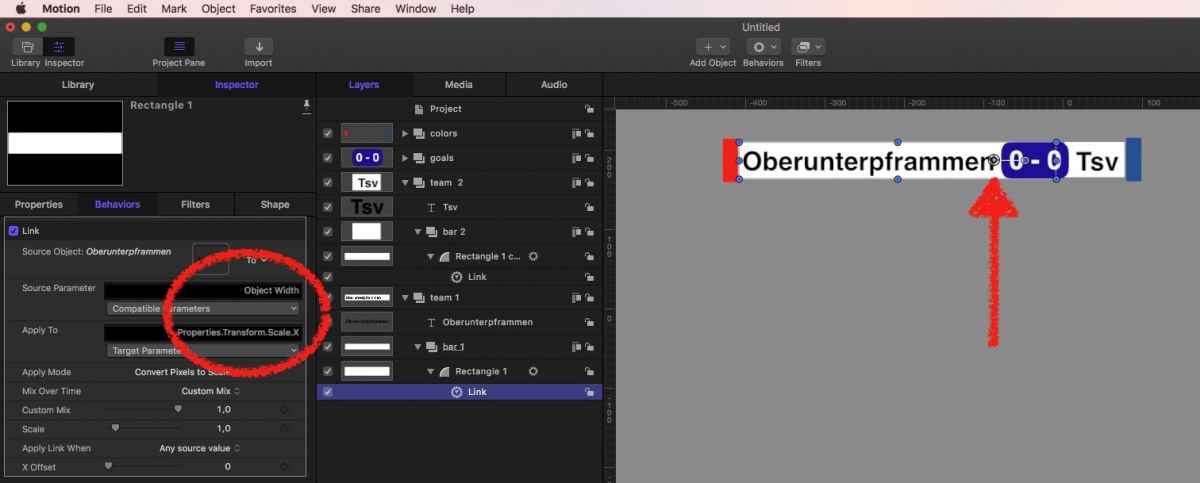
the trick is, to scale the bar, linked to the text/title AND setting the Anchor point in the opposite direction! So, when you scale the X-axis, the bar prolongs only in a direction, whereas the Anchor-point is fix (anchor …)
yeah, ok, the color-bars are 'Align to'
attached a demo project, needs adjustment.
… hmmm, I vaguely remember, I showed you that months ago in some PM … ??
Replied by Karsten Schlüter on topic Effect template very slow ... any idea why?
Schnurr wrote: because the names are dynamic …
… not in your above examples, just 3 digit abrv...
However:
the trick is, to scale the bar, linked to the text/title AND setting the Anchor point in the opposite direction! So, when you scale the X-axis, the bar prolongs only in a direction, whereas the Anchor-point is fix (anchor …)
yeah, ok, the color-bars are 'Align to'
attached a demo project, needs adjustment.
… hmmm, I vaguely remember, I showed you that months ago in some PM … ??
Last edit: 12 Jan 2017 15:57 by Karsten Schlüter.
Please Log in to join the conversation.
13 Jan 2017 11:44 #84802
by Schnurr
Replied by Schnurr on topic Effect template very slow ... any idea why?
HI Karsten,
yes you are right first used that method but rushed then into the problem that the link parameter needs some "link -> Skalieren" adjustments to look as above. Opening the file parts of the text are not covered as that was my problem before too as the box moves as well in the other way while extending the text.
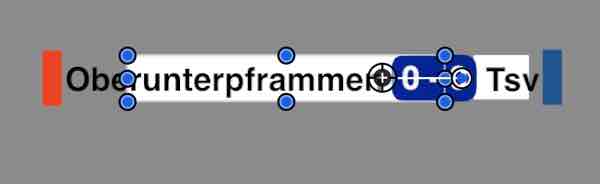
At that point in time M5.3 was published with the "align feature" but seems that using this function 4-5 times in one project brings the CPU down.
Thanks again and will avoid the align feature next time.
yes you are right first used that method but rushed then into the problem that the link parameter needs some "link -> Skalieren" adjustments to look as above. Opening the file parts of the text are not covered as that was my problem before too as the box moves as well in the other way while extending the text.
At that point in time M5.3 was published with the "align feature" but seems that using this function 4-5 times in one project brings the CPU down.
Thanks again and will avoid the align feature next time.
Please Log in to join the conversation.
- Karsten Schlüter
-
- Offline
- Moderator
-
Less
More
- Posts: 3790
- Thank you received: 718
13 Jan 2017 15:58 #84808
by Karsten Schlüter
sorry, ab hier versteh ich nur Bahnhof … wie ich schrub: den Ankerpunkt am entgegen gesetzten Ende platzieren, und schon wächst der weiße Balken richtig mit.
// two Krauts trying to communicate in English - LOL //
Replied by Karsten Schlüter on topic Effect template very slow ... any idea why?
Schnurr wrote: … but rushed then into the problem that the link parameter needs some "link -> Skalieren" adjustments to look as above. Opening the file parts of the text are not covered as that was my problem before too as the box moves as well in the other way while extending the text. ….
sorry, ab hier versteh ich nur Bahnhof … wie ich schrub: den Ankerpunkt am entgegen gesetzten Ende platzieren, und schon wächst der weiße Balken richtig mit.
// two Krauts trying to communicate in English - LOL //
Please Log in to join the conversation.
19 Jan 2017 11:24 #84956
by Schnurr
Replied by Schnurr on topic Effect template very slow ... any idea why?
Da hascht auch wieder mal recht
Problem war einfach dass der Ankerpunkt 2mm zuweit links war das hat das ganze dann noch nach rechts verschoben (Versatz Screenshot). Muss mir mal ne elektrische Schiebelehre kaufen damit sowas nicht mehr passiert offtopic // bin momentan auch eher etwas im RC Heli Modus unterwegs und muss mal schauen ob ich sowas hinbekomme
www.heli-scale-quality.com
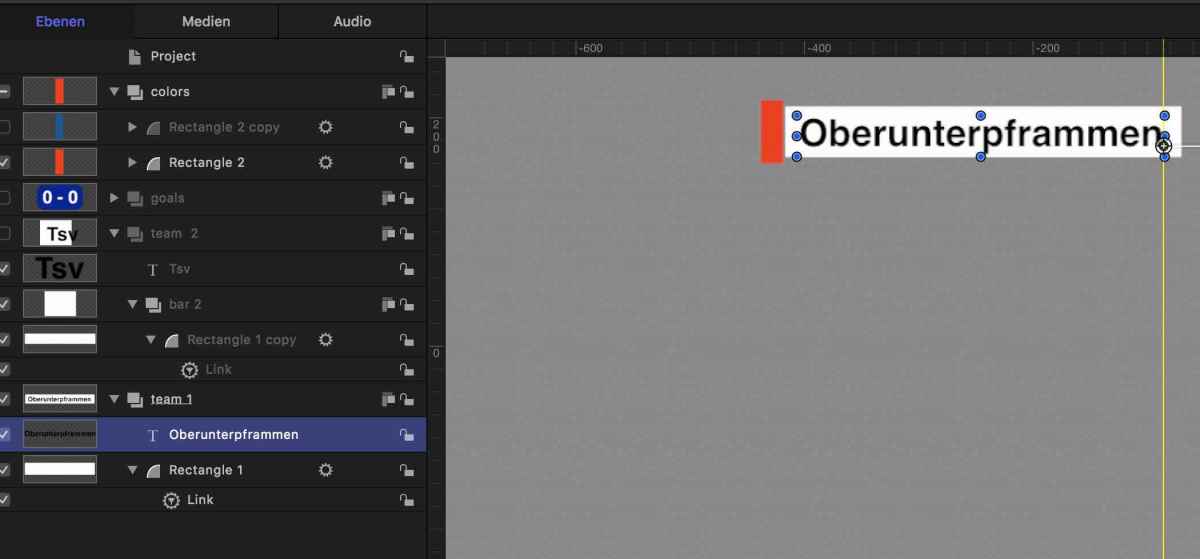
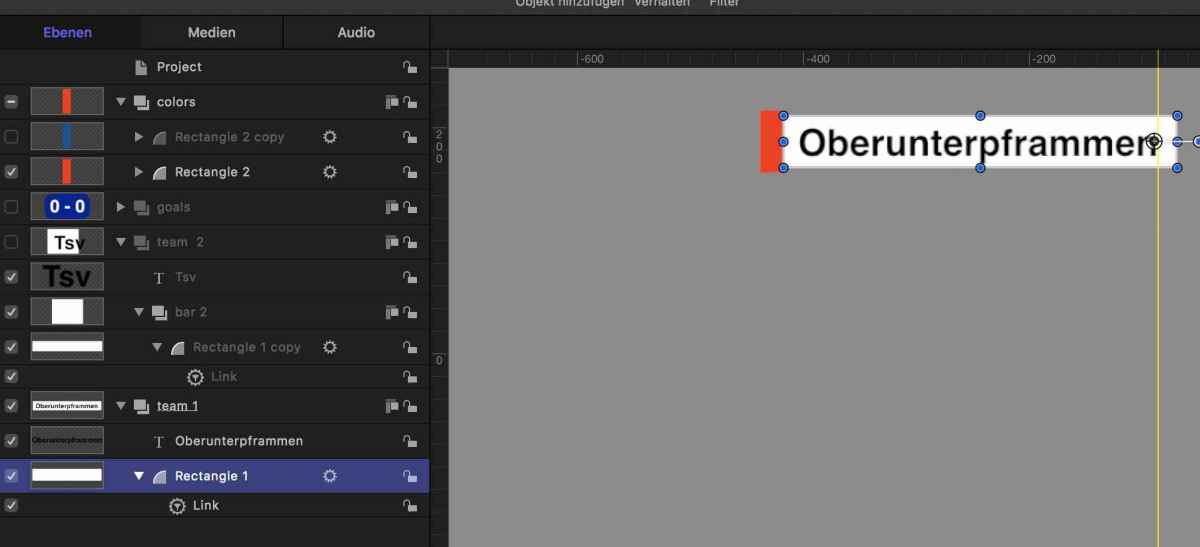
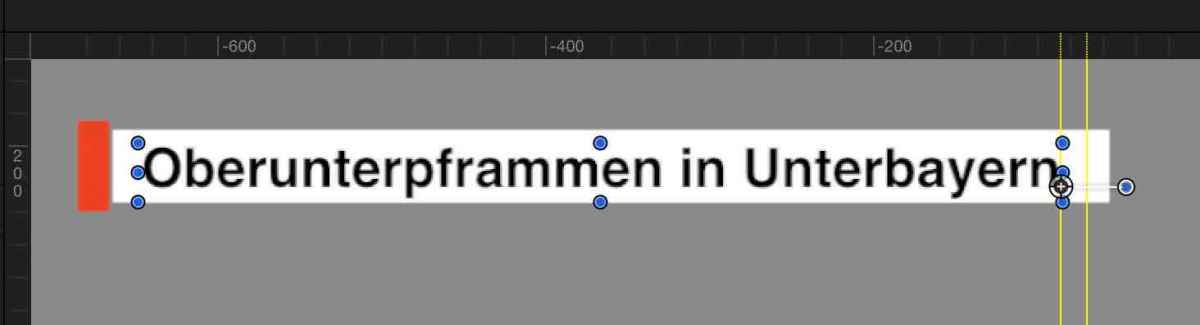
Problem war einfach dass der Ankerpunkt 2mm zuweit links war das hat das ganze dann noch nach rechts verschoben (Versatz Screenshot). Muss mir mal ne elektrische Schiebelehre kaufen damit sowas nicht mehr passiert
offtopic // bin momentan auch eher etwas im RC Heli Modus unterwegs und muss mal schauen ob ich sowas hinbekomme
www.heli-scale-quality.com
Please Log in to join the conversation.
- Karsten Schlüter
-
- Offline
- Moderator
-
Less
More
- Posts: 3790
- Thank you received: 718
19 Jan 2017 11:48 #84962
by Karsten Schlüter
Replied by Karsten Schlüter on topic Effect template very slow ... any idea why?
… general hint:
Use the mouse/GUI for 'draft'.
Use the numeric-inputs for 'final'.
And again - keep things simple, 398 or 400 - nobody will notice the difference…
You want to built such a model, or you want to use it for recording? Drones are easier to fly, with all their built-in 'intelligence'; helicopters, I was told, are the most difficult to steer RCs…
Use the mouse/GUI for 'draft'.
Use the numeric-inputs for 'final'.
And again - keep things simple, 398 or 400 - nobody will notice the difference…
… offtopic // bin momentan auch eher etwas im RC Heli Modus unterwegs und muss mal schauen ob ich sowas hinbekomme …
You want to built such a model, or you want to use it for recording? Drones are easier to fly, with all their built-in 'intelligence'; helicopters, I was told, are the most difficult to steer RCs…
Please Log in to join the conversation.
