


- Posts: 3790
- Thank you received: 718
3 Post Moderation Rule for New Boarders (25 Jan 2021)
New boarders will have their posts moderated - Don't worry if you cannot see your post immediately.
Autoadjusting text-bar/two new behaviours in full effect
- Karsten Schlüter
-
 Topic Author
- Offline
- Moderator
-

Less
More
31 Oct 2016 07:41 - 31 Oct 2016 07:44 #81676
by Karsten Schlüter
Have to admit - my expectations for vers.5_3 of Motion were (much) higher, but there’s a lil’ gem well hidden in it. Let me explain with this project…
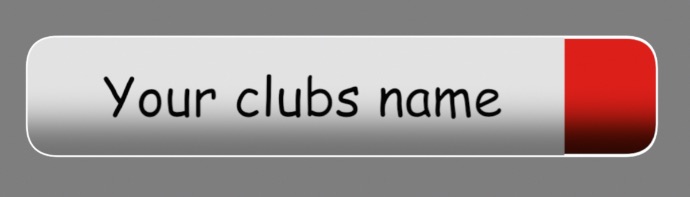
(omg, Comic sans … got your attention, right? )
)
Goal is, to create a Title with an auto-adjusting bar. We all knew of Alex Gollner’s trick with clone and border frame and so on … 5_3 has a better one.
Step#1
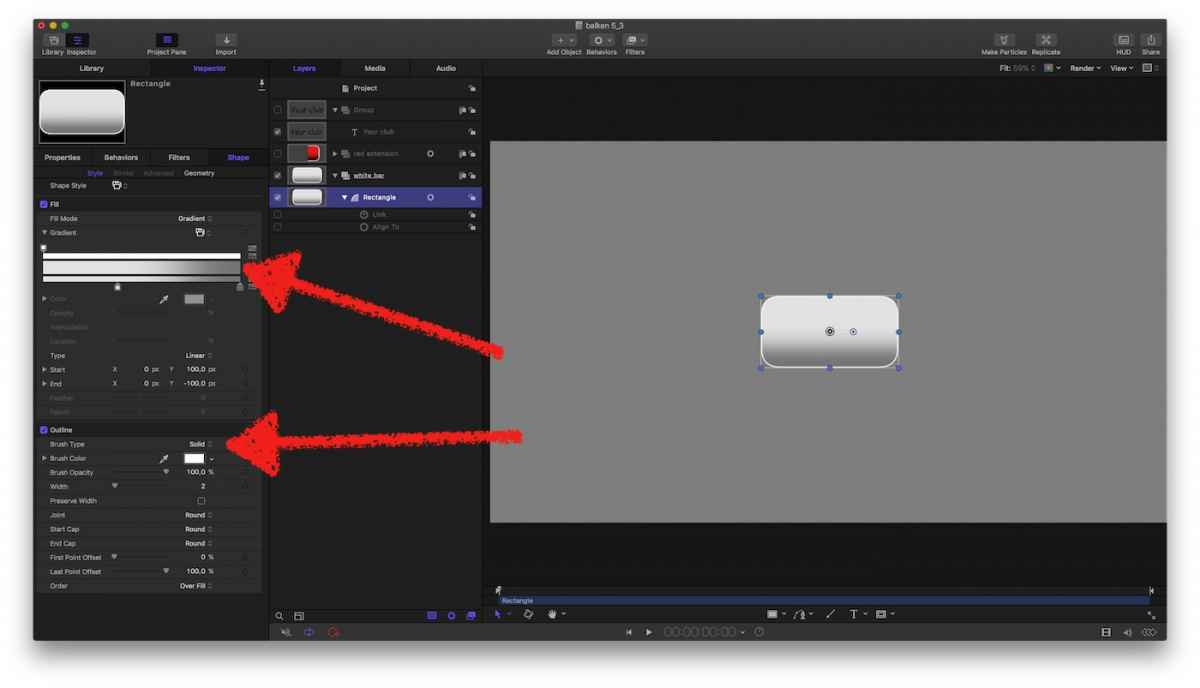
I make me a bar, gradient fill, outline - have to confess, design is ‘borrowed’ by some German football magazine.
Step#2
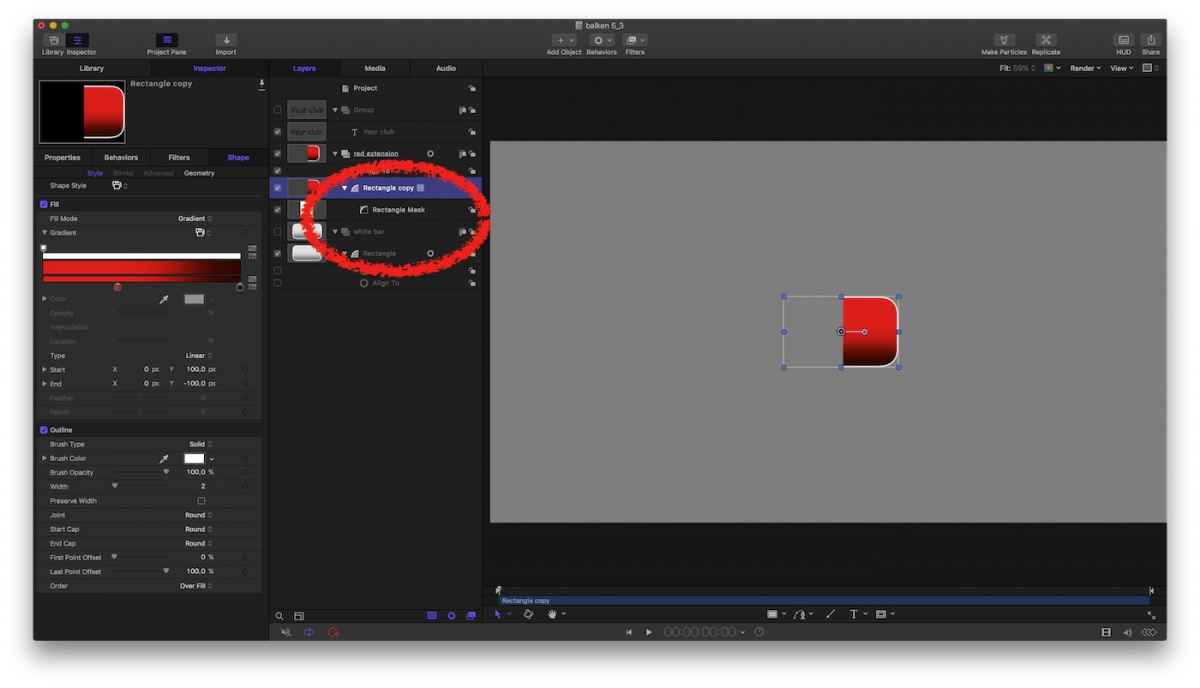
Clubs colours, duplicate of the white one, now in red, cut-off the left margin ….
Step#3
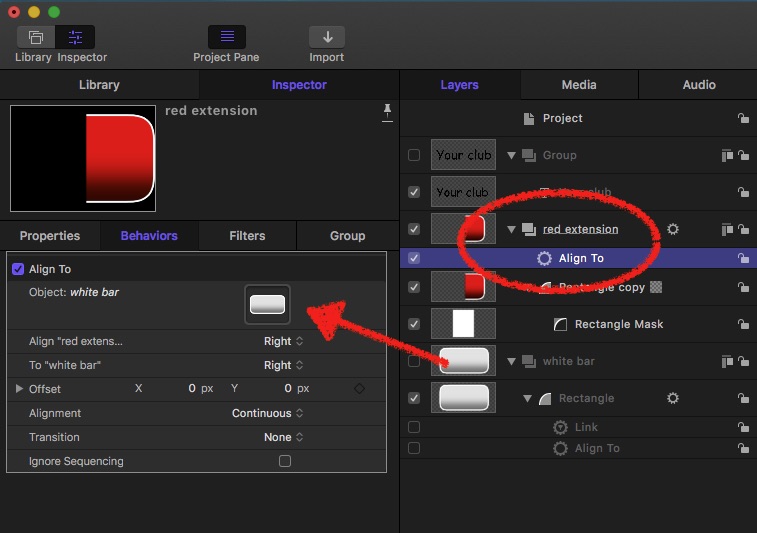
Magic sauce ALIGN TO … adding this new behaviour auto-aligns the red extension to the white bar - wherever the white bar is or how long/wide it is, it now has a colourful ending.
Step#4
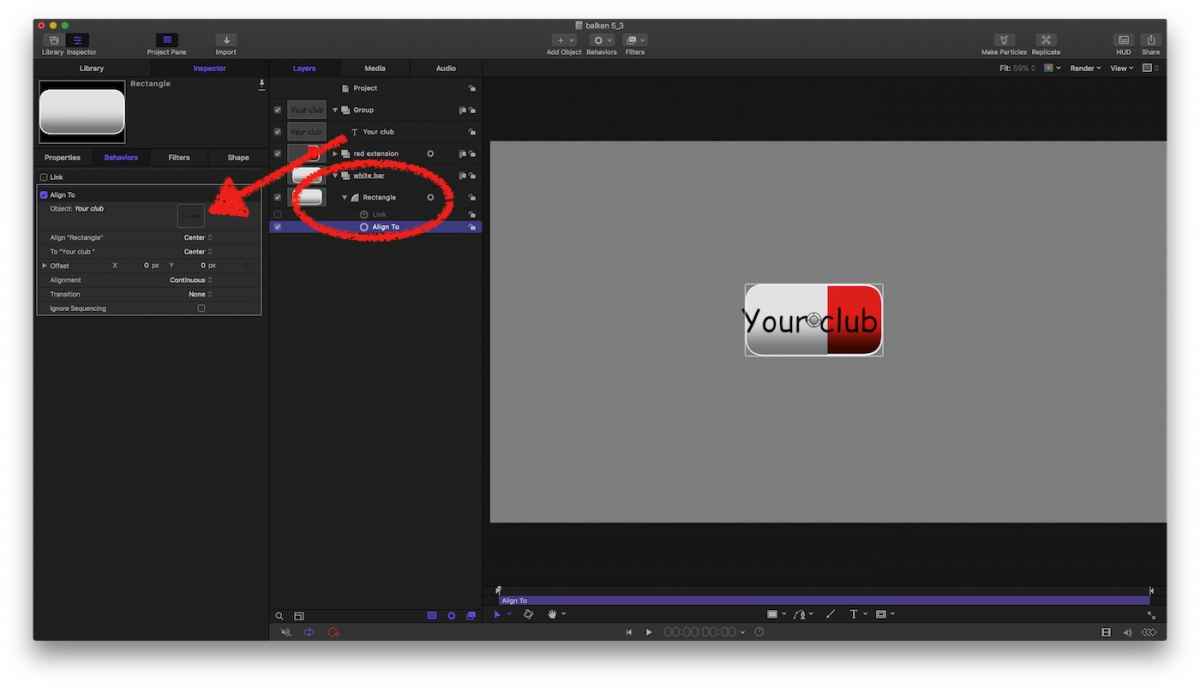
Adding clubs name … add title, and add Align-to to the white bar. Now, the bar (with its red extension) will follow the text wherever it goes…
Step#5
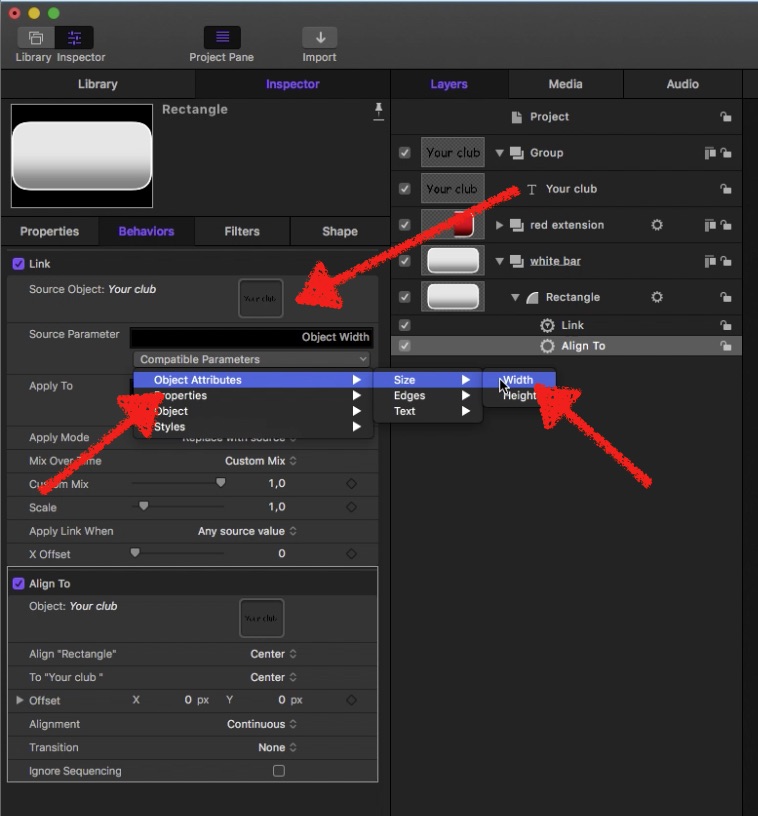
Drumroll, magic sauce II … LINK WIDTH … add a Link behaviour to White Bar, link it to the text, and choose OBJECT ATTRIBUTES/SIZE/WIDTH. Now the width of the bar is linked to the length of the text - more text=longer bar, less text=you got the idea …
Step#6
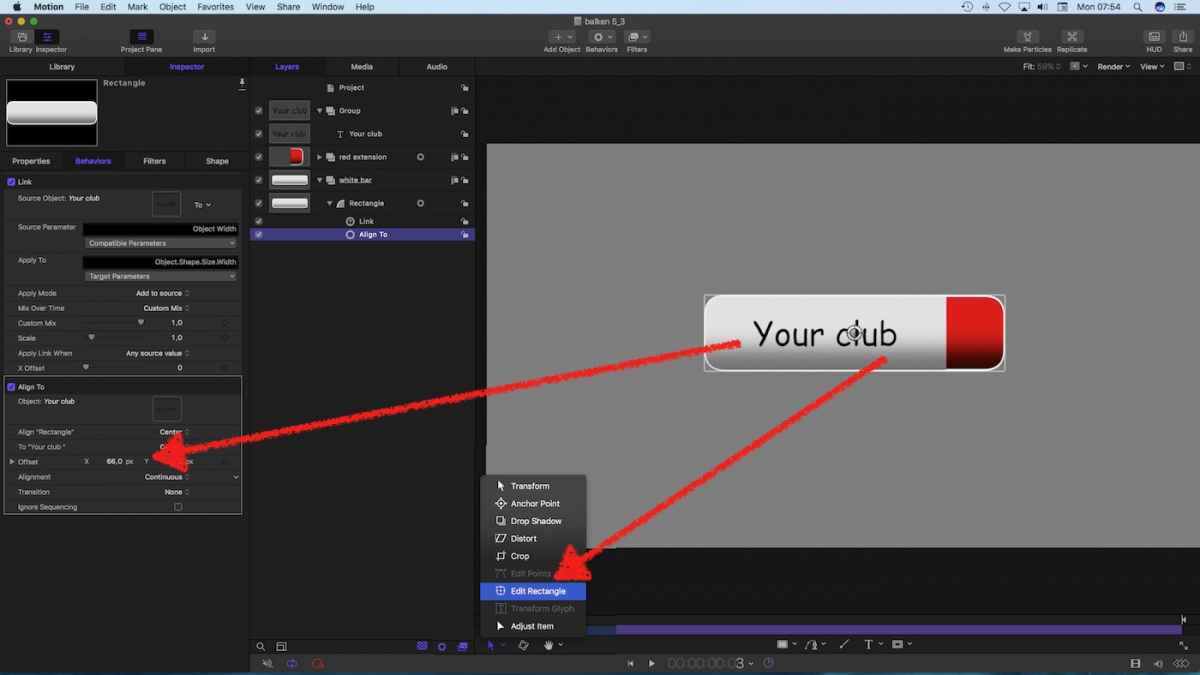
Final cosmetics … resize bar, add an off-set to let the bar ‘breath’ l/r of the text …
Finally …
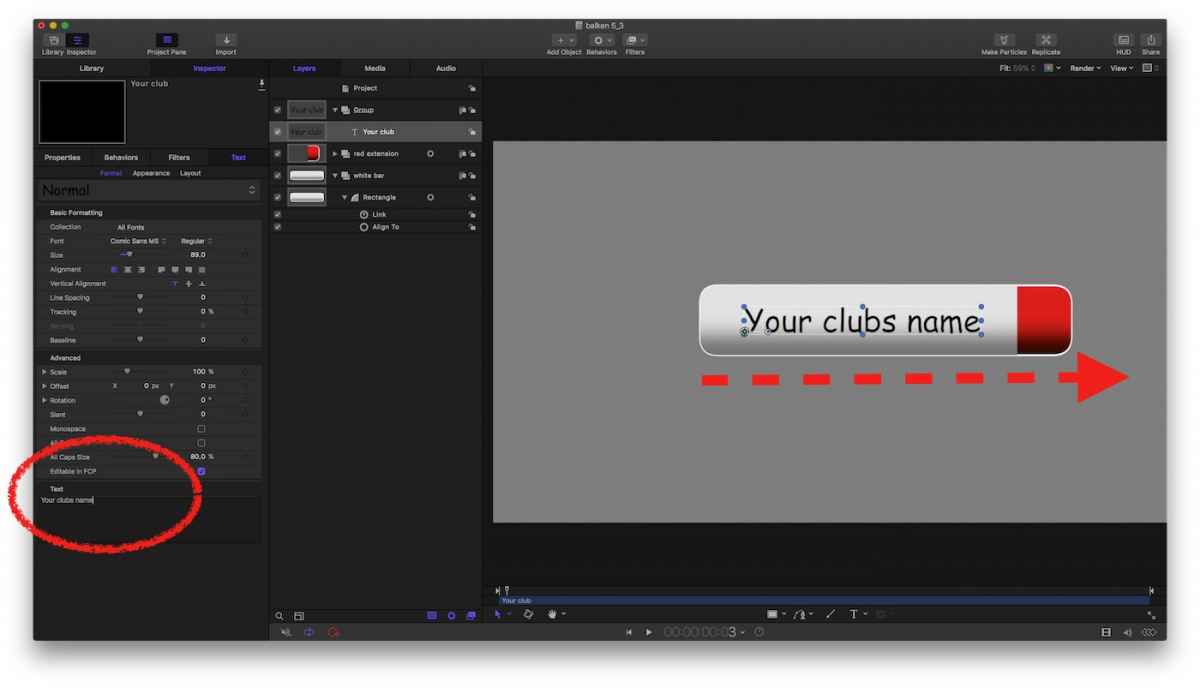
Moving around the title AND typing in any text auto-adjusts the bar position AND width … isn’t that cool?
… and no more -0.5 nor cloning nor … wot ever.
Thanks to Mark Spencer explaining these new features …
(omg, Comic sans … got your attention, right?
)Goal is, to create a Title with an auto-adjusting bar. We all knew of Alex Gollner’s trick with clone and border frame and so on … 5_3 has a better one.
Step#1
I make me a bar, gradient fill, outline - have to confess, design is ‘borrowed’ by some German football magazine.
Step#2
Clubs colours, duplicate of the white one, now in red, cut-off the left margin ….
Step#3
Magic sauce ALIGN TO … adding this new behaviour auto-aligns the red extension to the white bar - wherever the white bar is or how long/wide it is, it now has a colourful ending.
Step#4
Adding clubs name … add title, and add Align-to to the white bar. Now, the bar (with its red extension) will follow the text wherever it goes…
Step#5
Drumroll, magic sauce II … LINK WIDTH … add a Link behaviour to White Bar, link it to the text, and choose OBJECT ATTRIBUTES/SIZE/WIDTH. Now the width of the bar is linked to the length of the text - more text=longer bar, less text=you got the idea …
Step#6
Final cosmetics … resize bar, add an off-set to let the bar ‘breath’ l/r of the text …
Finally …
Moving around the title AND typing in any text auto-adjusts the bar position AND width … isn’t that cool?
… and no more -0.5 nor cloning nor … wot ever.
Thanks to Mark Spencer explaining these new features …
Last edit: 31 Oct 2016 07:44 by Karsten Schlüter.
Please Log in to join the conversation.
- Karsten Schlüter
-
Topic Author
- Offline
- Moderator
-
Less
More
- Posts: 3790
- Thank you received: 718
31 Oct 2016 07:59 #81677
by Karsten Schlüter
Replied by Karsten Schlüter on topic Autoadjusting text-bar/two new behaviours in full effect
… and to follow my steps, here's is the above project as a Motion file:
Please Log in to join the conversation.
