


- Posts: 33
- Thank you received: 1
3 Post Moderation Rule for New Boarders (25 Jan 2021)
New boarders will have their posts moderated - Don't worry if you cannot see your post immediately.
Can a drop zone cointain sound?
11 Oct 2016 15:30 #80645
by FCPman
Can a drop zone cointain sound? was created by FCPman
I've googled for this but I could not find an answer. I've creatd a template in motion with a drop zone I want to use in final cut. Now I "drop" a video with audio into that drop zone but I won't hear any audio and I also don't see any waveform so is the short answer: NO drop zones can't contain videos WITH sound?
So what can I do about this?
Thanks a lot in advance
So what can I do about this?
Thanks a lot in advance
Please Log in to join the conversation.

11 Oct 2016 17:24 #80660
by EditorGuy
Replied by EditorGuy on topic Can a drop zone cointain sound?
Audio does not transfer over to FCPX in templates, period
Please Log in to join the conversation.
12 Oct 2016 08:29 #80687
by FCPman
Replied by FCPman on topic Can a drop zone cointain sound?
I have to admit this ruins my entire plan and I already think of giving up Motion and switching back to After Effects because there are more limitations that are totally unnecessary coding wise but yet Apple decided to code it that way…it doesn’t really make much sense in all fairness.
I will try to explain what I am trying to do and maybe you can give me some advice and hits how to tackle this or the answer is „doesn’t work. The end“.
So I have an intro animation with a flexible date that can be changed in FCPX (I’ve created a generator in Motion) followed by a drop zone that animates in that introduces people. I need to edit all the footage of the introductions together. Now I thought I could simply drop a time line (aka a „Project“ in FCPX) into the drop zone that contains my entire edited material of people introducing themselves. I would also add ONE frame with a solid that fills the entire frame (connected clip) so that I can later synchronize/match my audio because Drop Zones don’t support audio. So I could have had the clip with audio underneath my generator and then matched it with the frame that contains the solid. Since Drop Zones can’t contain Projects either I seriously have NO idea how to tackle this problem at all.
So any advice, thought or solution for a work around would be welcome because at this point I really don’t know what to do which is frustrating after I have been so amazingly happy and proud about the combination of Motion and FCPX.
Thanks a lot!
I will try to explain what I am trying to do and maybe you can give me some advice and hits how to tackle this or the answer is „doesn’t work. The end“.
So I have an intro animation with a flexible date that can be changed in FCPX (I’ve created a generator in Motion) followed by a drop zone that animates in that introduces people. I need to edit all the footage of the introductions together. Now I thought I could simply drop a time line (aka a „Project“ in FCPX) into the drop zone that contains my entire edited material of people introducing themselves. I would also add ONE frame with a solid that fills the entire frame (connected clip) so that I can later synchronize/match my audio because Drop Zones don’t support audio. So I could have had the clip with audio underneath my generator and then matched it with the frame that contains the solid. Since Drop Zones can’t contain Projects either I seriously have NO idea how to tackle this problem at all.
So any advice, thought or solution for a work around would be welcome because at this point I really don’t know what to do which is frustrating after I have been so amazingly happy and proud about the combination of Motion and FCPX.
Thanks a lot!
Please Log in to join the conversation.
- Karsten Schlüter
-

- Offline
- Moderator
-

Less
More
- Posts: 3790
- Thank you received: 718
12 Oct 2016 10:55 #80695
by Karsten Schlüter
Replied by Karsten Schlüter on topic Can a drop zone cointain sound?
I dare to say, the solution is very simple…
You have to create an Effect… look:
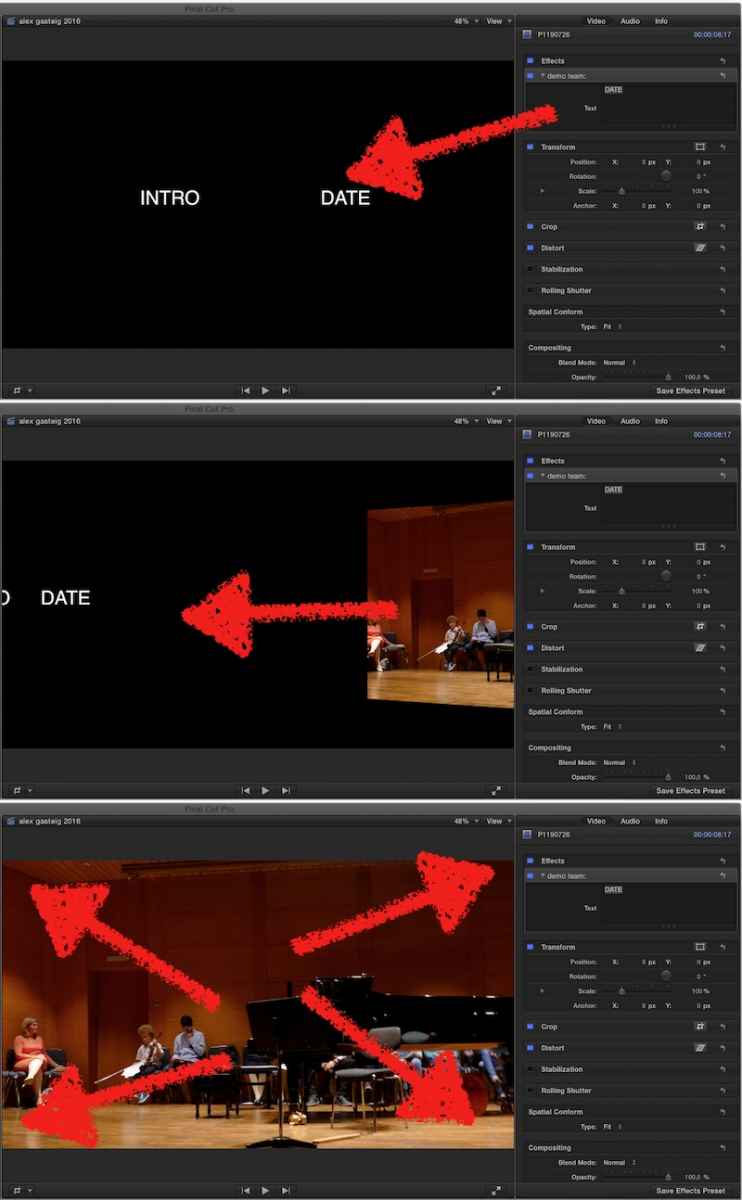
Title moves in, Date is editable in FCPX
Video (WITH Audio) animates in, finally full screen.
Be sure, you set a mandatory built-in marker … (arrow), to keep the timing of the animations, independently of length of introduction…
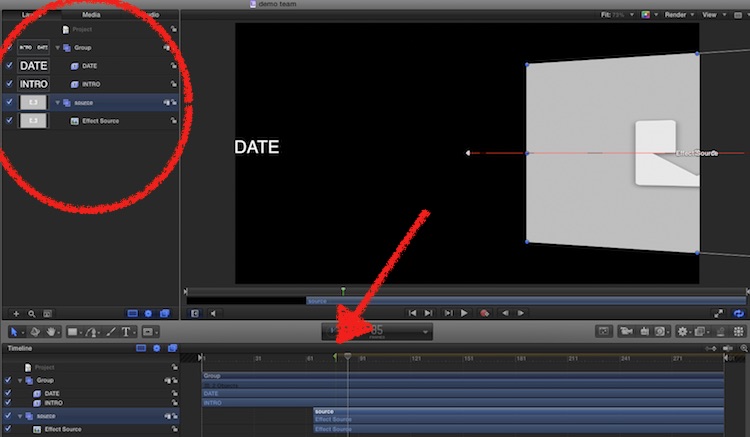
In your FCPX Project, make your introduction a compound, drag Effect onto it - done
Have added the Motion Project file …
You have to create an Effect… look:
Title moves in, Date is editable in FCPX
Video (WITH Audio) animates in, finally full screen.
Be sure, you set a mandatory built-in marker … (arrow), to keep the timing of the animations, independently of length of introduction…
In your FCPX Project, make your introduction a compound, drag Effect onto it - done
Have added the Motion Project file …
Please Log in to join the conversation.

12 Oct 2016 12:13 - 12 Oct 2016 12:14 #80698
by Schnurr
Replied by Schnurr on topic Can a drop zone cointain sound?
I do have a similar topic linked to that ....
how to put a slow-motion filter on a drop-zone? I want to create a replay effect and want to avoid that I new to export the slow motion clip first in FCPX and then to put it into the Dropzone. Any idea...?
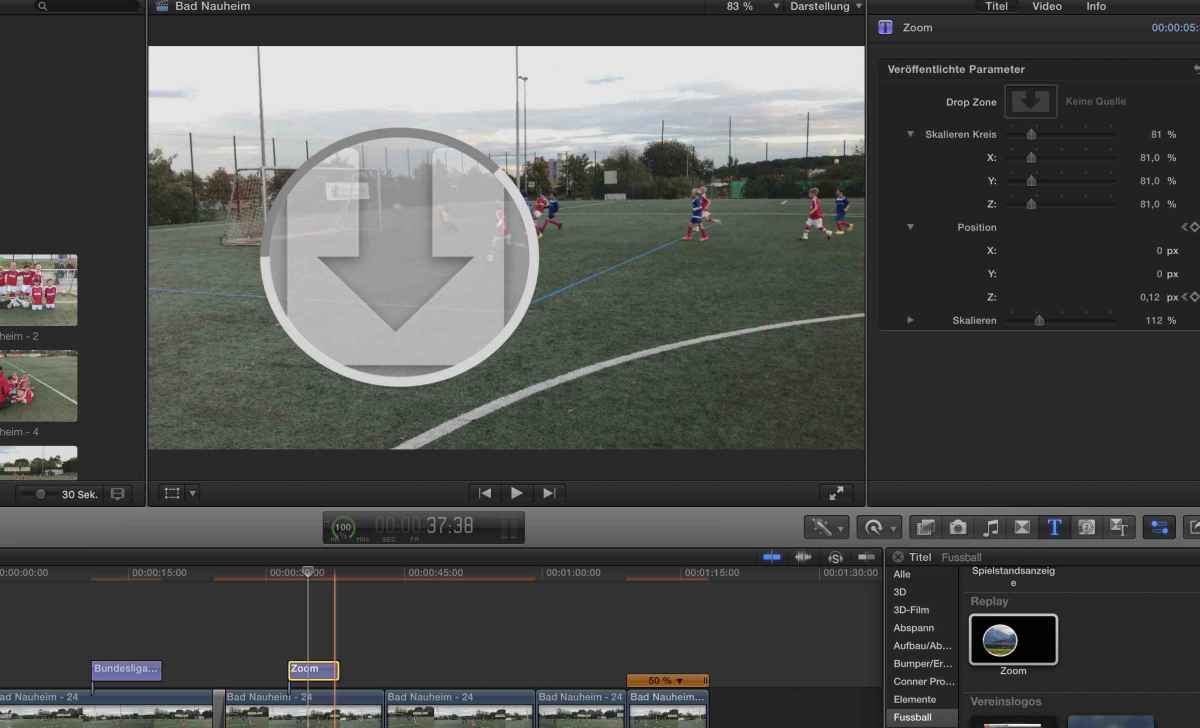
how to put a slow-motion filter on a drop-zone? I want to create a replay effect and want to avoid that I new to export the slow motion clip first in FCPX and then to put it into the Dropzone. Any idea...?
Last edit: 12 Oct 2016 12:14 by Schnurr.
Please Log in to join the conversation.
- Karsten Schlüter
-
- Offline
- Moderator
-
Less
More
- Posts: 3790
- Thank you received: 718
12 Oct 2016 16:44 #80704
by Karsten Schlüter
btmk, you can't!
All Re-time-effects in M5 ask for a real movie clip/can not be applied to drop-zones.
Workaround here:
Double the clip (hold alt/option and drag the clip up)
apply slow-mo to clip
apply a Mask or prepared Effect onto it ..
… for instance my classic :
www.fcp.co/forum/simulated-effects/22741-magnifier
… hey, close to 5.ooo clicks!! :woohoo:
And, you're aware of the Instant Replay effect in FCPX? ...
Replied by Karsten Schlüter on topic Can a drop zone cointain sound?
…how to put a slow-motion filter on a drop-zone?…
btmk, you can't!
All Re-time-effects in M5 ask for a real movie clip/can not be applied to drop-zones.
Workaround here:
Double the clip (hold alt/option and drag the clip up)
apply slow-mo to clip
apply a Mask or prepared Effect onto it ..
… for instance my classic :
www.fcp.co/forum/simulated-effects/22741-magnifier
… hey, close to 5.ooo clicks!! :woohoo:
And, you're aware of the Instant Replay effect in FCPX? ...
Please Log in to join the conversation.
Less
More
- Posts: 971
- Thank you received: 46
12 Oct 2016 19:12 - 12 Oct 2016 19:13 #80705
by MsJustine
Replied by MsJustine on topic Can a drop zone cointain sound?
Would a compound clip not solve the problem, video and a connected audio track, you can re-time the clip to speed up, slow down, and then add the audio as a connected "track".
The compound clip opens in it's own timeline so you can in effect do a complete edit with in the compound clip, then press the back arrow <to exit the compound clip.
The compound clip opens in it's own timeline so you can in effect do a complete edit with in the compound clip, then press the back arrow <to exit the compound clip.
Last edit: 12 Oct 2016 19:13 by MsJustine.
Please Log in to join the conversation.
