


- Posts: 61
- Thank you received: 26
3 Post Moderation Rule for New Boarders (25 Jan 2021)
New boarders will have their posts moderated - Don't worry if you cannot see your post immediately.
Linking problem
30 Sep 2016 16:59 #80399
by KBayquoi
Linking problem was created by KBayquoi
In motion 5, I have 6 masks and have set up OSC so user can manipulate each. I also want to control all masks at once. I created a dummy box and linked each mask to the X and Y of the box. This works fine in controlling all mask at once. BUT...with these links on, the OSC are locked by the link. When I disable the links, OSC work properly. What I need is to be able to Rig the links to one check box to disable all of those links at once. But the Links only allow publishing the the links, so the user would have to click a checkbox for each, to disable these links. That is 12 Check boxes to disable. Is there any work around to being able to able/disable a bunch of links in motion?
Thanks...Ken
Thanks...Ken
Please Log in to join the conversation.
- Karsten Schlüter
-

- Offline
- Moderator
-

Less
More
- Posts: 3790
- Thank you received: 718
06 Oct 2016 10:34 #80557
by Karsten Schlüter
Replied by Karsten Schlüter on topic Linking problem
… that is a tricky one, sort-of Matrushka puppet ... 
I made it with 2 boxes, but the principle is same:
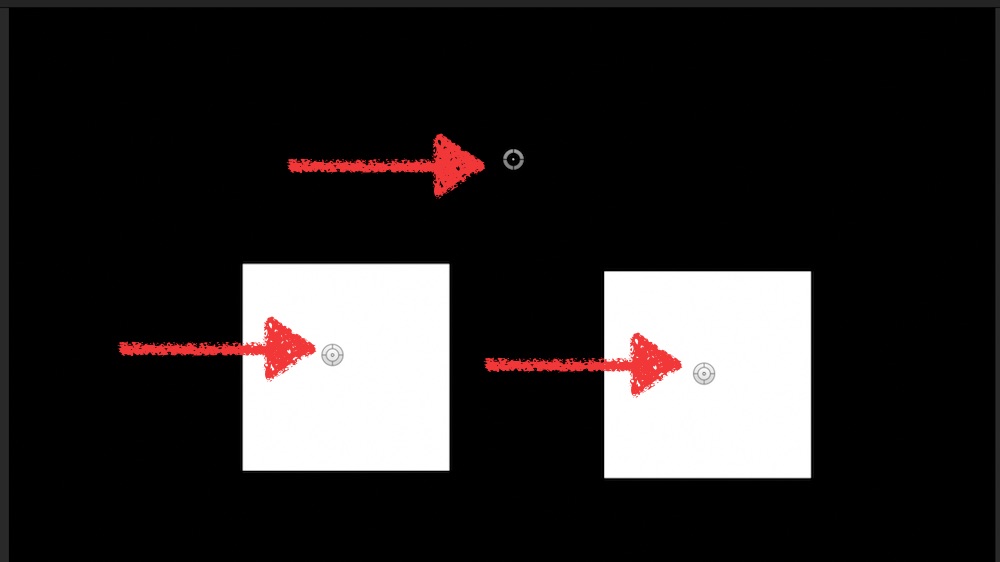
2 boxes, each with an OSC, and a 3rd one in the middle. Attached the project-file for that...
you can move each box, but all together wird the middle controller.
To accomplish that, I put the OSC into the box' group:

the rectangle has two links x/y to the OSC.
BOTH are in a group (left box, right box)
each of these groups are linked to the third OSC-all
so, when you move all, the two boxOSC do move with it.
bit difficult in words, just open the attached project in M5 ...
savvy ?
?
I made it with 2 boxes, but the principle is same:
2 boxes, each with an OSC, and a 3rd one in the middle. Attached the project-file for that...
you can move each box, but all together wird the middle controller.
To accomplish that, I put the OSC into the box' group:
the rectangle has two links x/y to the OSC.
BOTH are in a group (left box, right box)
each of these groups are linked to the third OSC-all
so, when you move all, the two boxOSC do move with it.
bit difficult in words, just open the attached project in M5 ...
savvy
? Please Log in to join the conversation.
06 Oct 2016 22:09 #80563
by KBayquoi
Replied by KBayquoi on topic Linking problem
Thanks so much, Karsten...
I had not thought of doing it this way, but this looks like it should do the trick.
So Thank you, thank you, thank you...
All the best,
Ken
I had not thought of doing it this way, but this looks like it should do the trick.
So Thank you, thank you, thank you...
All the best,
Ken
Please Log in to join the conversation.
