


- Posts: 3790
- Thank you received: 718
3 Post Moderation Rule for New Boarders (25 Jan 2021)
New boarders will have their posts moderated - Don't worry if you cannot see your post immediately.
Bug? Can not track airbrushed shapes!
- Karsten Schlüter
-
 Topic Author
- Offline
- Moderator
-

Less
More
03 Aug 2016 09:41 #78969
by Karsten Schlüter
Bug? Can not track airbrushed shapes! was created by Karsten Schlüter
while playing and learning with fox's excellent tutorial
www.fcp.co/final-cut-pro/tutorials/1837-...hapes-the-mysteries- of-osc-in-final-cut-pro-x-revealed-part-2
about controlling Shapes via OSC, I stumbled over this odd 'effect':
My situation, a shape, a pic, Track Points behavior:
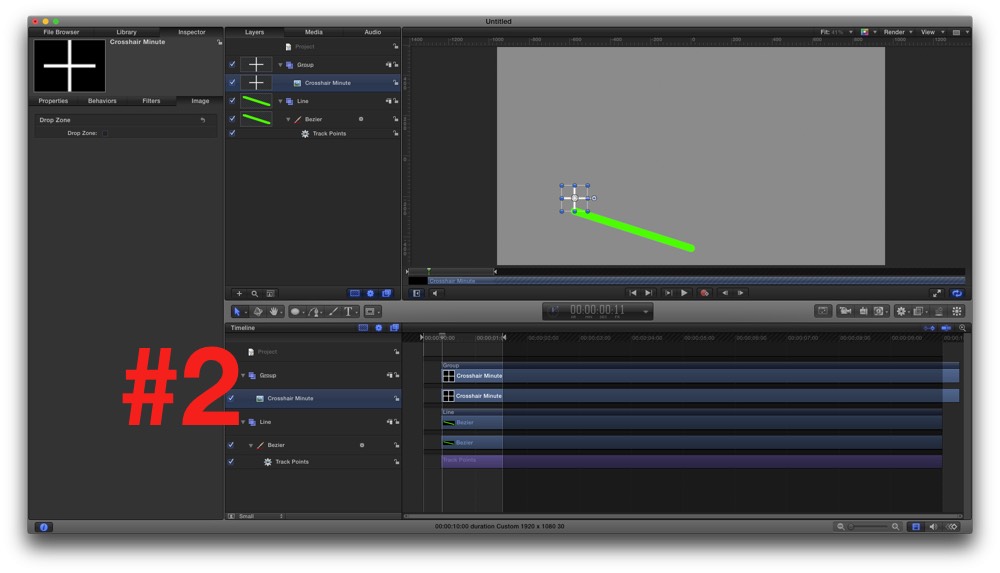
all fine: I move the crosshair, shape point follows - as expected.
Now, I change the Brush Type of the shape to Airbush:
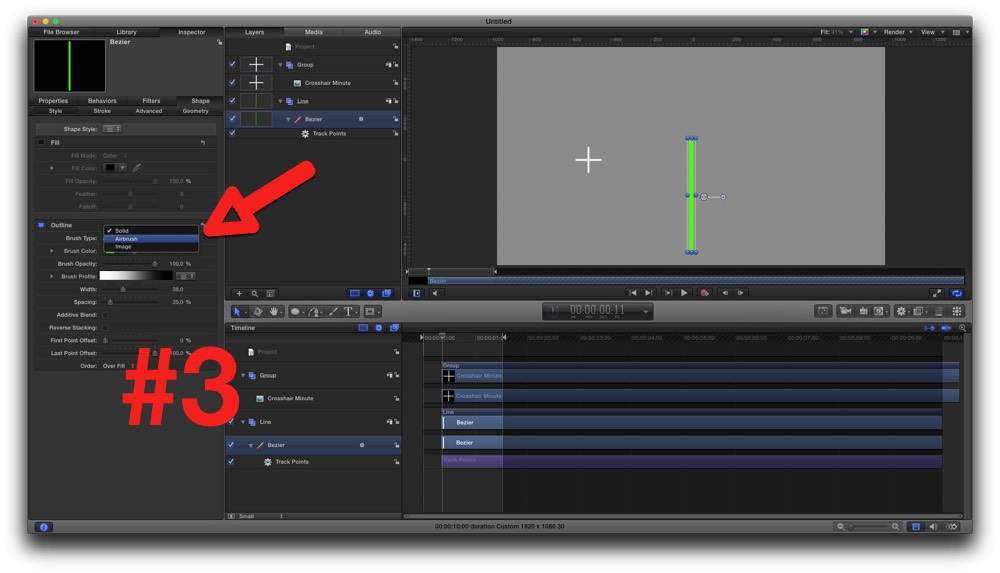
Moving the crosshair has NO more effect on shape!
Changing the BrushType back to solid color - working....
Bug? Feature? Workarounds??
Mr. Mahoney to the rescue please
www.fcp.co/final-cut-pro/tutorials/1837-...hapes-the-mysteries- of-osc-in-final-cut-pro-x-revealed-part-2
about controlling Shapes via OSC, I stumbled over this odd 'effect':
My situation, a shape, a pic, Track Points behavior:
all fine: I move the crosshair, shape point follows - as expected.
Now, I change the Brush Type of the shape to Airbush:
Moving the crosshair has NO more effect on shape!
Changing the BrushType back to solid color - working....
Bug? Feature? Workarounds??
Mr. Mahoney to the rescue please
Please Log in to join the conversation.


03 Aug 2016 10:48 #78971
by lichinho
Replied by lichinho on topic Bug? Can not track airbrushed shapes!
I could not reproduce this. I changed the brush type to airbrush and to image and tracking kept working...
Please Log in to join the conversation.
- Karsten Schlüter
-
Topic Author
- Offline
- Moderator
-
Less
More
- Posts: 3790
- Thank you received: 718
03 Aug 2016 10:54 #78972
by Karsten Schlüter
ohooh! chances rise, it's me ... and no bug.
Would you be so kind to test it with 'my' file?
Maybe something's wrong in my settings...
unzip, double-click it
Haven't test it with a diff-. OS setting (English)
Replied by Karsten Schlüter on topic Bug? Can not track airbrushed shapes!
lichinho wrote: I could not reproduce this....
ohooh! chances rise, it's me ... and no bug.
Would you be so kind to test it with 'my' file?
Maybe something's wrong in my settings...
unzip, double-click it
Haven't test it with a diff-. OS setting (English)
Please Log in to join the conversation.
03 Aug 2016 17:30 #78980
by lichinho
Replied by lichinho on topic Bug? Can not track airbrushed shapes!
Karsten. with your file I see the same thing you do. With Brush Type set to Airbrush (or Image), tracking does not work.
It seems that this problem only occurs with the tracking set to "Attach to source".
I had tried with "Mimic source" and that seems to work ok.
It seems that this problem only occurs with the tracking set to "Attach to source".
I had tried with "Mimic source" and that seems to work ok.
Please Log in to join the conversation.
- Karsten Schlüter
-
Topic Author
- Offline
- Moderator
-
Less
More
- Posts: 3790
- Thank you received: 718
03 Aug 2016 19:40 #78985
by Karsten Schlüter
thanks, Luís, for being my test guinea-pig ...
have to dig deeper, what implications that has for some projects....
Replied by Karsten Schlüter on topic Bug? Can not track airbrushed shapes!
lichinho wrote: ... tried with "Mimic source" and that seems to work ok.
thanks, Luís, for being my test guinea-pig ...
have to dig deeper, what implications that has for some projects....
Please Log in to join the conversation.
