


- Posts: 3790
- Thank you received: 718
3 Post Moderation Rule for New Boarders (25 Jan 2021)
New boarders will have their posts moderated - Don't worry if you cannot see your post immediately.
concept for a Studio Generator ....
- Karsten Schlüter
-
 Topic Author
- Offline
- Moderator
-

Less
More
29 Mar 2016 16:36 - 29 Mar 2016 16:39 #74750
by Karsten Schlüter
concept for a Studio Generator .... was created by Karsten Schlüter
meant as a suggestion for a future project …
Our friends Norbz and Luigi had shown us recently what's possible with the 3D-fonts in Motion5/FCPX.
I actually don't have the time, so the following are just idea-sketches:
• a 'studio' with a floor and 1-3 walls
• a counter
• some lights
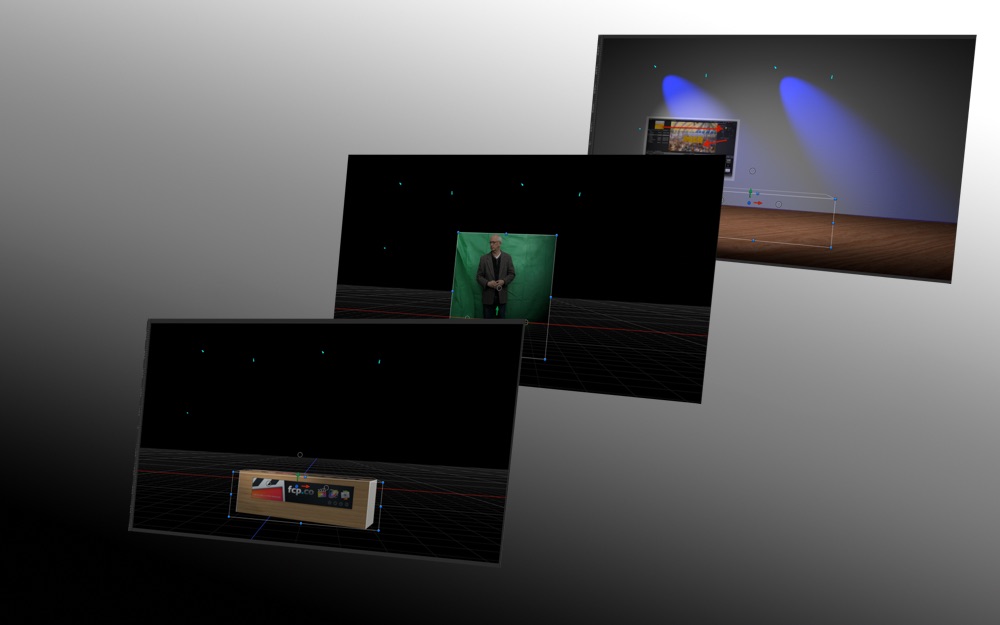
as a layer between background and foreground a dropzone.
In FCPX, you drop a green-screen recording into the well
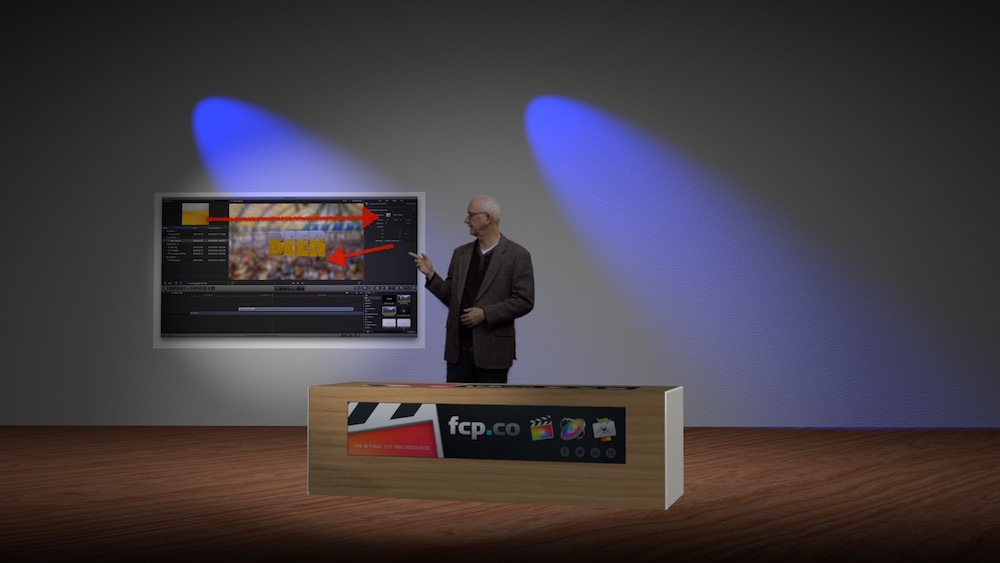
the generator has a checkbox to show only elements behind the subject (low track, subject keyed over it = 'before' bg), or showing elements 'before' subject (high track, covering subject = "in front")...
finally, you create in Motion some camera positions...
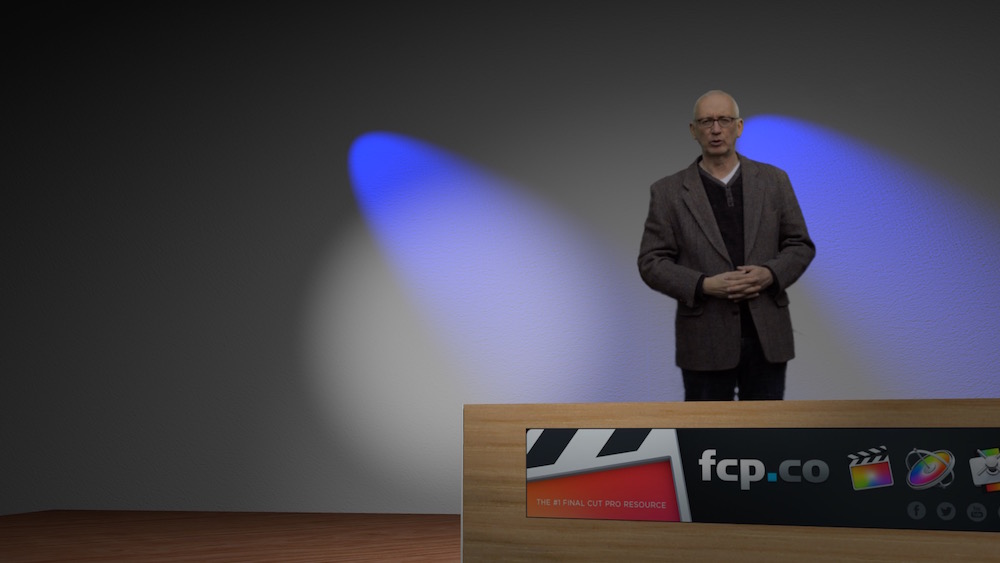
which are avail via drop-down selection in the Inspector of that generator...
=> a super-low-budget solution, asks only for some cheap green-screen (FCPX is very forgiven with bad lighting) .... schools, NPOs, one-man-companies, tutorial makers...
when you invest a few hours into the 'set', using your own textures (company logo?) etc, integrate 'screens', and esp. in lights (note: the keyed subject get lit!), you can create some surprising results.
This is really no rocket-science...
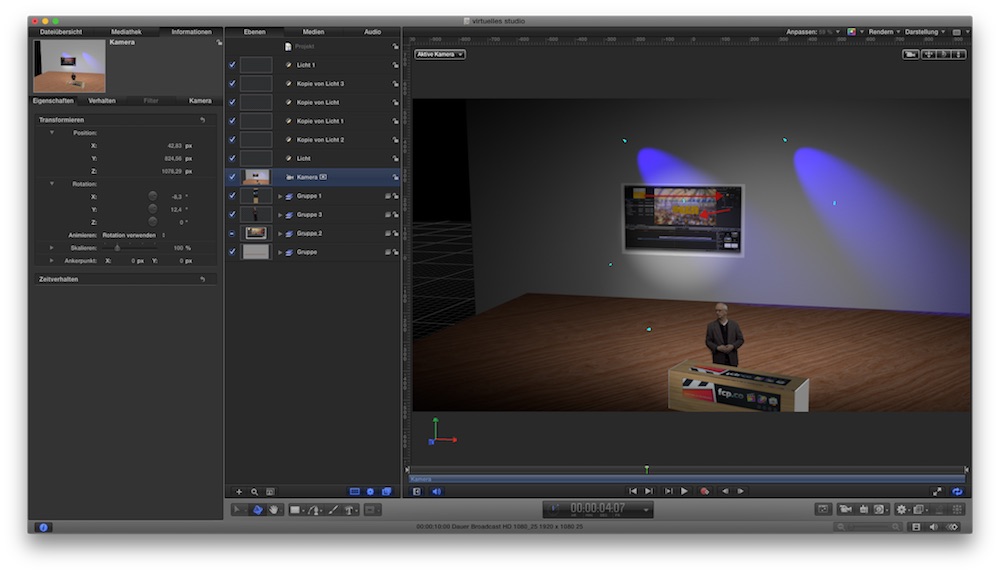
.... which commercial plug-in maker will grab that idea first ...
Our friends Norbz and Luigi had shown us recently what's possible with the 3D-fonts in Motion5/FCPX.
I actually don't have the time, so the following are just idea-sketches:
• a 'studio' with a floor and 1-3 walls
• a counter
• some lights
as a layer between background and foreground a dropzone.
In FCPX, you drop a green-screen recording into the well
the generator has a checkbox to show only elements behind the subject (low track, subject keyed over it = 'before' bg), or showing elements 'before' subject (high track, covering subject = "in front")...
finally, you create in Motion some camera positions...
which are avail via drop-down selection in the Inspector of that generator...
=> a super-low-budget solution, asks only for some cheap green-screen (FCPX is very forgiven with bad lighting) .... schools, NPOs, one-man-companies, tutorial makers...
when you invest a few hours into the 'set', using your own textures (company logo?) etc, integrate 'screens', and esp. in lights (note: the keyed subject get lit!), you can create some surprising results.
This is really no rocket-science...
.... which commercial plug-in maker will grab that idea first ...
Last edit: 29 Mar 2016 16:39 by Karsten Schlüter.
Please Log in to join the conversation.
- Squamish ed
-

- Offline
- Elite Member
-

Less
More
- Posts: 238
- Thank you received: 20
29 Mar 2016 21:13 #74760
by Squamish ed
Ed
Replied by Squamish ed on topic concept for a Studio Generator ....
That's very clever Karsten. I'm enjoying the fruits of your imagination. Keep it up!
Ed
Please Log in to join the conversation.

30 Mar 2016 20:18 #74799
by Norbz
Replied by Norbz on topic concept for a Studio Generator ....
This is neat. I'll take a hack at a few 'studio' scenes next sure why not. Only thing would be the lighting, it would have to be the same as the green screen footage (and or just have moveable lights in the plugin I guess).
Later today or tomorrow I'll have something to give away .
.
Later today or tomorrow I'll have something to give away
. Please Log in to join the conversation.
- Karsten Schlüter
-
Topic Author
- Offline
- Moderator
-
Less
More
- Posts: 3790
- Thank you received: 718
31 Mar 2016 05:30 #74809
by Karsten Schlüter
no ... ? have a look (ignore the worst key ever. LOL :sick: )
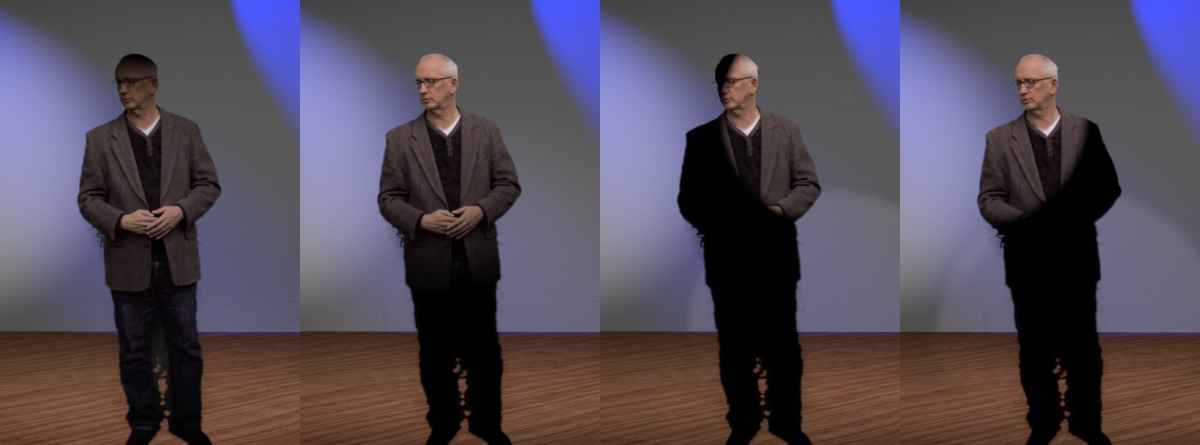
that's 'virtual lights'... the subject/me appears like any other object in the set... receiving light, or creating shadows ... ok, not like real light, my nose creates no shadow/'depth', even when light comes 90° straight from side..
so, for sure, you can not re-establish Rembrandt lighting in post :lol:
but a 'plain vanilla, all bright, 5 chinaballs talkshow'-lighting ... ? easy, I'd say!
Replied by Karsten Schlüter on topic concept for a Studio Generator ....
Norbz wrote: …Only thing would be the lighting, it would have to be the same as the green screen footage ….
no ... ? have a look (ignore the worst key ever. LOL :sick: )
that's 'virtual lights'... the subject/me appears like any other object in the set... receiving light, or creating shadows ... ok, not like real light, my nose creates no shadow/'depth', even when light comes 90° straight from side..
so, for sure, you can not re-establish Rembrandt lighting in post :lol:
but a 'plain vanilla, all bright, 5 chinaballs talkshow'-lighting ... ? easy, I'd say!
Please Log in to join the conversation.

31 Mar 2016 11:25 - 31 Mar 2016 11:35 #74820
by BenB
Replied by BenB on topic concept for a Studio Generator ....
Couple years ago we had a string of projects that required virtual sets. We purchased them online. But we found that you light the talent to either match the set, which saved lots of time in post. Or you lit the talent very neutrally, and then introduced virtual lights in post, which took more time to match. This experience inspired my tutorial at macProVideo, which shows how using the Bump Map filter can make virtual lights more realistic with textures and shapes in your video.
The only trick with virtual lights, is getting shadows to work properly. And there is a whole toolbox of tricks for that, depending on your situation in Motion.
Then, there is motion tracking, which Motion's built-in tracker can handle fairly well.
(Will post example as soon as my FTP server issues are resolved by my ISP later today)
The only trick with virtual lights, is getting shadows to work properly. And there is a whole toolbox of tricks for that, depending on your situation in Motion.
Then, there is motion tracking, which Motion's built-in tracker can handle fairly well.
(Will post example as soon as my FTP server issues are resolved by my ISP later today)
Last edit: 31 Mar 2016 11:35 by BenB.
Please Log in to join the conversation.
- Karsten Schlüter
-
Topic Author
- Offline
- Moderator
-
Less
More
- Posts: 3790
- Thank you received: 718
31 Mar 2016 12:44 #74830
by Karsten Schlüter
fully agree - on a pro-level.
What I have in mind is junior-league:
Keep it simple, keep it cheap - limited therefor easy to use.
That's why I mentioned talkshows and their <yawn> 'flat' lighting, we hobbyist like to re-enact with a couple of china-balls.
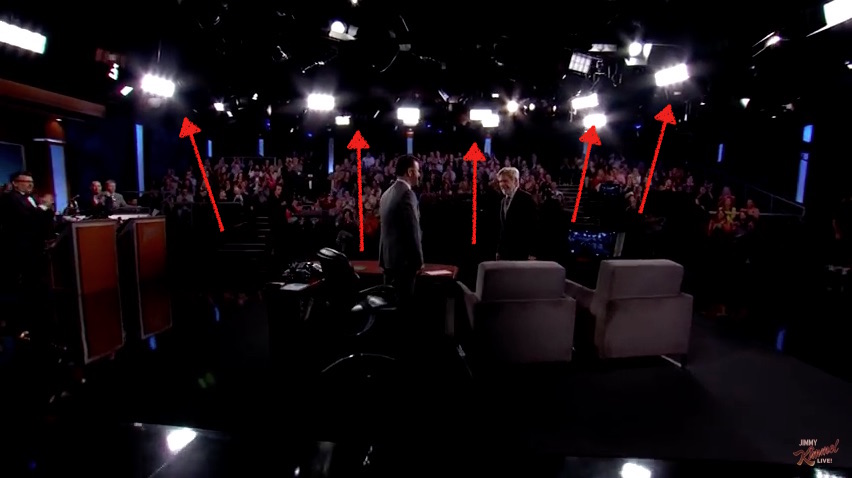
( very little magic here - lightwise. Han Solo meets Kimmel - great show!)
And, for a start:
no cam moves, simple 'fix' pov: wide establisher, from left, from right, cu, medium for an insert. Avail via menu ...
If the generator is made intentionally so, all you need is a green blanket from the penny-store, and mimicing head turns to cam1,2,3 ... or, by concept, make it more easy, for a sitting host (then a real prop/table should be mandatory)
Tracking (would be awesome, DriveX anybody??) is the luxury version. ...
in the mid-90ies (gosh! 22y ago!!) we did one of the first live-show with virtual-sets AND live character-animation (see the little troll?) For this simple stuff we needed three fridge-sized workstations... kids loved it, talking to a toon-character…
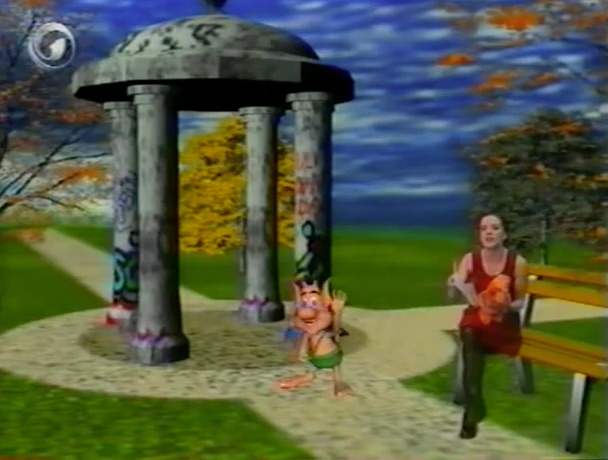
now we do this with a laptop .... crrrrazy.
.... hmm, maybe I can post an example next week, what I have in mind ...
Replied by Karsten Schlüter on topic concept for a Studio Generator ....
BenB wrote: ... // full quote //
…
fully agree - on a pro-level.
What I have in mind is junior-league:
Keep it simple, keep it cheap - limited therefor easy to use.
That's why I mentioned talkshows and their <yawn> 'flat' lighting, we hobbyist like to re-enact with a couple of china-balls.
( very little magic here - lightwise. Han Solo meets Kimmel - great show!)
And, for a start:
no cam moves, simple 'fix' pov: wide establisher, from left, from right, cu, medium for an insert. Avail via menu ...
If the generator is made intentionally so, all you need is a green blanket from the penny-store, and mimicing head turns to cam1,2,3 ... or, by concept, make it more easy, for a sitting host (then a real prop/table should be mandatory)
Tracking (would be awesome, DriveX anybody??) is the luxury version. ...
in the mid-90ies (gosh! 22y ago!!) we did one of the first live-show with virtual-sets AND live character-animation (see the little troll?) For this simple stuff we needed three fridge-sized workstations... kids loved it, talking to a toon-character…
now we do this with a laptop .... crrrrazy.
.... hmm, maybe I can post an example next week, what I have in mind ...
Please Log in to join the conversation.
31 Mar 2016 15:27 - 31 Mar 2016 15:28 #74835
by BenB
Replied by BenB on topic concept for a Studio Generator ....
Match Move in Motion isn't something you could Publish to an FCPX template, but works great for camera dollies and pans. You have to have marks on the green screen to match up to. There's an exercise that does this in the APTS book for Motion 5, one of the parts of that convoluted text that actually makes sense. Here's basically what you end up with. Talent was filmed on green screen with camera dolly movement. Match Move in Motion moves the background (virtual studio in this case, but can be a photo of video clip) to match that camera movement.
Here's a cheap example where dolly moves in closer and to the right.
Here's a cheap example where dolly moves in closer and to the right.
Last edit: 31 Mar 2016 15:28 by BenB.
Please Log in to join the conversation.
