


- Posts: 2
- Thank you received: 0
3 Post Moderation Rule for New Boarders (25 Jan 2021)
New boarders will have their posts moderated - Don't worry if you cannot see your post immediately.
motion strokes
- łukasz.ukryj
-
 Topic Author
- Offline
- New Member
-

Less
More
25 Nov 2015 15:16 #70948
by łukasz.ukryj
motion strokes was created by łukasz.ukryj
how do i keep on recording strokes one by one
just like i would write continously so it doesnt go back when i finish first stroke ?
just like i would write continously so it doesnt go back when i finish first stroke ?
Please Log in to join the conversation.

29 Nov 2015 00:17 #71010
by BenB
Replied by BenB on topic motion strokes
Go back? What exactly are you doing?
Please Log in to join the conversation.
- łukasz.ukryj
-
Topic Author
- Offline
- New Member
-
Less
More
- Posts: 2
- Thank you received: 0
29 Nov 2015 01:40 #71012
by łukasz.ukryj
Replied by łukasz.ukryj on topic motion strokes
I mean when you finish a stroke its created as a layer is there any way to have multiple strokes in this layer so you could write seperate letters or something in one layer but so it would still read out the "write on" 
Please Log in to join the conversation.
- Karsten Schlüter
-

- Offline
- Moderator
-

Less
More
- Posts: 3790
- Thank you received: 718
29 Nov 2015 06:18 #71014
by Karsten Schlüter
Replied by Karsten Schlüter on topic motion strokes
… it's about beziers, right? look:
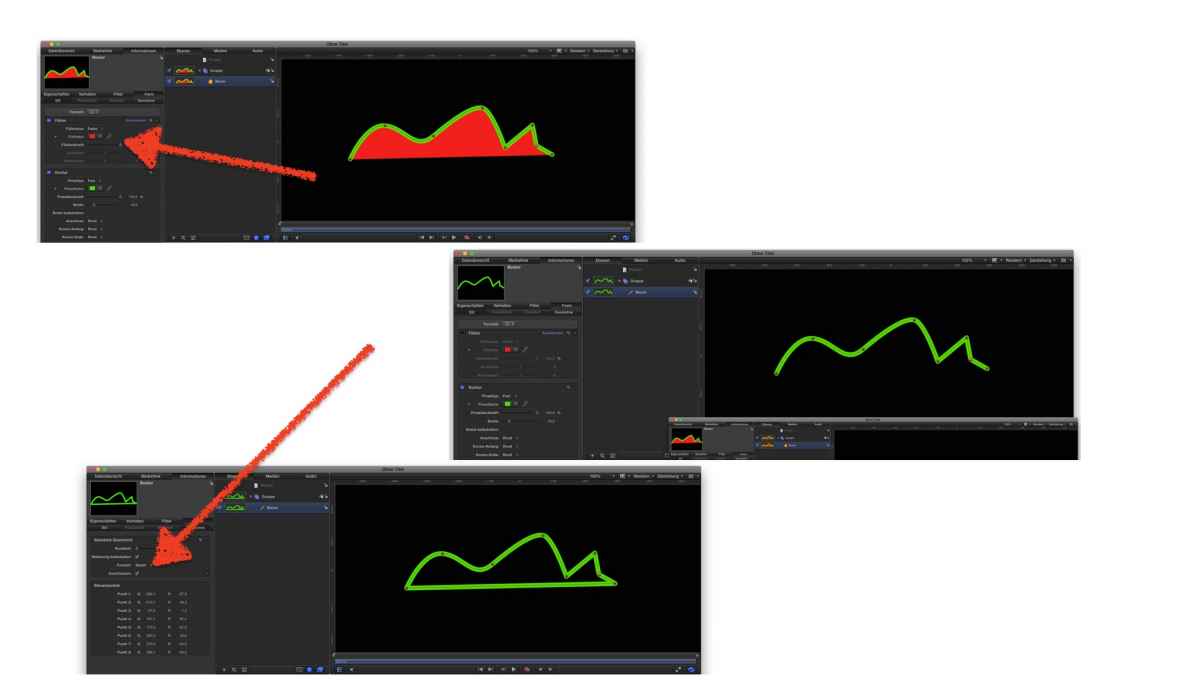
In the Inspector/Geometry you'll find a 'closed' option, uncheck that
to avod a fill, just uncheck in the properties the blue square near Fill.....
In the Inspector/Geometry you'll find a 'closed' option, uncheck that
to avod a fill, just uncheck in the properties the blue square near Fill.....
Please Log in to join the conversation.
- Bernard Black
-
- Offline
- Junior Member
-

Less
More
- Posts: 34
- Thank you received: 5
02 Dec 2015 02:52 #71110
by Bernard Black
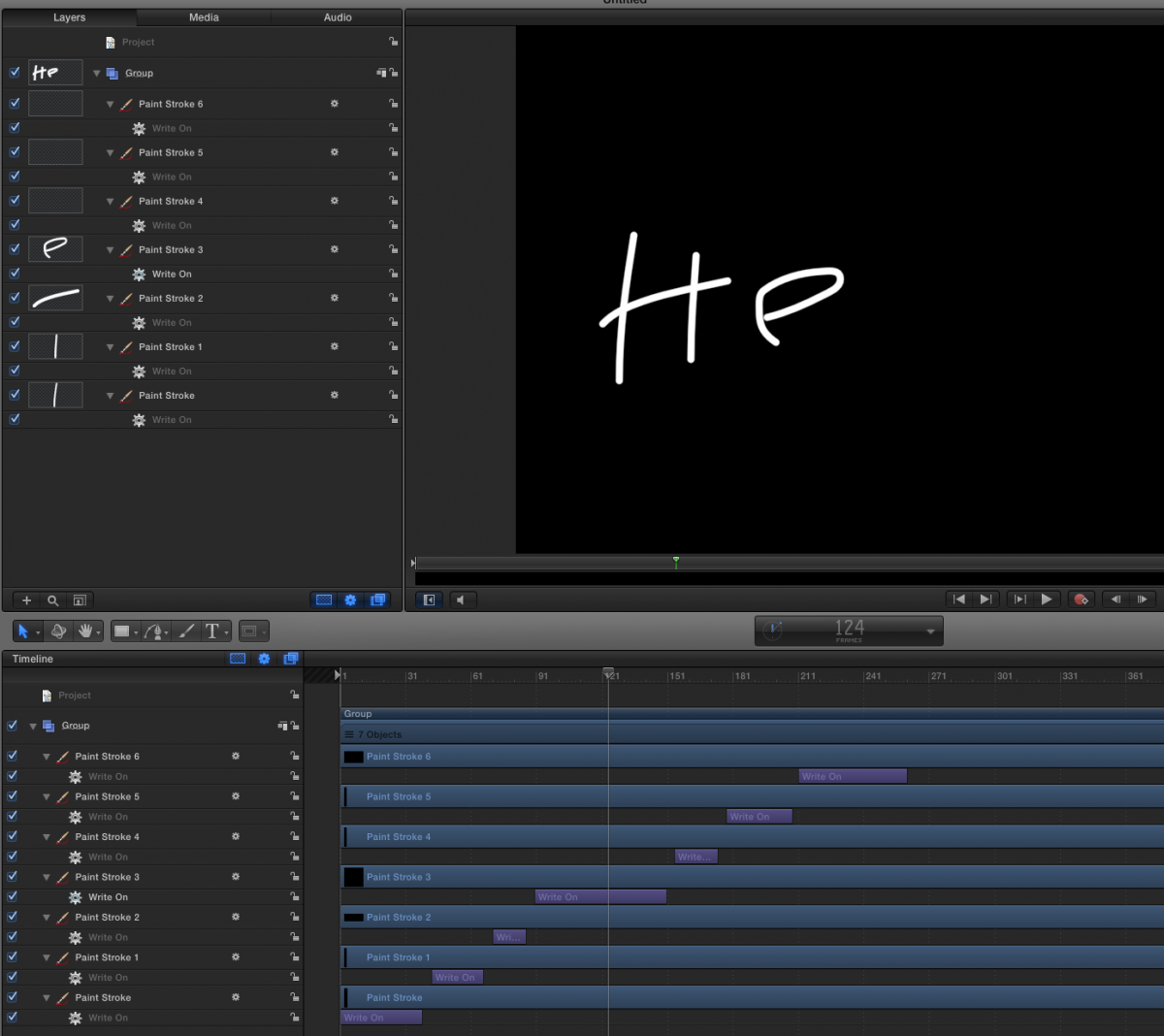
Do you mean so it looks like a word is getting written on letter by letter? If so, you can write it out with your strokes and then offset the write on behaviors in time like so, adjusting them for timing however you like.
Replied by Bernard Black on topic motion strokes
łukasz.ukryj wrote: I mean when you finish a stroke its created as a layer is there any way to have multiple strokes in this layer so you could write seperate letters or something in one layer but so it would still read out the "write on"
Do you mean so it looks like a word is getting written on letter by letter? If so, you can write it out with your strokes and then offset the write on behaviors in time like so, adjusting them for timing however you like.
Please Log in to join the conversation.
