


- Posts: 138
- Thank you received: 15
3 Post Moderation Rule for New Boarders (25 Jan 2021)
New boarders will have their posts moderated - Don't worry if you cannot see your post immediately.
Motion 5 3D Text
16 Apr 2015 18:11 - 16 Apr 2015 18:20 #62964
by muddygun
Motion 5 3D Text was created by muddygun
So, I've been playing with stuff since 5.2, hopefully you guys have too. Anyways..first thing I have found when using 3D text. LAYERS! This is kind of a problem...but I have found a temporary fix.
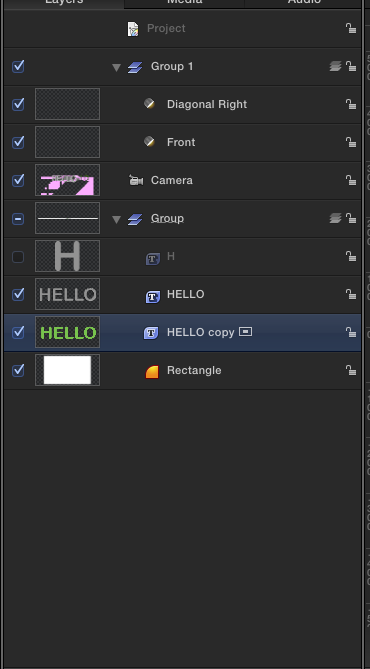
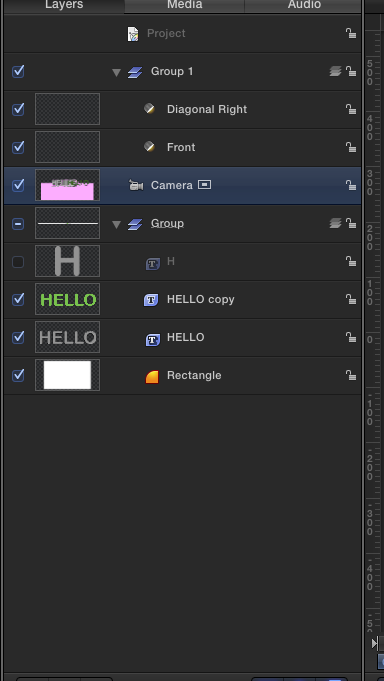
So, when making a 3d text and a solid white square. Both exist in 3d space....but when you move the camera around the object, the expectation of things happening the way they should go away. Like for instance, when you are flying from below the solid, you still see the text...even though the solid is 100% in front of it.
But when I used a 3d text..made it super huge so it looked like a flat solid...i got the results I was expecting...things falling behind one another..even if they were in different order in the layer panel.
I also noticed when I had stuff on top of the 3D layer, like a flat 2d text....the 2d text sat over it no matter what....so this kind of gives me an idea of whats going on with the software....but i am not quite sure how to word it.
Let me know if you guys have a solution any other way then this. Maybe I did something wrong..but i don't think I did. If this is all true...apple should fix that right?
3d text with 3d text
3d text with square
3d text with square + text
So, when making a 3d text and a solid white square. Both exist in 3d space....but when you move the camera around the object, the expectation of things happening the way they should go away. Like for instance, when you are flying from below the solid, you still see the text...even though the solid is 100% in front of it.
But when I used a 3d text..made it super huge so it looked like a flat solid...i got the results I was expecting...things falling behind one another..even if they were in different order in the layer panel.
I also noticed when I had stuff on top of the 3D layer, like a flat 2d text....the 2d text sat over it no matter what....so this kind of gives me an idea of whats going on with the software....but i am not quite sure how to word it.
Let me know if you guys have a solution any other way then this. Maybe I did something wrong..but i don't think I did. If this is all true...apple should fix that right?
3d text with 3d text
3d text with square
3d text with square + text
Last edit: 16 Apr 2015 18:20 by muddygun. Reason: added youtube links
Please Log in to join the conversation.


16 Apr 2015 18:48 #62967
by Deyson
Replied by Deyson on topic Motion 5 3D Text
Yes you are correct there are several bugs. It is still in its infancy but I believe is a small taste of what is to come.
Also you can use Font Glyphs to add some text objects.
Below is a quick demo of how I did it using the free ionicons.com glyph fonts.
quick.as/8lqt68xg
Also you can use Font Glyphs to add some text objects.
Below is a quick demo of how I did it using the free ionicons.com glyph fonts.
quick.as/8lqt68xg
Please Log in to join the conversation.
