- Posts: 3
- Thank you received: 1
3 Post Moderation Rule for New Boarders (25 Jan 2021)
New boarders will have their posts moderated - Don't worry if you cannot see your post immediately.
A gradient shape in Motion 5
10 Oct 2014 16:19 #53964
by Mashhor
A gradient shape in Motion 5 was created by Mashhor
Hi everyone,
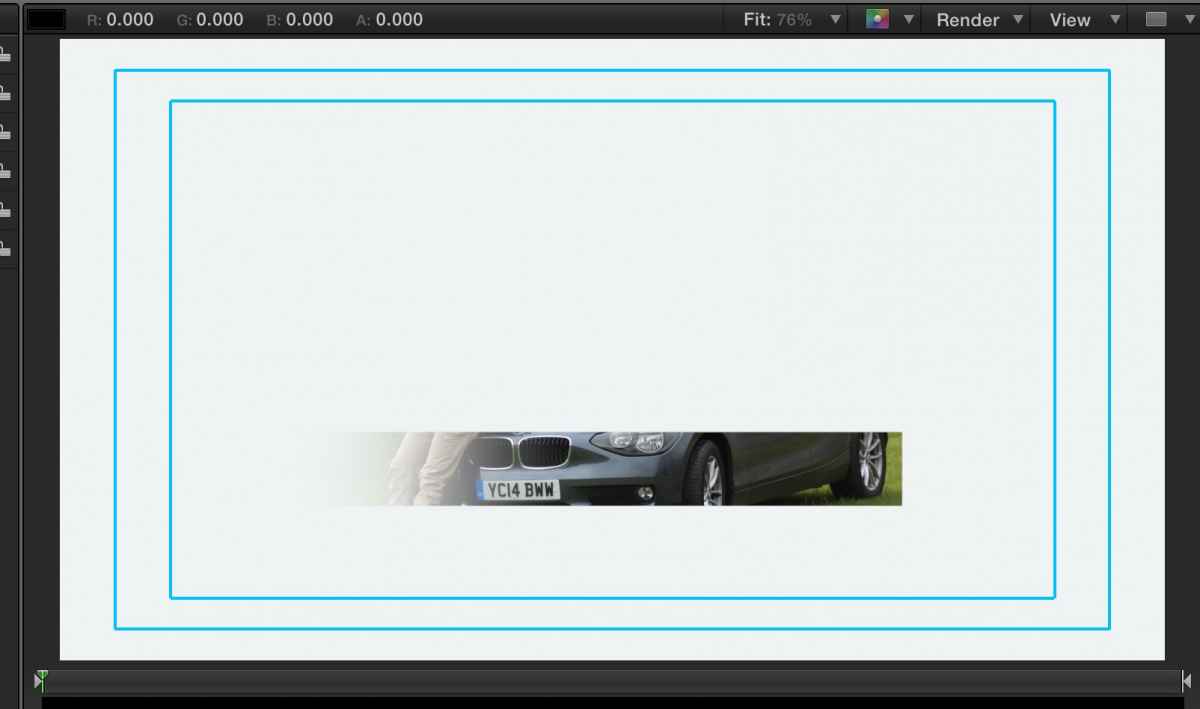
Well, I've tried a lot to create a shape in Motion 5 that is 100% opacity from the left side and 0% from the right side as shown in the image below.

Can anyone help me out with a simple tutorial?
Thank you.
Well, I've tried a lot to create a shape in Motion 5 that is 100% opacity from the left side and 0% from the right side as shown in the image below.
Can anyone help me out with a simple tutorial?
Thank you.
Please Log in to join the conversation.
- Scrubelicious
-

- Offline
- Platinum Member
-

Less
More
- Posts: 1228
- Thank you received: 114
10 Oct 2014 16:38 #53967
by Scrubelicious
Replied by Scrubelicious on topic A gradient shape in Motion 5
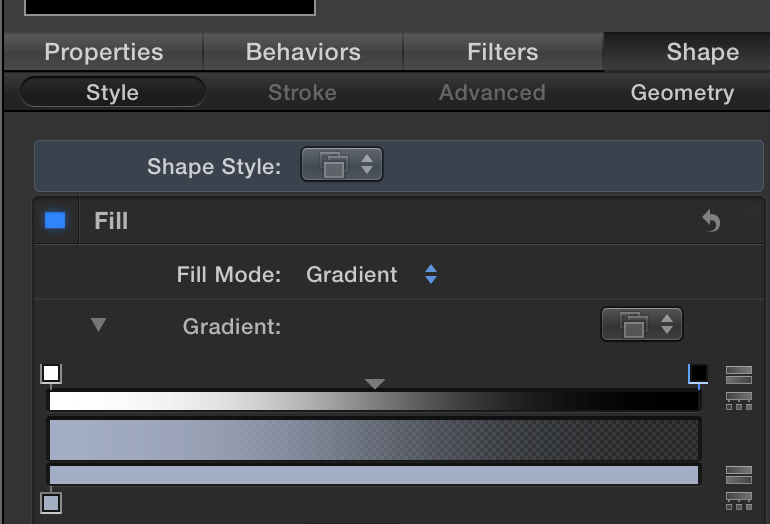
In the Inspector, Shape under Style you can change the Opacity for the Gradient for Shapes.
Please Log in to join the conversation.
10 Oct 2014 17:03 #53973
by Mashhor
Replied by Mashhor on topic A gradient shape in Motion 5
I've just figured out that I need two handles above the opacity bar, where I have only one (the default one)!
Thank you so much.
Thank you so much.
Please Log in to join the conversation.