


3 Post Moderation Rule for New Boarders (25 Jan 2021)
New boarders will have their posts moderated - Don't worry if you cannot see your post immediately.
Motion 5 - Slicing up an image to animate?
- thefcpxeditor
-
 Topic Author
- Offline
- Premium Member
-

- Control+Command+Awesome
Less
More
12 Feb 2014 03:39 #41008
by thefcpxeditor
Motion 5 - Slicing up an image to animate? was created by thefcpxeditor
If I wanted to have something, like an image, come in as slices or parts and animate (however I chose) and end up as a whole, what would be the best way to accomplish this?
Please Log in to join the conversation.

12 Feb 2014 04:19 #41012
by BenB
Replied by BenB on topic Motion 5 - Slicing up an image to animate?
That is a complicated process, but it can be done. I highly recommend finding a copy of the book "How To Cheat In Motion". It was written for Motion 4, but all the techniques still apply to Motion 5. There is a chapter showing several variations of doing this.
www.amazon.com/How-Cheat-Motion-Patrick-...w+to+cheat+in+motion
www.amazon.com/How-Cheat-Motion-Patrick-...w+to+cheat+in+motion
Please Log in to join the conversation.

12 Feb 2014 04:25 #41013
by muddygun
Replied by muddygun on topic Motion 5 - Slicing up an image to animate?
1. You could cut the image up by masking certain parts of the image. This gives you the ability to make all different types of shapes in your cuts making a jigsaw puzzle effect.
2. You could cut the images up in photoshop and make sure they are all the same size and same shape, then bring the images as seperate files, or a png sequence. first cut starting with 001, last cut ending in whatever the last cut is. Then bring that image in as a png sequence and turn it into a replicator. You have to play with frame offset and alignment a bit, but this is powerful in the since that you can do some pretty powerful animations. like multiples squares forming one...or pieces of a pie exploding outwards. you could do the same with the masks..but once you have this built it is easy to animate.
3. or you could cut you image in photoshop. make all the cuts different layers and then import the psd file into Motion. This would be faster, because making sure the masks cut in the right spot in motion would get tough after a while.
2. You could cut the images up in photoshop and make sure they are all the same size and same shape, then bring the images as seperate files, or a png sequence. first cut starting with 001, last cut ending in whatever the last cut is. Then bring that image in as a png sequence and turn it into a replicator. You have to play with frame offset and alignment a bit, but this is powerful in the since that you can do some pretty powerful animations. like multiples squares forming one...or pieces of a pie exploding outwards. you could do the same with the masks..but once you have this built it is easy to animate.
3. or you could cut you image in photoshop. make all the cuts different layers and then import the psd file into Motion. This would be faster, because making sure the masks cut in the right spot in motion would get tough after a while.
Please Log in to join the conversation.
- thefcpxeditor
-
Topic Author
- Offline
- Premium Member
-
- Control+Command+Awesome
12 Feb 2014 05:24 #41015
by thefcpxeditor
Replied by thefcpxeditor on topic Motion 5 - Slicing up an image to animate?
Thanks for the feedback guys.
Ben, you're the 2nd one to recommend that book for this issue. I'll have to pick it up. It appears it is too complex a process to share firsthand. I'm needing this information though faster then I can get the book.
I need to have the slices or pieces reference a drop zone of sorts. So that I could put whatever I want in there and it would be reflected in the animated slices.
Muddygun, thanks for the advice. If this was a standalone project that would work but it need the drop zone functionality.
Ben, you're the 2nd one to recommend that book for this issue. I'll have to pick it up. It appears it is too complex a process to share firsthand. I'm needing this information though faster then I can get the book.
I need to have the slices or pieces reference a drop zone of sorts. So that I could put whatever I want in there and it would be reflected in the animated slices.
Muddygun, thanks for the advice. If this was a standalone project that would work but it need the drop zone functionality.
Please Log in to join the conversation.
12 Feb 2014 12:57 - 12 Feb 2014 12:59 #41022
by BenB
Replied by BenB on topic Motion 5 - Slicing up an image to animate?
Well, let's see what I can get from the book here that isn't going to take forever (I'm on a tight schedule today). Draw a bezier triangle, pizza slice like, move anchor point to the tip. Replicate (shape, circular, outline, etc). Use a Sequence Replicator behavior: through inverted, spread 0, add Opacity to 0. Clone that Group to a new clone Group. Make it the same number of frames as your points in the replicator. Give it an image mask, use replicator as the source. Replicate clone layer, just as before, turn off play frames, offset to 1. There's more detail, but I simply don't have the time to write it all down now. And I think Mr. Sheffield needs to be compensated for his work, too. But yes, you can do it in Motion without too much trouble. Cutting it up in PS is, IMHO, too much effort, not enough flexibility. Finally, this shatters the image out. You'd want to export the QT file, then reverse the playback in FCPX.
I wonder if I could make this an FCPX effect?
I wonder if I could make this an FCPX effect?
Last edit: 12 Feb 2014 12:59 by BenB.
Please Log in to join the conversation.

12 Feb 2014 14:24 #41023
by ddixon
Replied by ddixon on topic Motion 5 - Slicing up an image to animate?
Probably won't suit your purposes, but you can get a similar look directly in FCPX using Boinx's FxTiles (an FxFactory plugin). Transition into your clip or image from black rather than from a previous clip and set the number of Columns and Rows you want. You'll get random pieces that animate into the whole.
Attached screenshot taken halfway thru the effect...
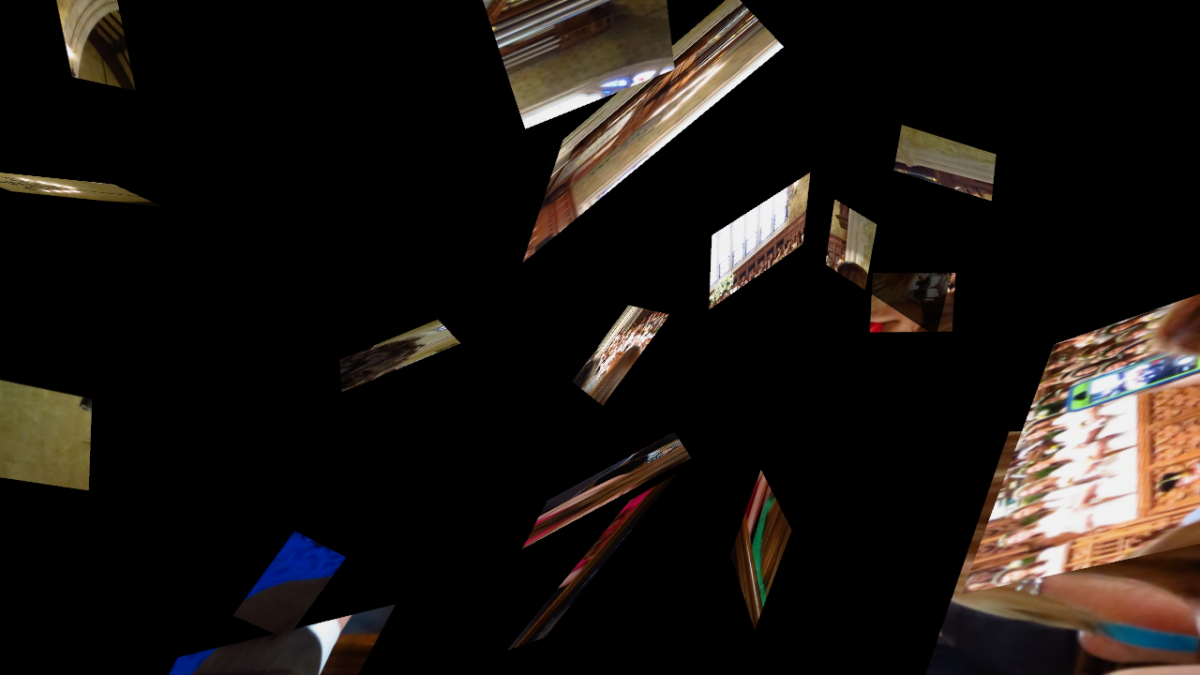
Attached screenshot taken halfway thru the effect...
Please Log in to join the conversation.
