


3 Post Moderation Rule for New Boarders (25 Jan 2021)
New boarders will have their posts moderated - Don't worry if you cannot see your post immediately.
Adding video to Rectangle but how!?!
- finalbug.net
-
 Topic Author
- Offline
- Platinum Member
-

- Absence of Quality is the essence of squareness.
Less
More
10 Dec 2013 21:18 - 10 Dec 2013 21:22 #35597
by finalbug.net
Adding video to Rectangle but how!?! was created by finalbug.net
Hello Motion experts. I could do with a little help on this one if someone has some ideas, I would be very grateful. I am editing a trailer and need to replace a so called “Cyber Room” that someone else edited into the trailer. Actually what I have to do is replace the edited material that runs on the screen on the wall in the “Cyber Room” Thing is that I just do not get it how it is built in Motion. I have taken the Motion project home and am looking at it, But still do not get, how it works!?!
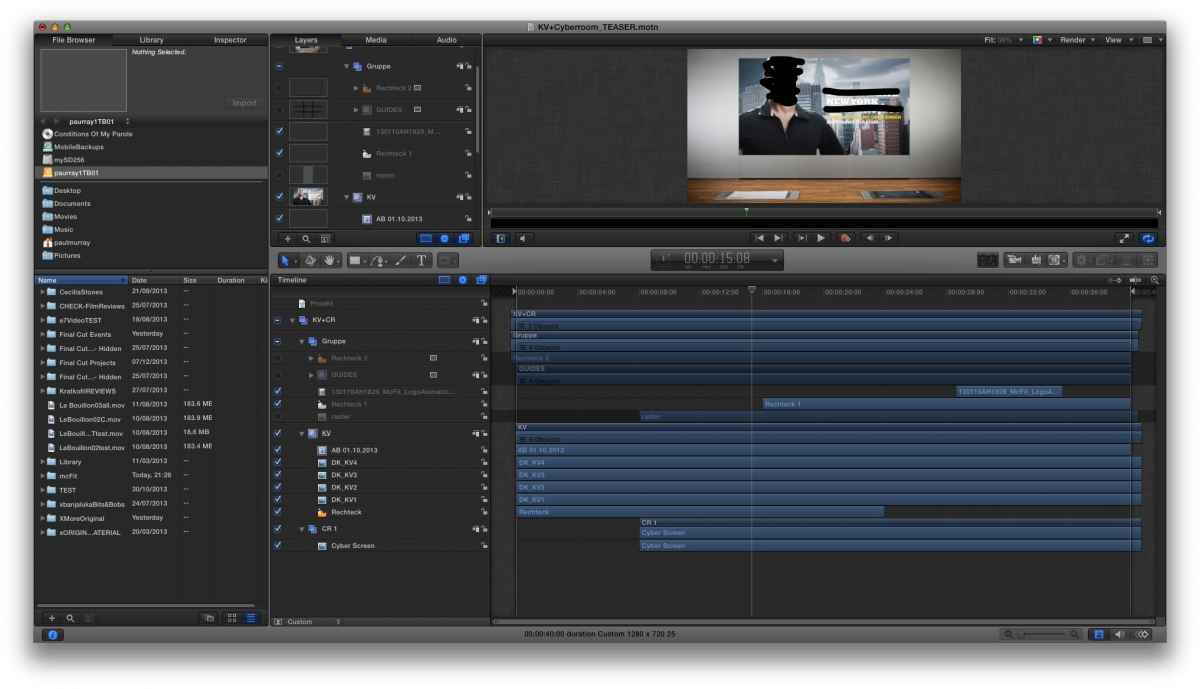
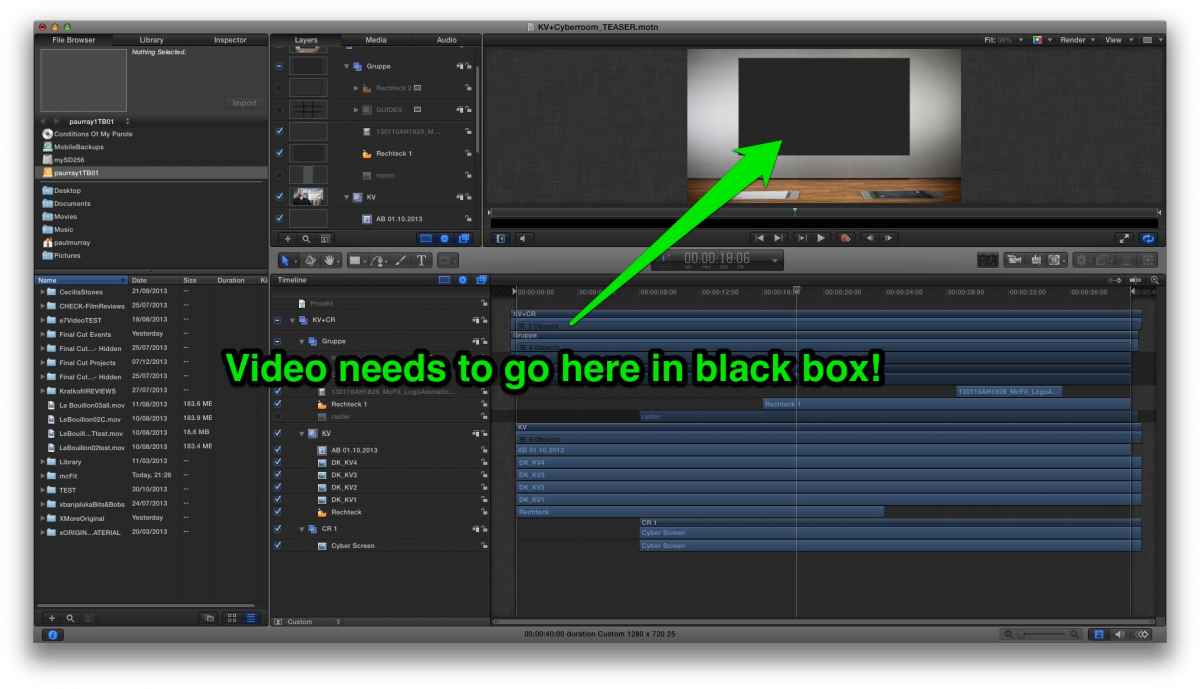
The first 2 screen shots (Top Left/Right) show the room with the screen. There is a photo with text, at the beginning of the sequence, on the screen, on the wall and when this disappears I need to put in my edited sequence. (The easiest way I could imagine is making a freeze frame when the animated photo is finished and exporting this out as a Mov to FCP X with a length of animated photo plus my edited clip that I want to put where the black screen is. But this would be a workaround and It kind of defeats the purpose of the Motion project!)I would like to understand how this works.
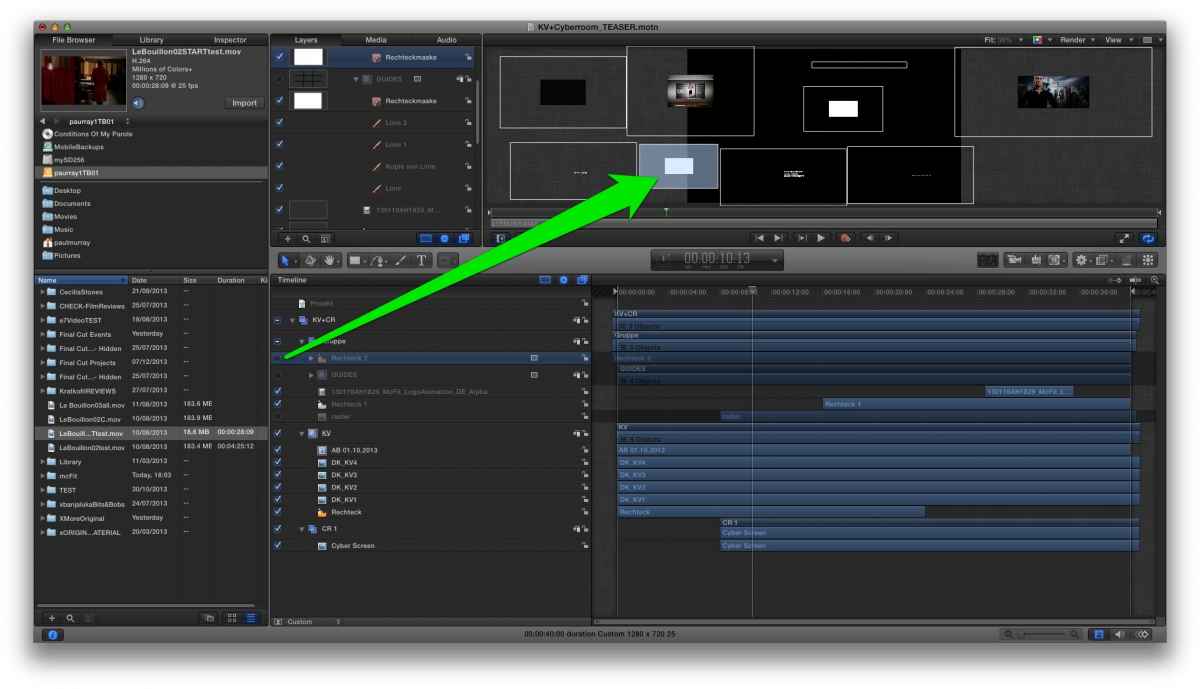
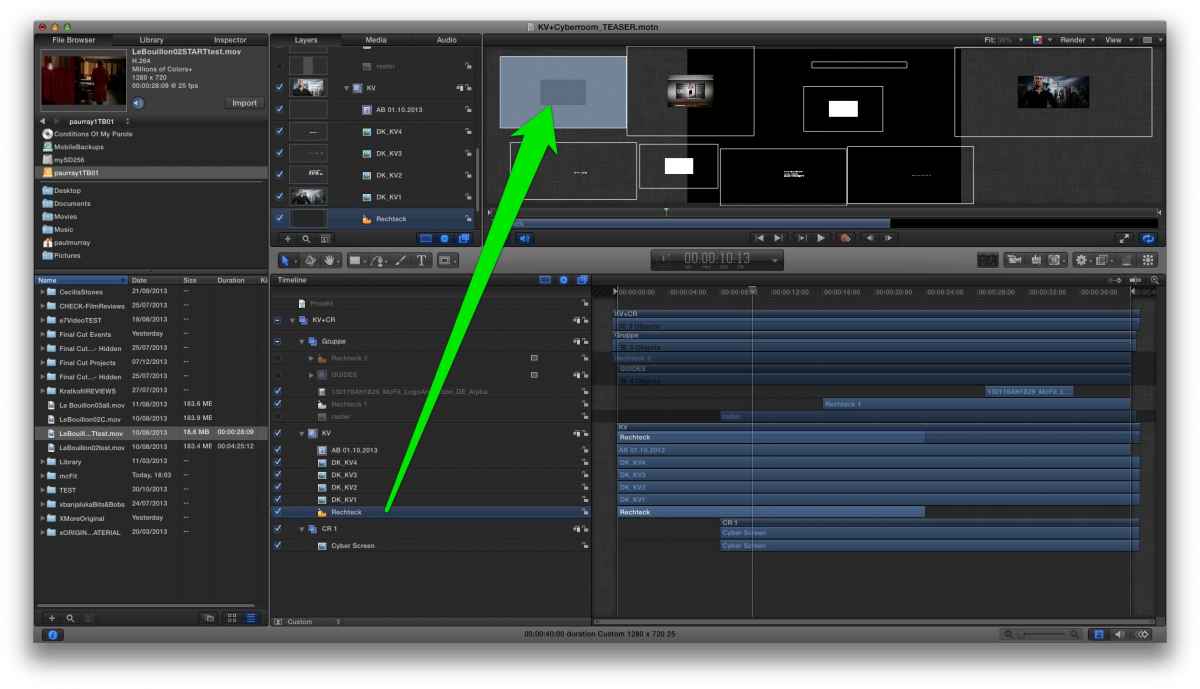
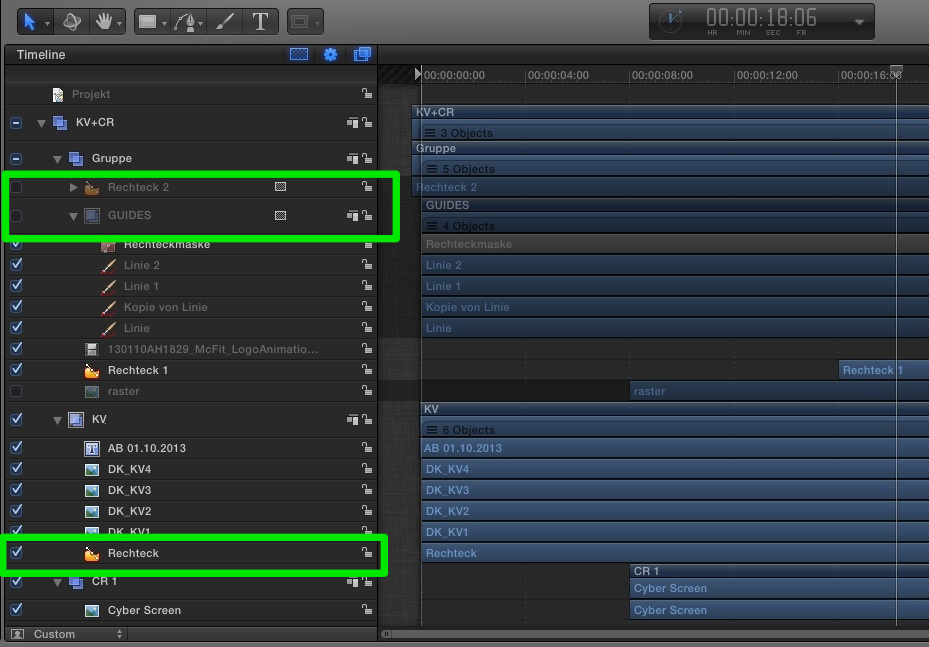
I can figure out what pretty much every thing is except for the Rectangle and Guides that are switched off near the top of the stack and the second rectangle towards the bottom of the stack. (Second from Top Left/Right) The last screen shot shows how things are stacked up in the motion timeline.
I am guessing that at the end of the day it is going to come down to an Alpha mask/drop zone or some mix of the 2! Any suggestions would be greatly welcomed.
The first 2 screen shots (Top Left/Right) show the room with the screen. There is a photo with text, at the beginning of the sequence, on the screen, on the wall and when this disappears I need to put in my edited sequence. (The easiest way I could imagine is making a freeze frame when the animated photo is finished and exporting this out as a Mov to FCP X with a length of animated photo plus my edited clip that I want to put where the black screen is. But this would be a workaround and It kind of defeats the purpose of the Motion project!)I would like to understand how this works.
I can figure out what pretty much every thing is except for the Rectangle and Guides that are switched off near the top of the stack and the second rectangle towards the bottom of the stack. (Second from Top Left/Right) The last screen shot shows how things are stacked up in the motion timeline.
I am guessing that at the end of the day it is going to come down to an Alpha mask/drop zone or some mix of the 2! Any suggestions would be greatly welcomed.
Last edit: 10 Dec 2013 21:22 by finalbug.net.
Please Log in to join the conversation.
- Karsten Schlüter
-

- Offline
- Moderator
-

Less
More
- Posts: 3790
- Thank you received: 718
13 Dec 2013 09:56 - 13 Dec 2013 09:57 #35779
by Karsten Schlüter
Replied by Karsten Schlüter on topic Adding video to Rectangle but how!?!
me no 'expert', but ......
perhaps I don't understand your problem correctly - but simply replacing that rectangle by your video doesn't to the trick??
as far as I can see (screenshots are too tiny for my ol' eyes), that grey rectangle is basically a placeholder. The moment you need video 'on it', replace it by your stuff ... or 'add' it on top of it. Hopefully, animation is done to the group, not each element alone …
… or do you need that Motion-Project as a template? Then, replace rectangle by a 'drop zone'.
... hu? :blink:
perhaps I don't understand your problem correctly - but simply replacing that rectangle by your video doesn't to the trick??
as far as I can see (screenshots are too tiny for my ol' eyes), that grey rectangle is basically a placeholder. The moment you need video 'on it', replace it by your stuff ... or 'add' it on top of it. Hopefully, animation is done to the group, not each element alone …
… or do you need that Motion-Project as a template? Then, replace rectangle by a 'drop zone'.
... hu? :blink:
Last edit: 13 Dec 2013 09:57 by Karsten Schlüter.
Please Log in to join the conversation.
- finalbug.net
-
Topic Author
- Offline
- Platinum Member
-
- Absence of Quality is the essence of squareness.
14 Dec 2013 13:08 #35900
by finalbug.net
Replied by finalbug.net on topic Adding video to Rectangle but how!?!
Hi Karsten
Thanks for your response. Yeah the boxes were for the video. I finally managed to get in touch with the previous editor and the way he explained it sounded pretty much like "Rigging." He claimed that I could do a right click on the video clip in the timeline in FCP X and then insert the video there.
Maybe I am stupid because I did not get this to work in FCPX and ended up animating my videos on top of the background (Cyber Room) in FCP X.
Also I wanted to avoid going from Motion to FCPX as basically everything was changing on an hourly basis. But that is another story. :sick:
I am not going to invest too much energy in learning more about Motion round tripping at the moment as it seems reasonable to assume that every thing is going to change again, very soon.
thanks for your response all the same
I appreciate it
Paul
Thanks for your response. Yeah the boxes were for the video. I finally managed to get in touch with the previous editor and the way he explained it sounded pretty much like "Rigging." He claimed that I could do a right click on the video clip in the timeline in FCP X and then insert the video there.
Maybe I am stupid because I did not get this to work in FCPX and ended up animating my videos on top of the background (Cyber Room) in FCP X.
Also I wanted to avoid going from Motion to FCPX as basically everything was changing on an hourly basis. But that is another story. :sick:
I am not going to invest too much energy in learning more about Motion round tripping at the moment as it seems reasonable to assume that every thing is going to change again, very soon.
thanks for your response all the same
I appreciate it
Paul
Please Log in to join the conversation.


14 Dec 2013 20:41 #35909
by BenB
Replied by BenB on topic Adding video to Rectangle but how!?!
Change the rectangles to Drop Zones. Then you can drop anything (video, still, graphic) into it inside FCP X. And you can always just right-click the Motion tempnlate inside of FCP X, change in Motion, Save, it is immediately reflected in FCP X.
Please Log in to join the conversation.
