


3 Post Moderation Rule for New Boarders (25 Jan 2021)
New boarders will have their posts moderated - Don't worry if you cannot see your post immediately.
Complex masks


15 Oct 2013 17:20 - 15 Oct 2013 18:20 #32523
by Waterbear
Complex masks was created by Waterbear
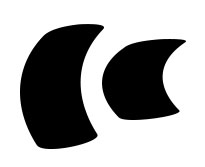
I'm making an animation and lets say the attached image is the client's logo.
There are 2 pictures of a mountain. I want to pop a ton of the logos over mountain pic1, in order to reveal mountain pic 2.
Here are my questions
1) I want the mask to be in the shape of the logo and on one layer (like combining paths in Illustrator). I don't want to deal with 2 layers per logo if possible
2) I want to be able to easily select these mask, yet when I click on the mask in the single pane view, I always select the image behind the mask, not the mask layer.
3) Is there a way that I can make something like a particle emitter for a mask, like something that "sprays" logo masks all over the mountain pic?
4) I'm trying to make my mask with bezier curves, is there a way to make a mask using a .png?
I know you can click on the mask layer in the timeline and in the layers section, that's too slow, and I'd like to avoid it if I can.
I there a way to make the image locked or unable to be selected, yet still be able to drag the mask around?
Thanks!
There are 2 pictures of a mountain. I want to pop a ton of the logos over mountain pic1, in order to reveal mountain pic 2.
Here are my questions
1) I want the mask to be in the shape of the logo and on one layer (like combining paths in Illustrator). I don't want to deal with 2 layers per logo if possible
2) I want to be able to easily select these mask, yet when I click on the mask in the single pane view, I always select the image behind the mask, not the mask layer.
3) Is there a way that I can make something like a particle emitter for a mask, like something that "sprays" logo masks all over the mountain pic?
4) I'm trying to make my mask with bezier curves, is there a way to make a mask using a .png?
I know you can click on the mask layer in the timeline and in the layers section, that's too slow, and I'd like to avoid it if I can.
I there a way to make the image locked or unable to be selected, yet still be able to drag the mask around?
Thanks!
Last edit: 15 Oct 2013 18:20 by Waterbear.
Please Log in to join the conversation.

15 Oct 2013 19:22 - 15 Oct 2013 19:23 #32528
by BenB
Replied by BenB on topic Complex masks
Can be done in Motion, I doubt in FCP X directly, but I'd be inclined to think Motion could do this easily. Wondering if I'd try this as an FCPX Effect or an FCPX Generator...
Last edit: 15 Oct 2013 19:23 by BenB.
Please Log in to join the conversation.
16 Oct 2013 14:39 #32567
by Waterbear
Replied by Waterbear on topic Complex masks
Could you point me in the direction to a tutorials thats details the process for making in in Motion? I'm not using Final Cut.
Please Log in to join the conversation.
