


- Posts: 1
- Thank you received: 0
3 Post Moderation Rule for New Boarders (25 Jan 2021)
New boarders will have their posts moderated - Don't worry if you cannot see your post immediately.
Motion 5 exporting to FCPX - video not showing...?!?!?
- Roadracer1977
-
 Topic Author
- Offline
- New Member
-

Less
More
24 May 2013 12:53 #26252
by Roadracer1977
I've had a template made in Motion 5 by someone, but when i export it from motion 5 to FCPX it doesn't display the video part in FCPX.
The attached screen-shot is what I'm getting in FCPX once I've saved the motion 5 project as an FCPX generator. It seems as though motion 5 is exporting the place-holder, and not the video.
The project works fine in motion 5 and shows all the videos, but it appears that FCPX (or the import/export) isn't including the video file.
I've tried exporting the movie from motion 5 to a .mov file on my desktop and this works fine and includes the video.
I've spent hours fiddling with motion 5, exporting tests, all sorts - I just cannot get it to work once it's in FCPX.
Could it be that there is an issue with the files I've received or the motion 5 templates?
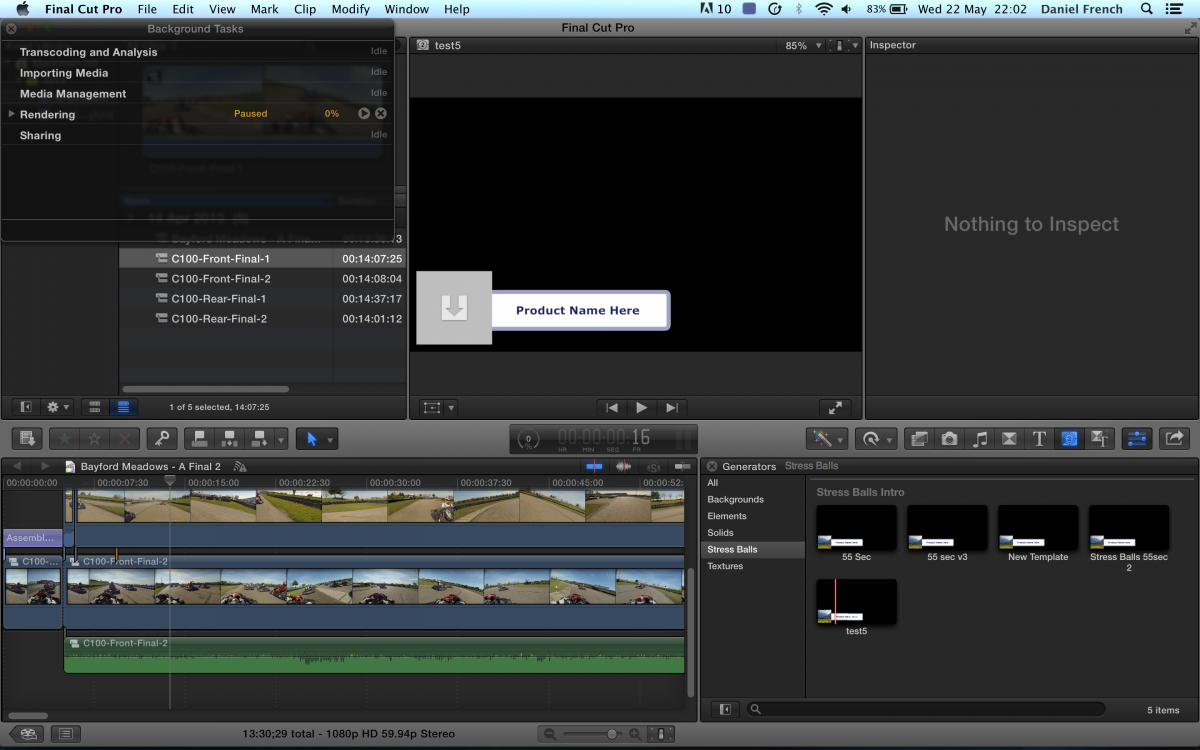
The attached screen-shot is what I'm getting in FCPX once I've saved the motion 5 project as an FCPX generator. It seems as though motion 5 is exporting the place-holder, and not the video.
The project works fine in motion 5 and shows all the videos, but it appears that FCPX (or the import/export) isn't including the video file.
I've tried exporting the movie from motion 5 to a .mov file on my desktop and this works fine and includes the video.
I've spent hours fiddling with motion 5, exporting tests, all sorts - I just cannot get it to work once it's in FCPX.
Could it be that there is an issue with the files I've received or the motion 5 templates?
Please Log in to join the conversation.

25 May 2013 00:08 - 25 May 2013 08:56 #26273
by BenB
Replied by BenB on topic Motion 5 exporting to FCPX - video not showing...?!?!?
Testing now, and mine is bringing the video over with it just fine.
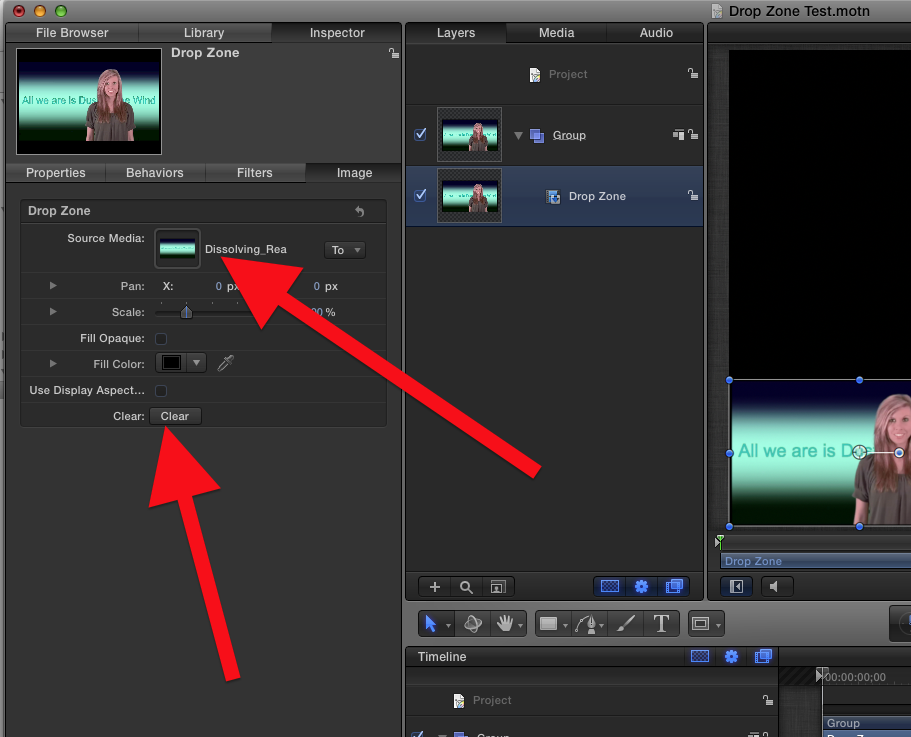
Go back into this template in Motion, select the Drop Zone layer, F4 to it's settings, and verify the "Source Media" well is populated with your video file.
But, that said, if you want a piece of video to be permanent inside of an FCP X template, do not use a Drop Zone. The purpose of a Drop Zone is to be a place holder for the editor to add any video. For a single piece of video, simply place that video in it's own layer, and don't use Drop Zones.
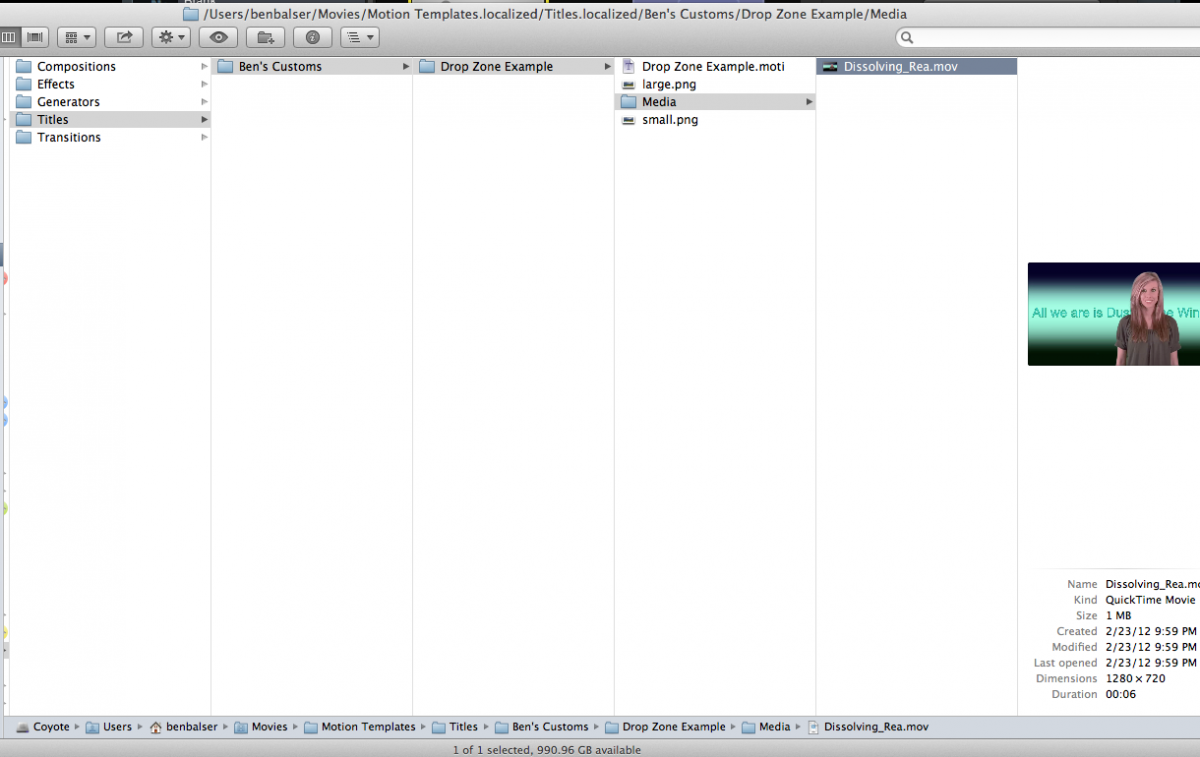
Be aware that putting video in a drop zone for a template includes that video file with the template, making it take up much more hard drive space, by duplicating the video clip.
Go back into this template in Motion, select the Drop Zone layer, F4 to it's settings, and verify the "Source Media" well is populated with your video file.
But, that said, if you want a piece of video to be permanent inside of an FCP X template, do not use a Drop Zone. The purpose of a Drop Zone is to be a place holder for the editor to add any video. For a single piece of video, simply place that video in it's own layer, and don't use Drop Zones.
Be aware that putting video in a drop zone for a template includes that video file with the template, making it take up much more hard drive space, by duplicating the video clip.
Last edit: 25 May 2013 08:56 by BenB.
Please Log in to join the conversation.
