


- Posts: 8
- Thank you received: 0
3 Post Moderation Rule for New Boarders (25 Jan 2021)
New boarders will have their posts moderated - Don't worry if you cannot see your post immediately.
Having to render ProRes4444 in timeline even when sequence settings match clip settings
19 Apr 2014 19:24 - 19 Apr 2014 19:32 #44772
by eyeangle
Having to render ProRes4444 in timeline even when sequence settings match clip settings was created by eyeangle
Hi, I'm new to this forum but I've been using FCP for years. I can't seem to find an answer to this technical question anywhere on the net so I signed up here so you may be able to help.
This has been bugging me for years, usually I don't have the problem as I edit with ProRes422(HQ) but I need to use ProRes4444 at the moment and I can't seem to work out why I'm having to render each shot.
Here are some test results converting the same H.264 file to ProRes4444 in four different programs. YES/NO having to render the clip in a ProRes4444 timeline in FCP7 matching the clip settings.
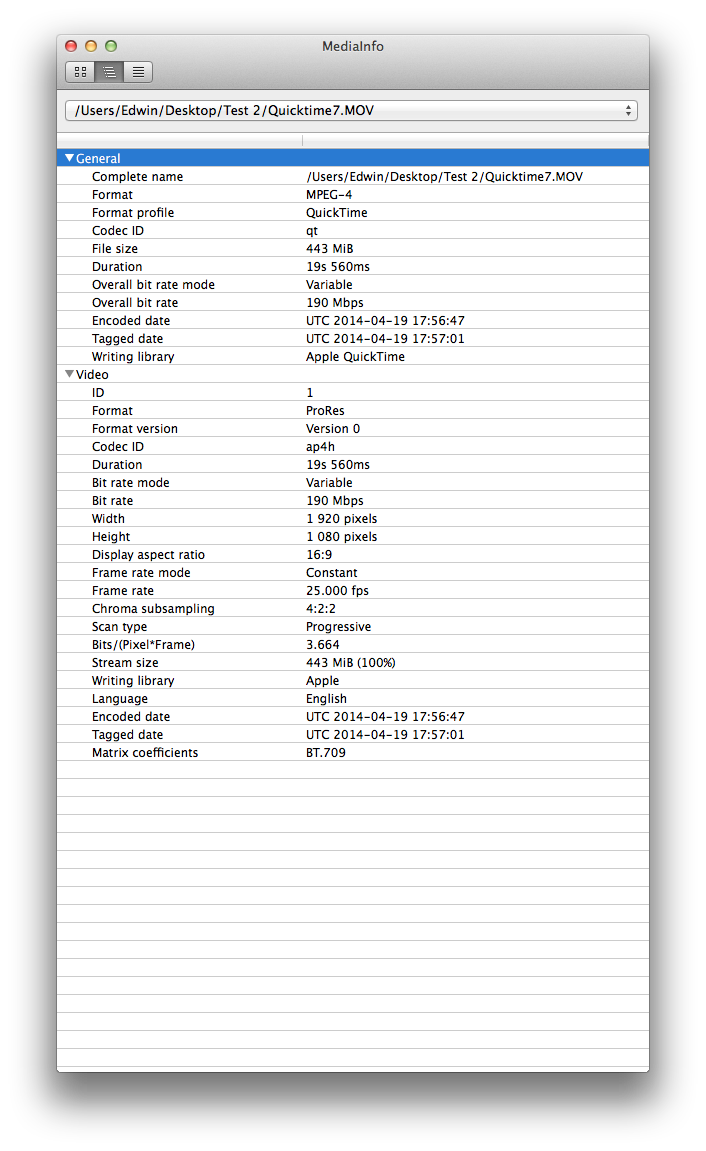
Quicktime 7 – YES have to render
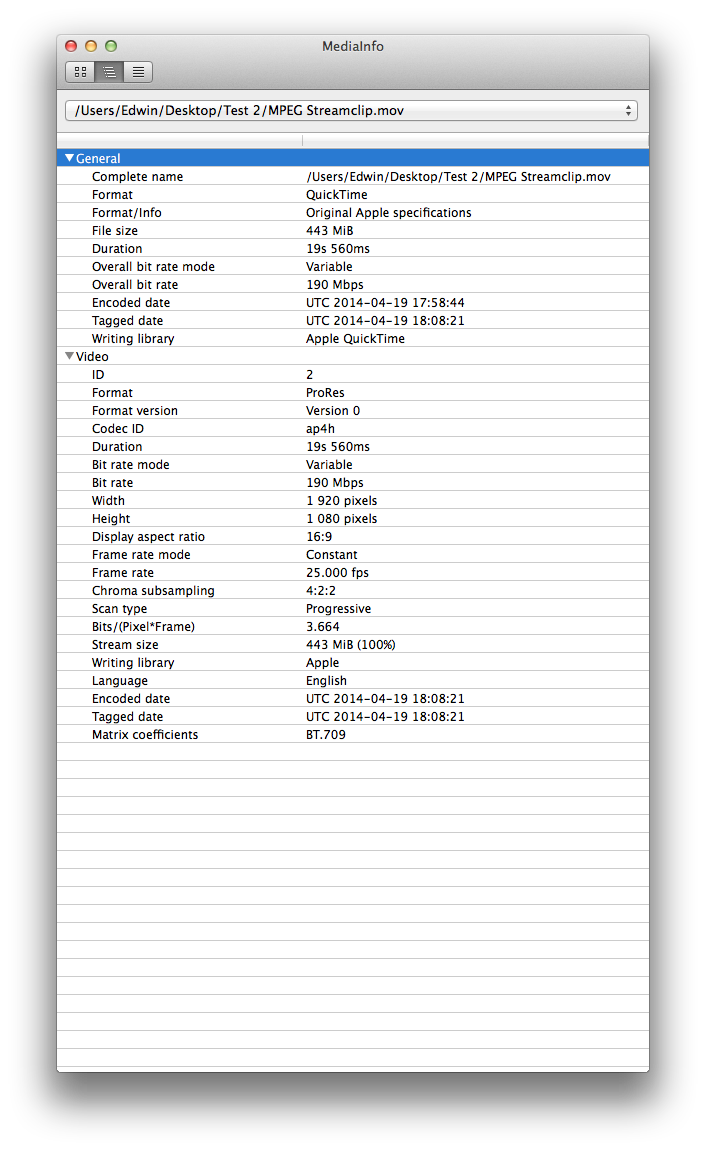
MPEG Streamclip – NO
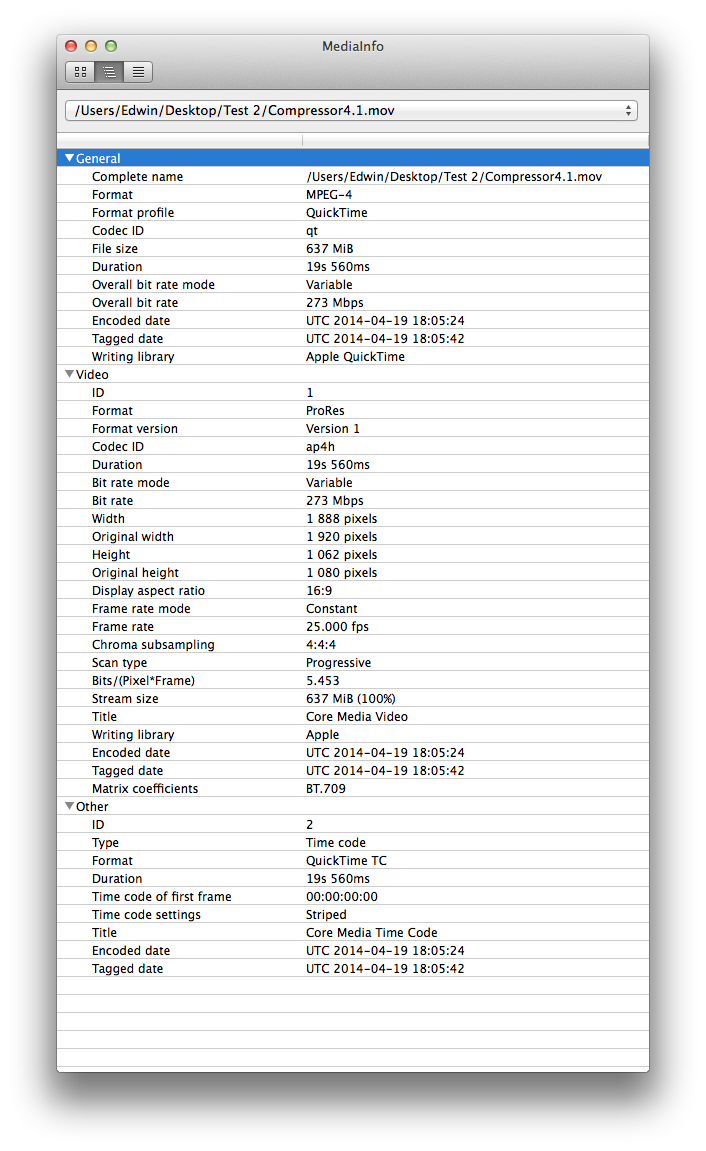
Compressor 4.1 – NO
Compressor 3 – YES
All programs convert exactly the same file and settings. Here are screenshots of the file's specs using the different programs. Maybe you can tell me why I'm having to render the Quicktime7 and Compressor 3 files and not the others.
Quicktime 7 file:
MPEG Streamclip file:
Compressor 4.1 file:
Compressor 3 file:
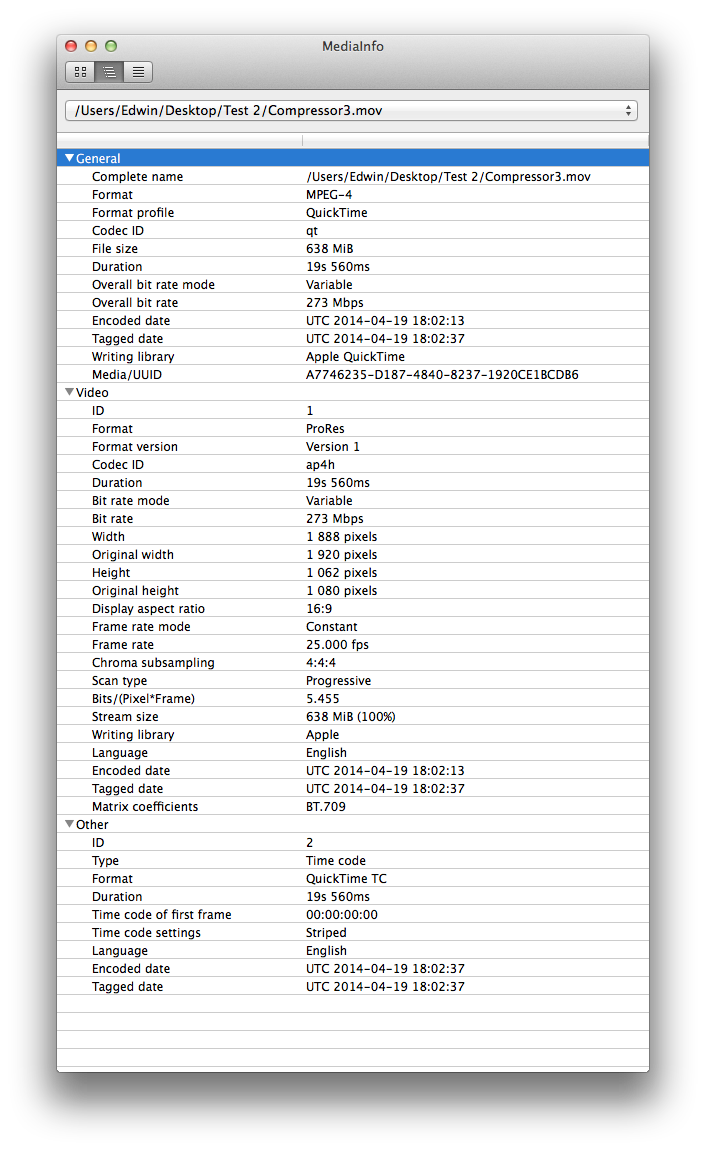
As you can see the only difference with the Compressor 3 and Compressor 4.1 file is the Media/UUID Is that the only reason why I'm having to render the clip? What is Media/UUID?
This has been bugging me for years, usually I don't have the problem as I edit with ProRes422(HQ) but I need to use ProRes4444 at the moment and I can't seem to work out why I'm having to render each shot.
Here are some test results converting the same H.264 file to ProRes4444 in four different programs. YES/NO having to render the clip in a ProRes4444 timeline in FCP7 matching the clip settings.
Quicktime 7 – YES have to render
MPEG Streamclip – NO
Compressor 4.1 – NO
Compressor 3 – YES
All programs convert exactly the same file and settings. Here are screenshots of the file's specs using the different programs. Maybe you can tell me why I'm having to render the Quicktime7 and Compressor 3 files and not the others.
Quicktime 7 file:
MPEG Streamclip file:
Compressor 4.1 file:
Compressor 3 file:
As you can see the only difference with the Compressor 3 and Compressor 4.1 file is the Media/UUID Is that the only reason why I'm having to render the clip? What is Media/UUID?
Last edit: 19 Apr 2014 19:32 by eyeangle.
Please Log in to join the conversation.
