


- Posts: 825
- Thank you received: 127
3 Post Moderation Rule for New Boarders (25 Jan 2021)
New boarders will have their posts moderated - Don't worry if you cannot see your post immediately.
Render Artefacts
21 Feb 2012 20:54 - 21 Feb 2012 20:57 #4666
by NocoDave
Render Artefacts was created by NocoDave
A while back I was working on a motion template that had strange artefacts when previewed and rendered in FCPX, this was the first versions of FCPX and Motion 5. I ended up dumping the project.
Today it's back, but only when the timeline is rendered. it isn't there before and isn't there when exported as ProRes422. Either from a rendered or non rendered timeline.
The screen shots attached show the problem. has anyone seen anything similar, or does anyone with a similar set up, I'd imagine just the same graphics and O.S, fancy taking a look at this unfinished template to see if they have the issue? I'm wondering if I have a hardware problem.
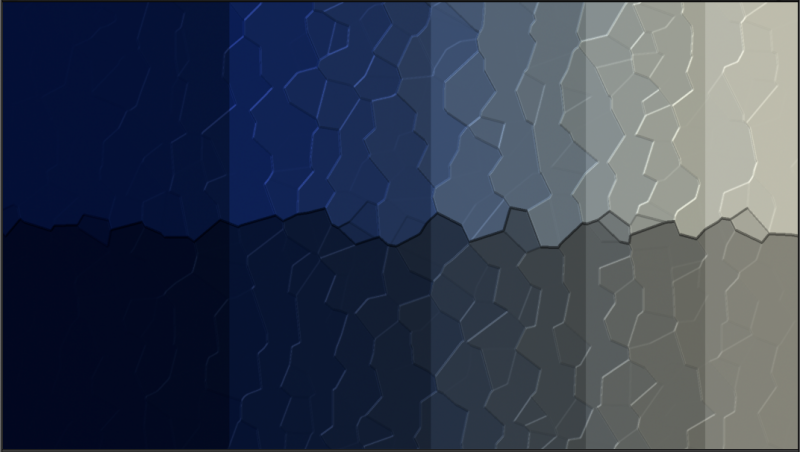
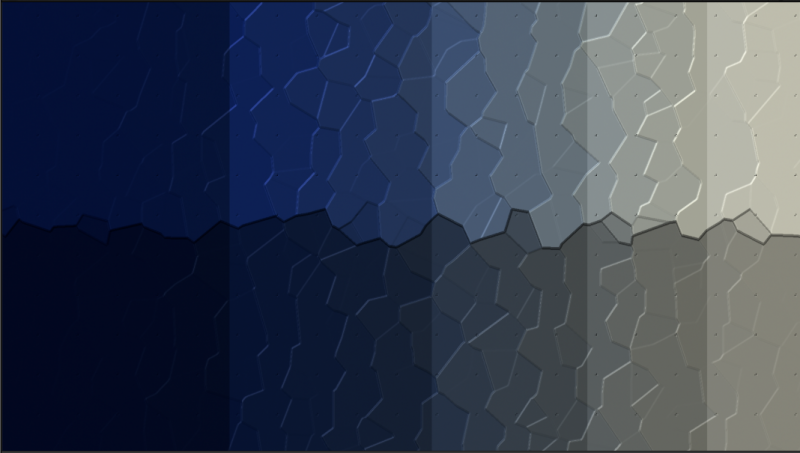
I'm running OSX Lion 10.7.3 on a mid 2011 iMac, 2.5 GHz Intel Core i5, 12 GB 1333 MHz DDR3 with AMD Radeon HD 6750M 512 MB graphics. Both FCPX and Motion 5 are the latest versions.
Today it's back, but only when the timeline is rendered. it isn't there before and isn't there when exported as ProRes422. Either from a rendered or non rendered timeline.
The screen shots attached show the problem. has anyone seen anything similar, or does anyone with a similar set up, I'd imagine just the same graphics and O.S, fancy taking a look at this unfinished template to see if they have the issue? I'm wondering if I have a hardware problem.
I'm running OSX Lion 10.7.3 on a mid 2011 iMac, 2.5 GHz Intel Core i5, 12 GB 1333 MHz DDR3 with AMD Radeon HD 6750M 512 MB graphics. Both FCPX and Motion 5 are the latest versions.
Last edit: 21 Feb 2012 20:57 by NocoDave. Reason: grammer/typo
Please Log in to join the conversation.
22 Feb 2012 17:59 #4695
by NocoDave
Replied by NocoDave on topic Re: Render Artefacts
I looked further in to this, so if anyone has a similar issue they can maybe use this as a base to fixing the problem.
I isolated the "Indent" effect as the one that caused the artefacts. It was affecting one of the effects that were applied before it in some way that shouldn't be happening, but it only caused a problem in FCPX.
To get round it I applied a low setting "Gaussian Blur" before the "Indent", it smoothed out what ever it was affecting, then applied a low setting "Unsharp Mask" after it to bring it back and lose the artefacts.
I isolated the "Indent" effect as the one that caused the artefacts. It was affecting one of the effects that were applied before it in some way that shouldn't be happening, but it only caused a problem in FCPX.
To get round it I applied a low setting "Gaussian Blur" before the "Indent", it smoothed out what ever it was affecting, then applied a low setting "Unsharp Mask" after it to bring it back and lose the artefacts.
Please Log in to join the conversation.
