


- Posts: 15
- Thank you received: 0
3 Post Moderation Rule for New Boarders (25 Jan 2021)
New boarders will have their posts moderated - Don't worry if you cannot see your post immediately.
Any advice for my deceased hard-drive?
- Shadow Flamingo1
-
 Topic Author
- Offline
- New Member
-

Less
More
28 Sep 2023 15:24 #127310
by Shadow Flamingo1
Any advice for my deceased hard-drive? was created by Shadow Flamingo1
Was a videographer in a camp this past summer, and I bought a new hard drive just for it, the T7 Shield. I heard about SSDs and knew that in order to guarantee your stuff not getting screwed with, SSDs were the way to go.
Boy was I wrong.
One day I fire up my hard drive and get a failure message, telling me that somehow the drive got corrupted and now I need to back it up. Issue is, we talking 4tb of 4k footage and FCPX libraries. I have another 4 terabyte hard drive but it's personal and also non-SSD, so I don't have a lot of space on it, and then I have like two or three unreliable 1-2TB hard drives. What do I do?
I've been trying to transfer all my original and optimized media to other hard drives, but it's taking actual days. Is there anyway I can edit in a volatile manner just to get the job done? Library isn't opening on the damaged hard drive, so I fear not. Even if I back up everything, what am I meant to do then, fully factory reset the T7 Shield?
(I'm unimpressed that a 250$ SSD failed me when a stupid spinner disk didn't. F.)
Boy was I wrong.
One day I fire up my hard drive and get a failure message, telling me that somehow the drive got corrupted and now I need to back it up. Issue is, we talking 4tb of 4k footage and FCPX libraries. I have another 4 terabyte hard drive but it's personal and also non-SSD, so I don't have a lot of space on it, and then I have like two or three unreliable 1-2TB hard drives. What do I do?
I've been trying to transfer all my original and optimized media to other hard drives, but it's taking actual days. Is there anyway I can edit in a volatile manner just to get the job done? Library isn't opening on the damaged hard drive, so I fear not. Even if I back up everything, what am I meant to do then, fully factory reset the T7 Shield?
(I'm unimpressed that a 250$ SSD failed me when a stupid spinner disk didn't. F.)
Please Log in to join the conversation.


28 Sep 2023 15:50 - 28 Sep 2023 16:02 #127311
by DaveM
Replied by DaveM on topic Any advice for my deceased hard-drive?
If the data/media is irreplaceable, you should consider having a drive recovery service copy the contents of the SSD to another drive for you. As a drive begins to fail the transfer speeds may drop precipitously.
I would ignore any optimized files, as well as temporary files, as they can be re-created from the original media. If you haven't changed FCP's backup preferences, there should be some backup Libraries in your account's Movies folder (on your Mac's internal drive). Note that the backup Library bundle files do not include any media stored in the working Library file. If you stored your original media, optimized media, and temporary/cache files (renders, etc.) within the Library file(s), it's going to be tougher to separate things for copying (and may strongly support the idea of having a "drive savers" type of service do the transfer for you).
It shouldn't need to be said, though most people don't learn until "tragedy" strikes, but you should have backups of your data. You can easily find some articles online that provide a overview of good backup strategies.
Most important is to only copy the data from the failing drive. Don't use the drive for anything else!
Good luck...
P.S. - Note that even mounting the drive under normal circumstances may cause further damage. macOS may try to scan the drive for Spotlight, or write various system files to the drive. Drive recovery services often use read-only interfaces to connect to failing/problematic drives. What you do, of course, is dependent on how important/valuable/irreplaceable the "edits" and media are to you...
P.P.S. - Also, the faster the connection to the failing drive and to a drive where the critical data is being copied to, as well as the speed of the receiving drive, will affect how fast the copying will be done. Copying from an SSD to a HDD is going to take longer, as the HDD is slower than an SSD (provided no slowdowns are induced via the connection to each drive). Time is often a critical factor, so be aware of that. SSDs often tend to fail more suddenly than HDDs, so again time is a factor.
I would ignore any optimized files, as well as temporary files, as they can be re-created from the original media. If you haven't changed FCP's backup preferences, there should be some backup Libraries in your account's Movies folder (on your Mac's internal drive). Note that the backup Library bundle files do not include any media stored in the working Library file. If you stored your original media, optimized media, and temporary/cache files (renders, etc.) within the Library file(s), it's going to be tougher to separate things for copying (and may strongly support the idea of having a "drive savers" type of service do the transfer for you).
It shouldn't need to be said, though most people don't learn until "tragedy" strikes, but you should have backups of your data. You can easily find some articles online that provide a overview of good backup strategies.
Most important is to only copy the data from the failing drive. Don't use the drive for anything else!
Good luck...
P.S. - Note that even mounting the drive under normal circumstances may cause further damage. macOS may try to scan the drive for Spotlight, or write various system files to the drive. Drive recovery services often use read-only interfaces to connect to failing/problematic drives. What you do, of course, is dependent on how important/valuable/irreplaceable the "edits" and media are to you...
P.P.S. - Also, the faster the connection to the failing drive and to a drive where the critical data is being copied to, as well as the speed of the receiving drive, will affect how fast the copying will be done. Copying from an SSD to a HDD is going to take longer, as the HDD is slower than an SSD (provided no slowdowns are induced via the connection to each drive). Time is often a critical factor, so be aware of that. SSDs often tend to fail more suddenly than HDDs, so again time is a factor.
Last edit: 28 Sep 2023 16:02 by DaveM.
Please Log in to join the conversation.

28 Sep 2023 22:01 - 28 Sep 2023 22:02 #127312
by VTC
Replied by VTC on topic Any advice for my deceased hard-drive?
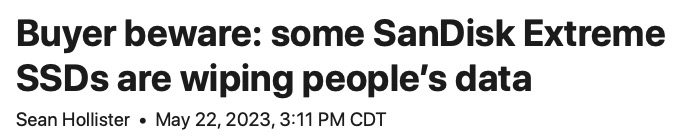
Beware not only of the moors (The Werewolf) but of Sandisk Extreme Pro drives.
In brief:
Western Digital has now tacitly admitted that its SanDisk Extreme Pro portable solid-state drives were critically broken after all — by issuing a firmware update that’ll hopefully keep the 4TB model from wiping your data all by itself. (Seriously.) Over two months ago, my friend and supervising producer Vjeran Pavic told me he’d lost an entire 4TB SanDisk Extreme Pro worth of video clips. Completely gone with no trace.
www.theverge.com/2023/5/22/23733267/sand...failure-ssd-firmware
In brief:
Western Digital has now tacitly admitted that its SanDisk Extreme Pro portable solid-state drives were critically broken after all — by issuing a firmware update that’ll hopefully keep the 4TB model from wiping your data all by itself. (Seriously.) Over two months ago, my friend and supervising producer Vjeran Pavic told me he’d lost an entire 4TB SanDisk Extreme Pro worth of video clips. Completely gone with no trace.
www.theverge.com/2023/5/22/23733267/sand...failure-ssd-firmware
Last edit: 28 Sep 2023 22:02 by VTC.
Please Log in to join the conversation.
