


- Posts: 54
- Thank you received: 0
3 Post Moderation Rule for New Boarders (25 Jan 2021)
New boarders will have their posts moderated - Don't worry if you cannot see your post immediately.
BLACK FRAMES COMING ON TIMELINE FCPX 10.6.6 , BUT NOT PRESENT IN ORGINAL MEDIA
- robinsaini
-
 Topic Author
- Offline
- Senior Member
-

Less
More
02 Aug 2023 14:32 #126650
by robinsaini
BLACK FRAMES COMING ON TIMELINE FCPX 10.6.6 , BUT NOT PRESENT IN ORGINAL MEDIA was created by robinsaini
Hi,
I have fcpx 10.6.6 and have shoot footage on both CANON r5 4k 24 frames and Nikon z9 4k 50frames , but when I bring in those clips in FCPX timeline, It randomanny shows black frames.
Howevr when I see same clips on Premier Pro or plays on VLC player, they ahve no Black frames,
What I have already made a new library still same problem
Already reset prefernces by holding OPT +CMD while opening FCPX, still same problem.
I dont have any plugins running on clips
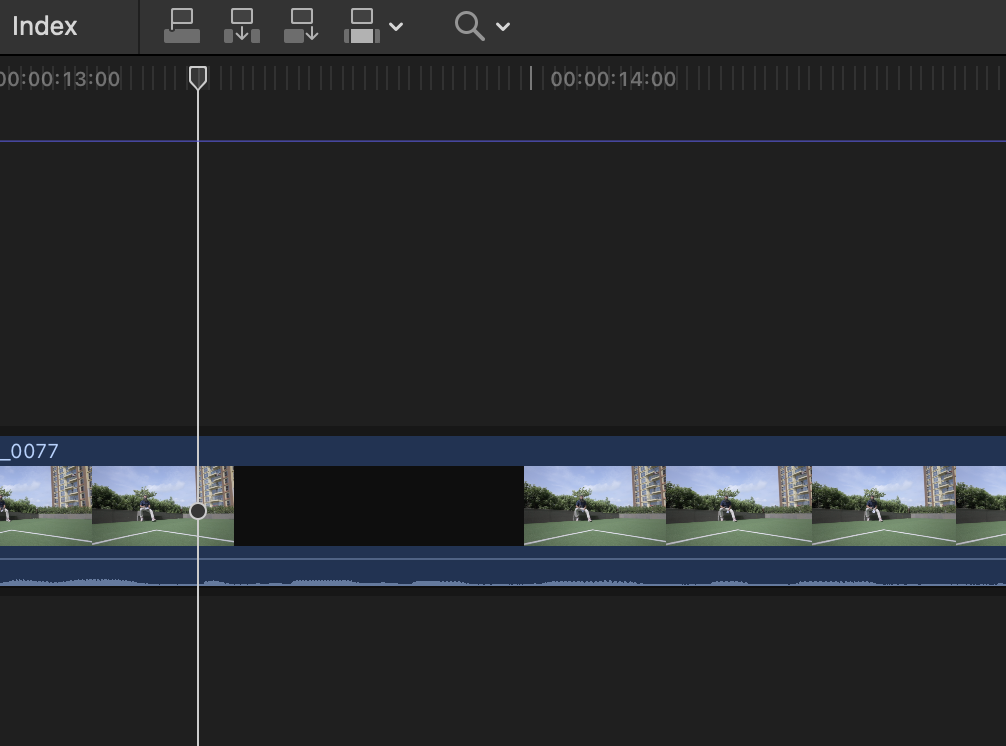
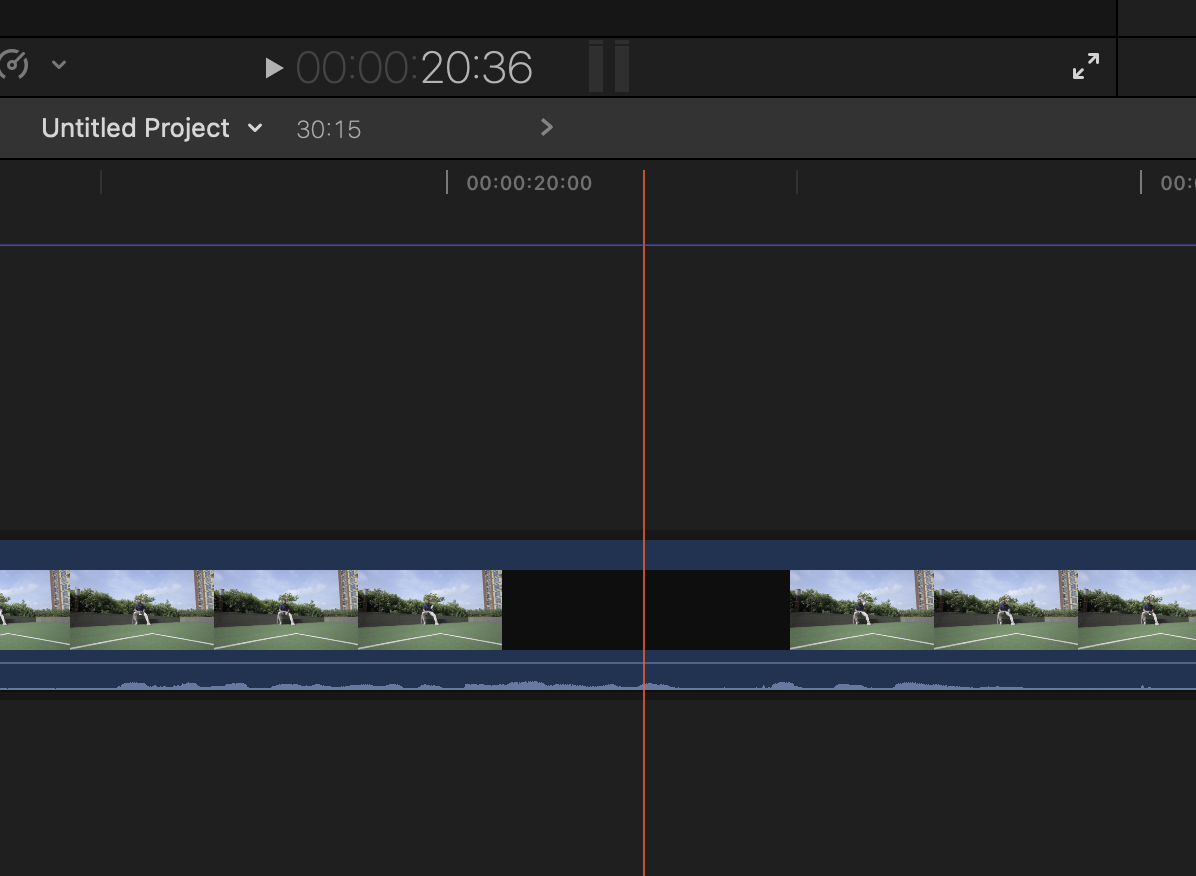
You can see the attached black frame in attached Jpeg and if you wish to see the file shot from Nikon z9, you can downlaod from below link, back frames are at 12-13 sec mark & 20 sec mark.
drive.google.com/drive/folders/1m1C9WnvE...rYteUeNd?usp=sharing
With the earlier version this problem was not there, but now I cant degrade to old version,as all my project files are on this version and I am on deep stress.
Can any one help how this can be resolved.
I have fcpx 10.6.6 and have shoot footage on both CANON r5 4k 24 frames and Nikon z9 4k 50frames , but when I bring in those clips in FCPX timeline, It randomanny shows black frames.
Howevr when I see same clips on Premier Pro or plays on VLC player, they ahve no Black frames,
What I have already made a new library still same problem
Already reset prefernces by holding OPT +CMD while opening FCPX, still same problem.
I dont have any plugins running on clips
You can see the attached black frame in attached Jpeg and if you wish to see the file shot from Nikon z9, you can downlaod from below link, back frames are at 12-13 sec mark & 20 sec mark.
drive.google.com/drive/folders/1m1C9WnvE...rYteUeNd?usp=sharing
With the earlier version this problem was not there, but now I cant degrade to old version,as all my project files are on this version and I am on deep stress.
Can any one help how this can be resolved.
Please Log in to join the conversation.
- Tom Wolsky
-

- Offline
- Moderator
-

02 Aug 2023 14:42 #126651
by Tom Wolsky
Replied by Tom Wolsky on topic BLACK FRAMES COMING ON TIMELINE FCPX 10.6.6 , BUT NOT PRESENT IN ORGINAL MEDIA
I see damged frames twice in both the QT player and VLC.
Please Log in to join the conversation.
- robinsaini
-
Topic Author
- Offline
- Senior Member
-
Less
More
- Posts: 54
- Thank you received: 0
02 Aug 2023 15:12 #126652
by robinsaini
Replied by robinsaini on topic BLACK FRAMES COMING ON TIMELINE FCPX 10.6.6 , BUT NOT PRESENT IN ORGINAL MEDIA
its weird, it sometime shows and sometimes it dosen't, in Pr its showing no black frames
Please Log in to join the conversation.


02 Aug 2023 20:32 #126655
by joema
Replied by joema on topic BLACK FRAMES COMING ON TIMELINE FCPX 10.6.6 , BUT NOT PRESENT IN ORGINAL MEDIA
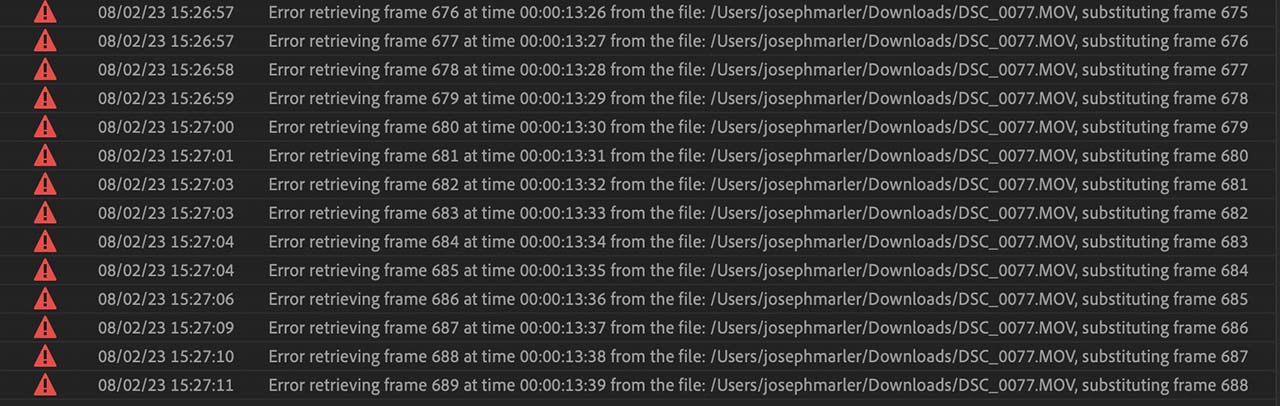
This has nothing to do with FCP -- the video file is damaged. I tried it in VLC 3.0.18, FCP 10.6.6, Resolve Studio 18.5 and Premiere Pro 23.5.0, all on Ventura 13.5 on an M1 Ultra Mac Studio.
Interestingly, the new version of Premiere gives a nice error list, see attached.
Interestingly, the new version of Premiere gives a nice error list, see attached.
Please Log in to join the conversation.
