


3 Post Moderation Rule for New Boarders (25 Jan 2021)
New boarders will have their posts moderated - Don't worry if you cannot see your post immediately.
Subtitles change size according to the project size
- Betancourt
-
 Topic Author
- Offline
- Premium Member
-

Less
More
01 Aug 2023 13:24 #126627
by Betancourt
Pablo Betancourt
Subtitles change size according to the project size was created by Betancourt
Hello friends,
I've been working on a documentary in which the client asks for different deliverables for social media: 1080x1080, 10980x1350 and 1080x1920. Each of them in 15", 30", 60" and with and without subtitles and logos.
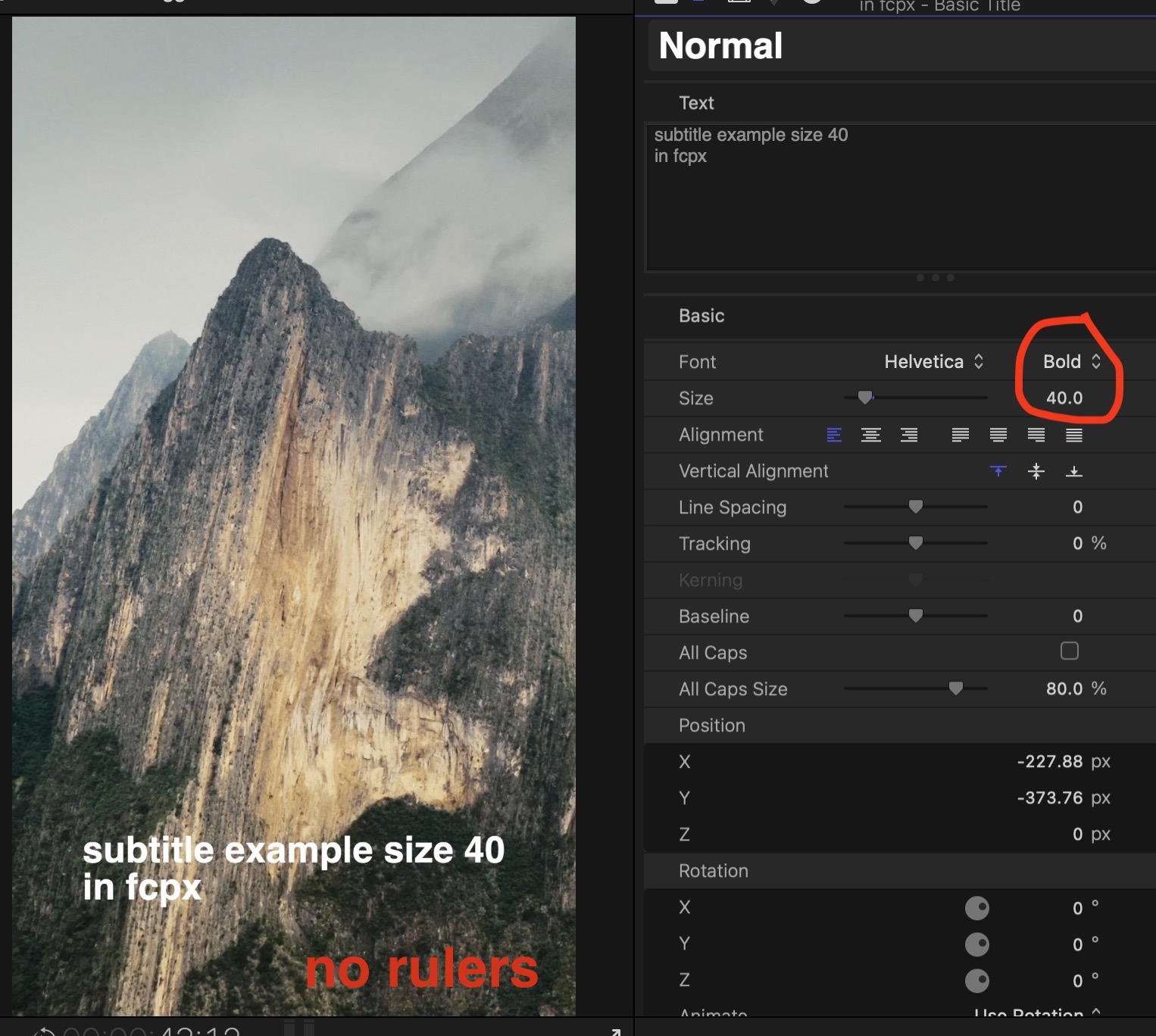
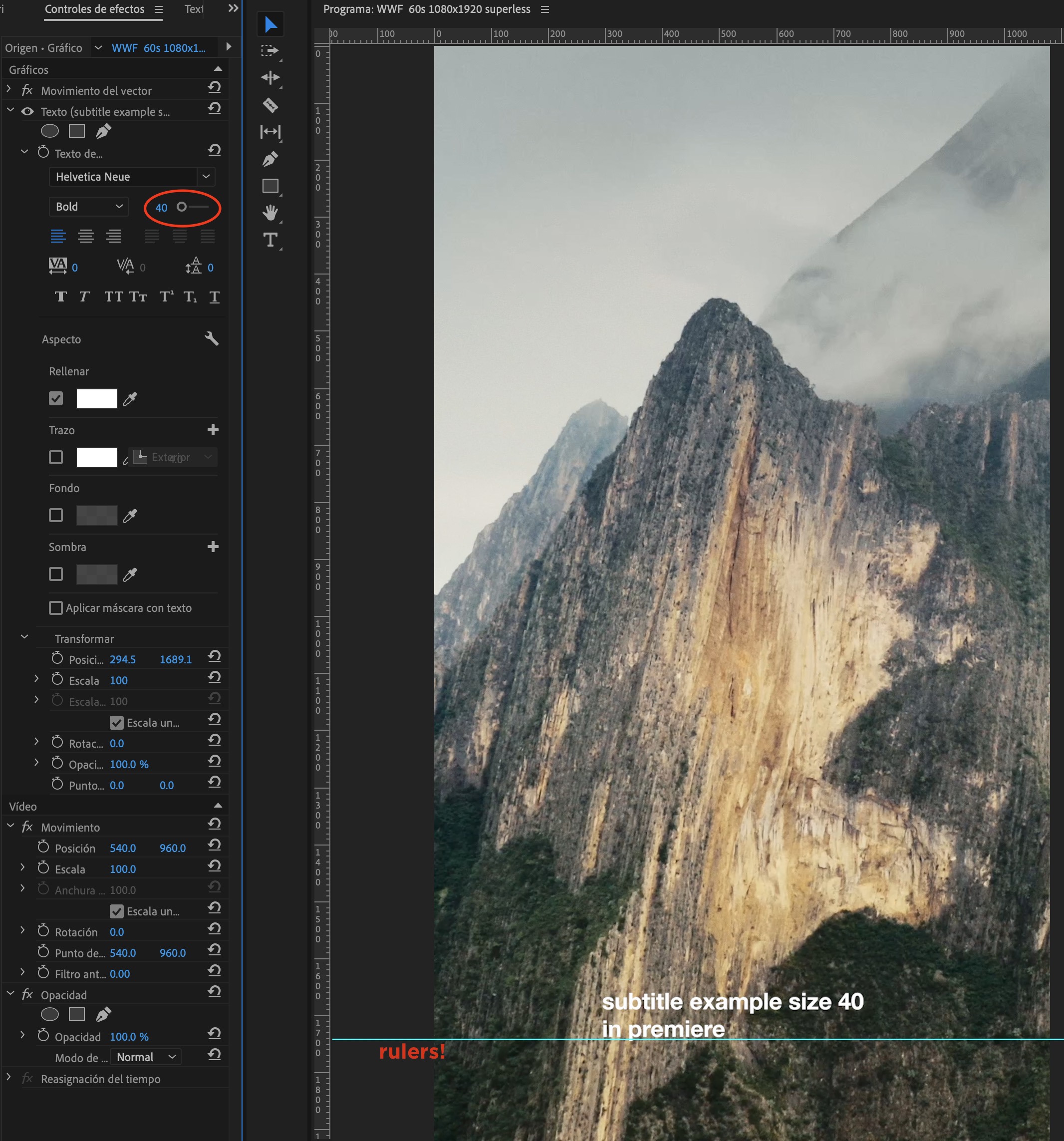
They have very clear guidelines of using a typography in the size of "40" which works great in premiere across all projects. It's like the size of the font is project independent.
But in final cut pro, I needed to find three different font size to match a consistent similar "40" size across the projects. And in a very dirty way which was overimpossing a reference png and try to match the same size.
I'm doing something wrong or there is an alternative way to do this more efficient? Many thanks!
I've been working on a documentary in which the client asks for different deliverables for social media: 1080x1080, 10980x1350 and 1080x1920. Each of them in 15", 30", 60" and with and without subtitles and logos.
They have very clear guidelines of using a typography in the size of "40" which works great in premiere across all projects. It's like the size of the font is project independent.
But in final cut pro, I needed to find three different font size to match a consistent similar "40" size across the projects. And in a very dirty way which was overimpossing a reference png and try to match the same size.
I'm doing something wrong or there is an alternative way to do this more efficient? Many thanks!
Pablo Betancourt
Please Log in to join the conversation.
