


- Posts: 4
- Thank you received: 0
3 Post Moderation Rule for New Boarders (25 Jan 2021)
New boarders will have their posts moderated - Don't worry if you cannot see your post immediately.
Missing or offline titles, effects, generators or media in FCPX
- Fiore112965
-
 Topic Author
- Offline
- New Member
-

Less
More
30 Jul 2023 15:54 #126609
by Fiore112965
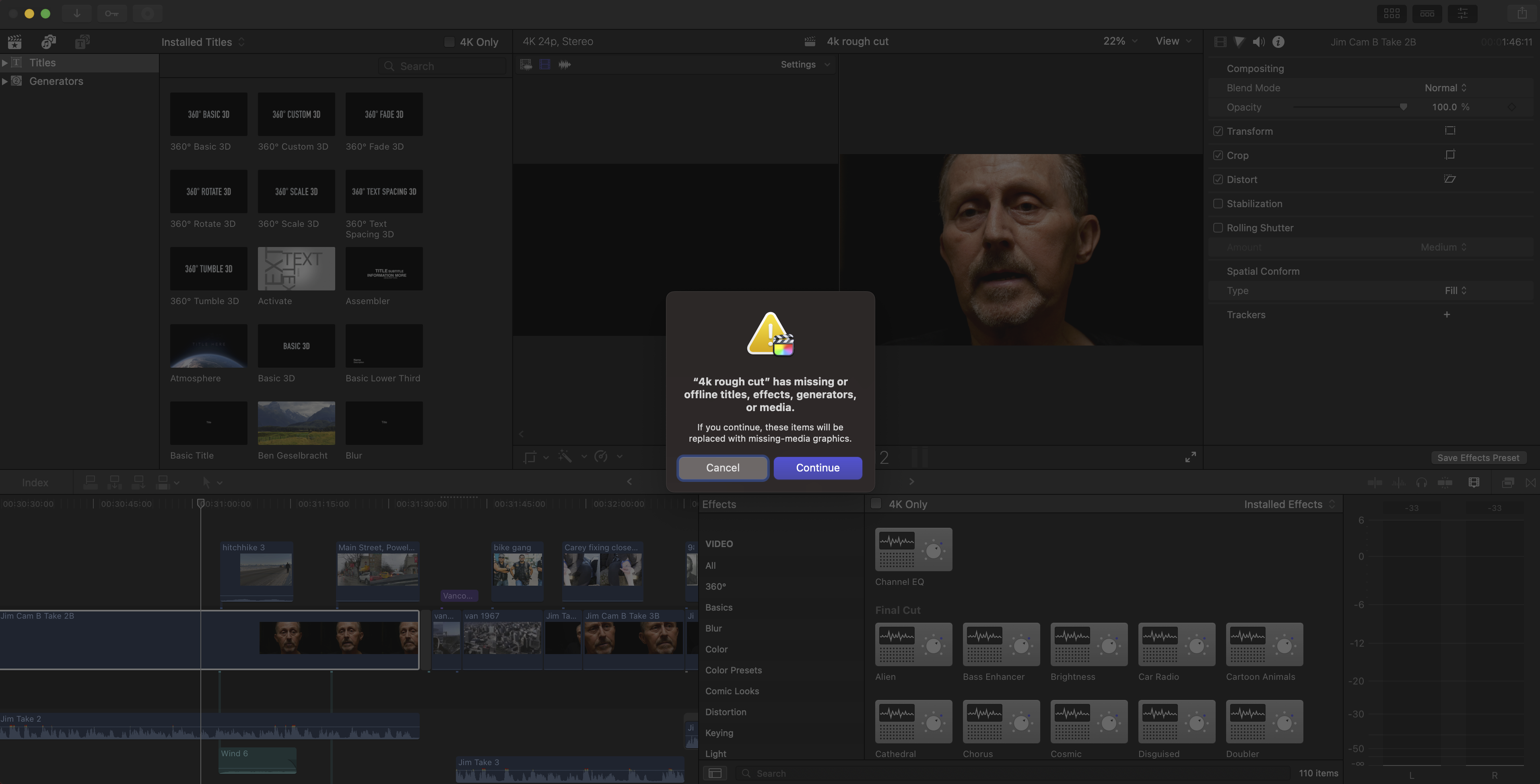
Why is it that before exporting my project in fcpx, I get this message: Missing or offline titles, effects, generators or media. if you
continue, these items will be replaced with missing-media projects.
Today after this message I just went a head and exported and there was
one or two missing clips. However, when I checked the timeline, those
clips were present. How can I make sure that nothing is missing when I
export my project and how do I get rid of this message? Please help. Thank you.
continue, these items will be replaced with missing-media projects.
Today after this message I just went a head and exported and there was
one or two missing clips. However, when I checked the timeline, those
clips were present. How can I make sure that nothing is missing when I
export my project and how do I get rid of this message? Please help. Thank you.
Please Log in to join the conversation.


31 Jul 2023 10:01 - 31 Jul 2023 10:03 #126613
by Ian Brown
Replied by Ian Brown on topic Missing or offline titles, effects, generators or media in FCPX
I have no idea what is causing your problem but whenever FCP behaves oddly for no obvious reason a good starting point for troubleshooting is to delete the preferences.
Hold down the Option and Command keys as you launch FCP until a window asking whether you want to delete the preferences appears. Click "Delete Preferences".
FCP will open with an empty interface so you will have to navigate to the project you were working on.
Restarting the Mac is also a good first strategy.
Hold down the Option and Command keys as you launch FCP until a window asking whether you want to delete the preferences appears. Click "Delete Preferences".
FCP will open with an empty interface so you will have to navigate to the project you were working on.
Restarting the Mac is also a good first strategy.
Last edit: 31 Jul 2023 10:03 by Ian Brown.
Please Log in to join the conversation.
- Fiore112965
-
Topic Author
- Offline
- New Member
-
Less
More
- Posts: 4
- Thank you received: 0
31 Jul 2023 16:28 #126614
by Fiore112965
Replied by Fiore112965 on topic Missing or offline titles, effects, generators or media in FCPX
Thanks for that INBRO. I will try it. Cheers!
Please Log in to join the conversation.
- Fiore112965
-
Topic Author
- Offline
- New Member
-
Less
More
- Posts: 4
- Thank you received: 0
31 Jul 2023 16:32 #126615
by Fiore112965
Replied by Fiore112965 on topic Missing or offline titles, effects, generators or media in FCPX
So after I delete fcpx preference files, do I just click on the fcpx purple files in the external hard drive to restore them into fcpx? Is that correct?
Please Log in to join the conversation.
01 Aug 2023 09:29 #126622
by Ian Brown
Replied by Ian Brown on topic Missing or offline titles, effects, generators or media in FCPX
Yes, just double-click the Library file and it will open in FCP.
Please Log in to join the conversation.
- Fiore112965
-
Topic Author
- Offline
- New Member
-
Less
More
- Posts: 4
- Thank you received: 0
01 Aug 2023 14:15 #126631
by Fiore112965
Replied by Fiore112965 on topic Missing or offline titles, effects, generators or media in FCPX
Thank you inbro. You're awesome! Cheers! 
Please Log in to join the conversation.
