




- Posts: 15
- Thank you received: 0
3 Post Moderation Rule for New Boarders (25 Jan 2021)
New boarders will have their posts moderated - Don't worry if you cannot see your post immediately.
Highlight title
21 Jul 2023 20:48 #126487
by BIllF
Highlight title was created by BIllF
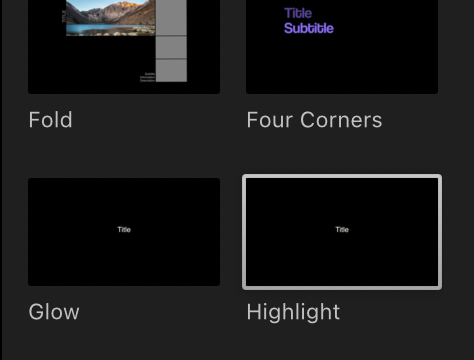
I want to use the Highlight title feature but it takes too long to get to the highlight effect how can I adjust the timing? [attachment=11061]Screen
Please Log in to join the conversation.


22 Jul 2023 20:45 #126509
by dmetz
Replied by dmetz on topic Highlight title
Put the title on your timeline. Go to the first tab in the Inspector, for titles it'll be the 'T' - you're looking for the 'In Duration' slider.
Please Log in to join the conversation.


23 Jul 2023 17:17 #126522
by sc_fox
Replied by sc_fox on topic Highlight title
This is how Highlight was built:
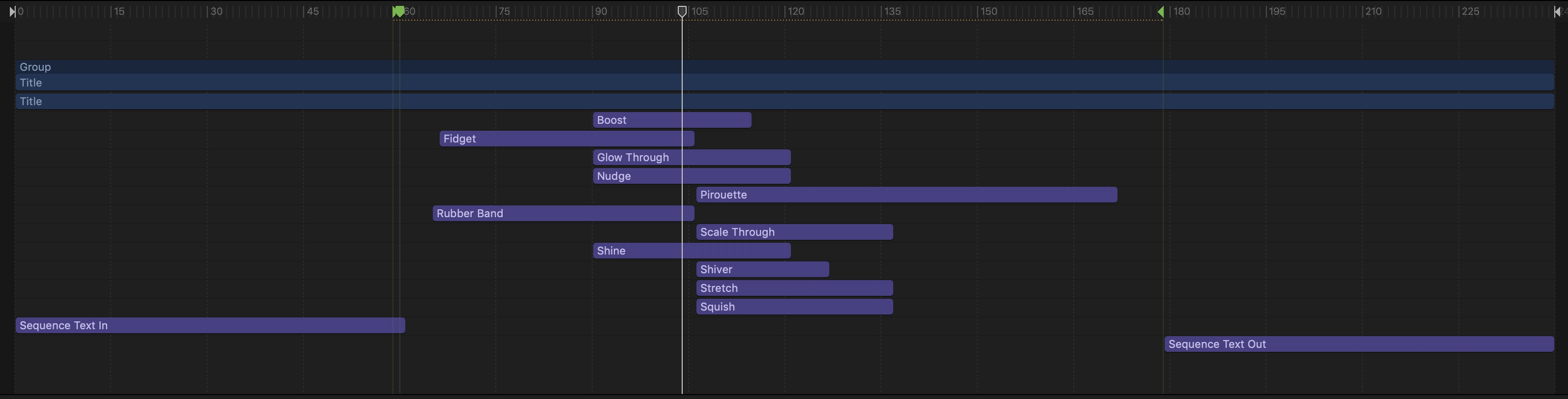
The Sequence Text In and Sequence Text Out are the incoming and outgoing effects like position and opacity (and a few others depending on the Style.
All the actual Highlight effects are in the middle and their timings will depend on how long the Title lives in the storyline (which by default is 8 seconds).
So the Sequence In/Outs take up the first and last full second of the title animation no matter what (unless you turn off the Build In and/or Build Out options — in which case, they are completely **ignored**.)
If you turn off the Build In or Build Out, the time remaining (for the effects between the two) will be stretched out to cover the time the Title exists in the storyline. (The time between the two green markers is "flexible"). Where there are gaps in the effects, you will have to wait that proportionate amount time.
There is nothing you can do to fill the gaps... except: you could try to place the title inside a Compound Clip, then edit the ends off the compound to trim those timings. I would recommend you turn off the build in/build out options in this case.
This title could be better designed... (but it would take awhile and I just don't have the time right now.)
The Sequence Text In and Sequence Text Out are the incoming and outgoing effects like position and opacity (and a few others depending on the Style.
All the actual Highlight effects are in the middle and their timings will depend on how long the Title lives in the storyline (which by default is 8 seconds).
So the Sequence In/Outs take up the first and last full second of the title animation no matter what (unless you turn off the Build In and/or Build Out options — in which case, they are completely **ignored**.)
If you turn off the Build In or Build Out, the time remaining (for the effects between the two) will be stretched out to cover the time the Title exists in the storyline. (The time between the two green markers is "flexible"). Where there are gaps in the effects, you will have to wait that proportionate amount time.
There is nothing you can do to fill the gaps... except: you could try to place the title inside a Compound Clip, then edit the ends off the compound to trim those timings. I would recommend you turn off the build in/build out options in this case.
This title could be better designed... (but it would take awhile and I just don't have the time right now.)
Please Log in to join the conversation.
23 Jul 2023 19:49 #126528
by BIllF
Replied by BIllF on topic Highlight title
Is there anyway to re-time the effect to two seconds and still have it work? So far eight seconds is it.
Please Log in to join the conversation.

23 Jul 2023 20:45 #126529
by VTC
Replied by VTC on topic Highlight title
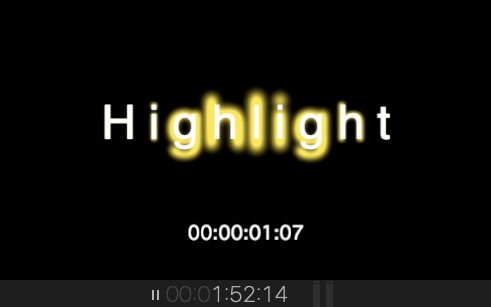
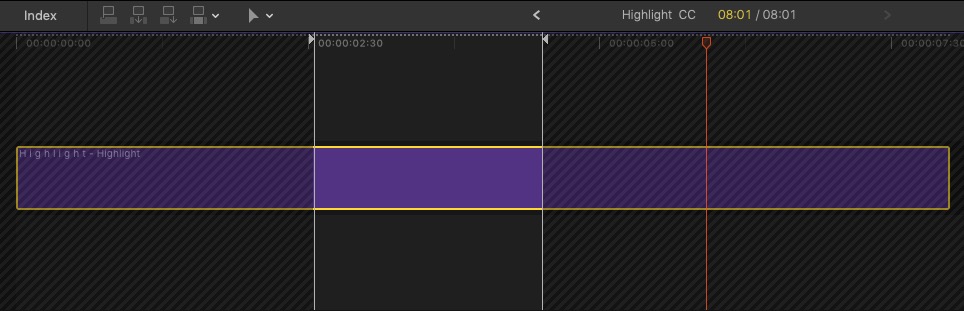
Assuming here you're looking to do a two second highlight title duration.
1 - Create a compound clip of the title (default for HL is 8 sec.)
2 - Lop off the the parts you don't want to use.
3 - Retime the CC as desired.
For a faster version of the entire effect
4 - Compound clip the compound clip
5 - Remove parts or retime as desired
I prefer to brute force things immediately in FCP than spend hours trying to do the same thing in Motion (which taxes my pea brain to no end).
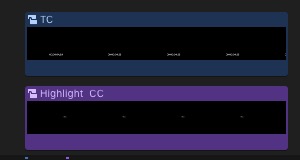
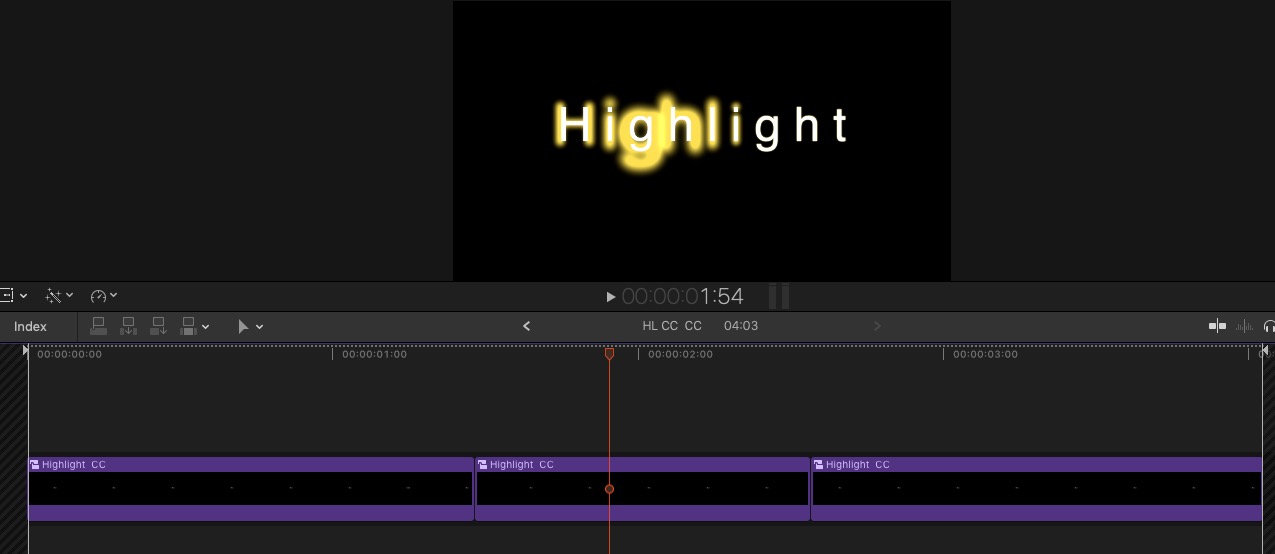
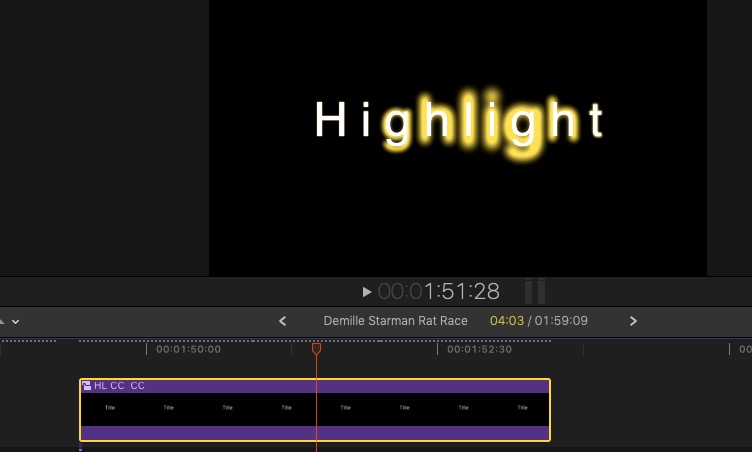
1 - Create a compound clip of the title (default for HL is 8 sec.)
2 - Lop off the the parts you don't want to use.
3 - Retime the CC as desired.
For a faster version of the entire effect
4 - Compound clip the compound clip
5 - Remove parts or retime as desired
I prefer to brute force things immediately in FCP than spend hours trying to do the same thing in Motion (which taxes my pea brain to no end).
Please Log in to join the conversation.
