


- Posts: 33
- Thank you received: 0
3 Post Moderation Rule for New Boarders (25 Jan 2021)
New boarders will have their posts moderated - Don't worry if you cannot see your post immediately.
Subtitles are losing info when importing XML. Thoughts?
14 May 2023 14:42 #125469
by oxband
Subtitles are losing info when importing XML. Thoughts? was created by oxband
I was working with someone on making subtitles for a project. They did so. I imported the XML and I can see the names of the subtitles have the right info - clearly the subtitle had the right words - but now they've lost all info in the import. The words aren't there and their placement is gone.Any thoughts on this bug? Anyone else here ever experience or have an idea for how to solve it?
Please Log in to join the conversation.


14 May 2023 16:36 - 14 May 2023 16:37 #125470
by DaveM
Replied by DaveM on topic Subtitles are losing info when importing XML. Thoughts?
Are you trying to export captions or titles? If you're trying to export captions, you need to make sure the appropriate role is set to export. It's hard to troubleshoot without more details, and this isn't a bug, most likely...
Last edit: 14 May 2023 16:37 by DaveM.
Please Log in to join the conversation.
14 May 2023 16:42 #125471
by oxband
Replied by oxband on topic Subtitles are losing info when importing XML. Thoughts?
I'm importing an XML. And when I then open the XML, thats what I see. (Thanks for the help!)
Please Log in to join the conversation.
14 May 2023 18:36 - 14 May 2023 18:36 #125474
by DaveM
Replied by DaveM on topic Subtitles are losing info when importing XML. Thoughts?
What do you see when you import the XML file? You didn't say. Subtitles using FCP Titles or actual Captions? These are different things.
Last edit: 14 May 2023 18:36 by DaveM.
Please Log in to join the conversation.
15 May 2023 16:53 #125489
by oxband
Replied by oxband on topic Subtitles are losing info when importing XML. Thoughts?
So, it's a FCP X text option. It's the subtitle one. On screen, the word "title" floats onto the screen, as if it's blank. And when i look in the inspector, there's nothing written for in the text box, which is why I think something weird is happening on the AE's end as she exports cause she's filling in the data.
I should say, this happened to me once a few years ago, where I imported an XML with subtitle generator and the text I entered disappeared from the generator, so it was just giving me the word "title" on the screen. I never bothered looking into it, but that's why I don't think it's necessarily an AE error but something weird happening in the XML export/import process.
I've attached a screen shot of what comes up....
(Thanks for all the help!)
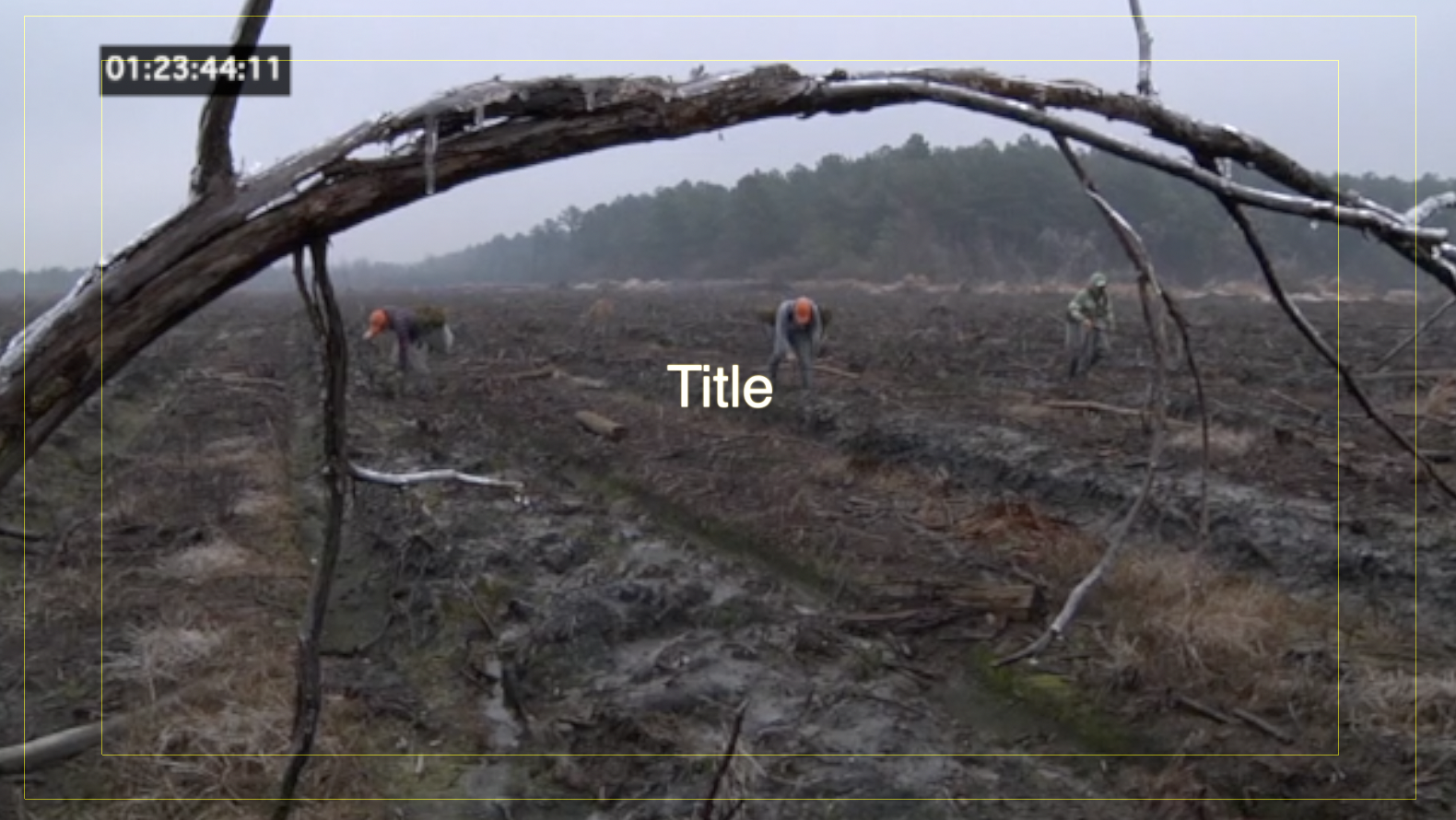
I should say, this happened to me once a few years ago, where I imported an XML with subtitle generator and the text I entered disappeared from the generator, so it was just giving me the word "title" on the screen. I never bothered looking into it, but that's why I don't think it's necessarily an AE error but something weird happening in the XML export/import process.
I've attached a screen shot of what comes up....
(Thanks for all the help!)
Please Log in to join the conversation.
15 May 2023 18:56 - 15 May 2023 18:59 #125490
by dmetz
Replied by dmetz on topic Subtitles are losing info when importing XML. Thoughts?
FCP doesn't have a 'Subtitle' text generator. Sounds like what you've got is the 'Subtle' text generator, which floats in the way you describe.
How is your AE generating these 'subtitles'? Another copy of Final Cut, or some other program (like AfterEffects)?
EDIT: Also would help to know if you're going for burned-in text over your image, or if you're looking to generate a sidecar Captions file that can be turned on/off (depending on the delivery platform).
How is your AE generating these 'subtitles'? Another copy of Final Cut, or some other program (like AfterEffects)?
EDIT: Also would help to know if you're going for burned-in text over your image, or if you're looking to generate a sidecar Captions file that can be turned on/off (depending on the delivery platform).
Last edit: 15 May 2023 18:59 by dmetz.
Please Log in to join the conversation.
15 May 2023 18:57 #125491
by oxband
Replied by oxband on topic Subtitles are losing info when importing XML. Thoughts?
I can't believe I've been reading that wrong all year!
I think she is doing them in FCP. I'll double check....but we never mentioned AE to her and she hasnt either.
I think she is doing them in FCP. I'll double check....but we never mentioned AE to her and she hasnt either.
Please Log in to join the conversation.
15 May 2023 19:10 #125493
by dmetz
Replied by dmetz on topic Subtitles are losing info when importing XML. Thoughts?
Okay, so it sounds like you're doing burned-in subtitles rather than captions. Either way though, if you're getting a .fcpxml file export from another FCP user, that text should be there.
Ideally, you should be able to search for (and find) your text strings in that .fcpxml export, so crack that open in BBEdit or something and see what you find.
Alternatively, maybe she's using a text generator that you don't have installed, and it's choking on that bit?
Ideally, you should be able to search for (and find) your text strings in that .fcpxml export, so crack that open in BBEdit or something and see what you find.
Alternatively, maybe she's using a text generator that you don't have installed, and it's choking on that bit?
Please Log in to join the conversation.
15 May 2023 19:29 #125494
by oxband
Replied by oxband on topic Subtitles are losing info when importing XML. Thoughts?
Oh man, this info is great.
I've never opened an XML to check components before. Any tips or things to know about it?
I've never opened an XML to check components before. Any tips or things to know about it?
Please Log in to join the conversation.
15 May 2023 20:57 #125495
by dmetz
Replied by dmetz on topic Subtitles are losing info when importing XML. Thoughts?
It would be useful to know how your coworker produced this file - which apps, anything and everything that isn't FCP, the whole process.
If it is, in fact, a simple FCPX XML export, you'll need to know which text generator she used - if you don't have the same text generator, install it and try the import again.
Failing that, consider using a transfer library, where she saves out a new library with a copy of the event/project in there. No need to include media since you only need the titles.
If it is, in fact, a simple FCPX XML export, you'll need to know which text generator she used - if you don't have the same text generator, install it and try the import again.
Failing that, consider using a transfer library, where she saves out a new library with a copy of the event/project in there. No need to include media since you only need the titles.
Please Log in to join the conversation.
