


- Posts: 11
- Thank you received: 0
3 Post Moderation Rule for New Boarders (25 Jan 2021)
New boarders will have their posts moderated - Don't worry if you cannot see your post immediately.
How to change duration of still clips efficiently
- DaveGadgeteer
-
 Topic Author
- Offline
- New Member
-

Less
More
23 Mar 2023 02:27 #124674
by DaveGadgeteer
How to change duration of still clips efficiently was created by DaveGadgeteer
I have a long movie with hundreds of jpeg stills mixed in.
They came in as 10 second clips. I'd like to change them all to 5 seconds.
It's very slow doing this by hand in the timeline.
Is there a better way?
ChatGPT said copy one clip, option-paste to another and the duration will be copied, but it isn't.
They came in as 10 second clips. I'd like to change them all to 5 seconds.
It's very slow doing this by hand in the timeline.
Is there a better way?
ChatGPT said copy one clip, option-paste to another and the duration will be copied, but it isn't.
Please Log in to join the conversation.


23 Mar 2023 06:37 #124677
by sc_fox
Replied by sc_fox on topic How to change duration of still clips efficiently
Select all the clips in the storyline. Double click the playhead clock and type 5. (five point) followed by return. They should all retime to 5 seconds.
Typically you would enter the timecode of the length of the clip, for example 5.09 for 5 seconds and 9 frames. However, FCP lets you shortcut by leaving out trailing zeroes, if that's all there is. The decimal is not required if you're filling in something like 5 seconds and 24 frames for which you can simply type 524 (followed by return).
Typically you would enter the timecode of the length of the clip, for example 5.09 for 5 seconds and 9 frames. However, FCP lets you shortcut by leaving out trailing zeroes, if that's all there is. The decimal is not required if you're filling in something like 5 seconds and 24 frames for which you can simply type 524 (followed by return).
Please Log in to join the conversation.
- Karsten Schlüter
-

- Offline
- Moderator
-

Less
More
- Posts: 3790
- Thank you received: 718
23 Mar 2023 08:18 #124678
by Karsten Schlüter
Replied by Karsten Schlüter on topic How to change duration of still clips efficiently

Please Log in to join the conversation.


23 Mar 2023 15:07 #124682
by VTC
Replied by VTC on topic How to change duration of still clips efficiently
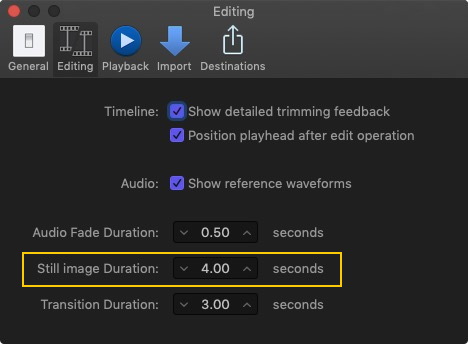
Head that problem off at the pass before you begin...
Please Log in to join the conversation.

24 Mar 2023 17:57 #124719
by DaveM
Replied by DaveM on topic How to change duration of still clips efficiently
One way to do this would be to export an XML file (v1.9 not v1.10 for recent versions of FCP) and open it in a text editor. You could locate the clips with the duration you'd like to change and make the changes. Then, import the modified XML file.
FCP writes durations in XML files as a ratio. For a 29.97 fps Project, a clip of ten seconds length shows up as
duration="1201200/120000s"
in the XML file. You could note the name of one of the ten second clips, then search for that name in the XML file and double-check the duration. Then, it's a matter of searching for the other clips of the same duration and changing the duration values.
I'll stop here, as this is a bit "advanced" for many people...
FCP writes durations in XML files as a ratio. For a 29.97 fps Project, a clip of ten seconds length shows up as
duration="1201200/120000s"
in the XML file. You could note the name of one of the ten second clips, then search for that name in the XML file and double-check the duration. Then, it's a matter of searching for the other clips of the same duration and changing the duration values.
I'll stop here, as this is a bit "advanced" for many people...
Please Log in to join the conversation.
- DaveGadgeteer
-
Topic Author
- Offline
- New Member
-
Less
More
- Posts: 11
- Thank you received: 0
24 Mar 2023 19:24 #124722
by DaveGadgeteer
Replied by DaveGadgeteer on topic How to change duration of still clips efficiently
I did that and readded the stills but they still came in as 10 seconds.
I can’t deal with this reply mechanism on my iphone. How can I eliminate it?
I can’t deal with this reply mechanism on my iphone. How can I eliminate it?
Please Log in to join the conversation.
24 Mar 2023 20:59 #124725
by sc_fox
Replied by sc_fox on topic How to change duration of still clips efficiently
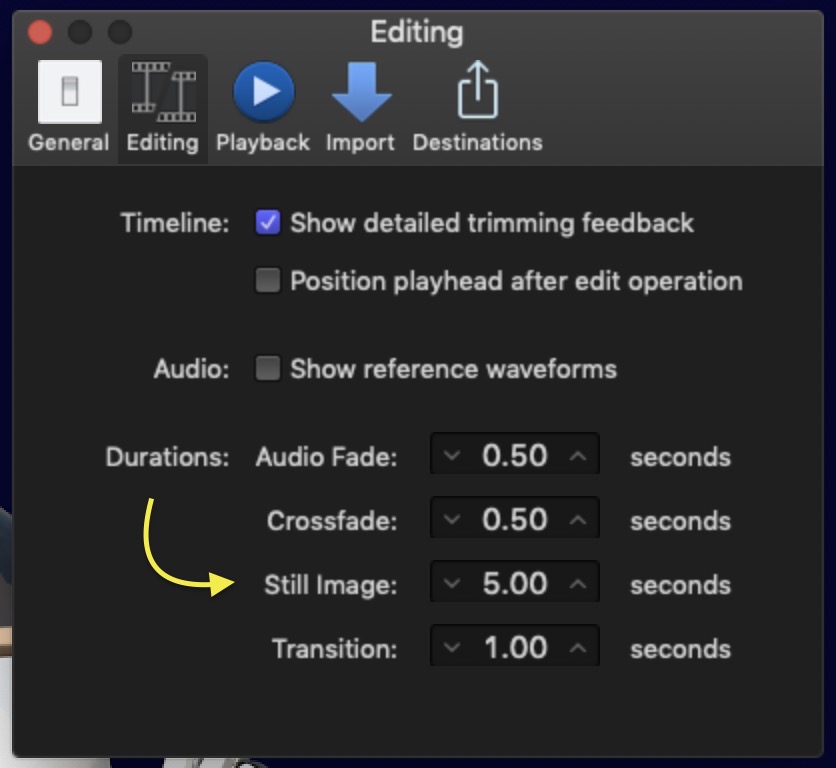
It's a preference setting:
Please Log in to join the conversation.
- DaveGadgeteer
-
Topic Author
- Offline
- New Member
-
Less
More
- Posts: 11
- Thank you received: 0
24 Mar 2023 21:16 #124726
by DaveGadgeteer
Replied by DaveGadgeteer on topic How to change duration of still clips efficiently
Thank you, this method looks very appealing to me as a former software guy.
I didn't realize importing XML would make changes!
I wonder what other things can be done similarly.
I didn't realize importing XML would make changes!
I wonder what other things can be done similarly.
Please Log in to join the conversation.
24 Mar 2023 21:20 #124727
by VTC
Replied by VTC on topic How to change duration of still clips efficiently
I can't come up with a way to explain this any more simple than three steps but this is how I change still durations...
-
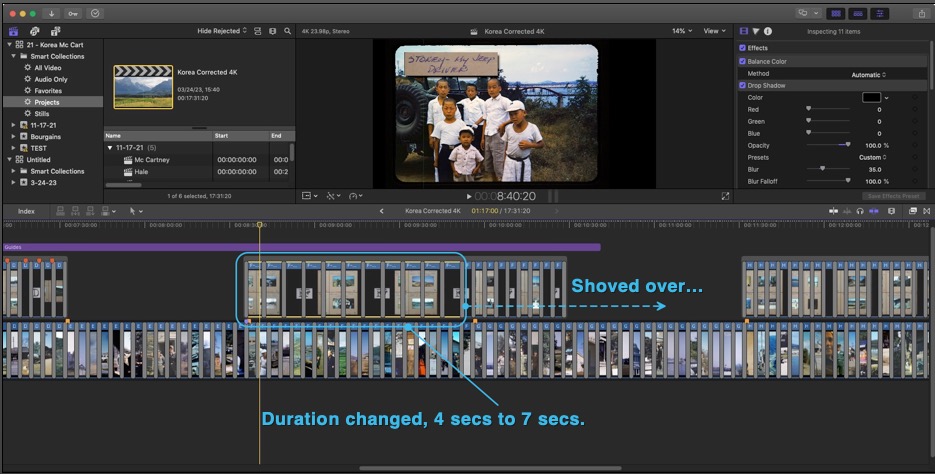
This job was 35mm slides with most having notations on the cardboard frames. All stills (main story line) and notations (secondary storyline) are timed at four seconds. I select a few images on the secondary storyline...
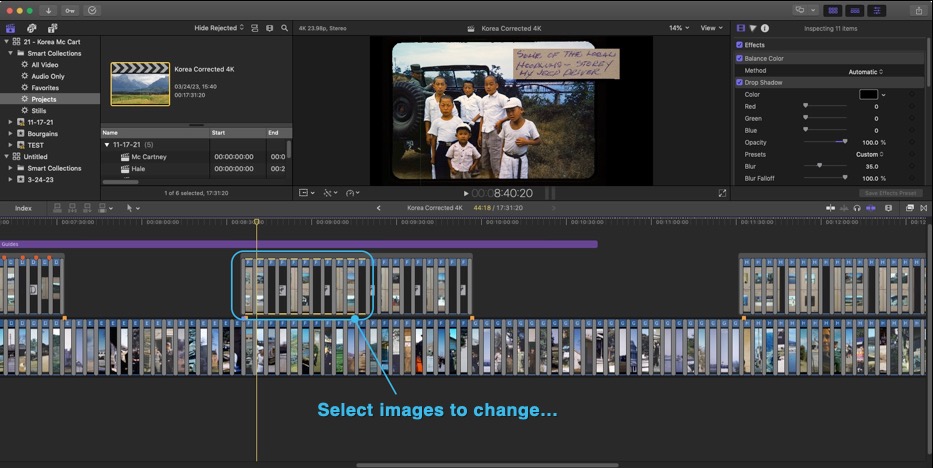
Double click the timecode in the viewer window and put in 7 seconds as a new duration...
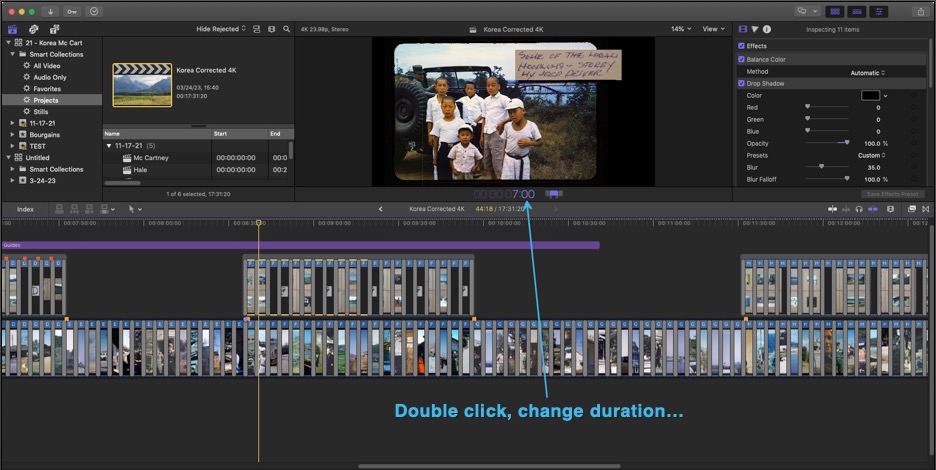
Then those and ONLY those selected images will now time out at 7 seconds, botching the delicate overlay timing already achieved.
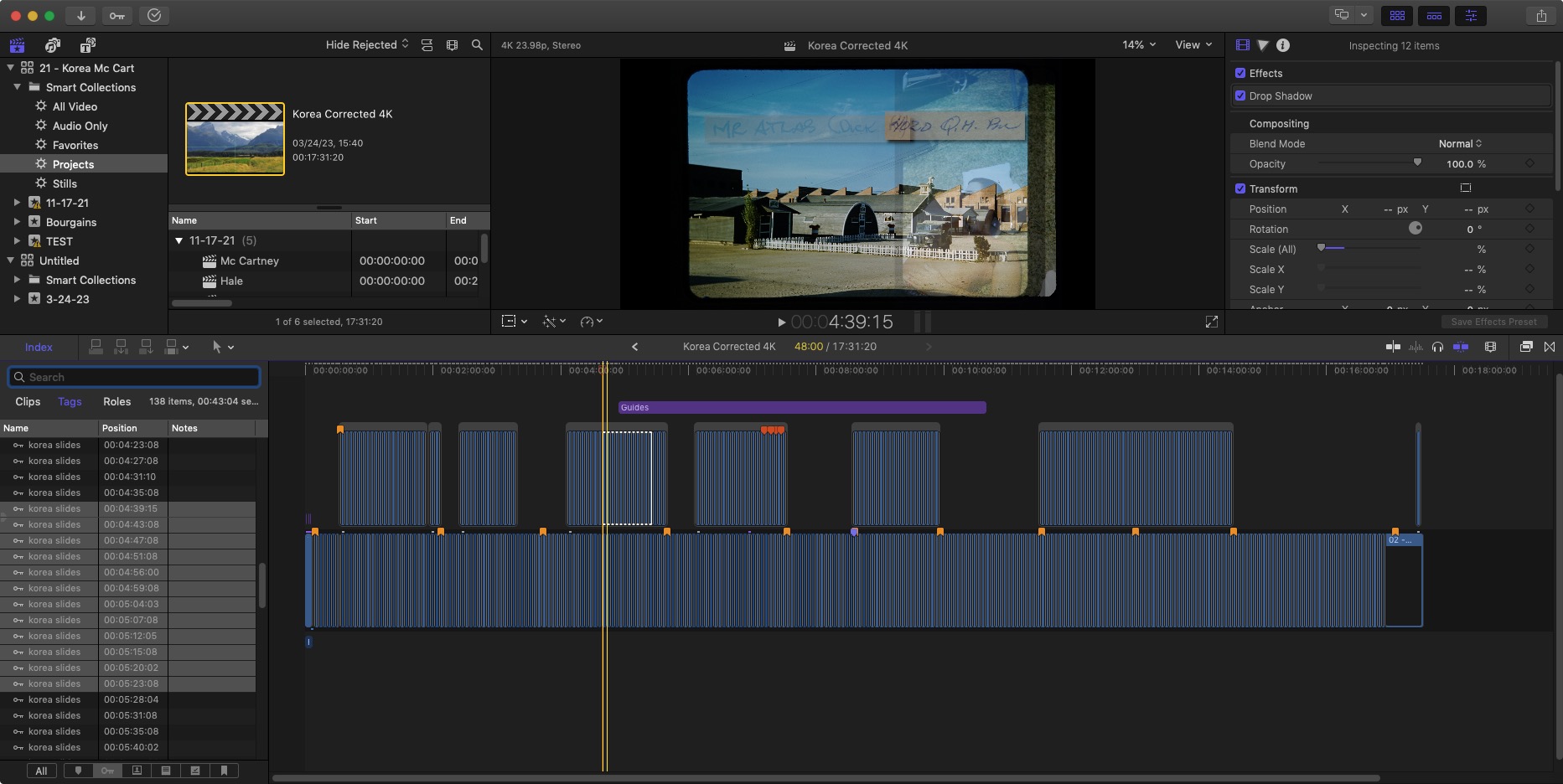
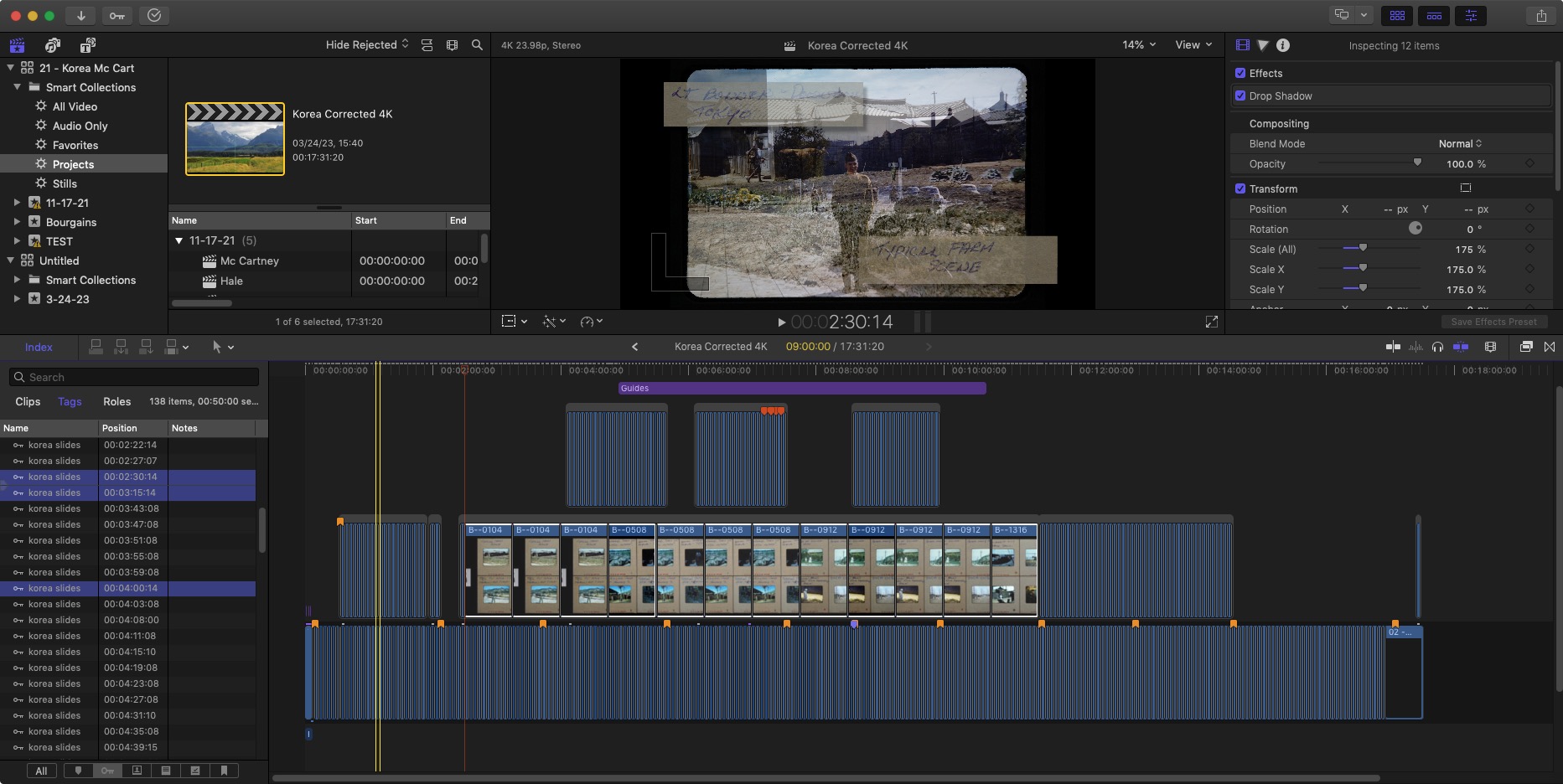
You can set the default still duration in FCP preferences in advance of import. Selecting the targets in the INDEX pane, double click the timecode to change duration (45 seconds in this example) and do things that way but that introduces another level of cumbersome into the mix.
-
This job was 35mm slides with most having notations on the cardboard frames. All stills (main story line) and notations (secondary storyline) are timed at four seconds. I select a few images on the secondary storyline...
Double click the timecode in the viewer window and put in 7 seconds as a new duration...
Then those and ONLY those selected images will now time out at 7 seconds, botching the delicate overlay timing already achieved.
You can set the default still duration in FCP preferences in advance of import. Selecting the targets in the INDEX pane, double click the timecode to change duration (45 seconds in this example) and do things that way but that introduces another level of cumbersome into the mix.
Please Log in to join the conversation.
