



- Posts: 3
- Thank you received: 0
3 Post Moderation Rule for New Boarders (25 Jan 2021)
New boarders will have their posts moderated - Don't worry if you cannot see your post immediately.
Timeline preview image/audio wave disappear during playback with scrolling
11 Feb 2023 11:52 - 11 Feb 2023 13:53 #124075
by kinson410
Hi guys, I am form Hong Kong, new to this forum and new to FCP.
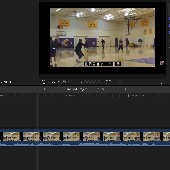
I found that whenever I scroll around the timeline while playing the video clip, the preview image (thumbnail) / audio wave will disappear. If I pause the playback, all the image/audio wave comes back in the timeline immediately. Then if I scroll the timeline back and forth for a few times, and start the playback again, the image in timeline sometimes can be shown even the clips is playing (but the audio wave will not stay no matter what). Please take a look at this two YouTube clip I uploaded to get a better idea of what my problem is.
Clip 1
Clip 2
wonder if it is caused by CPU/GPU/RAM performance or it is just how is work in FCP.
I got the Macbook Pro M2 pro base model with 16GB RAM.
Sorry for my bad English.
I found that whenever I scroll around the timeline while playing the video clip, the preview image (thumbnail) / audio wave will disappear. If I pause the playback, all the image/audio wave comes back in the timeline immediately. Then if I scroll the timeline back and forth for a few times, and start the playback again, the image in timeline sometimes can be shown even the clips is playing (but the audio wave will not stay no matter what). Please take a look at this two YouTube clip I uploaded to get a better idea of what my problem is.
Clip 1
Clip 2
wonder if it is caused by CPU/GPU/RAM performance or it is just how is work in FCP.
I got the Macbook Pro M2 pro base model with 16GB RAM.
Sorry for my bad English.
Last edit: 11 Feb 2023 13:53 by kinson410.
Please Log in to join the conversation.
- DmitriZigany
-

- Offline
- Platinum Member
-

Less
More
- Posts: 730
- Thank you received: 26
11 Feb 2023 14:09 #124078
by DmitriZigany
Replied by DmitriZigany on topic Timeline preview image/audio wave disappear during playback with scrolling
It's been like that for as far as I can remember. Quite annoying...
Please Log in to join the conversation.


11 Feb 2023 14:12 #124079
by RevJimBob
Replied by RevJimBob on topic Timeline preview image/audio wave disappear during playback with scrolling
Unfortunately, the audio waveforms and video thumbnails disappearing during playback (when you scroll to a new section of the timeline) is – and has been – an annoyance for many years. I edit on a Studio Ultra with 64GB. It is not your computer.
Please Log in to join the conversation.
- Tom Wolsky
-

- Offline
- Moderator
-

11 Feb 2023 14:18 #124080
by Tom Wolsky
Replied by Tom Wolsky on topic Timeline preview image/audio wave disappear during playback with scrolling
It’s by design. The application applies all system resources to playback not to redrawing the interface. There is a function in Command Post that allows you to bypass this feature.
Please Log in to join the conversation.
11 Feb 2023 14:48 #124081
by kinson410
Replied by kinson410 on topic Timeline preview image/audio wave disappear during playback with scrolling
Thank you for the replies! At least it wasn’t my computer…
Someone who owns a MacBook Pro M1 Max 64GB told me it was my computer not being powerful enough….
Someone who owns a MacBook Pro M1 Max 64GB told me it was my computer not being powerful enough….
Please Log in to join the conversation.
