


- Posts: 287
- Thank you received: 1
3 Post Moderation Rule for New Boarders (25 Jan 2021)
New boarders will have their posts moderated - Don't worry if you cannot see your post immediately.
Restoring B&W DVD footage
02 Jan 2023 10:58 - 02 Jan 2023 10:59 #123456
by pszilard
Restoring B&W DVD footage was created by pszilard
I need to restore some B & W footage, which I have been given on DVD.
I had tried Neat Video 5. 5.7 and I had viewed their tutorials. The footage contains little flashes of white and the occasional scratch marks. I have not been able to improve using Neat Video!
I then tried Topaz Video AI. Again no perceivable improvement.
If any of our experienced friends here, can provide some advice, it would be much appreciated.
I am using a MBP M1-Max, 32GB ram. I would love some setting specific advice, or a link to a really good tutorial. Thanks, guys and have a very Happy New Year!
I had tried Neat Video 5. 5.7 and I had viewed their tutorials. The footage contains little flashes of white and the occasional scratch marks. I have not been able to improve using Neat Video!
I then tried Topaz Video AI. Again no perceivable improvement.
If any of our experienced friends here, can provide some advice, it would be much appreciated.
I am using a MBP M1-Max, 32GB ram. I would love some setting specific advice, or a link to a really good tutorial. Thanks, guys and have a very Happy New Year!
Last edit: 02 Jan 2023 10:59 by pszilard.
Please Log in to join the conversation.


02 Jan 2023 18:23 - 02 Jan 2023 20:53 #123465
by VTC
Replied by VTC on topic Restoring B&W DVD footage
Sounds like you're dealing with a transfer off old film. The bad news is you're trying to correct video off a DVD that was probably mastered from VHS (240 line) tape. Not going to be enough data for Neat Video or any other plugin to work with that'll make any appreciable difference and methinks you're finding that out. (Tech info: I capture film ProRes 442, 1.1 GB/min, Encode DVDs at 9.0 mb/s instead of standard 4.5 mb/s and Bluray at 26 mb/s instead of standard 16.0 mb/s) You can spend a whole lot of time on some of these things only to discover there's "no perceivable improvement". That'll be a hard sell to a client those wasted efforts.
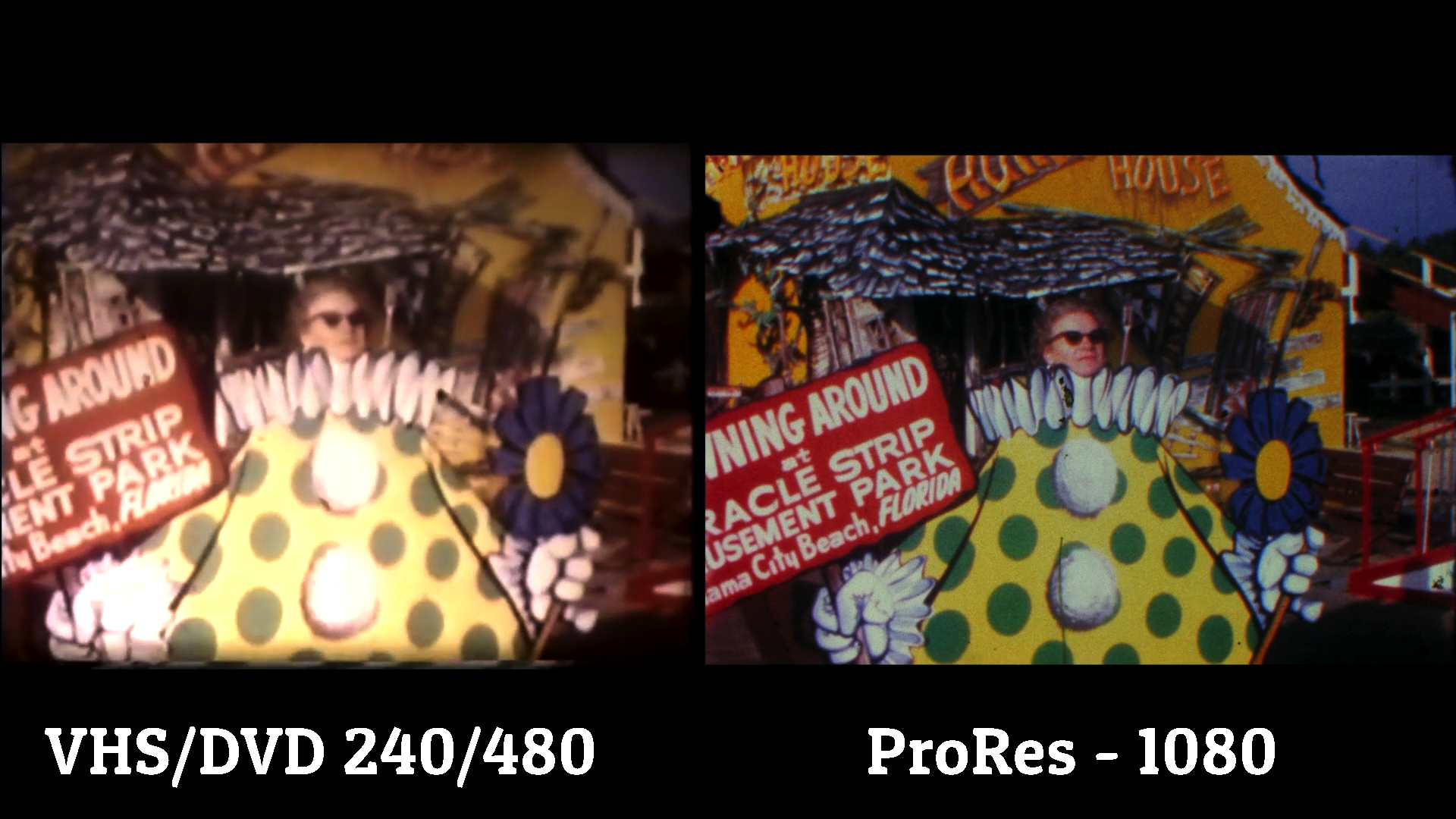
Dropbox a clip and I'll see what I can do with it since I deal with such footage daily but there's no amount of Pixie dust I can throw at a poor transfer (left) to make it look as gorgeous as the right side one.
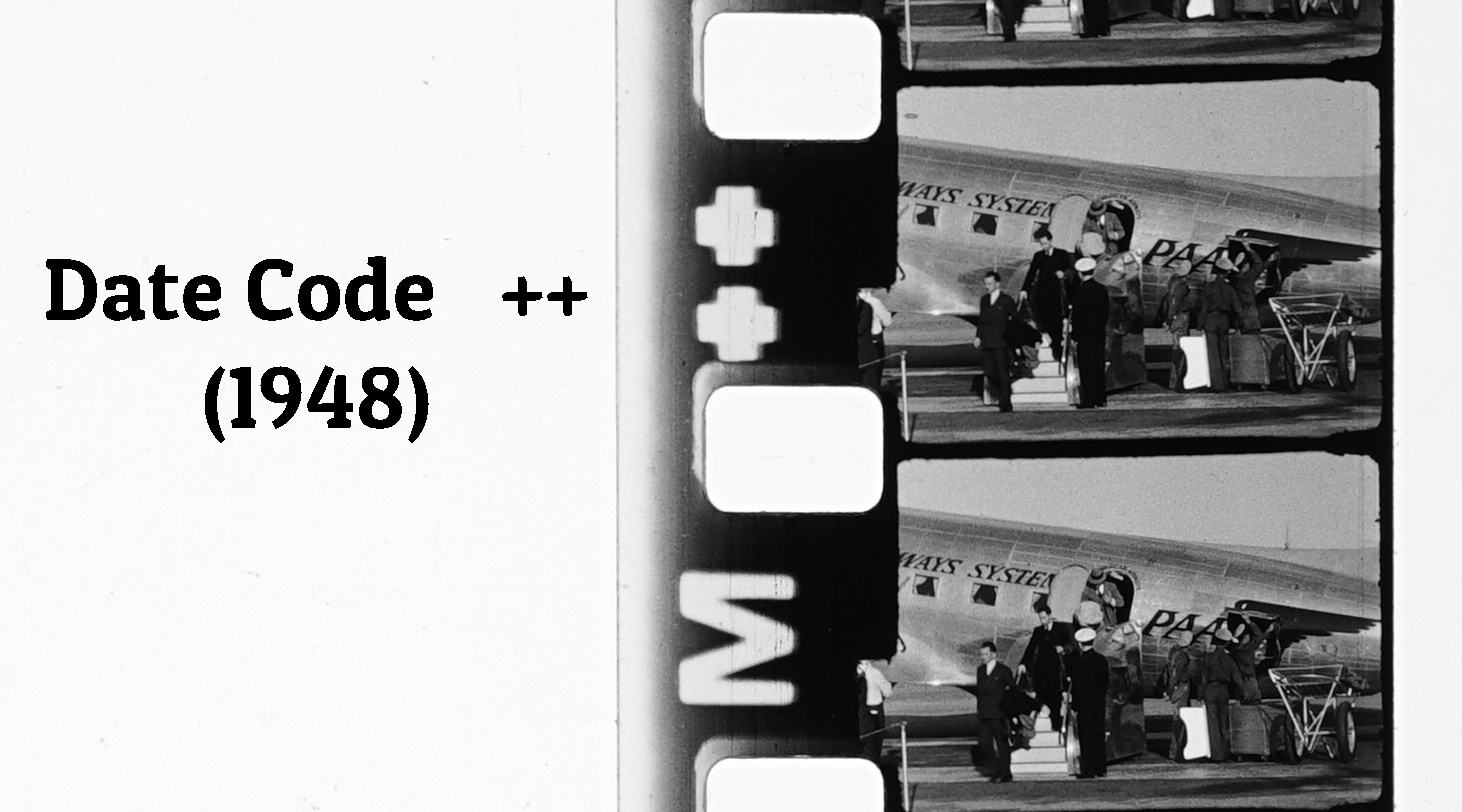
You can determine the quality of a film transfer if you can see the grain.
BW is 1948 Regular 8mm. Bikini is 1974 Super 8 Ektachrome. No post-capture correction on any of these samples, save for a light blue tint added to the BW since I find strictly duo-tone footage to be hard on the eyes.
 .
.
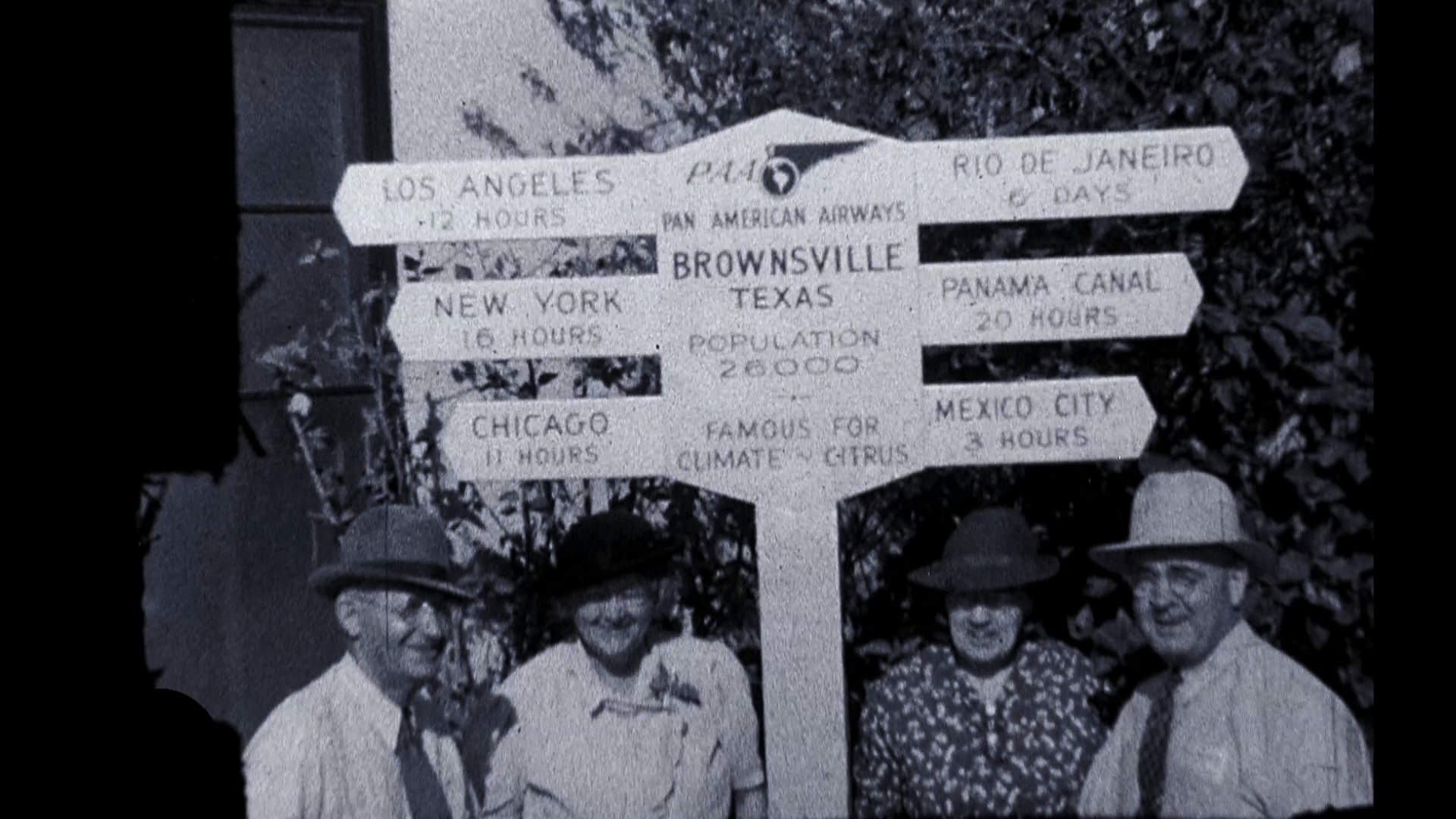
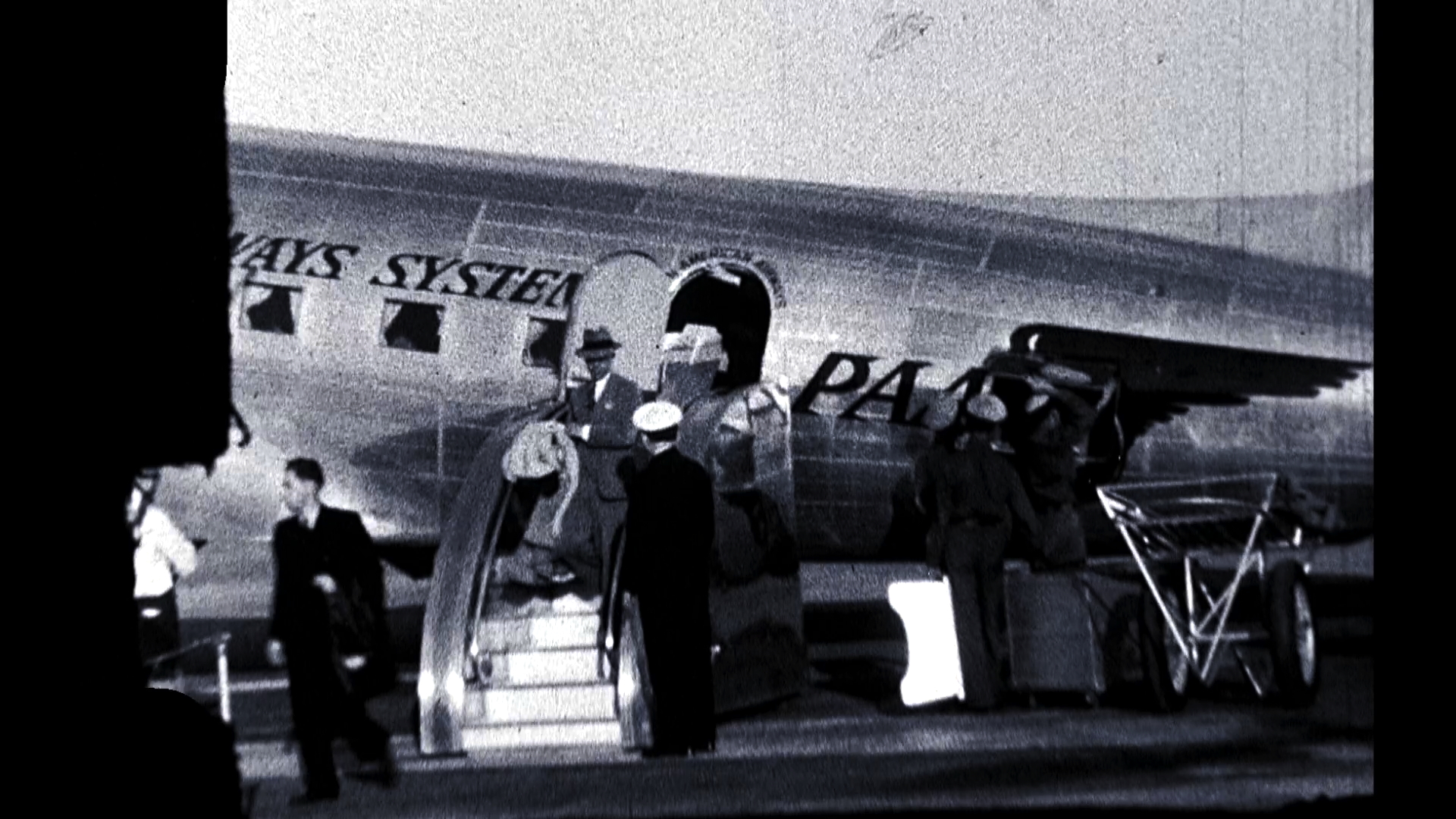
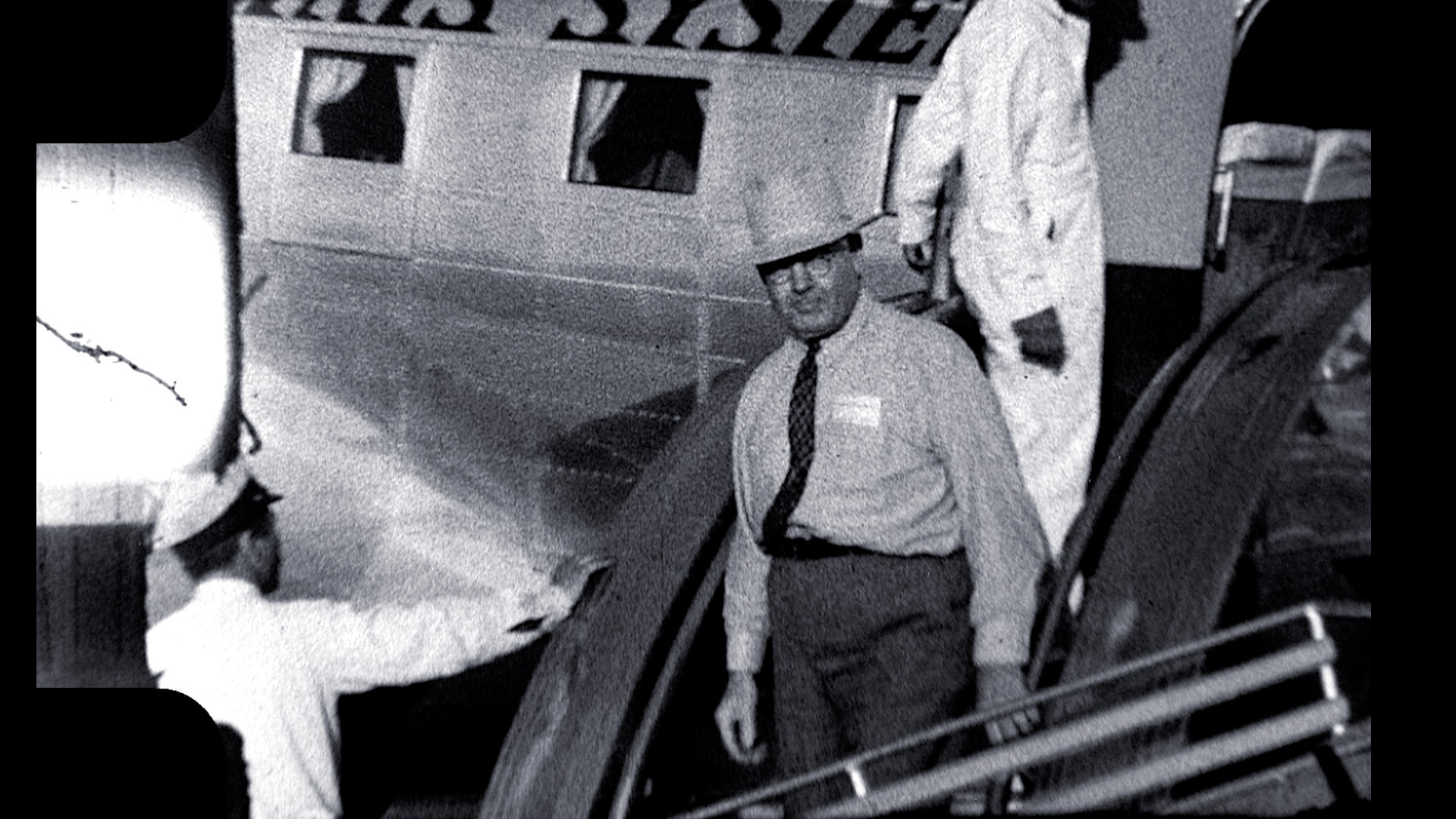

Speaking of which... BW isn't best achieved simply by dropping out all saturation. Mark shows a way using curves and luminance:
Dropbox a clip and I'll see what I can do with it since I deal with such footage daily but there's no amount of Pixie dust I can throw at a poor transfer (left) to make it look as gorgeous as the right side one.
You can determine the quality of a film transfer if you can see the grain.
BW is 1948 Regular 8mm. Bikini is 1974 Super 8 Ektachrome. No post-capture correction on any of these samples, save for a light blue tint added to the BW since I find strictly duo-tone footage to be hard on the eyes.
Speaking of which... BW isn't best achieved simply by dropping out all saturation. Mark shows a way using curves and luminance:
Last edit: 02 Jan 2023 20:53 by VTC.
Please Log in to join the conversation.
07 Jan 2023 10:33 #123541
by pszilard
Replied by pszilard on topic Restoring B&W DVD footage
Sorry for the delayed response.
I have sent you a PM with a DropBox link. Thanks in advance for helping.
Paul
I have sent you a PM with a DropBox link. Thanks in advance for helping.
Paul
Please Log in to join the conversation.
08 Jan 2023 20:59 - 08 Jan 2023 22:02 #123561
by VTC
Replied by VTC on topic Restoring B&W DVD footage
First it appears to be off a VHS tape with the odd thing being it's from an edit using the original shot footage. It was never mastered for commercial use as it maintains the cement splices/jumps that you get when editing source material... No A/B roll editing that eliminated splices when going to print.*
As such the thing to look out for and remove are the obvious splices as well as the inconsistent exposure frames after the splices. Your comment about white flashes, unless the rest of the reels contains them that isn't apparent int the sample provided, is likely the cement splices. In your case deleting the splice frame & the frame following it will for the most part eliminate them. NEAT VIDEO or any other cleanser isn't meant to minimize massive snags such as those splice glitches. The photo sequence demonstrates the effective frames that should be removed. Getting rid of the splice frame and generally the frame following it should be sufficient.
www.dropbox.com/s/e6qcewl2qhpkc94/Sample.mov?dl=0
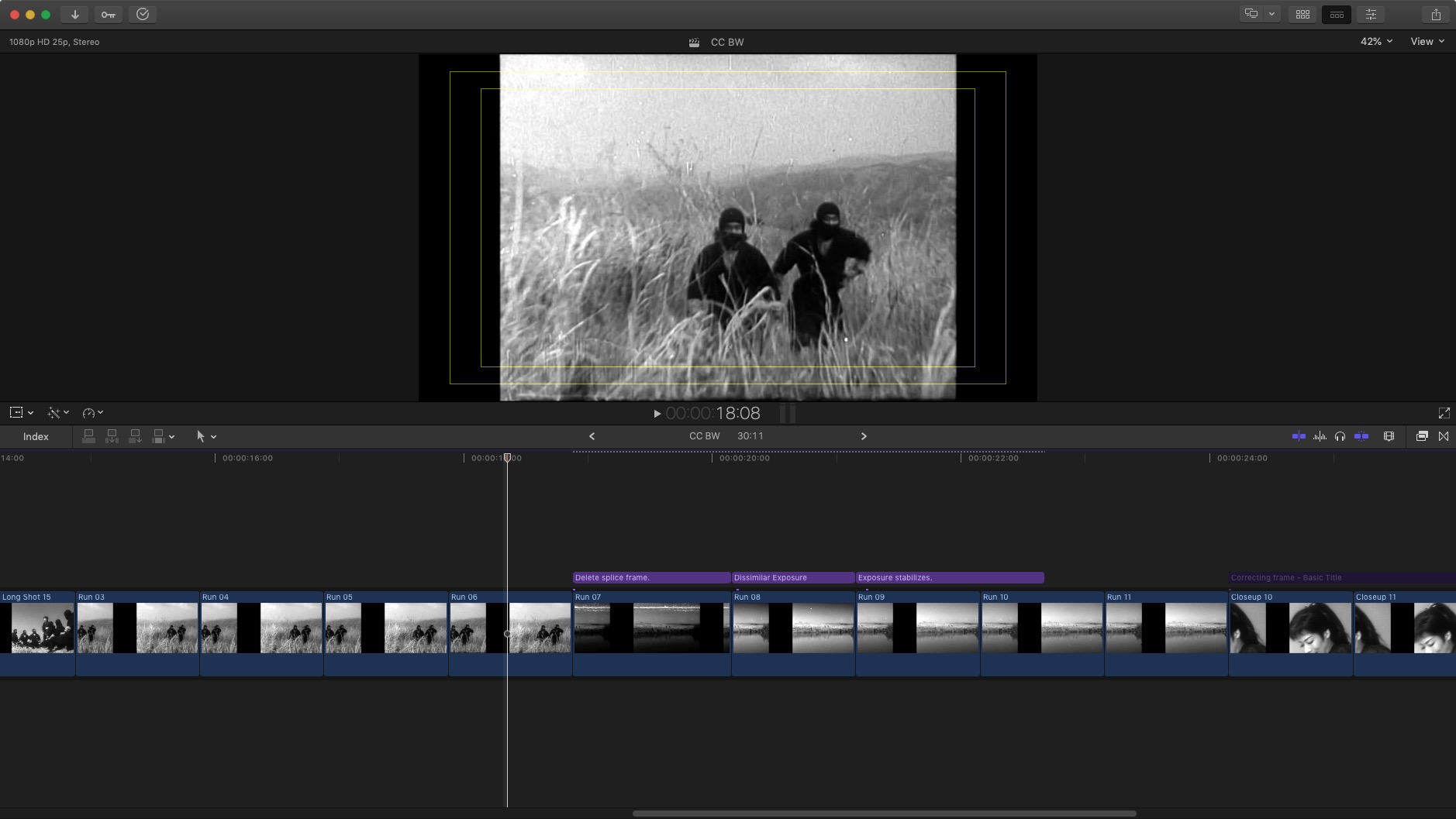
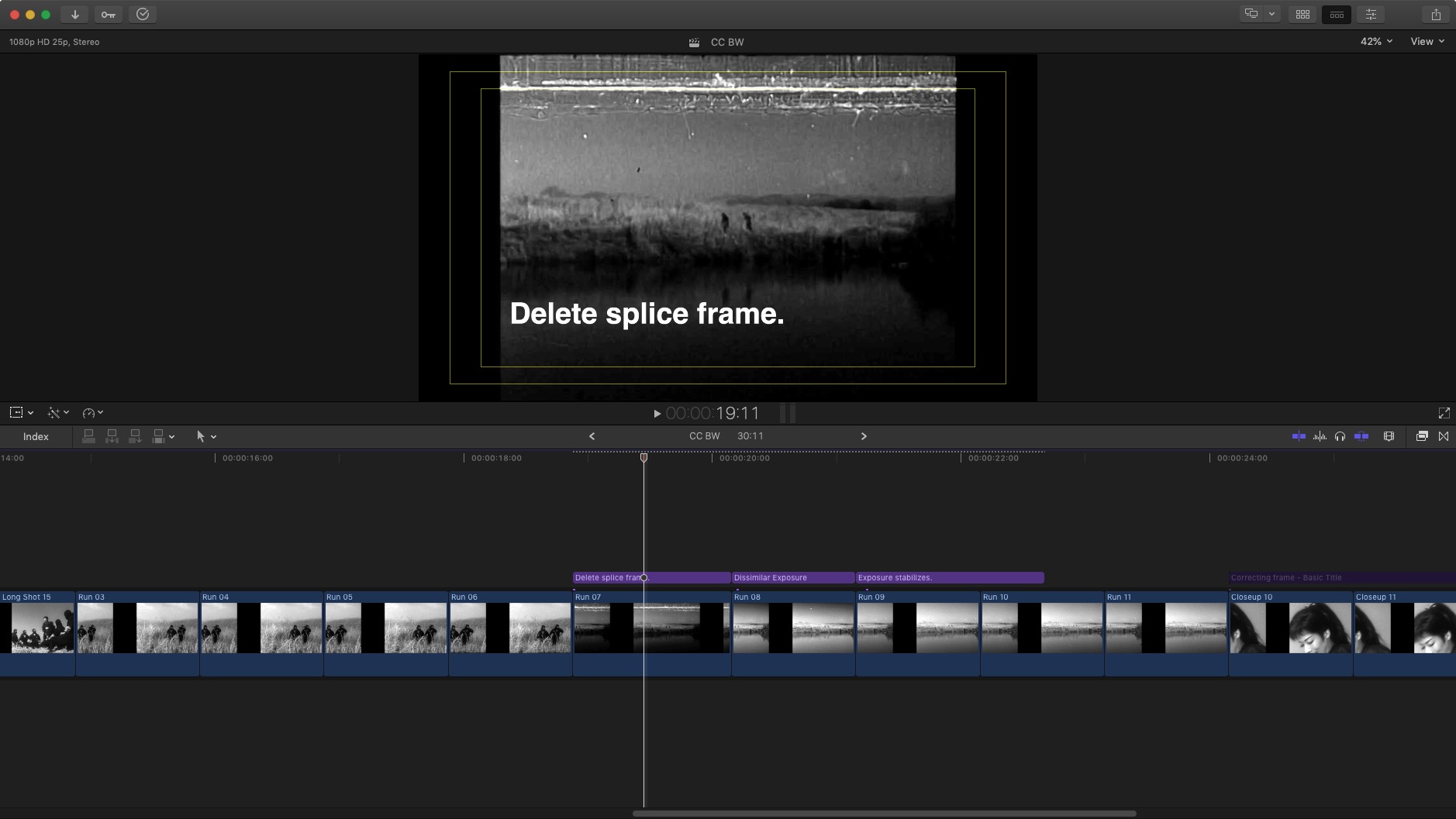
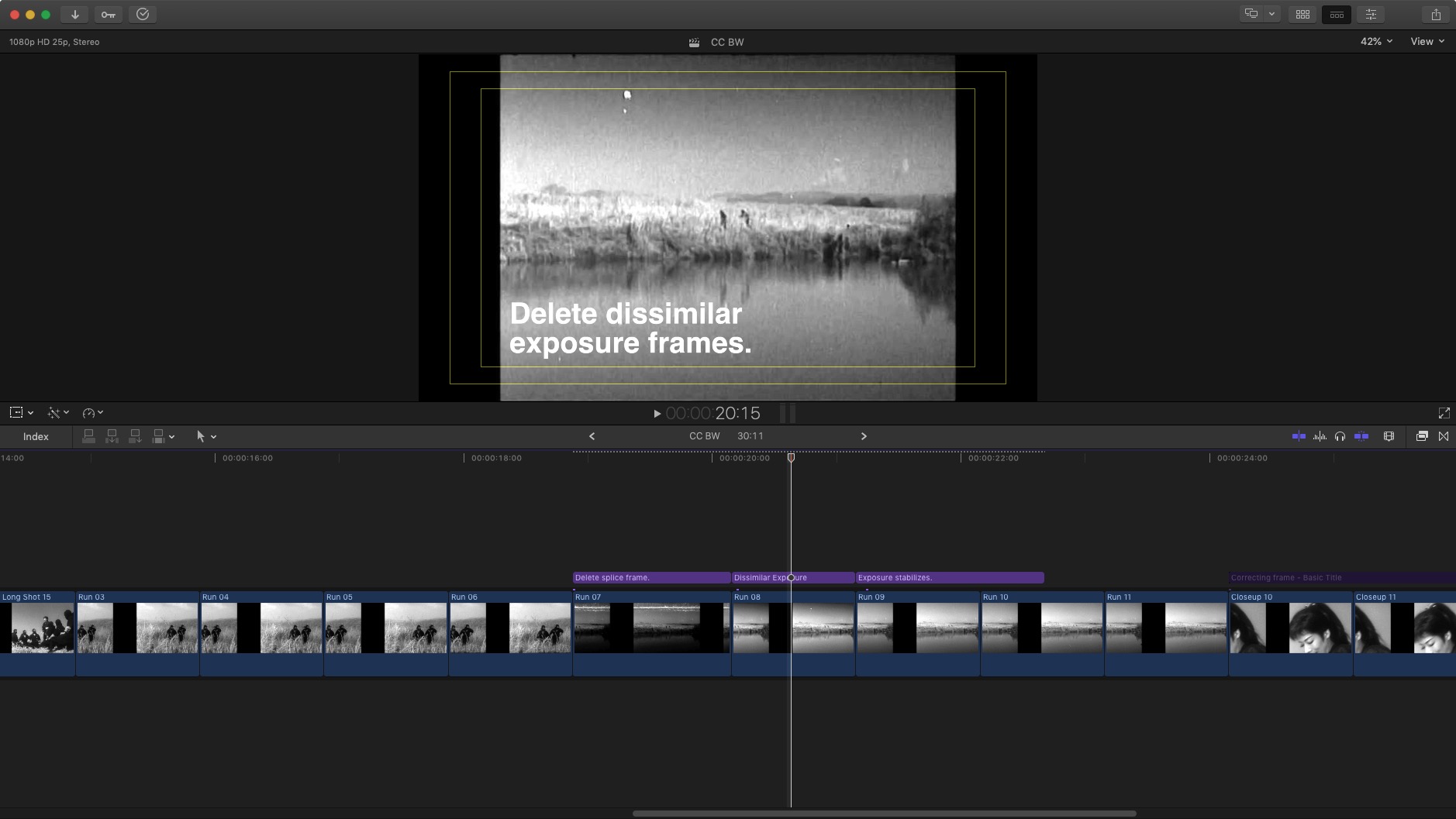
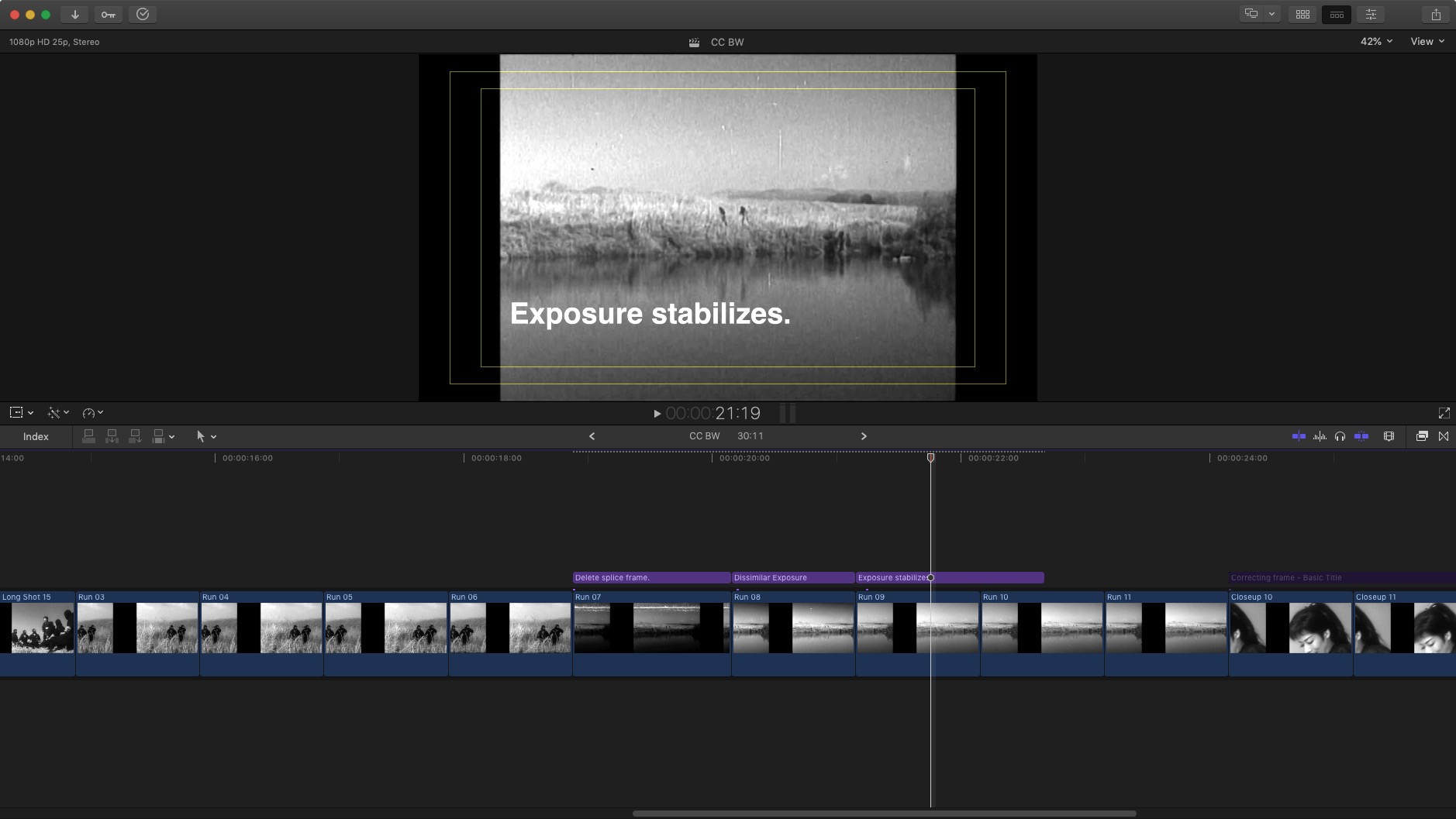
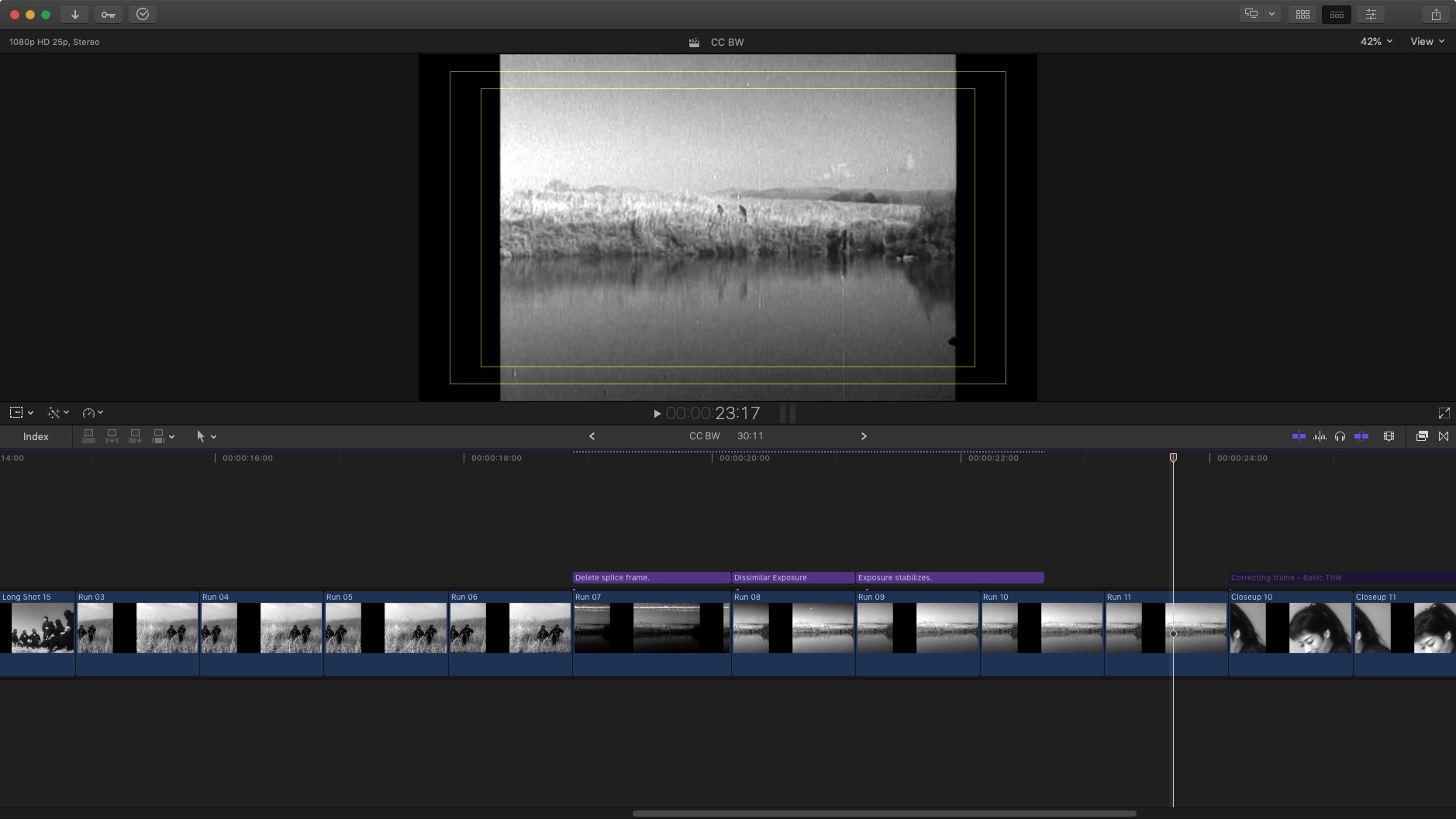
The sample was made from individual frames that had the levels 'auto adjusted'. Your original is rather dark and most of the defects will be eliminated or minimized by merely adjusting the levels.


Still, let me play around with the clip and see what I can do with it although following through with the above suggestions should remedy the problems you addressed.
*(The only other commercial film I've come across that had splices hard printed into the distributed copy was an 'art' film "Two Little Miss Takes" that played less jarringly after the splices and exposure flaws were removed.)
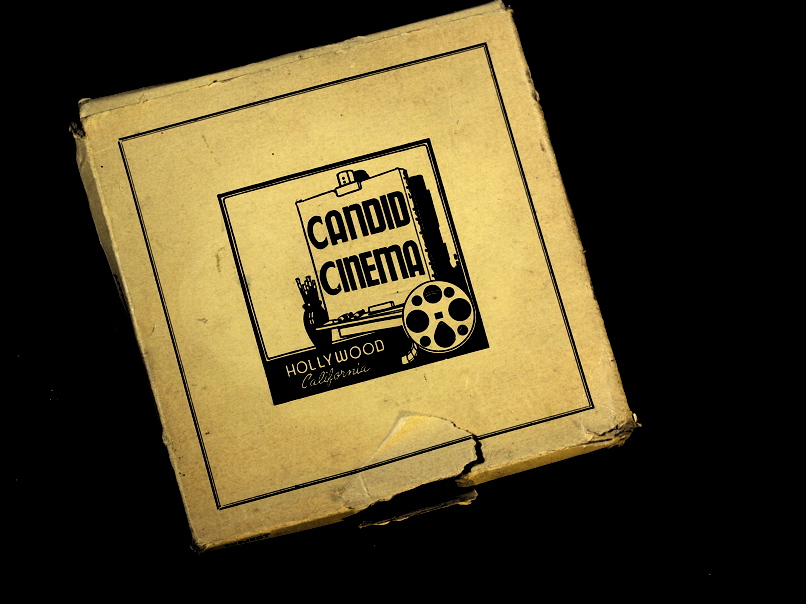
www.dropbox.com/s/4pisyj21fhxaulp/Two%20...iss%20Takes.mov?dl=0
As such the thing to look out for and remove are the obvious splices as well as the inconsistent exposure frames after the splices. Your comment about white flashes, unless the rest of the reels contains them that isn't apparent int the sample provided, is likely the cement splices. In your case deleting the splice frame & the frame following it will for the most part eliminate them. NEAT VIDEO or any other cleanser isn't meant to minimize massive snags such as those splice glitches. The photo sequence demonstrates the effective frames that should be removed. Getting rid of the splice frame and generally the frame following it should be sufficient.
www.dropbox.com/s/e6qcewl2qhpkc94/Sample.mov?dl=0
The sample was made from individual frames that had the levels 'auto adjusted'. Your original is rather dark and most of the defects will be eliminated or minimized by merely adjusting the levels.
Still, let me play around with the clip and see what I can do with it although following through with the above suggestions should remedy the problems you addressed.
*(The only other commercial film I've come across that had splices hard printed into the distributed copy was an 'art' film "Two Little Miss Takes" that played less jarringly after the splices and exposure flaws were removed.)
www.dropbox.com/s/4pisyj21fhxaulp/Two%20...iss%20Takes.mov?dl=0
Last edit: 08 Jan 2023 22:02 by VTC.
Please Log in to join the conversation.
08 Jan 2023 22:59 #123566
by pszilard
Replied by pszilard on topic Restoring B&W DVD footage
Thank you SO much. I’m on my iPhone atm, but will look at this properly when I get home. I really appreciate your help.
Please Log in to join the conversation.
23 Jan 2023 10:56 #123776
by pszilard
Replied by pszilard on topic Restoring B&W DVD footage
Do I have to manually find every splice frame? That will take ages!
Please Log in to join the conversation.
23 Jan 2023 17:06 #123783
by VTC
Replied by VTC on topic Restoring B&W DVD footage
It's not as tedious as it seems. If nothing else run it through Davinci Resolve (the free version may do this but this test was using the Resolve Studio paid version) and learn the beauty of Scene Cut Detection.
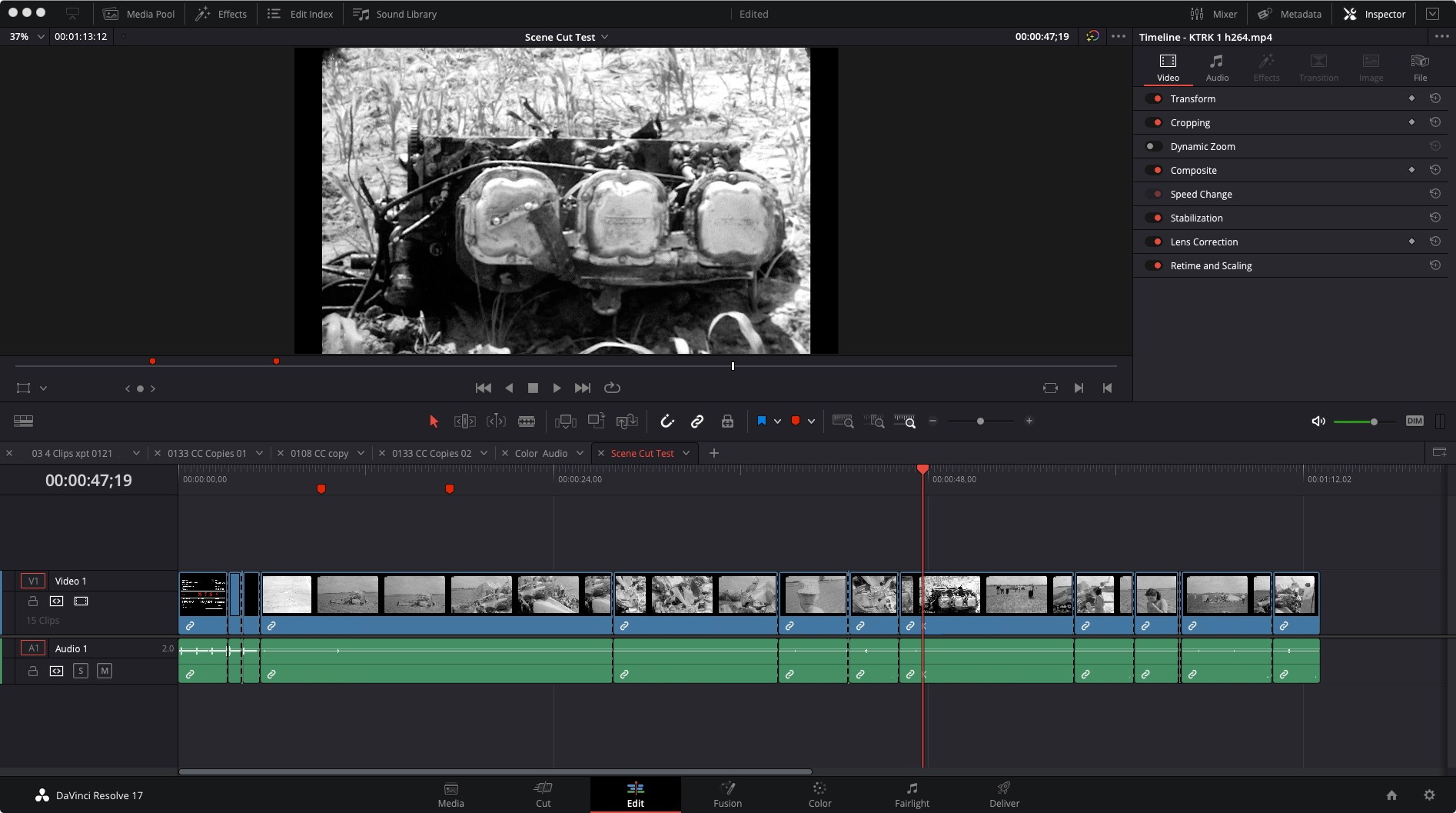
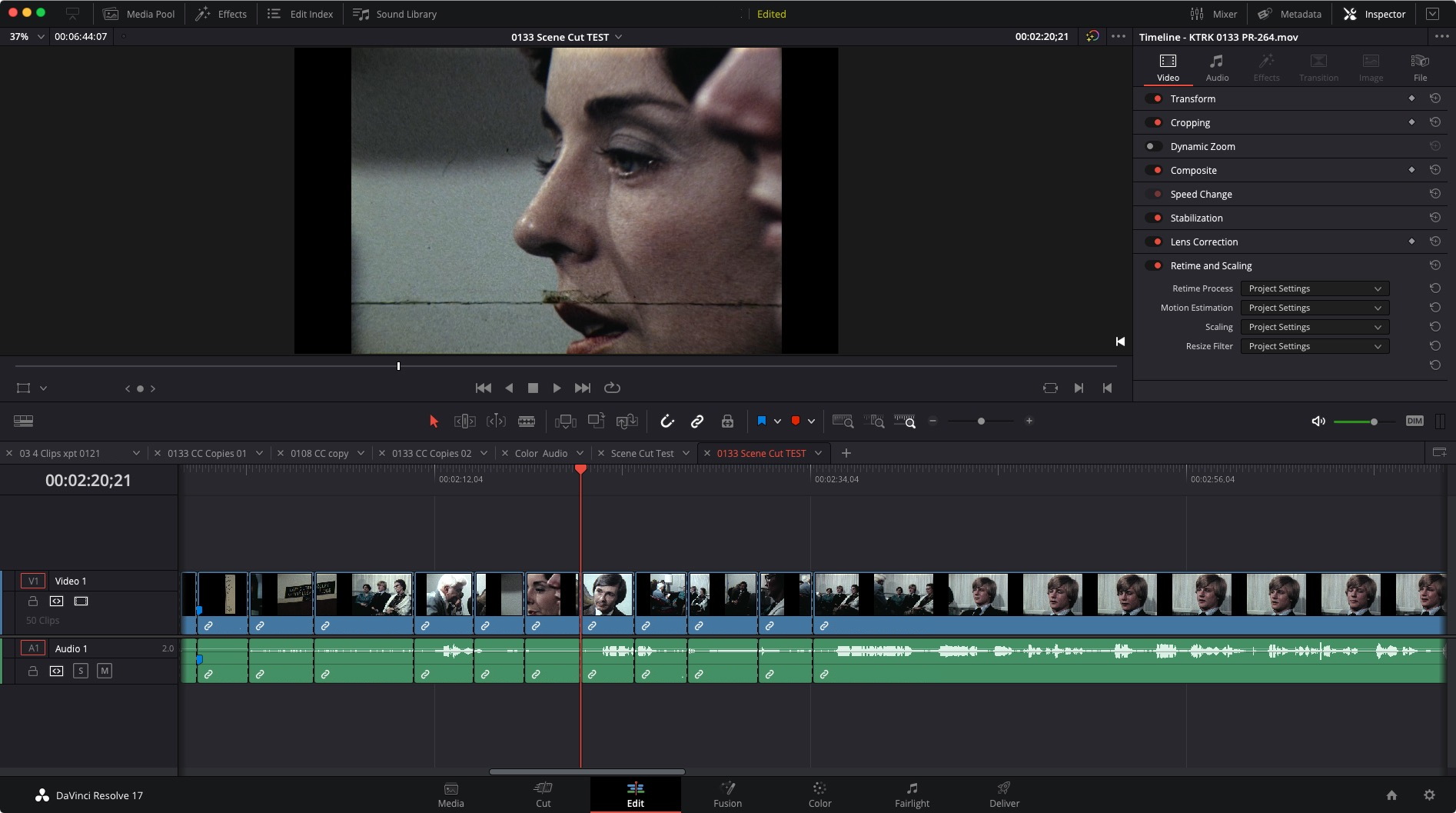
Once segmented you scan at 3x speed to verify accuracy and mark any missed cuts. Traverse footage using arrow keys to jump cuts then left/right arrow key to lop off offending frames. In Resolve 16 Scene Cut was disastrous not allowing cut clips to be joined but 17+ is more accurate with the ability to merge misjudged cuts.
First video quick overview. Second one shows 16/17 differences.
Once segmented you scan at 3x speed to verify accuracy and mark any missed cuts. Traverse footage using arrow keys to jump cuts then left/right arrow key to lop off offending frames. In Resolve 16 Scene Cut was disastrous not allowing cut clips to be joined but 17+ is more accurate with the ability to merge misjudged cuts.
First video quick overview. Second one shows 16/17 differences.
Please Log in to join the conversation.
- DanClancey
-
- Offline
- New Member
-

Less
More
- Posts: 6
- Thank you received: 0
16 Feb 2023 21:24 #124206
by DanClancey
Replied by DanClancey on topic Restoring B&W DVD footage
This is great, just read through your advice. Very helpful for a project we are working on. Thanks
Please Log in to join the conversation.
