


- Posts: 8
- Thank you received: 0
3 Post Moderation Rule for New Boarders (25 Jan 2021)
New boarders will have their posts moderated - Don't worry if you cannot see your post immediately.
Adjustment Layers | how to prevent them from affecting ALL layers beneath them?
09 Dec 2022 16:31 #123230
by tantramar
Adjustment Layers | how to prevent them from affecting ALL layers beneath them? was created by tantramar
I saw a YouTube tutorial several months ago that showed how Final Cut Pro adjustment layers could be made NOT to affect all layers beneath them. It was mind-blowing, and I thought “that’s so cool, I could totally use that…” Now, of course, I’d like to use it, but do you think I can find it again? Nooooo. Not locally (bookmarks/notes/etc.), and not via Google/YouTube. Search results are polluted by the fact that literally everyone is just so excited for you to download their free adjustment layer file (🙄).
I’ve taken a quick look through the usual channels (Ripple Training, Final Cut Bro, Tyler Stallman, Matthew O’Brien), but nothing looks promising and, frankly, it was kind of an offhand suggestion near the end of a video that wasn’t explicitly about adjustment layers.
Is this ringing any bells for anyone?
I’ve taken a quick look through the usual channels (Ripple Training, Final Cut Bro, Tyler Stallman, Matthew O’Brien), but nothing looks promising and, frankly, it was kind of an offhand suggestion near the end of a video that wasn’t explicitly about adjustment layers.
Is this ringing any bells for anyone?
Please Log in to join the conversation.


09 Dec 2022 18:16 - 10 Dec 2022 02:39 #123232
by VTC
Replied by VTC on topic Adjustment Layers | how to prevent them from affecting ALL layers beneath them?
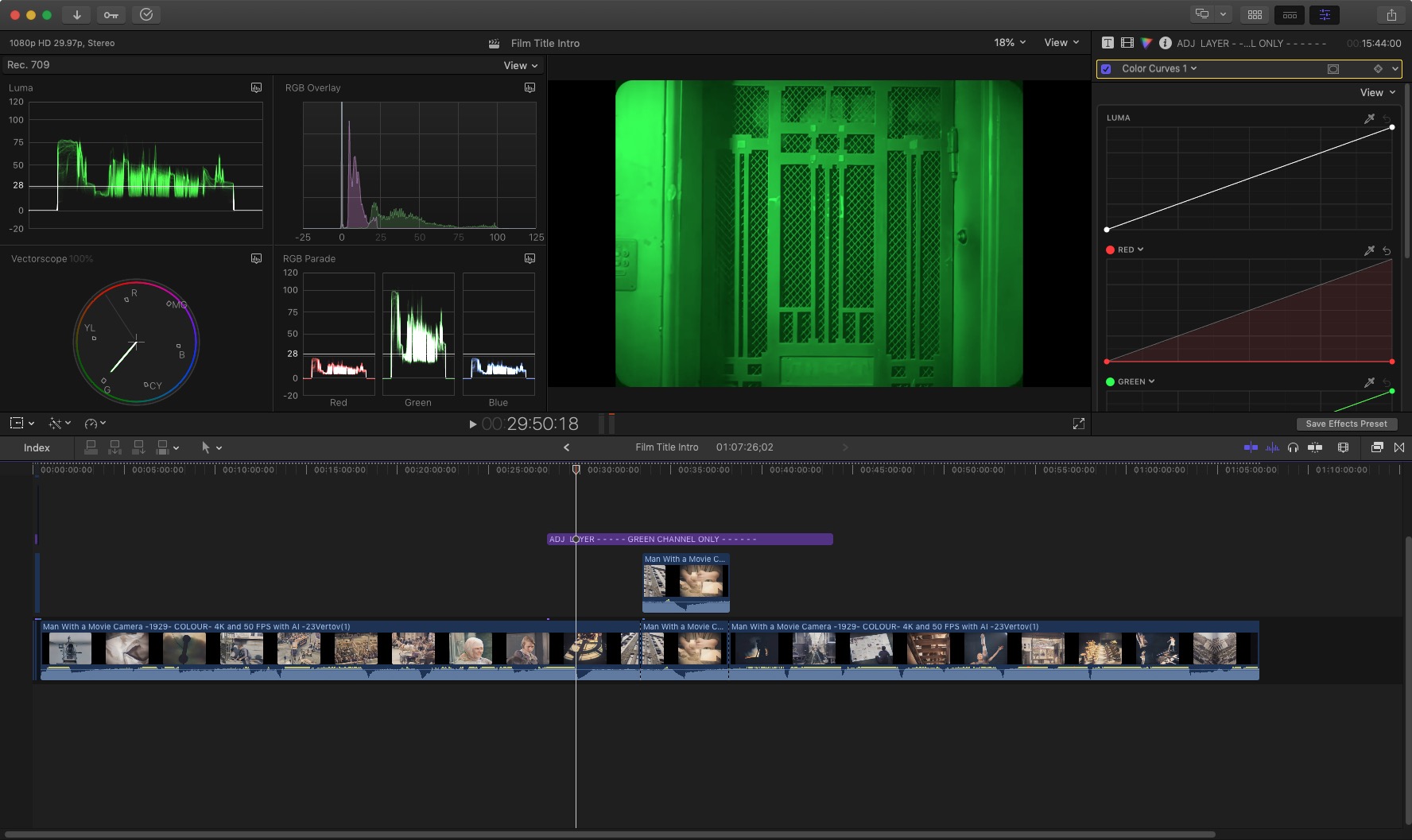
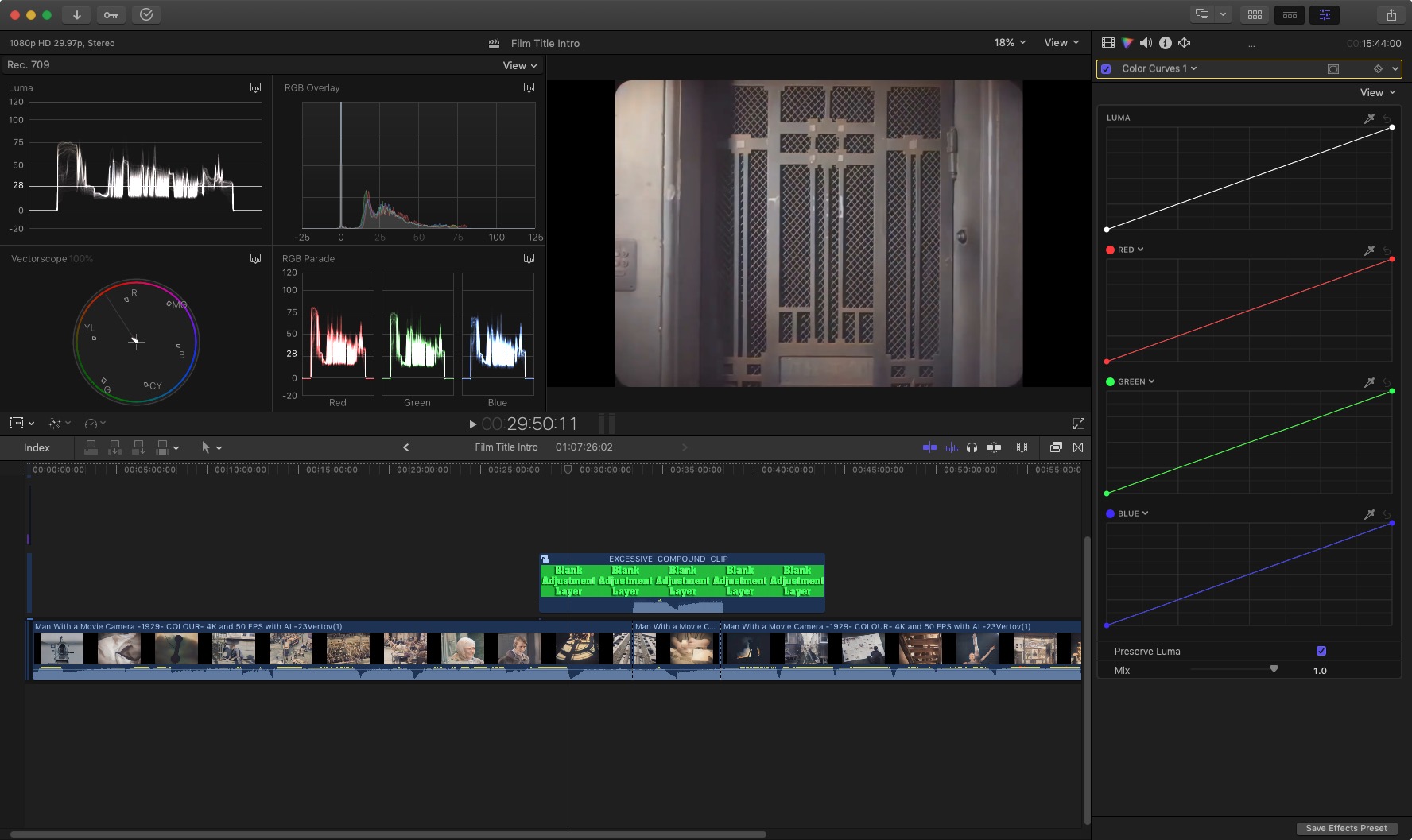
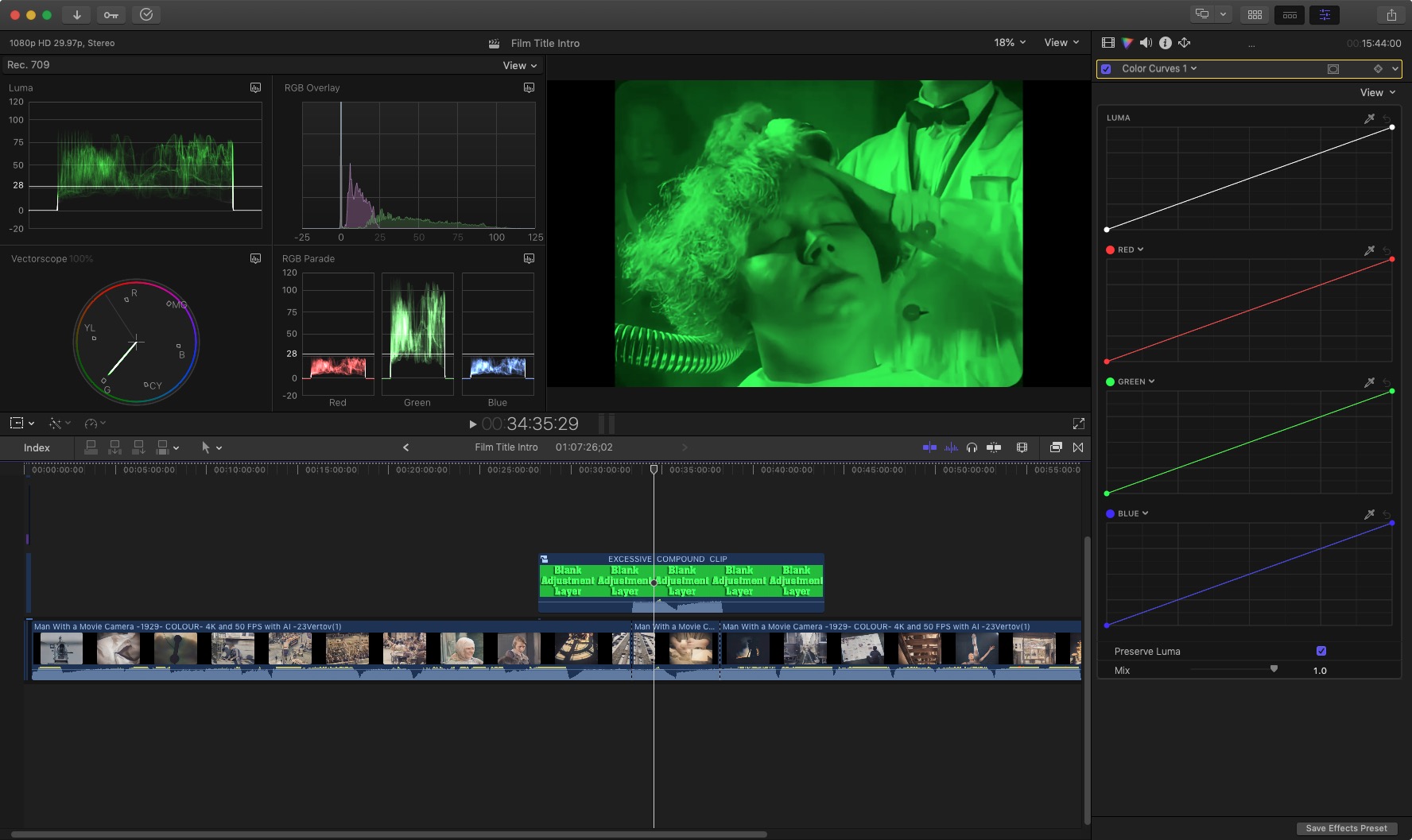
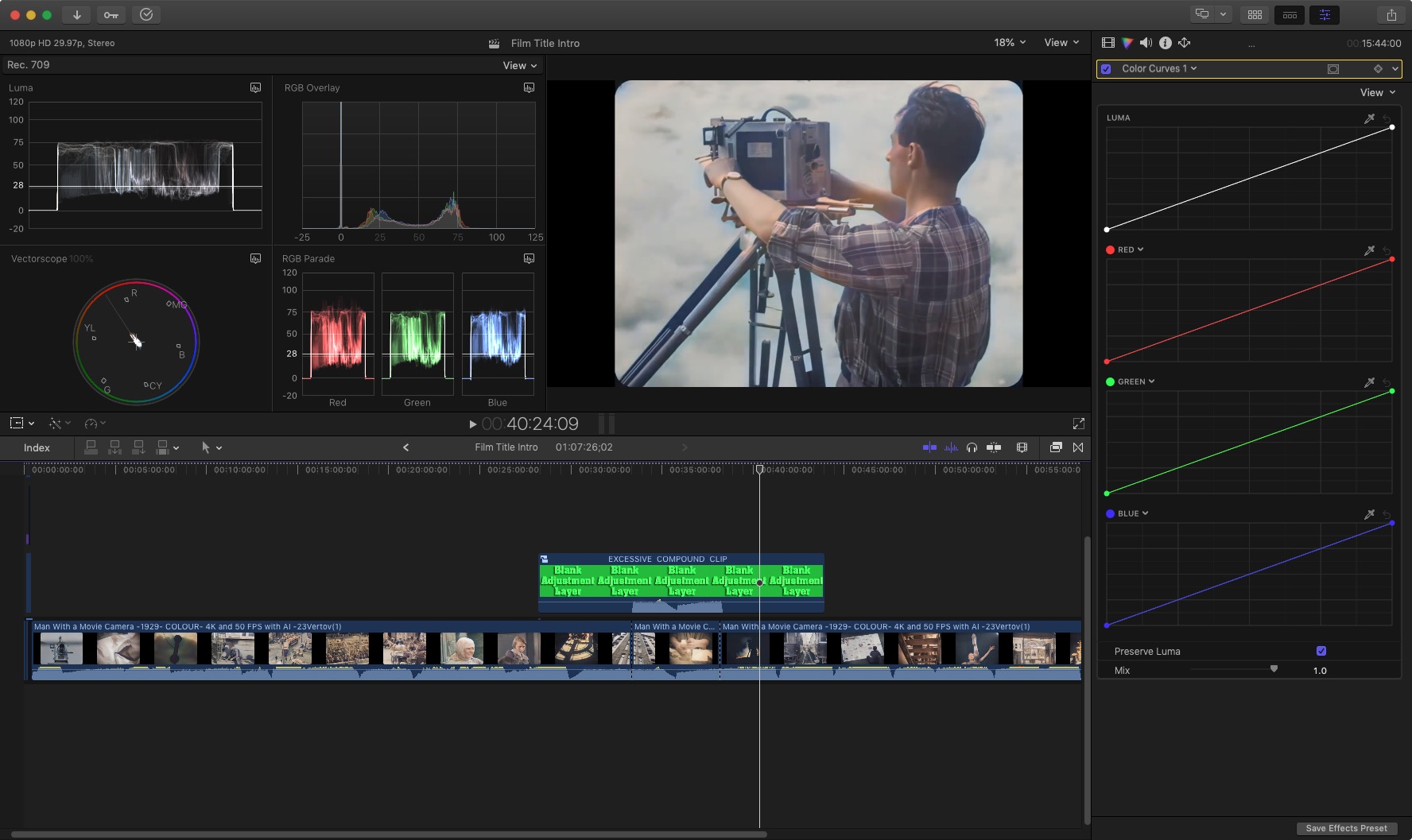
Place the adjustment layer above the video you want it to affect. Make it a COMPOUND CLIP. The adj layer only applies to that video within the clip. Note the excessive layer affects everything below it but making a compound clip combined with the secondary storyline clip it only affects THAT video clip and not the underlying ones, even though the adjustment layer has too much length before and after the affected clip.
- - - - - -
And here's another cool trick...
Compound Clip a timecode generator with some video. The TC will start at ZERO at the beginning of that CC even if the clip itself starts 17:42.11 into the edit.
- - - - - -
And here's another cool trick...
Compound Clip a timecode generator with some video. The TC will start at ZERO at the beginning of that CC even if the clip itself starts 17:42.11 into the edit.
Last edit: 10 Dec 2022 02:39 by VTC.
Please Log in to join the conversation.
18 Dec 2022 12:37 #123345
by tantramar
Replied by tantramar on topic Adjustment Layers | how to prevent them from affecting ALL layers beneath them?
Awesome suggestion — should’ve thought of that myself. I don’t *think* that’s the technique I came across, but there’s always more than one way to skin a cat!
😎👍
😎👍
Please Log in to join the conversation.

24 Dec 2022 01:19 #123378
by alex4D
Replied by alex4D on topic Adjustment Layers | how to prevent them from affecting ALL layers beneath them?
You can use the ‘Behind’ transfer mode on single clip above your stack of adjustment layer and clips underneath. The layer on top is then not effected by the adjustment layer, but still appears in the background.
Please Log in to join the conversation.
24 Dec 2022 02:43 #123383
by tantramar
Replied by tantramar on topic Adjustment Layers | how to prevent them from affecting ALL layers beneath them?
That’s it! That’s the tip I saw! Brilliant — thanks so much. 😎👍
Please Log in to join the conversation.
- jamespeach
-

- Offline
- Senior Member
-

Less
More
- Posts: 42
- Thank you received: 0
04 Aug 2023 10:29 #126688
by jamespeach
Replied by jamespeach on topic Adjustment Layers | how to prevent them from affecting ALL layers beneath them?
wow I only just saw this. That's very helpful.
Please Log in to join the conversation.
